






























If you’re a seller on Newegg, you can withdraw your marketplace payouts into your World Account. With the World Account, you can hold funds in multiple currencies, make conversions at competitive FX rates between your currency accounts, withdraw to your bank account, or pay your third-party suppliers abroad. You can even make purchases on wholesale marketplaces like 1688.com directly with your World Account balance. Start withdrawing your Newegg sales proceeds in a few simple steps.
*Note: The following example uses a USD account for demonstration. The steps for other currencies are the same.
Step 1 – Set up a Receiving Account
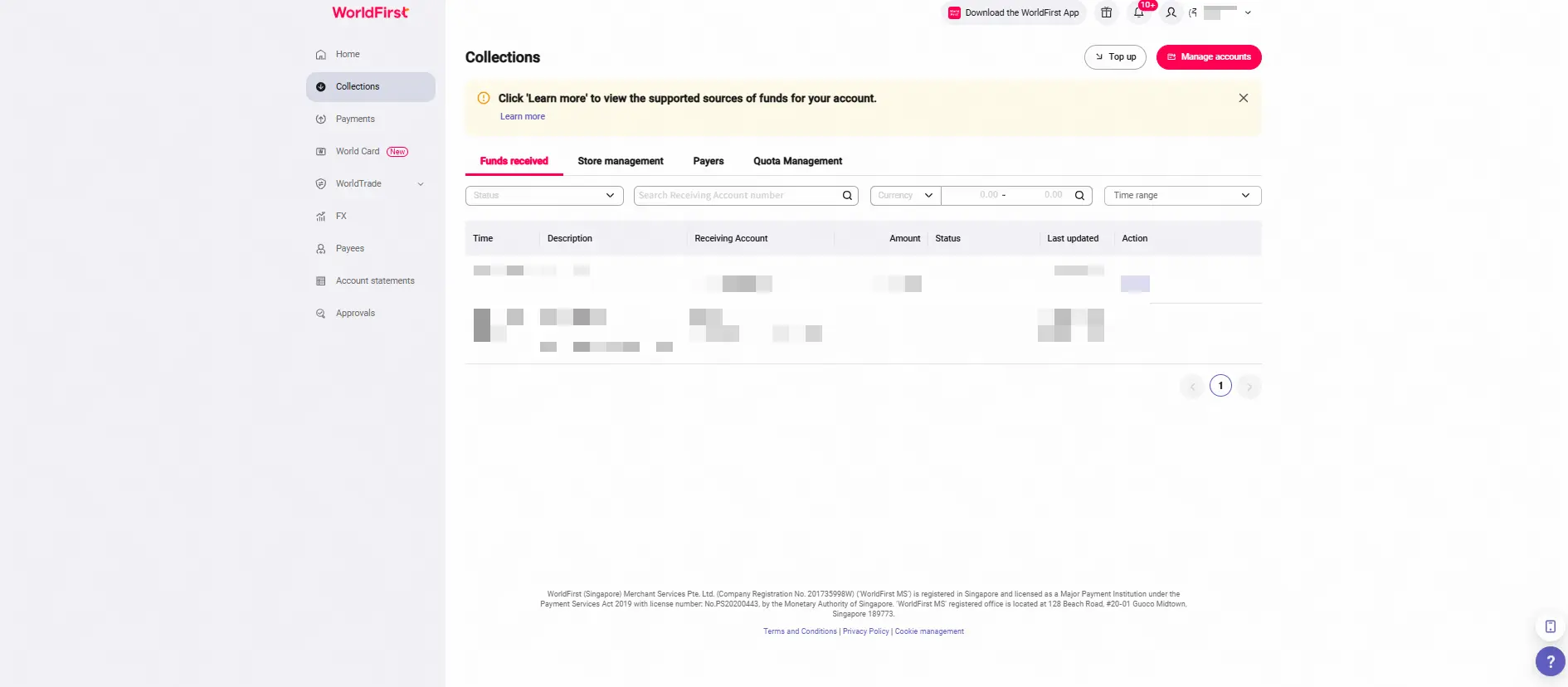
- On your World Account dashboard, go to the Collections tab > Click Manage accounts
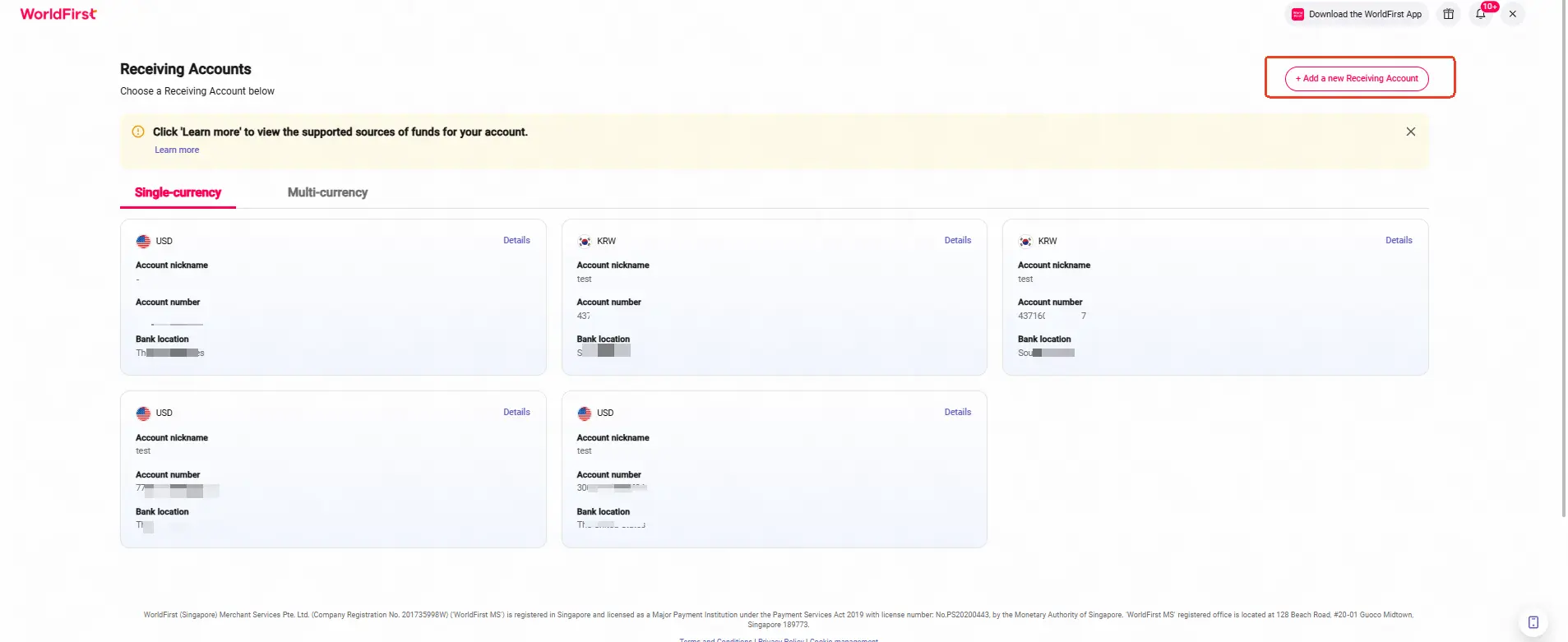
- Click on Add a new Receiving Account. You can then select the currency for your receiving account
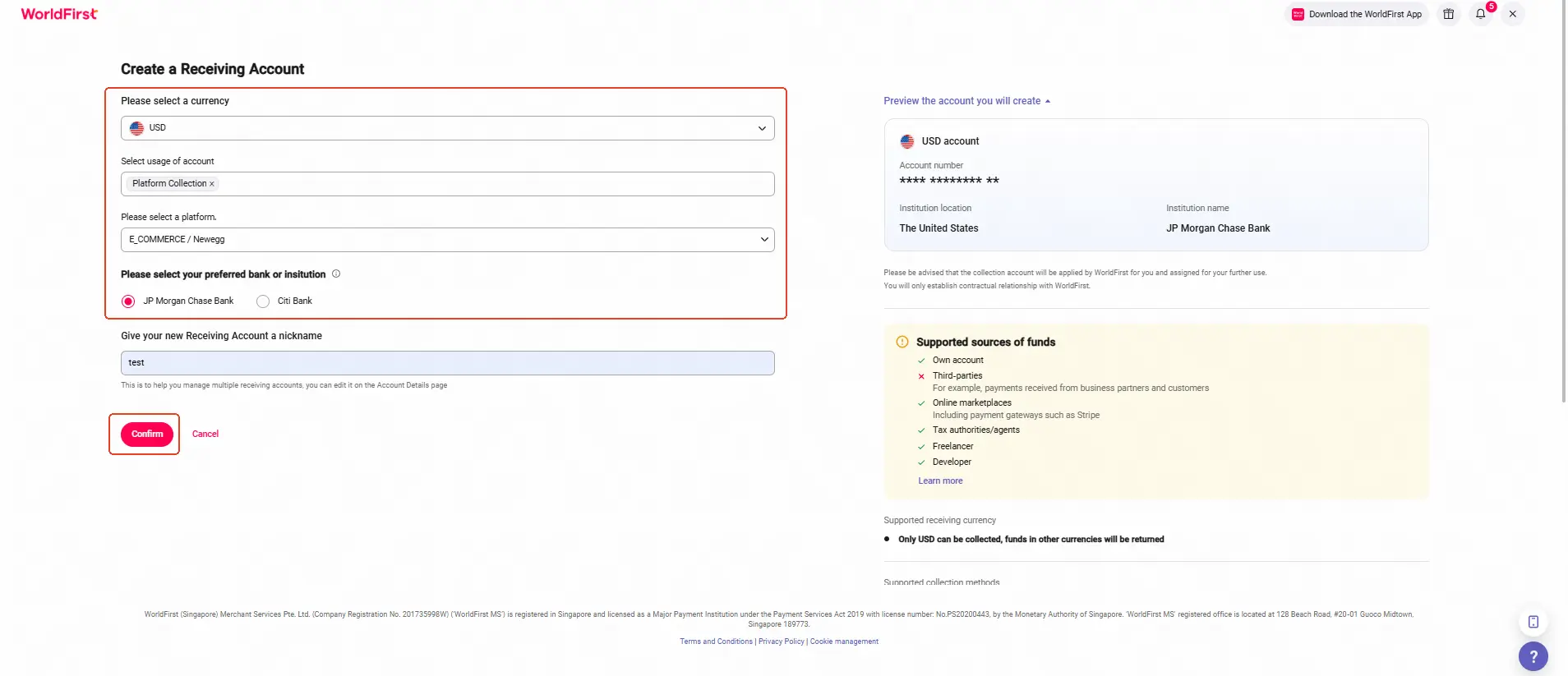
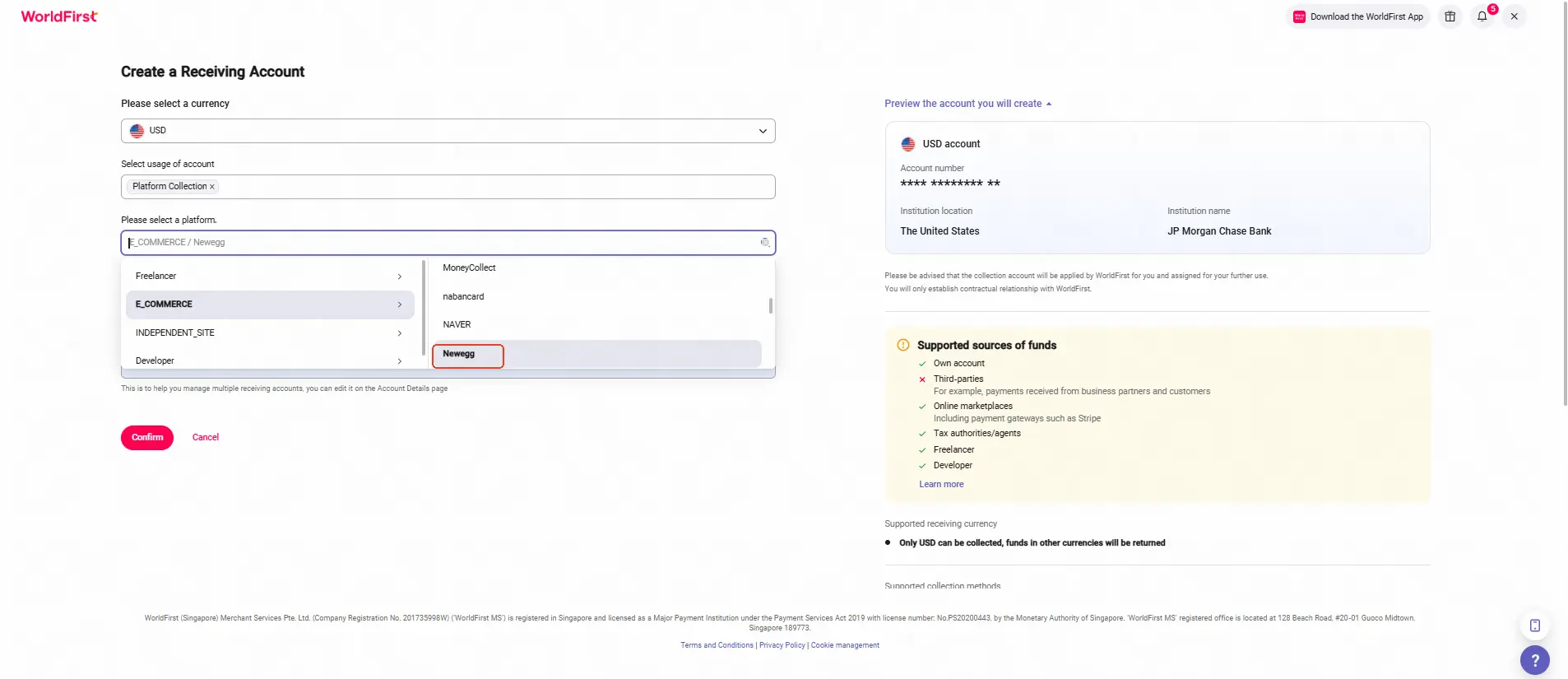
- Select the required currency, account usage, marketplace platform, supported bank, and enter an account name. Click Confirm to complete your new receiving account
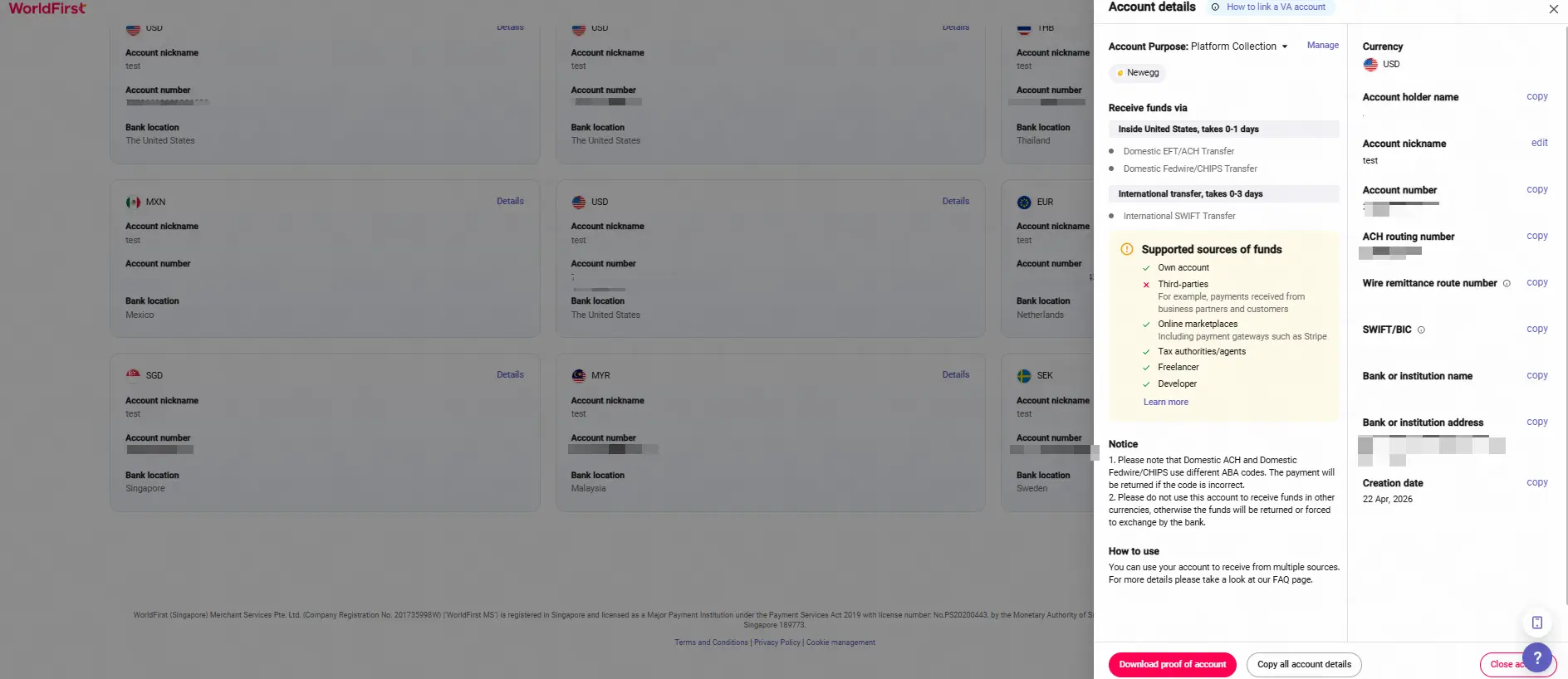
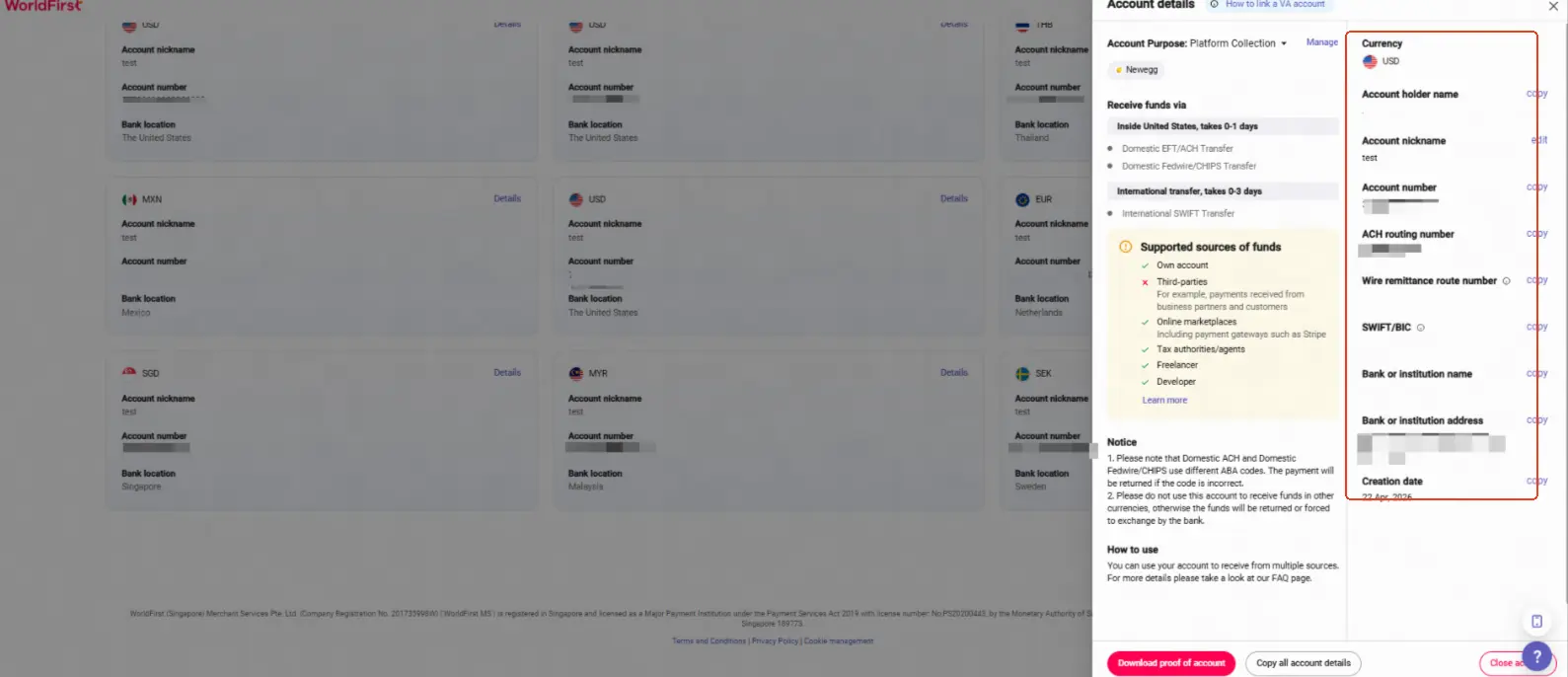
- Once the account is set up, you can click on Details to get the account details
Step 2 – Link your Receiving Account to Newegg
Reminder:
You need to create a receiving account in your World Account before linking it to your Newegg store for payments.
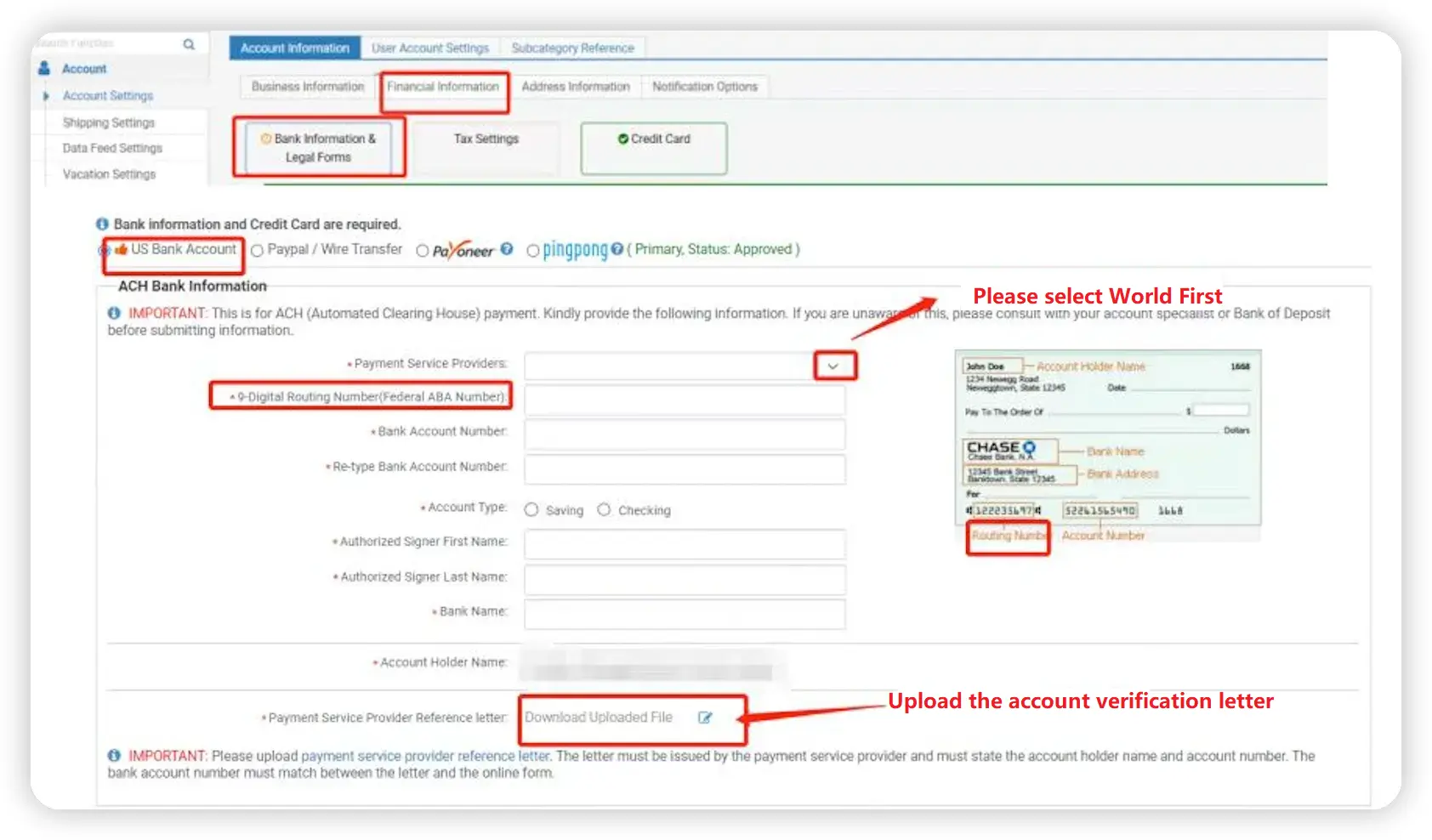
- After logging in to your Newegg business account, click Financial Information, then click Bank Information & Legal Forms to enter the page where you can add and fill in your receiving account details.
Tips:
Fill in or select the bank details exactly as shown in your World Account receiving account.
- Payment Service Providers: WorldFirst
- 9‑Digital Routing Number (Federal ABA Number): ACH routing number (refer to the details in your World Account receiving account)
- Bank Account Number: Account number (refer to the details in your World Account receiving account)
- Re-type Bank Account Number: Account number (enter the same account number again)
- Account Type: Checking
- Bank Name: Bank or institution name (refer to the details in your World Account receiving account)
- Account Holder Name: Account holder name (refer to the details in your World Account receiving account)
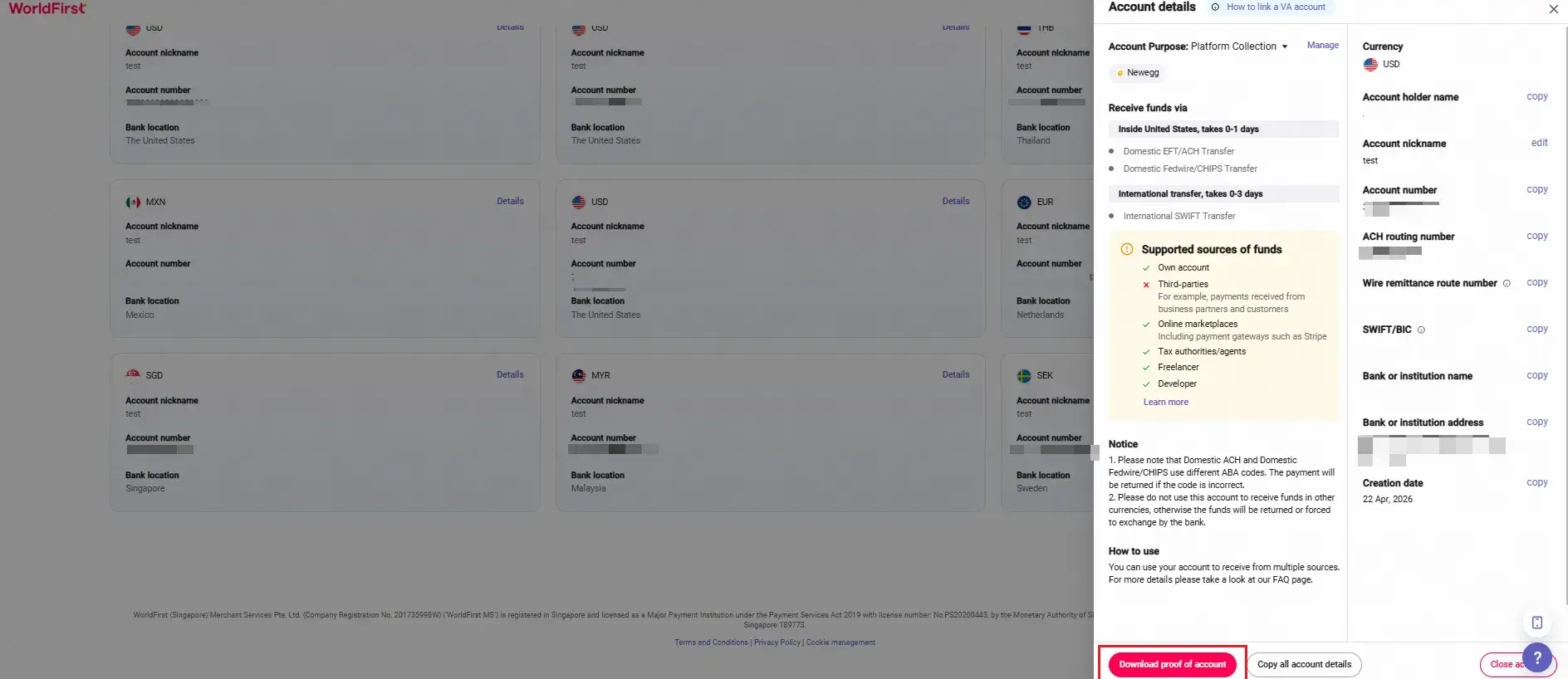
- Payment Service Provider Reference letter: Upload the account verification letter downloaded from WorldFirst portal
- After submission, once the platform review is approved, the account will be successfully linked.






