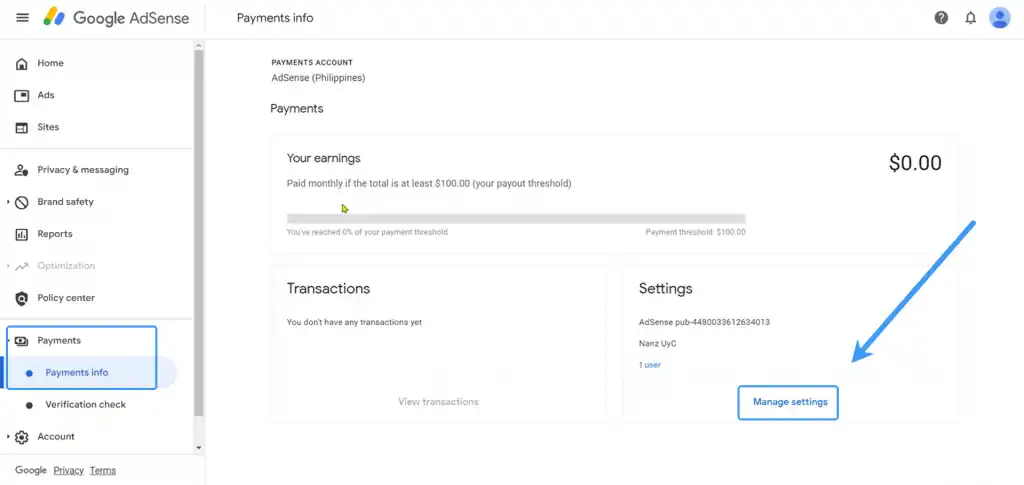
If you work on Google Adsense, you can withdraw your funds into the World Account. With the World Account, you can hold your multi-currency funds, make conversions at competitive FX rates, remit to your bank account. You can even make purchases at wholesale sites like 1688.com directly with your World Account balance. With a few simple steps, you can start withdrawing your funds.
*Note: The following example uses a USD account for demonstration. The steps for other currencies are the same.
Step 1 – Set up the Receiving Account
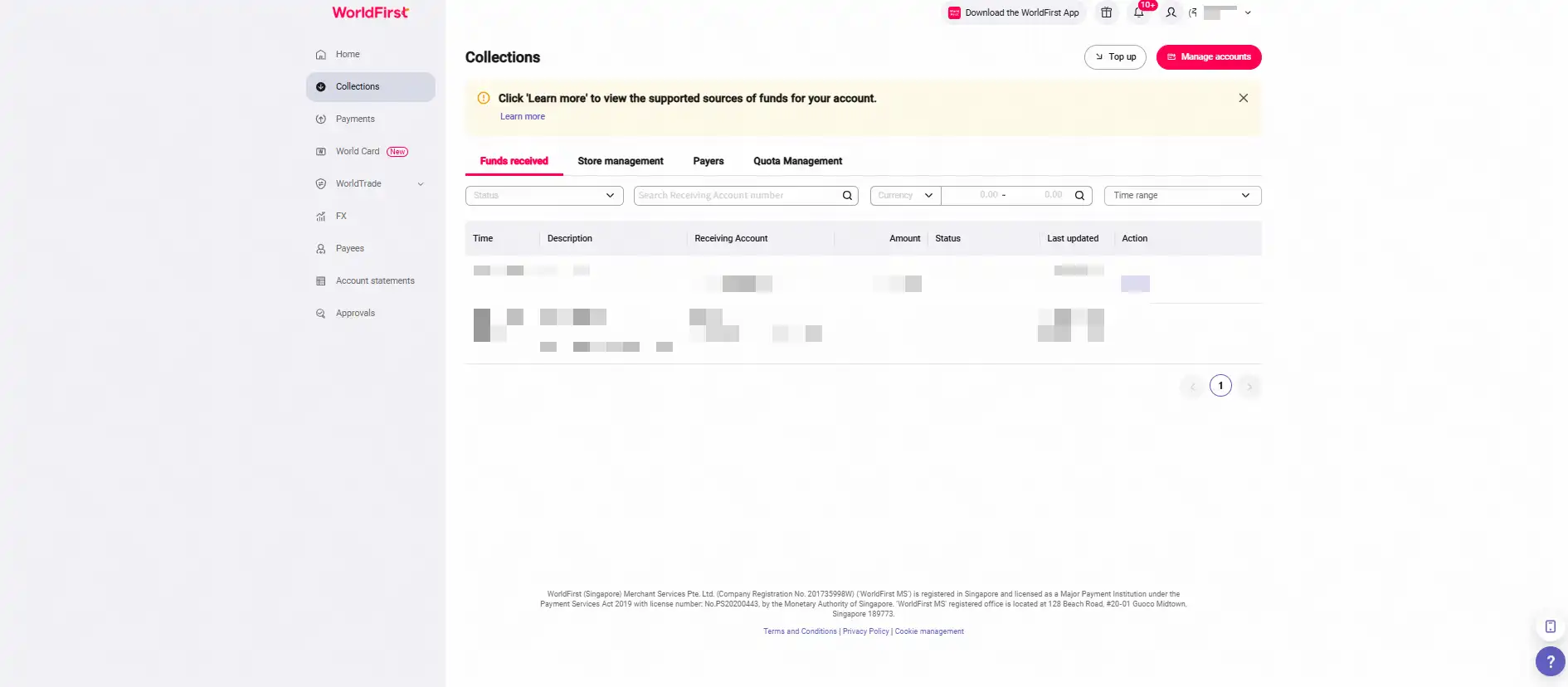
- On your World Account dashboard, go to the Collections tab > Click Manage accounts
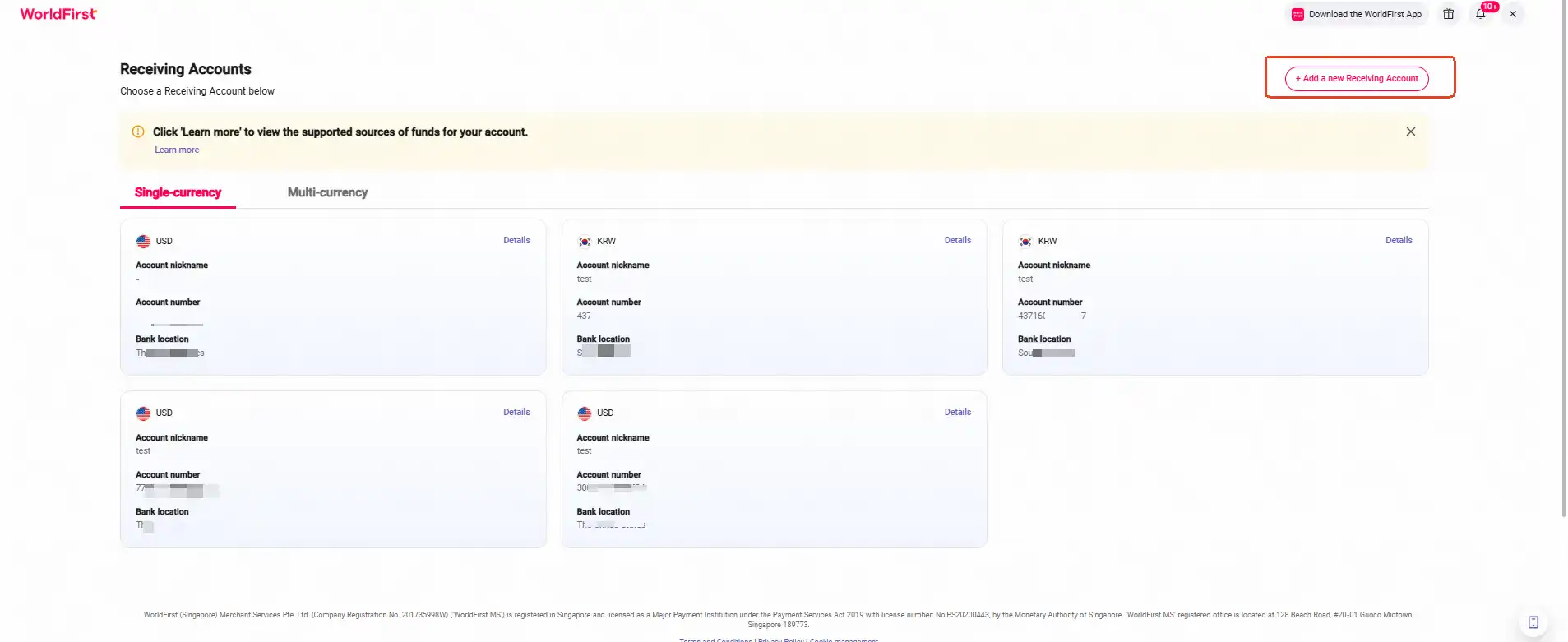
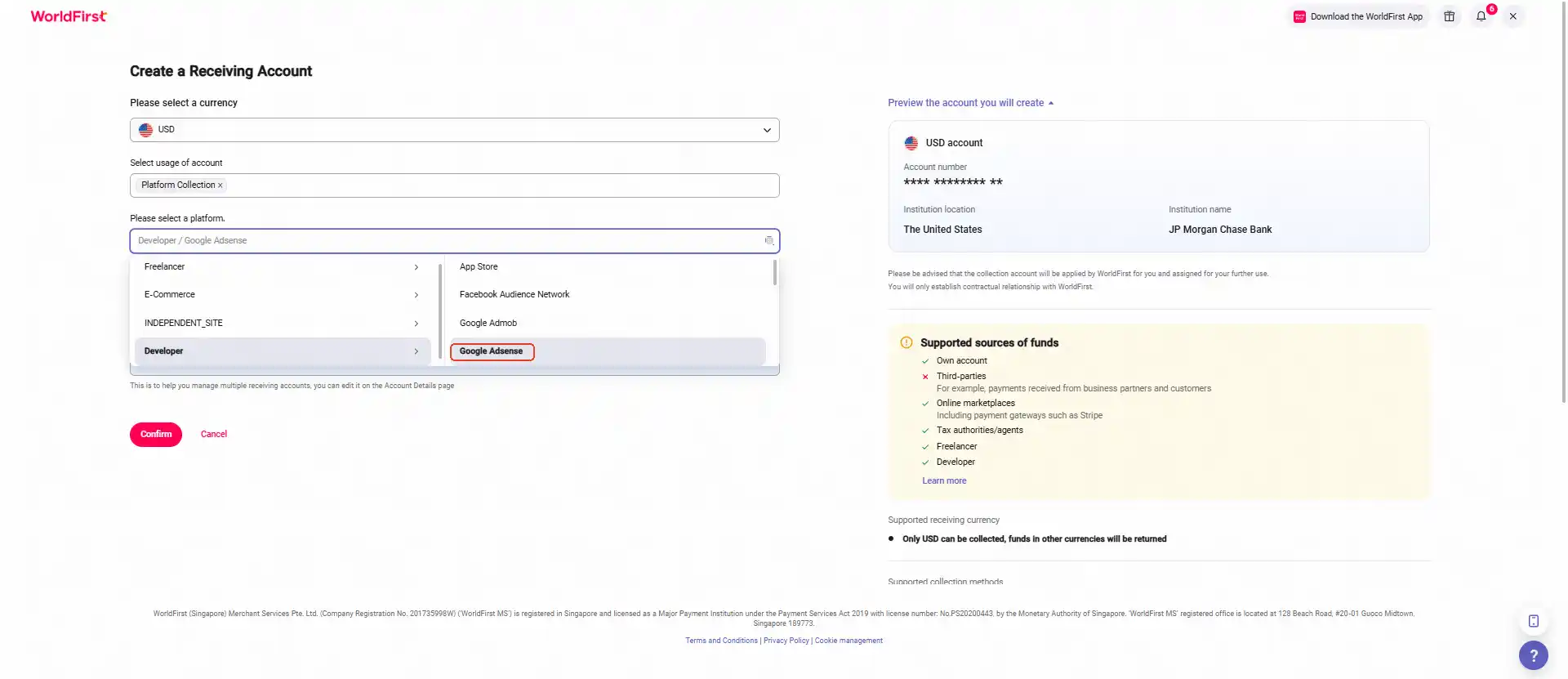
- Click on Add a new Receiving Account. You can then select the currency for your receiving account
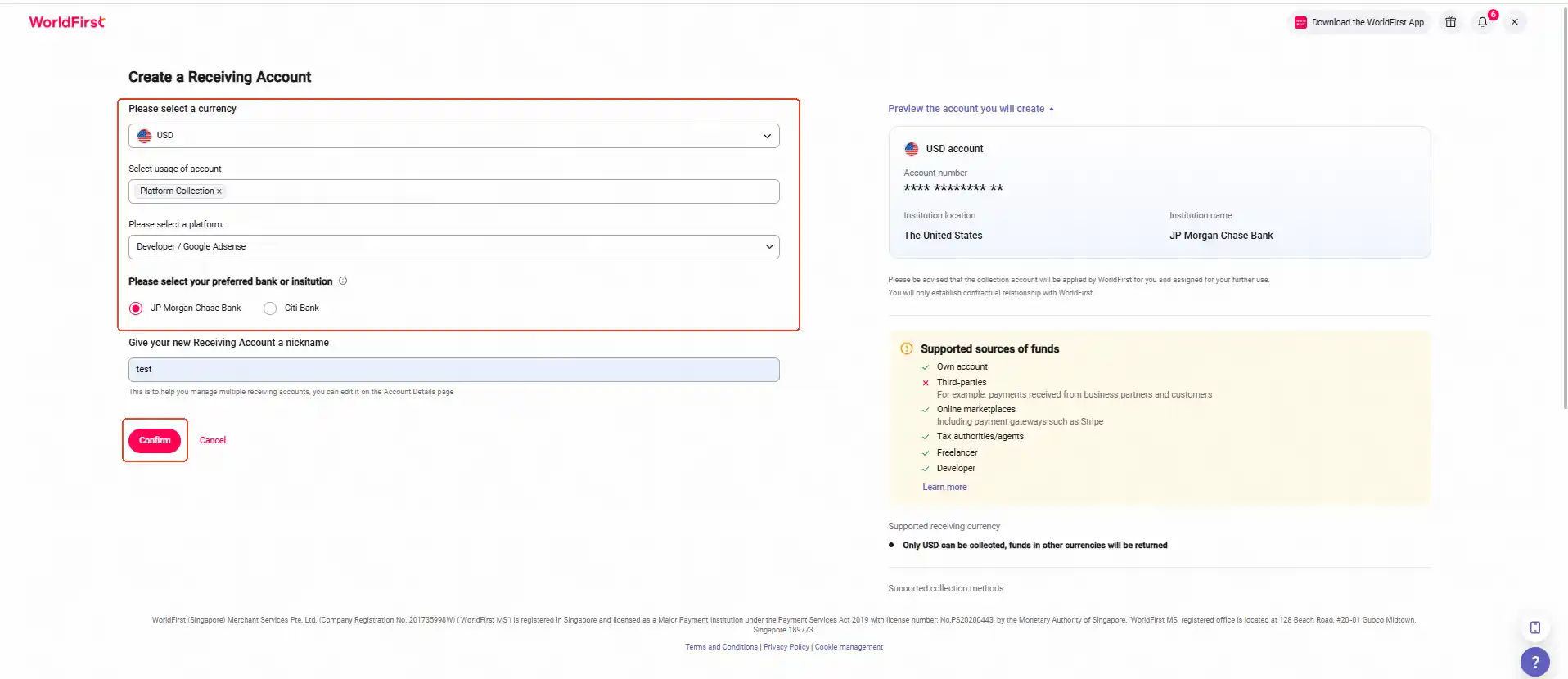
- Select the required currency, account usage, marketplace platform, supported bank, and enter an account name. Click Confirm to complete your new receiving account
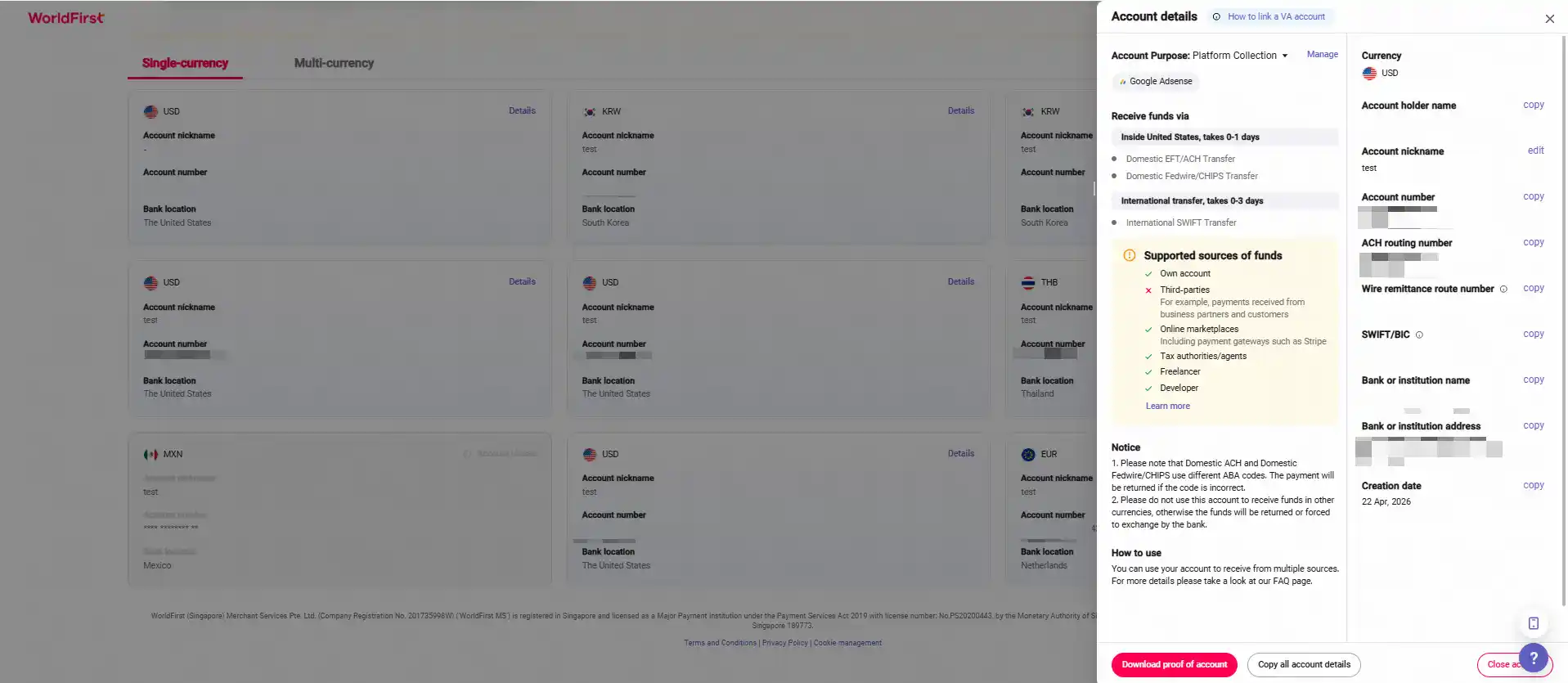
- Once the account is set up, you can click on Details to get the account details
Step 2 – Link your receiving account to Google Adsense
Reminder:
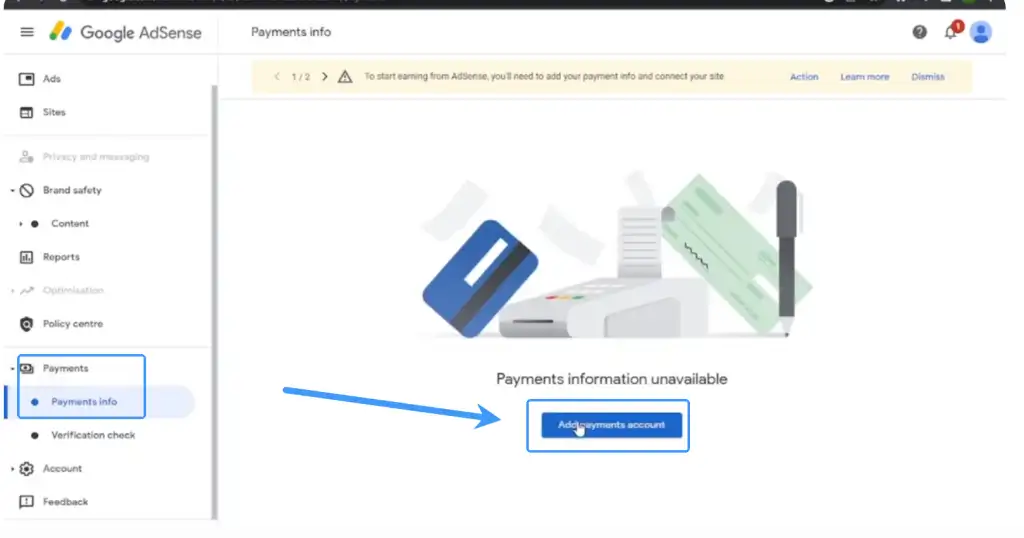
You need to create a receiving account in your World Account before linking it to your Google Adsense account for payments.
- Add a new bank account
- Create payment profile and fill in account information as required
Filling Tips:
Fill in or select the bank details exactly as shown in your World Account receiving account
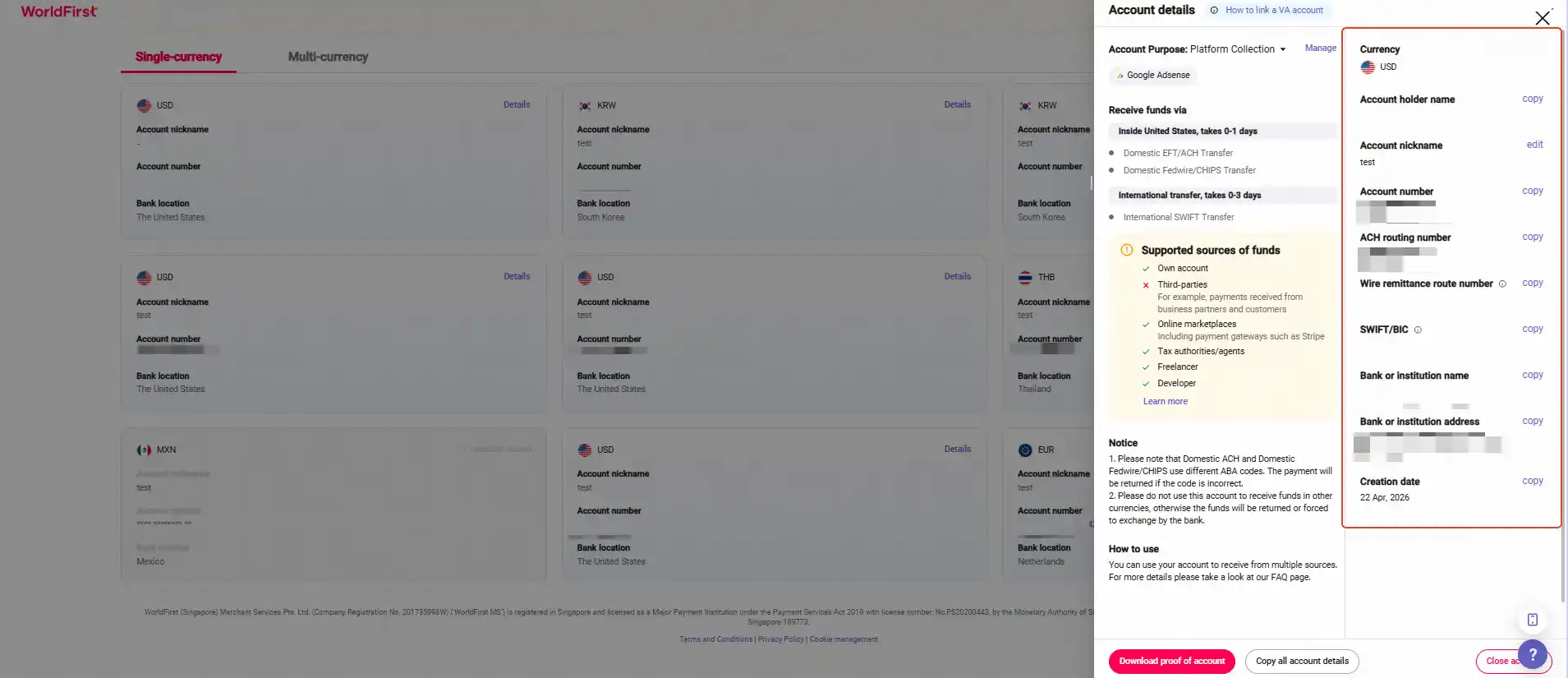
- Name on bank account: Account holder name (refer to the details in your World Account receiving account)
- Bank name: Bank or institution name (refer to the details in your World Account receiving account)
- SWIFT BIC: SWIFT/BIC (refer to the details in your World Account receiving account)
- Account number: Account number (refer to the details in your World Account receiving account)
- Re‑type Account number: Account number (enter the same account number again)
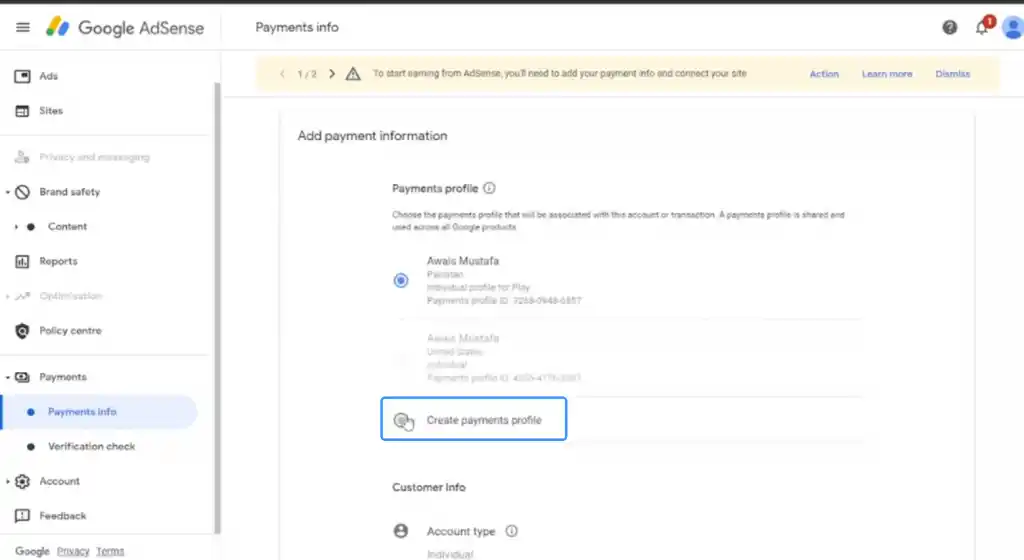
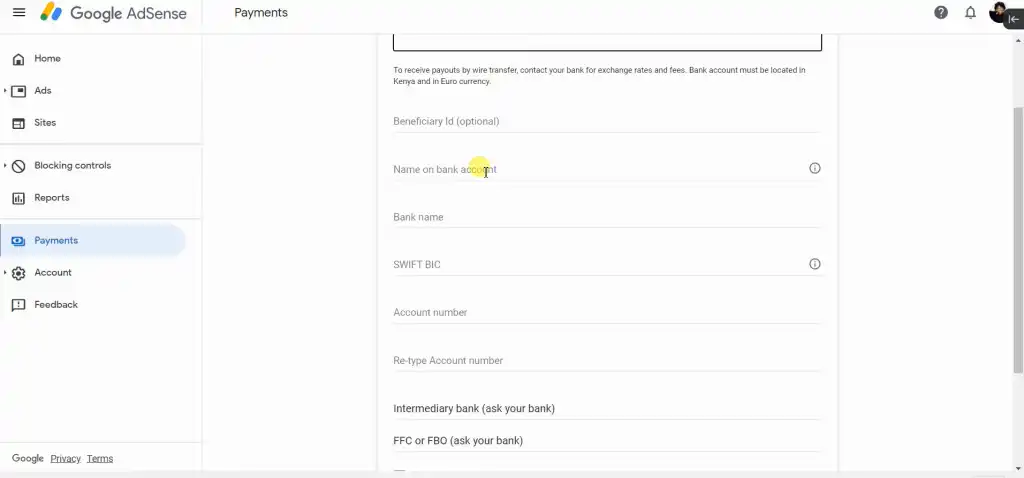
- Then you can see the binded account