












---
title: How do I receive money from Google Admob?
url: "https://www.worldfirst.com/global/help-center/receiving-payments/google-admob/"
updated: "2025-10-29"
category: Receiving Payments
---

# How do I receive money from Google Admob?

If you work on Google Admob, you can withdraw your funds into the World Account. With the World Account, you can hold your multi-currency funds, make conversions at competitive FX rates, remit to your bank account. You can even make purchases at wholesale sites like 1688.com directly with your World Account balance. With a few simple steps, you can start withdrawing your funds.

**The type of Receiving Account to set up for my [Google Admob account](http://www.google.com/admob)**

## **|**Step 1 – Set up the Receiving Account

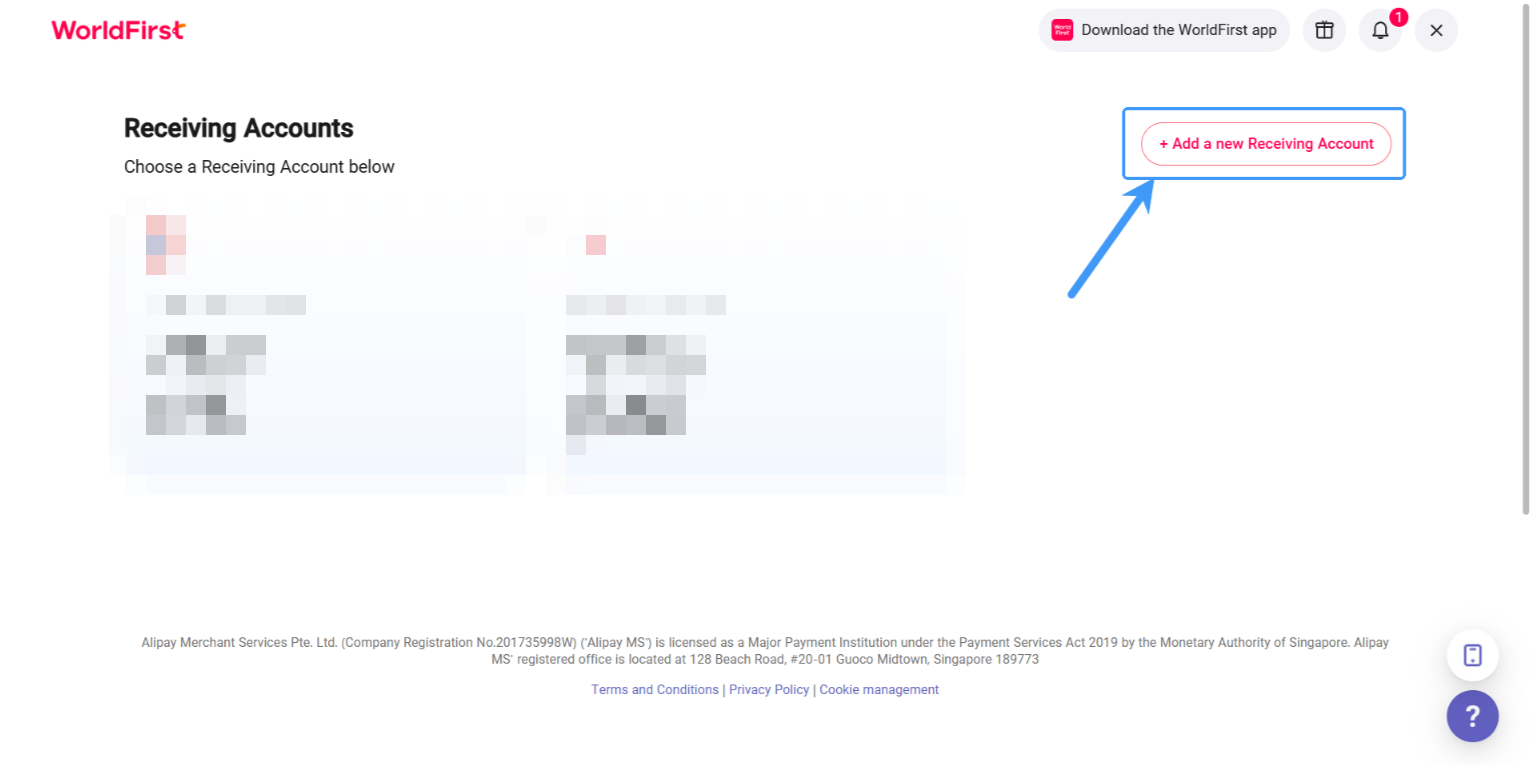
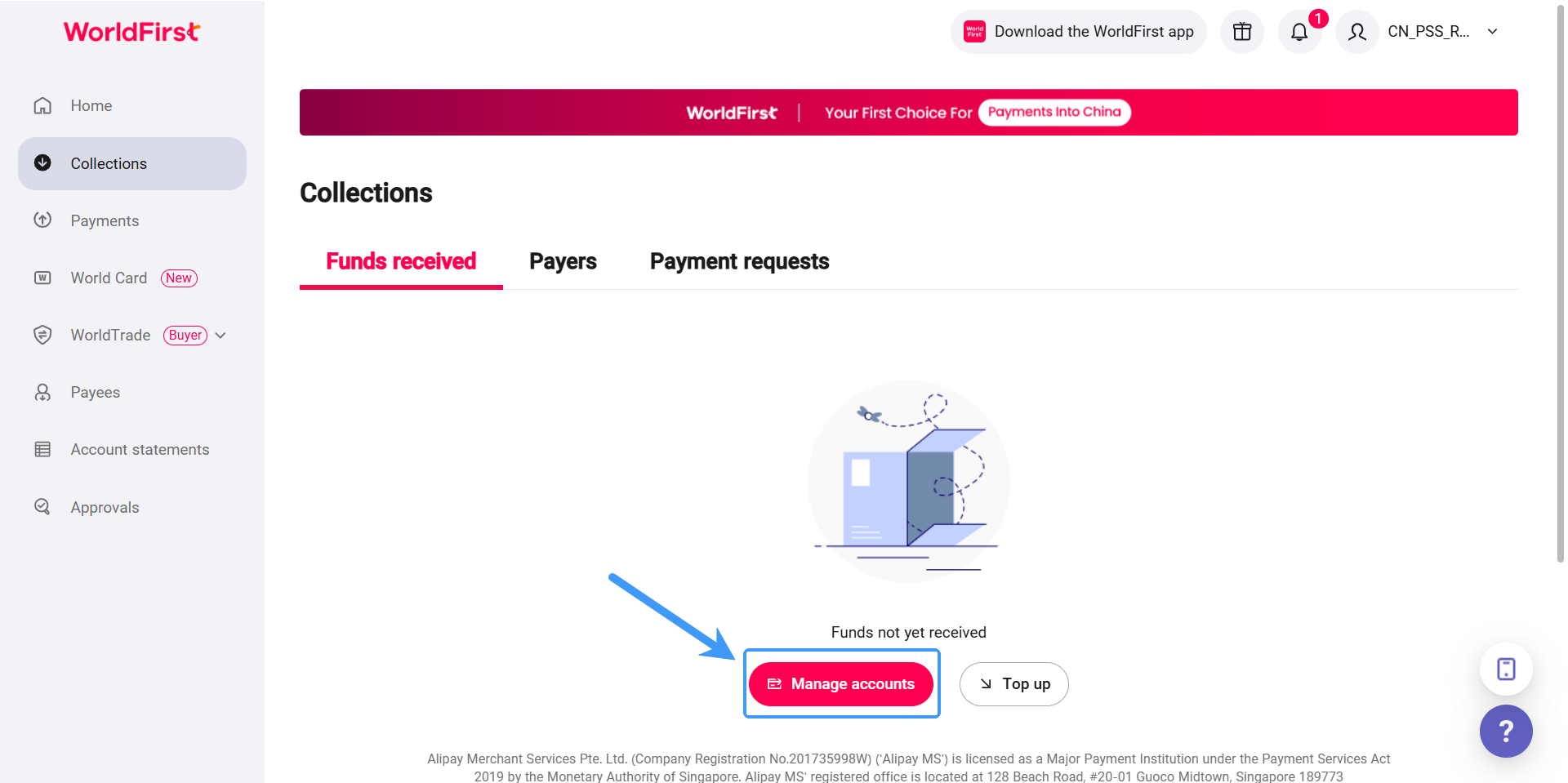
- On your World Account dashboard, go to the ”**Collection**“ tab
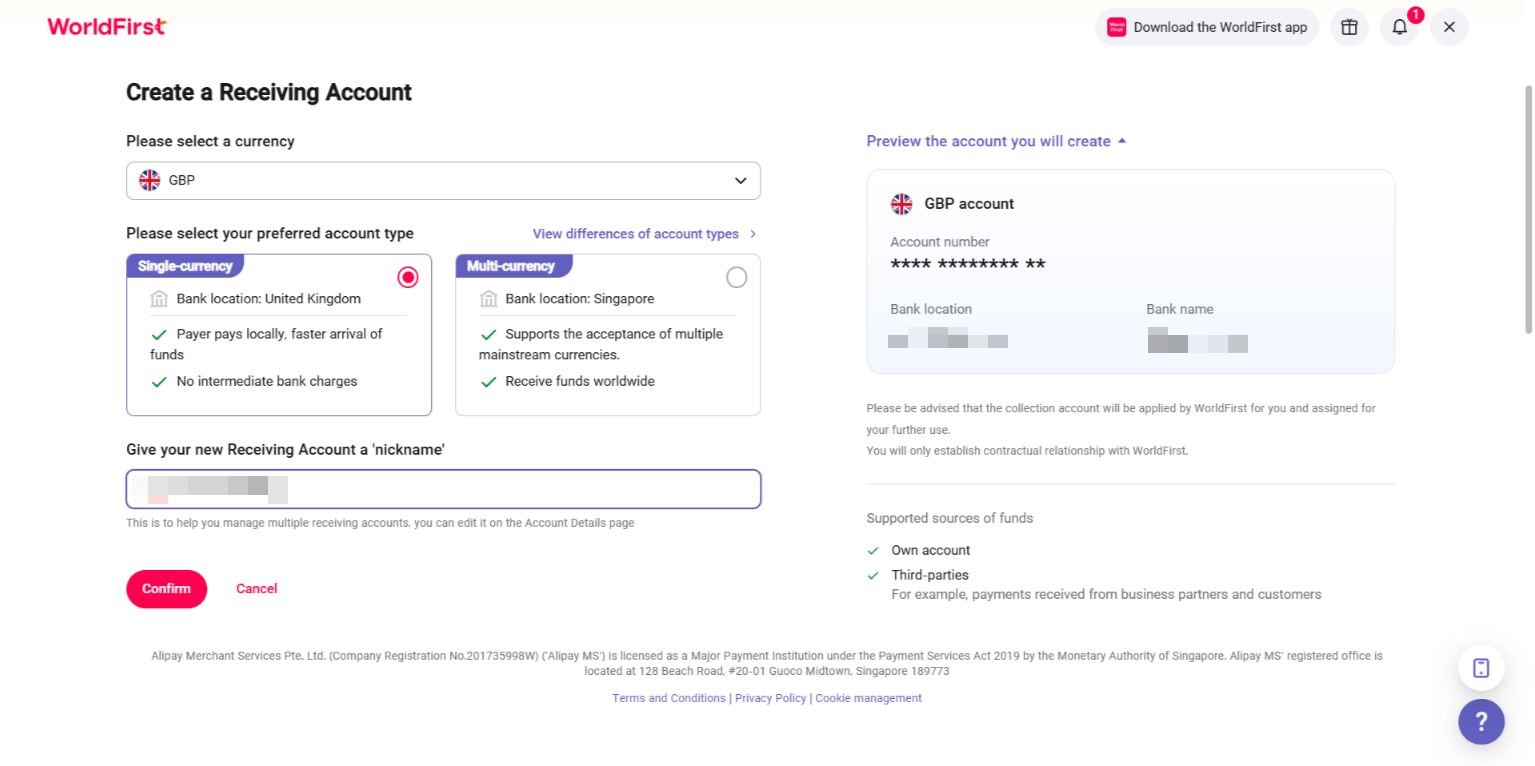
- Then click on ”**Manage Accounts“ > ”Add a New Receiving Account**“. You can then select the currency of your Receiving Account
 [![](https://cdn.marmot-cloud.com/worldfirst/sites/38/2025/09/20250901135317133-1024x511.png)](https://cdn.marmot-cloud.com/worldfirst/sites/38/2025/09/20250901135317133.png) [![](https://cdn.marmot-cloud.com/worldfirst/sites/38/2025/09/20250901135420652-1024x512.png)](https://cdn.marmot-cloud.com/worldfirst/sites/38/2025/09/20250901135420652.png) [![](https://cdn.marmot-cloud.com/worldfirst/sites/38/2025/09/20250901135559143-1024x511.png)](https://cdn.marmot-cloud.com/worldfirst/sites/38/2025/09/20250901135559143.png)

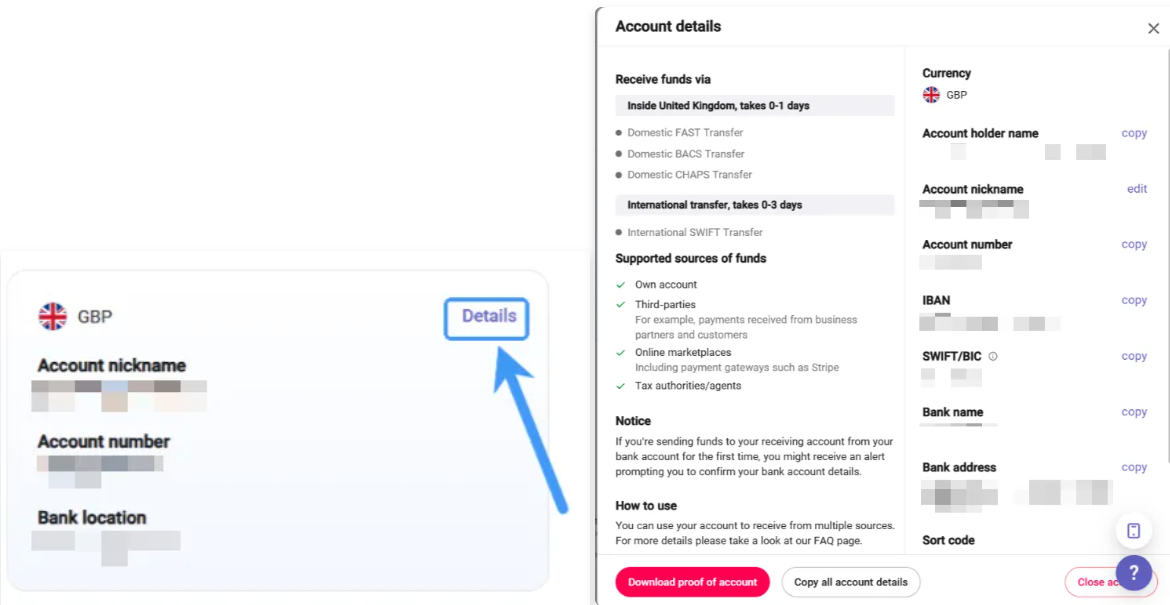
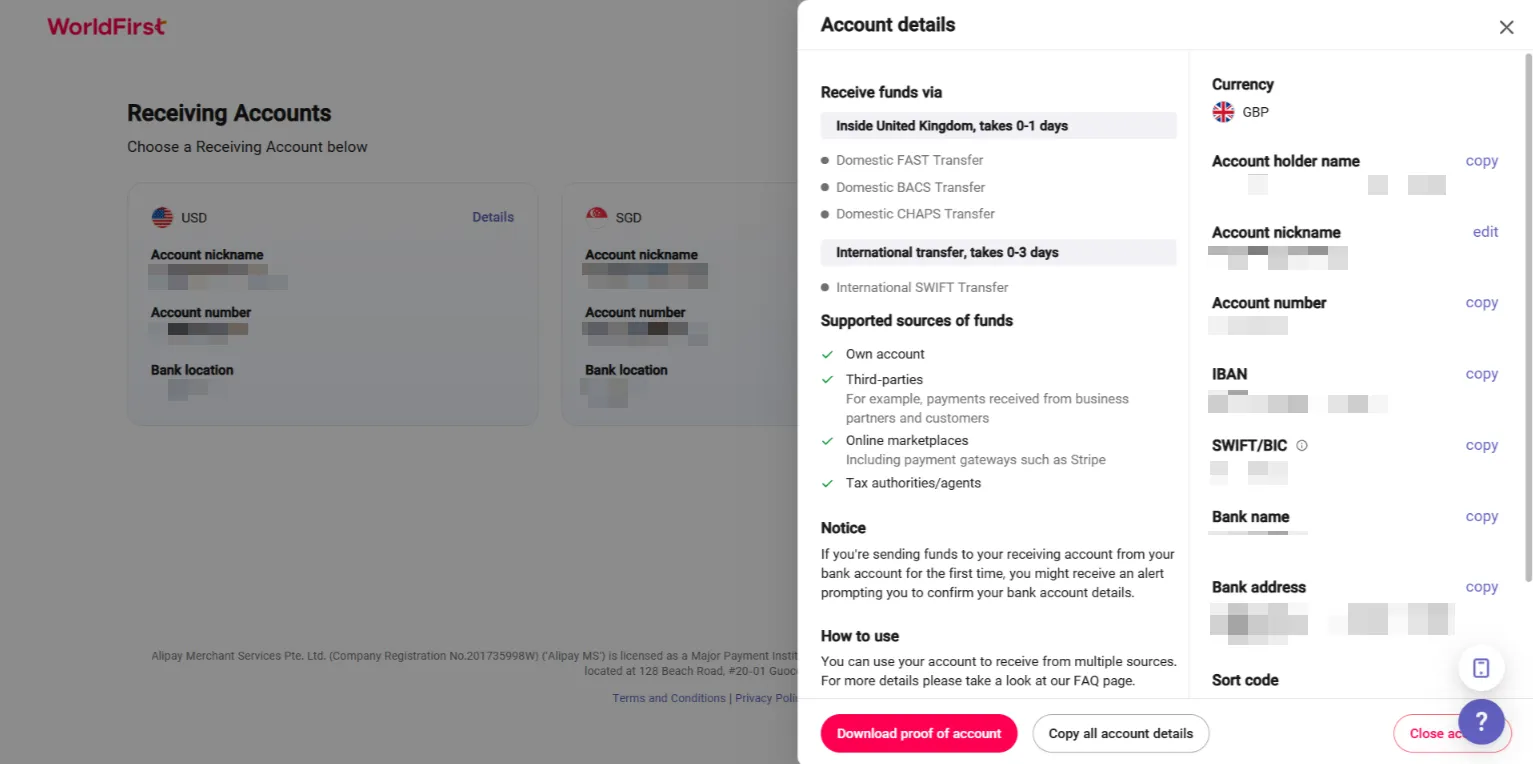
- Once the account is set up, you can click on ”**Details**“ to get the account details

 [![](https://cdn.marmot-cloud.com/worldfirst/sites/38/2025/09/20250901135736928-1024x530.png)](https://cdn.marmot-cloud.com/worldfirst/sites/38/2025/09/20250901135736928.png) [![](https://cdn.marmot-cloud.com/worldfirst/sites/38/2025/09/20250901163944568-1024x510.png)](https://cdn.marmot-cloud.com/worldfirst/sites/38/2025/09/20250901163944568.png)

## **|**Step 2 – Link your Receiving Account to Google Admob

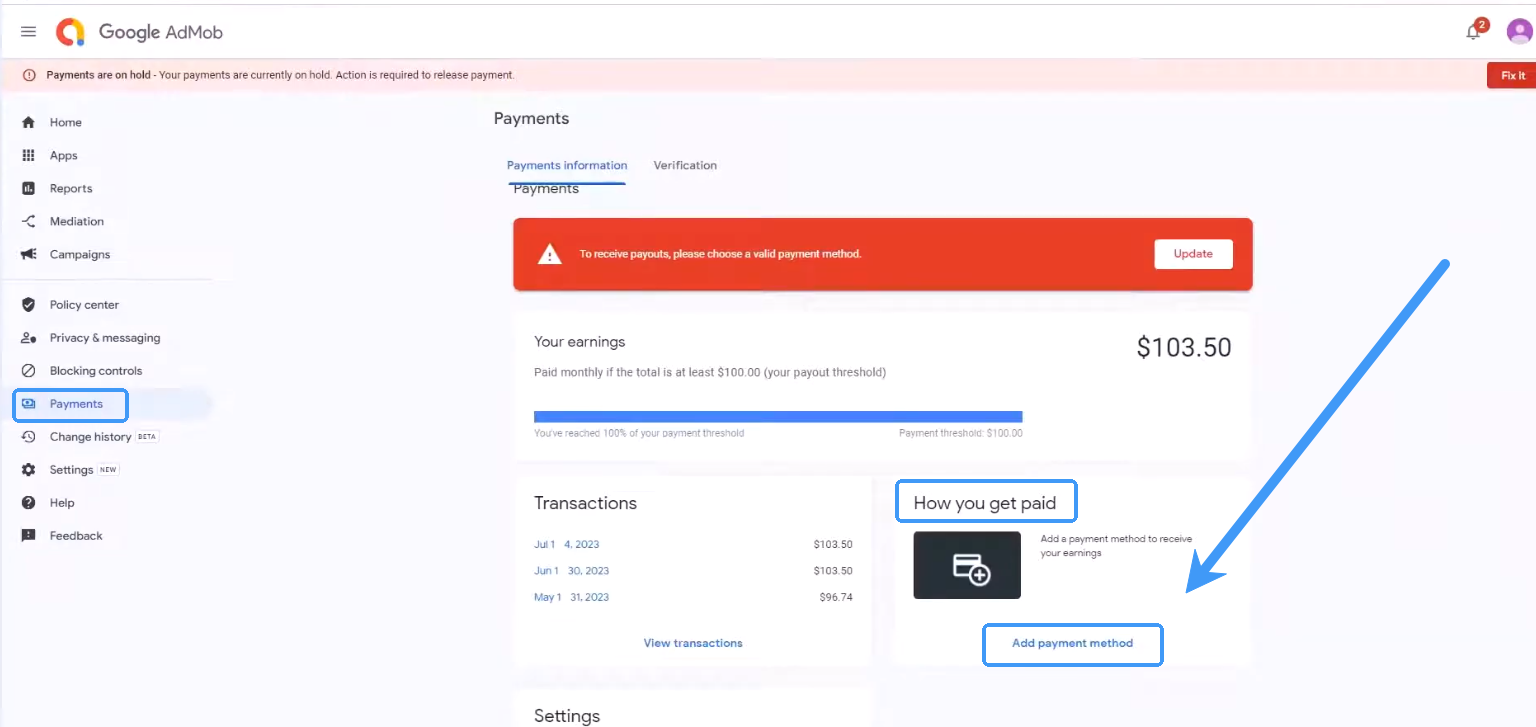
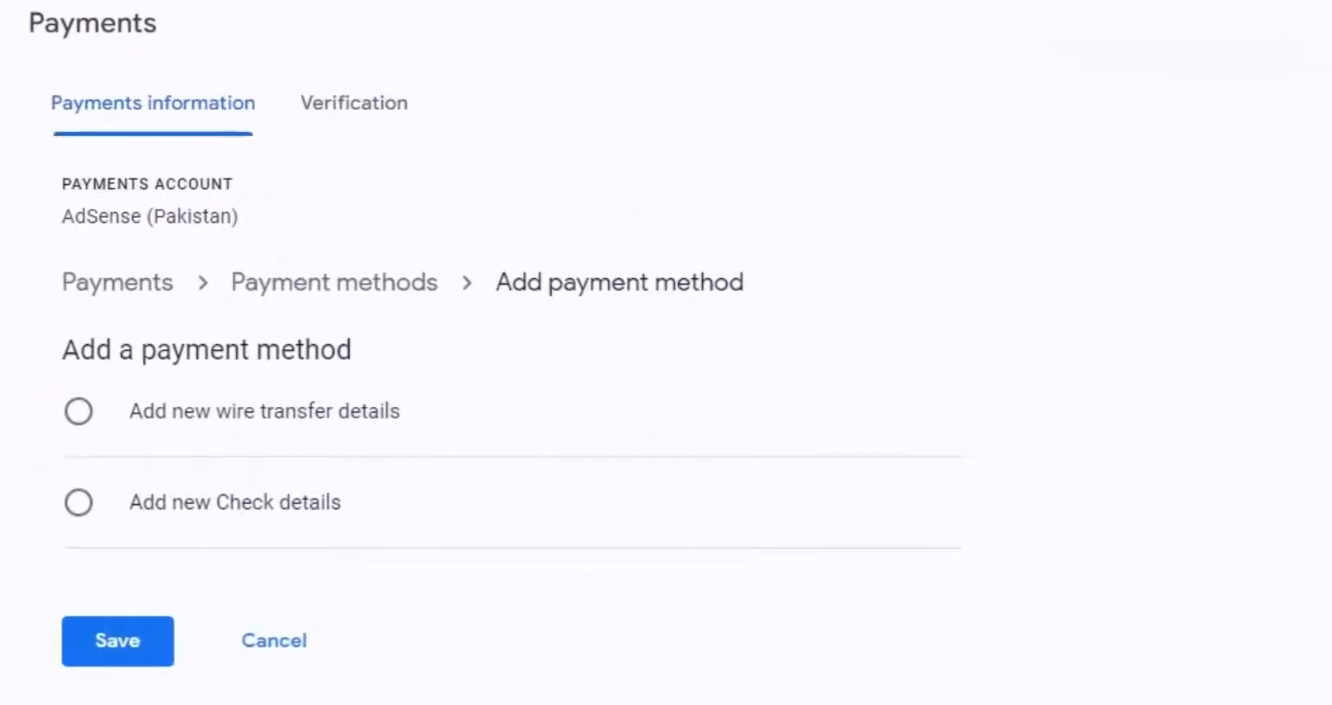
- Click “**payments”** > “**How you get paid”** > “**Add payment method”**

 [![](https://cdn.marmot-cloud.com/worldfirst/sites/38/2025/09/20250901164039730-1024x485.png)](https://cdn.marmot-cloud.com/worldfirst/sites/38/2025/09/20250901164039730.png) [![](https://cdn.marmot-cloud.com/worldfirst/sites/38/2025/09/20250901164121640-1024x542.png)](https://cdn.marmot-cloud.com/worldfirst/sites/38/2025/09/20250901164121640.png) [![](https://cdn.marmot-cloud.com/worldfirst/sites/38/2025/09/20250901164207576-1024x603.png)](https://cdn.marmot-cloud.com/worldfirst/sites/38/2025/09/20250901164207576.png)

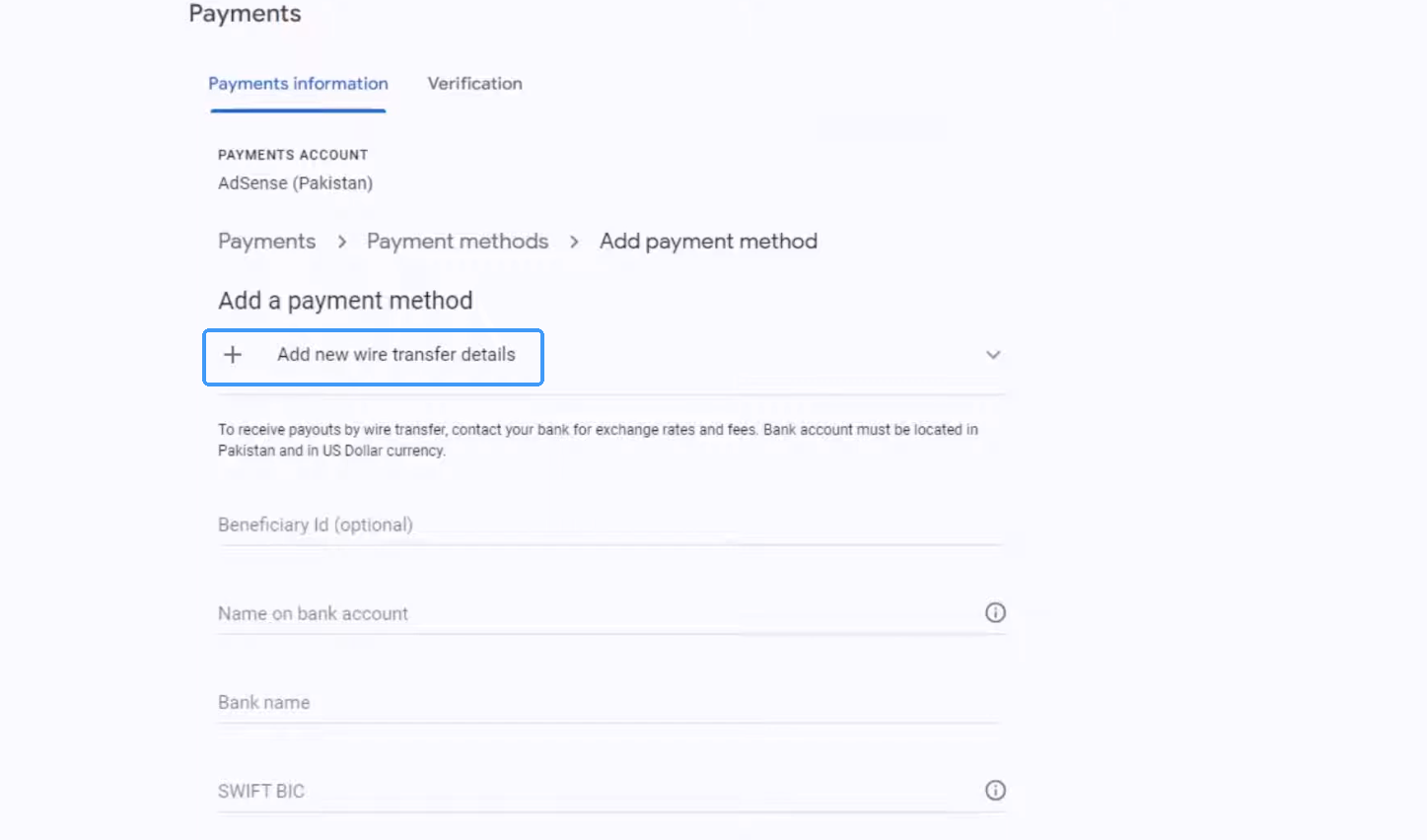
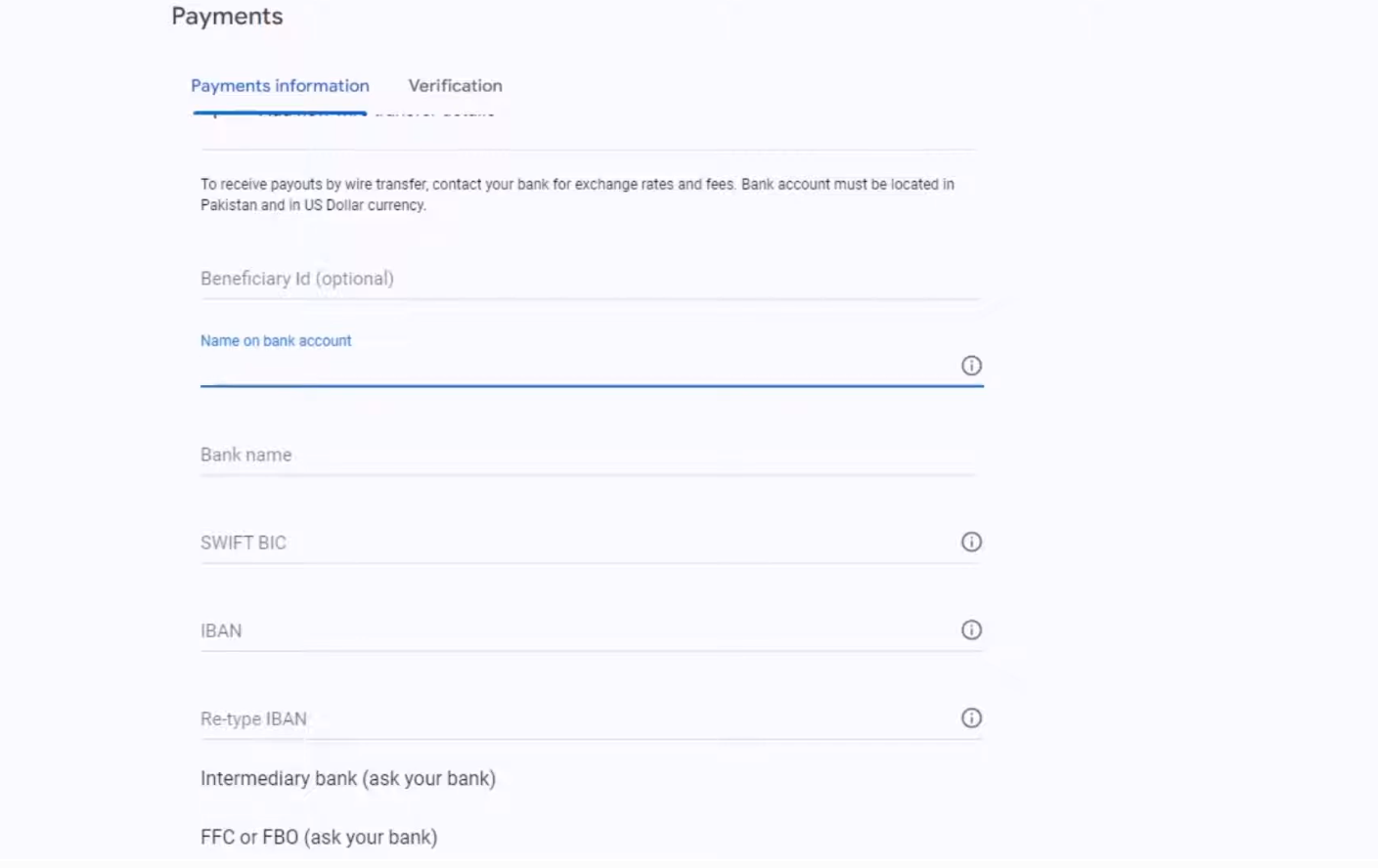
- Then fill in the bank account information as required
 [![](https://cdn.marmot-cloud.com/worldfirst/sites/38/2025/09/20250901164303912-1024x645.png)](https://cdn.marmot-cloud.com/worldfirst/sites/38/2025/09/20250901164303912.png)

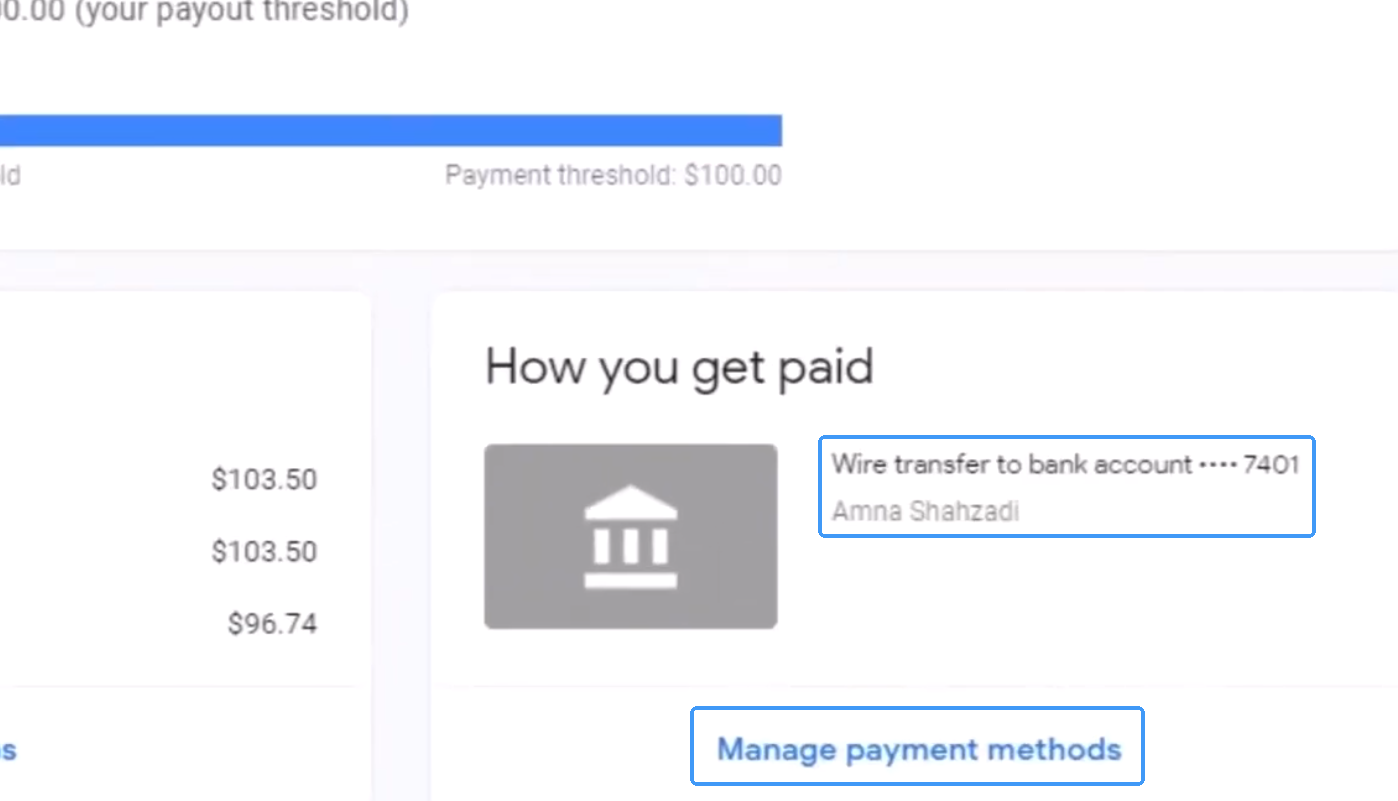
- Now you can see the binded account

 [![](https://cdn.marmot-cloud.com/worldfirst/sites/38/2025/09/20250901164356821-1024x587.png)](https://cdn.marmot-cloud.com/worldfirst/sites/38/2025/09/20250901164356821.png)