





























If you’re running supplier payments to China, collecting marketplace payouts, or juggling SGD and USD invoices, you’ve probably looked at your bank’s multi-currency account and wondered what it’s actually costing you.
This review looks specifically at the OCBC Multi-Currency Business Account, one of the three major local bank options alongside DBS and UOB.
OCBC is regulated by the Monetary Authority of Singapore (MAS) as a full bank, and its multi-currency product is built for Singapore-incorporated companies that already bank locally and want to add foreign currency holding and transfer capability without opening a separate relationship.
This article covers what the account includes, how it stacks up against DBS, UOB and non-bank alternatives like WorldFirst, and what to weigh up if you’re comparing providers before you switch.
Key takeaways:
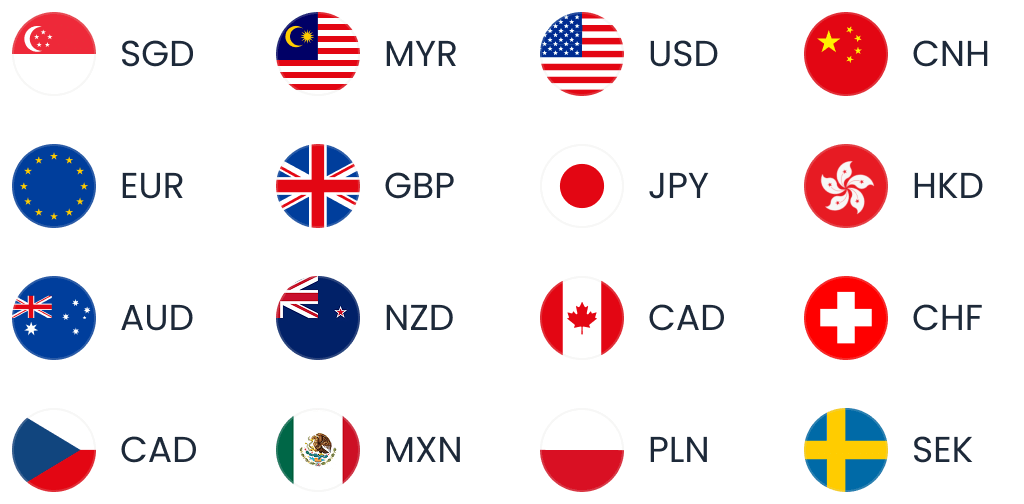
- OCBC supports 13 major business currencies in one account: SMEs can hold and transact in currencies including USD, EUR, GBP, CNH, HKD and AUD, with no initial deposit and no fall-below fee on the base account.
- Transfer fees are clear, but FX costs are less transparent: Online outward transfers through OCBC Velocity cost S$30 or US$30, but OCBC does not publicly disclose its FX margin, making the true all-in cost harder to compare before transferring.
- The account works best for businesses already using OCBC: Integration with OCBC Velocity, Xero, InvoiceNow, trade financing, lending and regional banking services makes it particularly useful for SMEs that want multi-currency capabilities within an existing banking relationship.
- Foreign currency card spending can become expensive: The OCBC Business Debit Card charges a 2% administrative fee on foreign currency transactions, plus conversion costs, which can add up for businesses frequently paying overseas suppliers or travelling internationally.
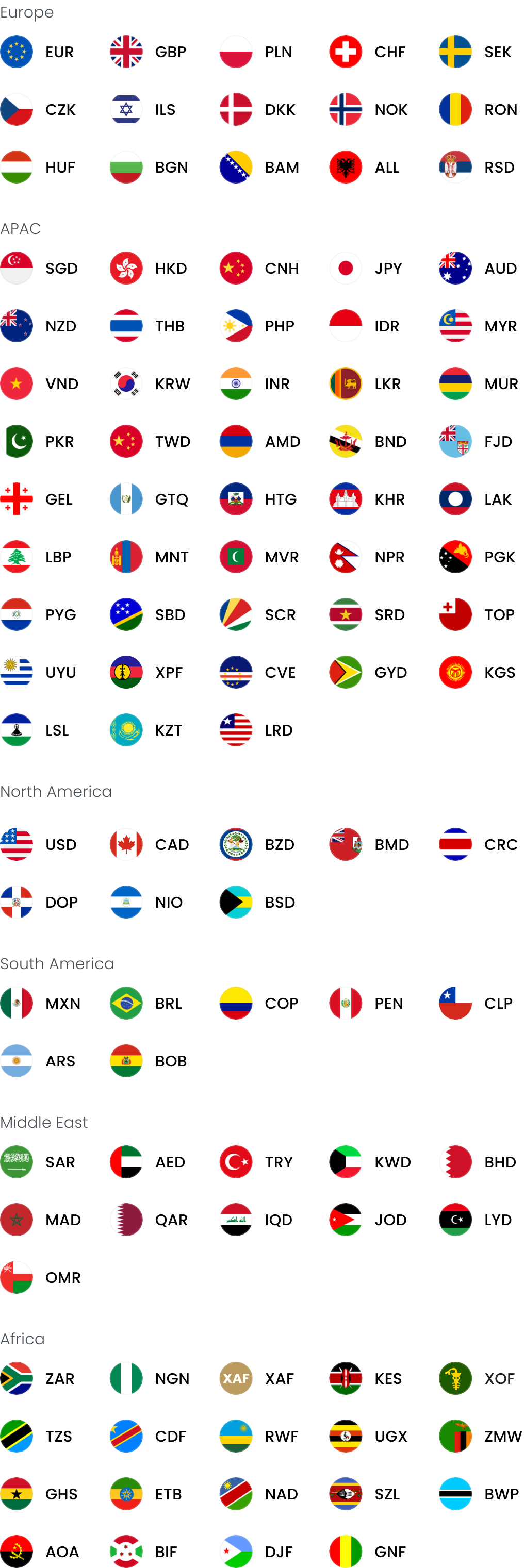
- WorldFirst is a stronger alternative when FX transparency and cross-border payments are the priority: The World Account supports 20+ currencies, offers FX margins of up to 0.6%, has no monthly account fee, and provides local receiving details and batch payment tools that can make recurring international collections and supplier payments easier to manage.
Open a World Account to compare upfront FX visibility and multi-currency collection against your current bank setup.
OCBC multi-currency account at a glance
| Feature | OCBC Multi-Currency Business Account |
| Currencies supported | 13: USD, EUR, AUD, JPY, GBP, CNH, HKD, CAD, NZD, CHF, SEK, DKK, NOK |
| Initial deposit | None required |
| Monthly service fee | S$10 (waived when bundled with Business Growth Account) |
| Fall-below fee (base) | None |
| Fall-below fee (if interest promo active) | US$50/month if average balance below US$150,000 |
| Outward TT via OCBC Velocity | S$30 (SGD accounts) / US$30 (FCY accounts), cable charge waived |
| Outward TT via branch | 1/8% commission (min S$10, max S$100–120) + S$40 cable charge |
| Inward TT fee | S$10 |
| OCBC Network Transfer (within OCBC group) | S$15 per transaction |
| Business Debit Card foreign transaction fee | 2% administrative fee + conversion cost |
| Eligibility | Singapore-registered businesses only |
Figures checked against OCBC’s published business pricing guide and product page as at the account’s most recent update.
What is the OCBC Multi-Currency Business Account?
The OCBC multi currency account is a business banking product that lets Singapore-incorporated companies hold and transact in 13 currencies from a single account, rather than opening separate foreign currency accounts for each trading relationship. It’s designed to sit alongside your existing OCBC SGD account rather than replace it entirely.
The currency line-up covers USD, EUR, AUD, JPY, GBP, CNH, HKD, CAD, NZD, CHF, SEK, DKK and NOK, which gives exposure to most of the currencies a Singapore SME trading with China, the US, the EU, Australia or the wider region would need.
There’s no initial deposit, no set-up fee, and no fall-below fee on the base tier, according to OCBC’s product page. Most businesses open it as a companion to the Business Growth Account, OCBC’s SGD operating account, because doing so waives the S$10 monthly service fee on the multi-currency side.
Without that bundle, you’re paying S$10 a month just to keep the multi-currency account open.
Eligibility is restricted to Singapore-registered businesses, so if you’re running a Malaysia entity or an offshore holding structure, this specific product isn’t available to you.
Read more: 6 best SME bank accounts in Singapore
Fees and charges
On the transactional side, an outward telegraphic transfer through OCBC Velocity (the bank’s internet banking platform) costs S$30 from an SGD account or US$30 from a foreign currency account, with the cable charge waived when you transact online.
Go through a branch instead, and you’re looking at a 1/8% commission (minimum S$10, capped between S$100 and S$120) plus a S$40 cable charge, according to OCBC’s business pricing guide.
Inward transfers cost a flat S$10, and moving money within the OCBC group via OCBC Network Transfer costs S$15 per transaction.
There’s also an optional interest-earning feature. Activate it, and you can earn 0.50% p.a. on USD balances between US$150,000 and US$500,000, rising to 0.80% p.a. above that (capped at US$1 million), or 0.30% p.a. on SGD balances between S$50,000 and S$150,000, rising to 0.50% above that.
The catch is that activating the promo introduces a US$50 monthly fall-below fee if your average balance dips under US$150,000, a real risk if your balances fluctuate with supplier payment cycles.
FX margin
The headline fees are straightforward, but the real cost of running this account depends on what you don’t see published anywhere: the FX margin. Neither OCBC’s product page nor its pricing guide states a spread or margin percentage.
A third-party review makes the same point directly: ‘OCBC doesn’t publish its OCBC foreign exchange rate or OCBC overseas transfer fees anywhere on its public-facing pages.’
This isn’t unique to OCBC.
WorldFirst’s own analysis of the local banking landscape notes that DBS, OCBC and UOB ‘each publish a handling commission and cable fee for outward TTs,’ but the FX margin, ‘which varies by currency pair and isn’t shown on the same schedule, typically has a larger impact on the total cost than either of those charges.’
Separate WorldFirst research on the DBS-UOB comparison found that bank FX margins commonly sit around 2–3%.
Read more: 8 benefits of foreign exchange risk management for businesses
OCBC Business Debit Card and foreign currency spending
The OCBC Business Debit Card, issued free with the Business Growth Account, earns 1% cashback on ecommerce, digital marketing, software services and travel spend, and 0.2% unlimited cashback on everything else.
It’s available as a Mastercard or NETS card, with an instant digital version for immediate use.
According to OCBC’s own business pricing guide, foreign currency transactions on the Business Debit Card attract a 2% administrative fee plus the underlying cost of conversion, and a further 1% Dynamic Currency Conversion fee applies if you’re charged in SGD at the point of sale.
OCBC’s personal Global Savings Account debit card, a separate multi-currency product for individuals covering 10 currencies, has no foreign currency transaction fee.
How OCBC compares to other multi-currency accounts in Singapore
Choosing between OCBC, DBS, UOB and a non-bank provider comes down to how much you value integrated banking services versus transparent, lower-margin FX and broader currency reach.
OCBC versus DBS
Both banks support 13 currencies in their business multi-currency accounts, and both structure fees similarly: a monthly service fee that’s waived under certain conditions, and a flat outward TT fee (DBS charges a flat S$30; OCBC’s S$30/US$30 split depends on the account currency).
The clearest difference is the debit card.
DBS’s Business Advance+ card charges 0% FX, while OCBC’s Business Debit Card charges 2%. If card spend in foreign currency is a regular part of your operations, that’s a tangible cost difference to factor in.
OCBC versus UOB
UOB’s multi-currency offering supports 10 currencies, three fewer than OCBC, and tends to come with higher balance requirements depending on the specific account tier.
If you need Scandinavian currencies like SEK, DKK or NOK, OCBC’s broader currency list is the more direct fit.
Read more:
Supplier payments and timing
If you’re paying a China-based supplier or receiving funds from an overseas buyer, timing affects your cash flow forecasting as much as cost does.
Inward transfers into an OCBC multi-currency account behave differently depending on the currency:
- If the incoming payment arrives in a currency you’ve already enabled on the account, it’s credited immediately.
- If it’s a currency you haven’t enabled yet, but one that’s on OCBC’s supported list, it takes T+2 business days while the currency auto-enables.
- If the incoming currency isn’t on OCBC’s supported list at all, the funds are automatically converted and deposited into your USD balance, which means you don’t control the conversion rate applied at that point.
Branch-based SWIFT transfers typically take 1 to 5 business days to clear, in line with standard international wire timing across Singapore’s banks.
For a business making recurring supplier payments, the auto-enablement feature reduces some administrative friction, but the T+2 delay and forced USD conversion for unsupported currencies are worth building into your payment scheduling if you deal with less common currencies.
Regional and cross-causeway activity
The bank states it supports ‘businesses on both sides of the Causeway’. The OCBC Network Transfer facility, priced at S$15 per transaction, lets you move funds within the OCBC group, including to OCBC Malaysia, more cheaply than a standard international wire.
For China-facing trade, OCBC supports CNH (offshore renminbi) within the 13-currency multi-currency account, and separately offers a dedicated Renminbi Business Account for companies with more concentrated China trade volume.
If most of your supplier payments settle in CNH or you’re exploring direct CNY settlement for mainland transactions, you should check with OCBC directly which account structure and rate applies, since onshore and offshore renminbi trade under different regulatory and liquidity conditions.
Reconciliation and multi-currency visibility
Managing multiple currencies is only useful if you can see and reconcile them without manual spreadsheet work, and this is where OCBC’s banking infrastructure does most of the heavy lifting:
- OCBC Velocity, the internet banking platform, gives you a consolidated dashboard covering account summaries, payment initiation, collections and transaction history across all your linked currencies.
- The Business Mobile Banking app extends approval workflows to mobile, useful if you need a second signatory to authorise payments while away from a desk.
- On the accounting side, the Multi-Currency Business Account connects to Xero through OCBC Velocity at no additional charge, syncing transactions and balances automatically rather than requiring manual CSV imports.
- InvoiceNow, Singapore’s national e-invoicing network, is also supported, which helps if you’re already issuing e-invoices to other InvoiceNow-registered counterparties. All debit card transactions land in one consolidated statement alongside your account activity, simplifying month-end reconciliation.
What the account doesn’t offer is the kind of purpose-built multi-currency dashboard some fintech platforms provide, with real-time FX rate visibility, batch payment tracking or marketplace payout reconciliation built specifically around ecommerce or platform-seller workflows.
If your reconciliation load comes primarily from marketplace payouts across multiple currencies, that’s a meaningful functional gap to weigh against the banking integration OCBC does offer.
How to open an OCBC Multi-Currency Business Account
Opening the account is largely digital if your business structure is straightforward.
Singapore-registered businesses that are wholly owned by Singapore citizens or permanent residents can typically complete the application online using Singpass and Myinfo Business, with instant account opening in many cases.
If your ownership structure includes foreign shareholders or is more complex, the process shifts to a manual review: you submit your application online, and OCBC contacts you within 3 working days to complete verification and onboarding.
Either way, there’s no initial deposit required to get started, which lowers the barrier to testing the account against your actual payment volumes before committing further balances to it.
Pros and cons
Weighing OCBC’s multi-currency account against alternatives comes down to a fairly clear set of trade-offs.
Pros:
- No deposit or fall-below fee on the base tier, making it low-risk to open and test alongside an existing OCBC relationship
- Xero and InvoiceNow integration at no extra charge, reducing manual reconciliation work
- Optional interest-earning tiers on USD and SGD balances if you maintain higher balances
- MAS-regulated full bank status, with access to broader banking services like trade financing and lending that a payments-only provider can’t offer
- Cross-causeway support for Malaysia-linked operations via OCBC Network Transfer
Cons:
- FX rates and overseas transfer fees aren’t published, so you can’t compare costs in advance without logging in for a live quote
- The Business Debit Card charges a 2% administrative fee on foreign currency transactions, well above fee-free alternatives
- Only 13 currencies, fewer than some non-bank multi-currency platforms
- No local receiving account details in foreign markets, so overseas collections still typically arrive via SWIFT rather than local rails
- Singapore-registered businesses only, ruling out regional or offshore entity structures
- No marketplace-specific payout tools, which matters if you sell on Amazon, Shopee or Lazada and collect in multiple currencies
OCBC vs WorldFirst
WorldFirst becomes most relevant when your payment workflow includes overseas supplier payments, especially if those payments involve supported China sourcing platforms such as 1688.com.
The World Account supports 20+ currencies, more than OCBC, and it provides local receiving account details in multiple markets so you can collect marketplace or client payments as if you had a local bank account there.
WorldFirst publishes an FX markup of up to 0.6%, visible before you confirm a transfer, against OCBC’s undisclosed bank margin.
There are no setup or monthly account fees, and batch payment tools handle up to 200 invoices in one upload, which can be useful if you’re running recurring supplier payment cycles.
The trade-off is that WorldFirst isn’t a bank: it doesn’t offer lending, trade financing, payroll or the kind of integrated cash management a business banking relationship provides.
Open a World Account to see a transparent FX quote before you commit your next supplier payment.
FAQs
1. What is the best multi-currency account in Singapore?
There’s no single best option because it depends on what you’re optimising for.
OCBC and DBS both offer 13 currencies with similar fee structures and strong banking integration, useful if you want lending and trade finance alongside FX. UOB supports 10 currencies with typically higher balance thresholds.
WorldFirst’s World Account supports 20+ currencies with a published FX markup of up to 0.6% and local receiving details in multiple markets, which suits businesses prioritising transparent cross-border cost and collection flexibility over full banking services.
2. What is the minimum balance required for an OCBC Multi-currency business account?
On the base account, there’s no minimum balance and no fall-below fee. The requirement only appears if you activate the optional interest-earning feature: doing so introduces a US$50 monthly fall-below fee if your average USD balance drops below US$150,000.
If you don’t need the interest tier, you can operate the account with any balance, including zero, without incurring a fee, which makes it accessible for SMEs still building up trading volumes.
Sources:
- https://www.ocbc.com/business-banking/smes/accounts/multi-currency-business-account
- https://www.ocbc.com/business-banking/smes/accounts/business-growth-account
- https://www.ocbc.com/business-banking/smes/transactions/business-debit-card
- https://www.ocbc.com/business-banking/help-and-support/accounts-and-services/business-pricing-guide
- https://www.ocbc.com/personal-banking/deposits/multi-currency-global-savings-account
- https://aspireapp.com/blog/ocbc-multi-currency-business-account-review”>Aspire, ‘OCBC Multi-Currency Business Account Review’
- https://www.dbs.com.sg/sme/day-to-day/accounts/dbs-business-multi-currency-account
- https://banksinsg.com/blog/multi-currency-business-accounts-compared/