

























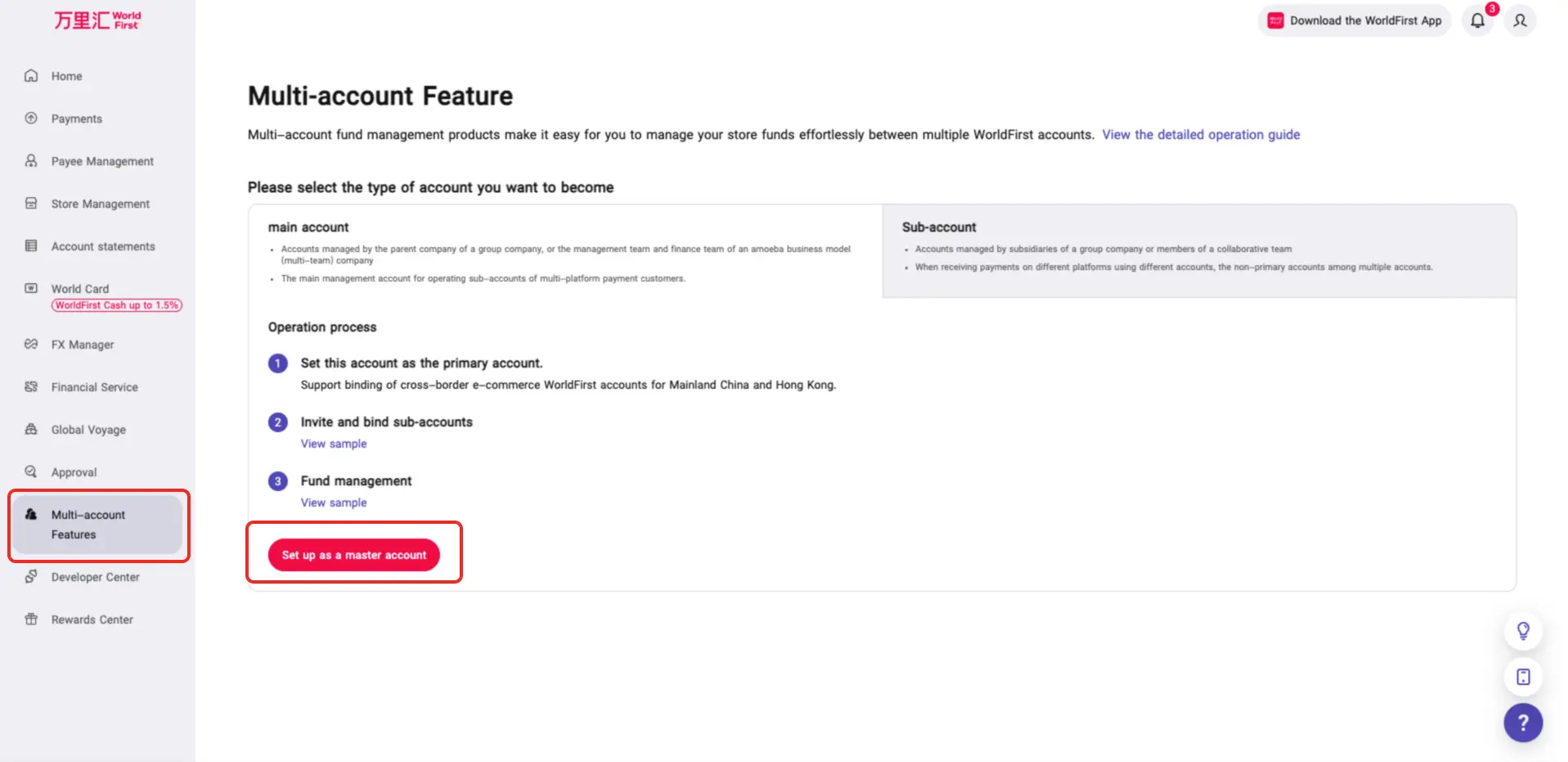
1. Accounts can be set as Master Accounts.
Activation Method:
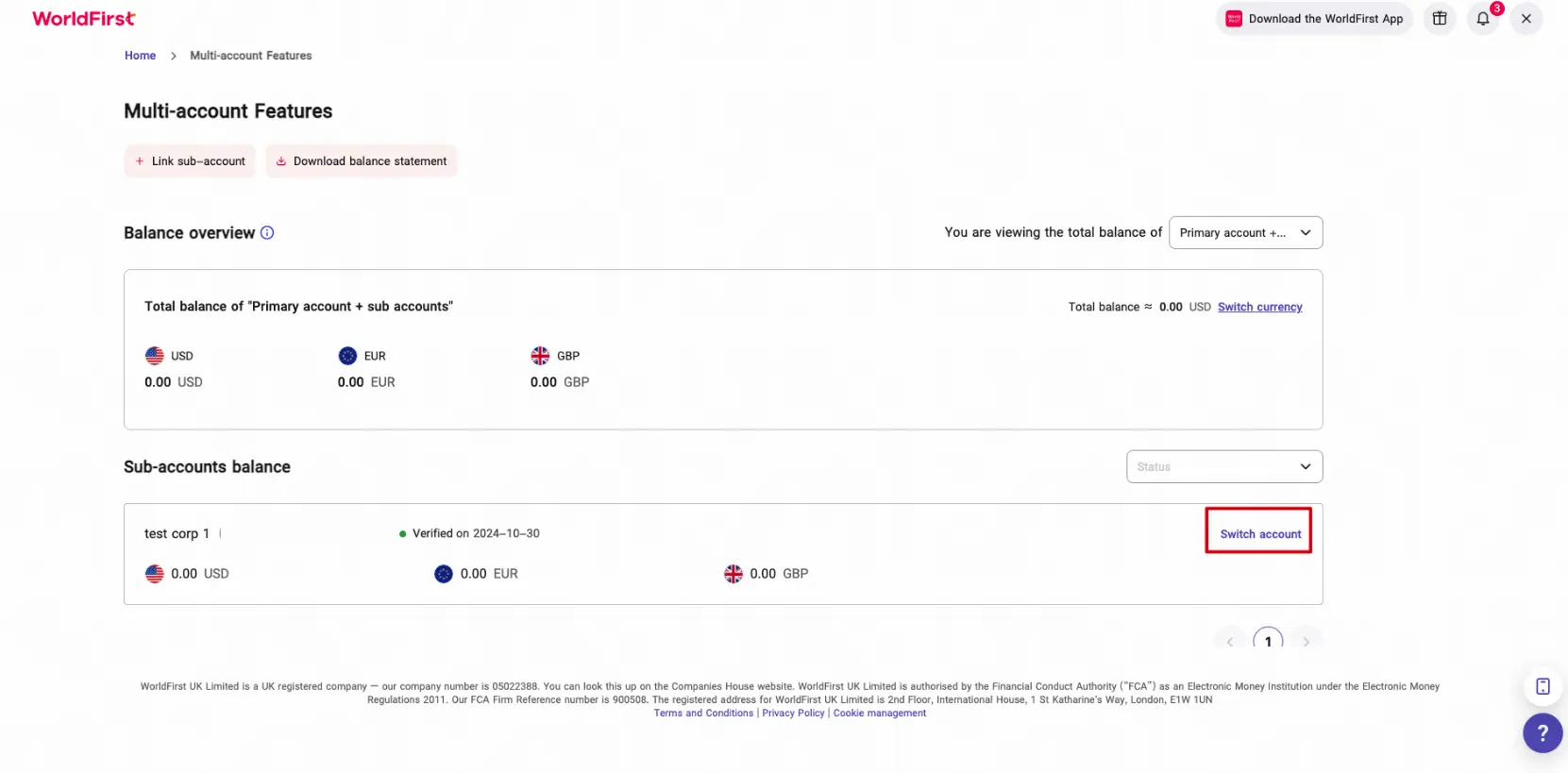
- After being whitelisted in the operations backend, clients can find [Multi-account Features] in the sidebar. By clicking on it, they can set the account as the master account.
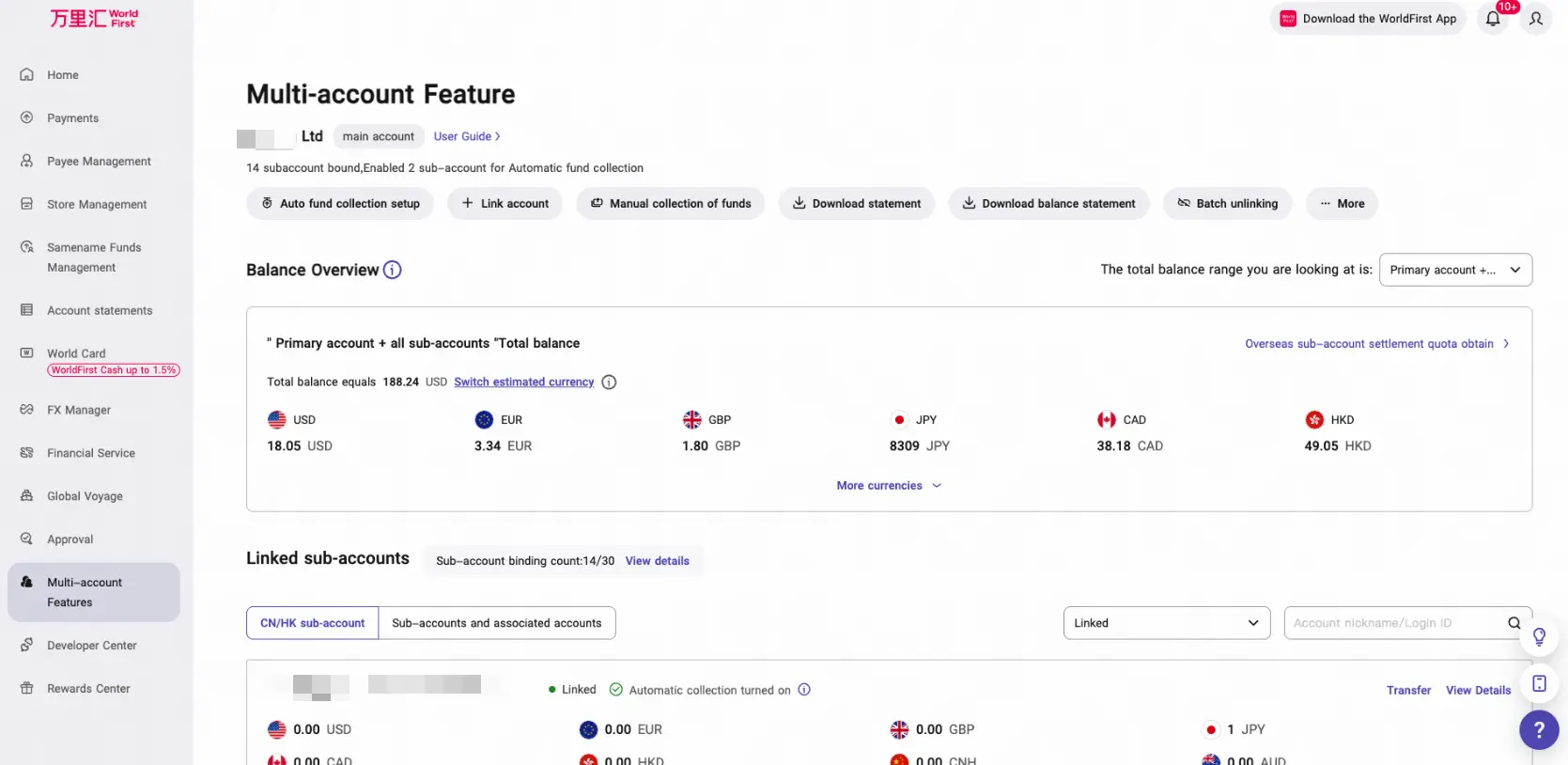
2. Master-Sub Account Management Interface
Master Account View
Users can view the account balance and billing information of all sub-accounts.
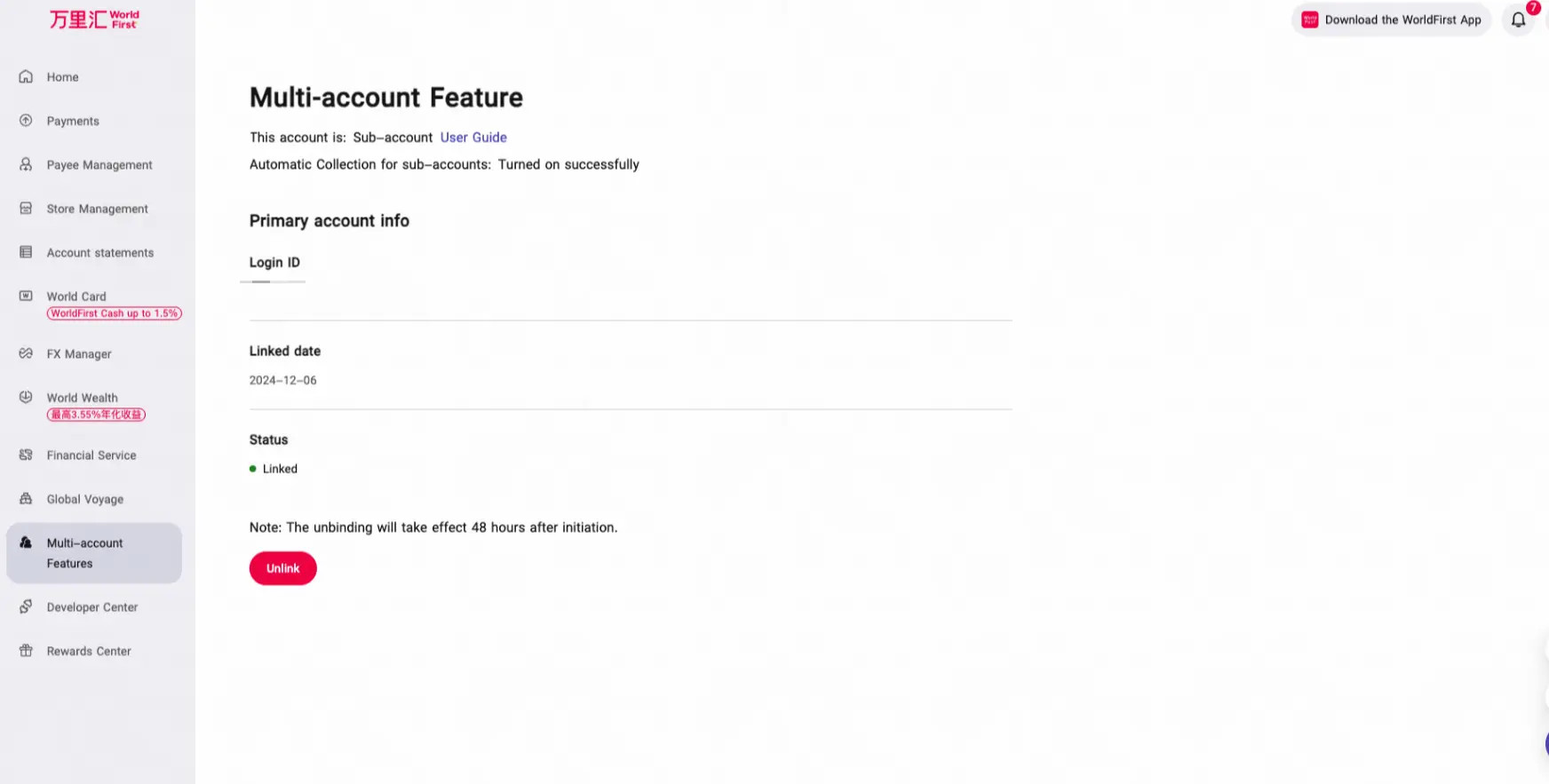
Sub-account View
Users can view bound account information and unbind the account.
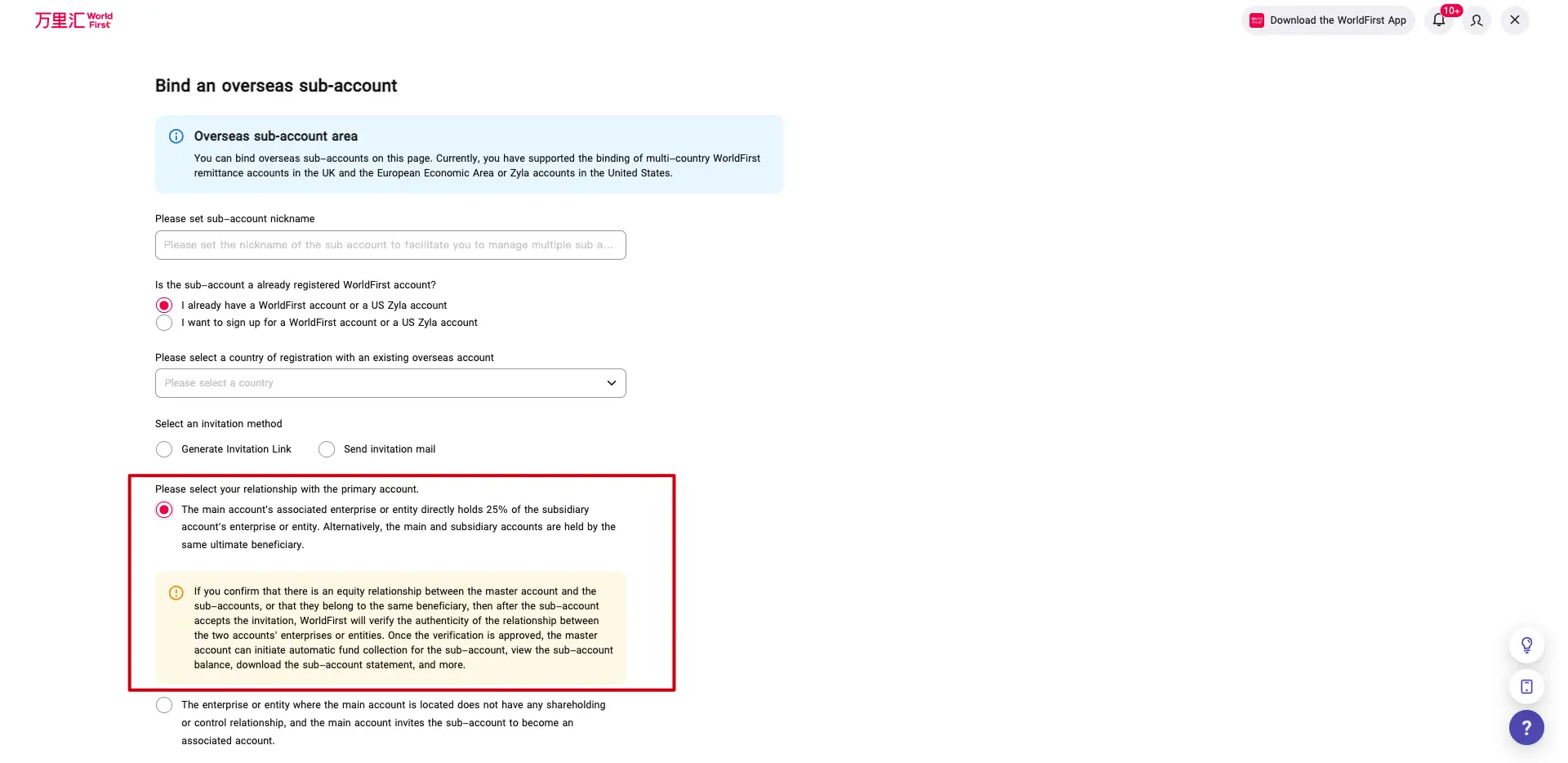
3. Inviting Sub-accounts from a Master Account
Invitation Method:
- Generate a link in the system and send it to the invitee.
- Fill in the invitee’s email address to send the invitation.
Invitation Scope:
- Supports two types: with and without equity binding:
- For accounts with equity binding, the risk control team in the master account’s region will conduct the review.
- For accounts without equity binding, they can be bound after authorization by the sub-account.
- The invited sub-account must be at L3 tier (with KYC completed).
4. Fund Sweeping Strategy for Master Accounts (with Equity)
- For GBL (Global Balance)Accounts, fund sweeping only supports G10 currencies.
- The timing for automatic fund sweeping will be defaulted based on the time zone of the master account.
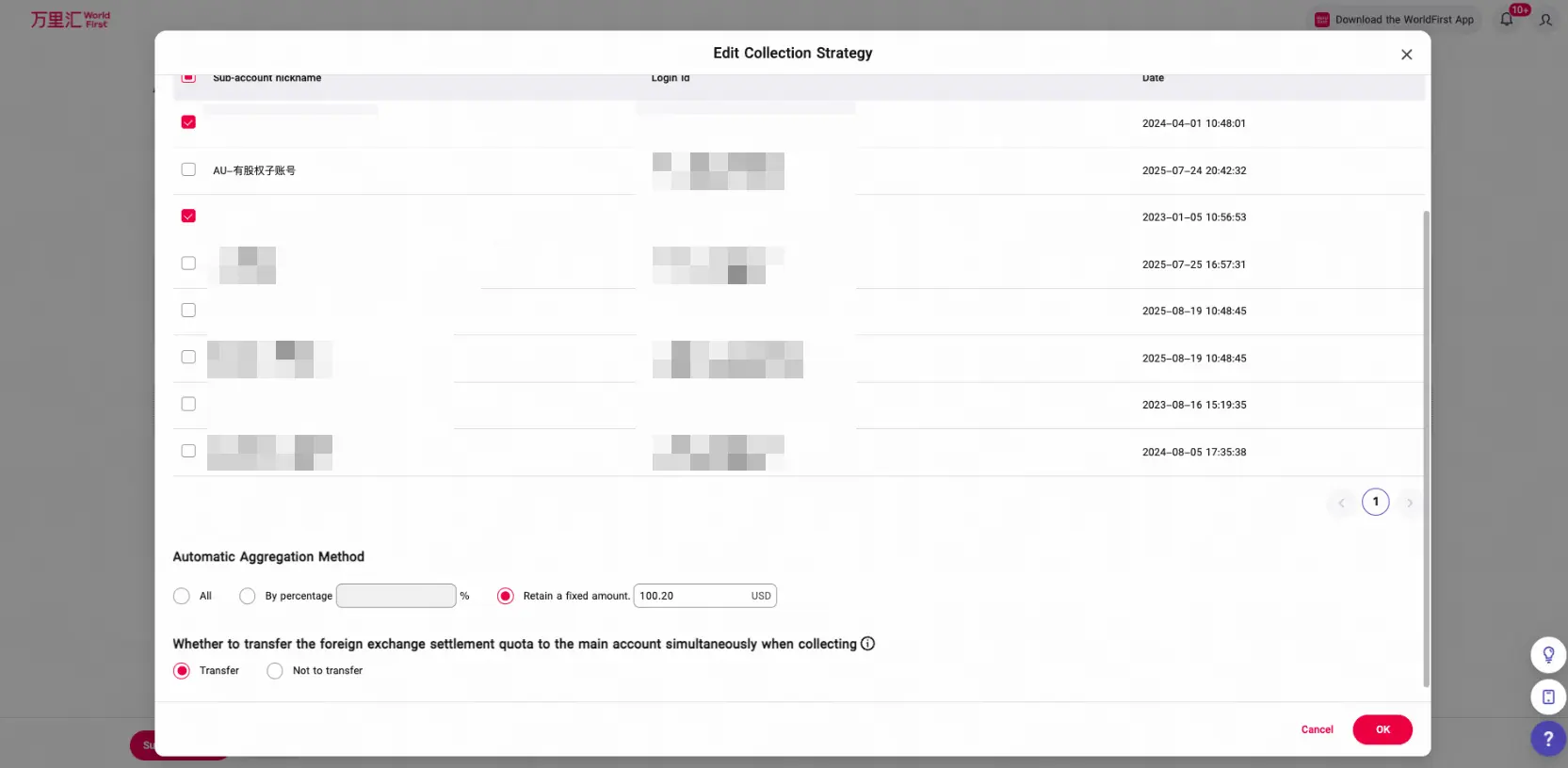
5. Fund Transfer Strategy for Master Accounts (without Equity)
- Sub-accounts support automatic fund transfers (L2L):A Fixed Retention Amount (default currency: USD) will be added for all regions in this update.
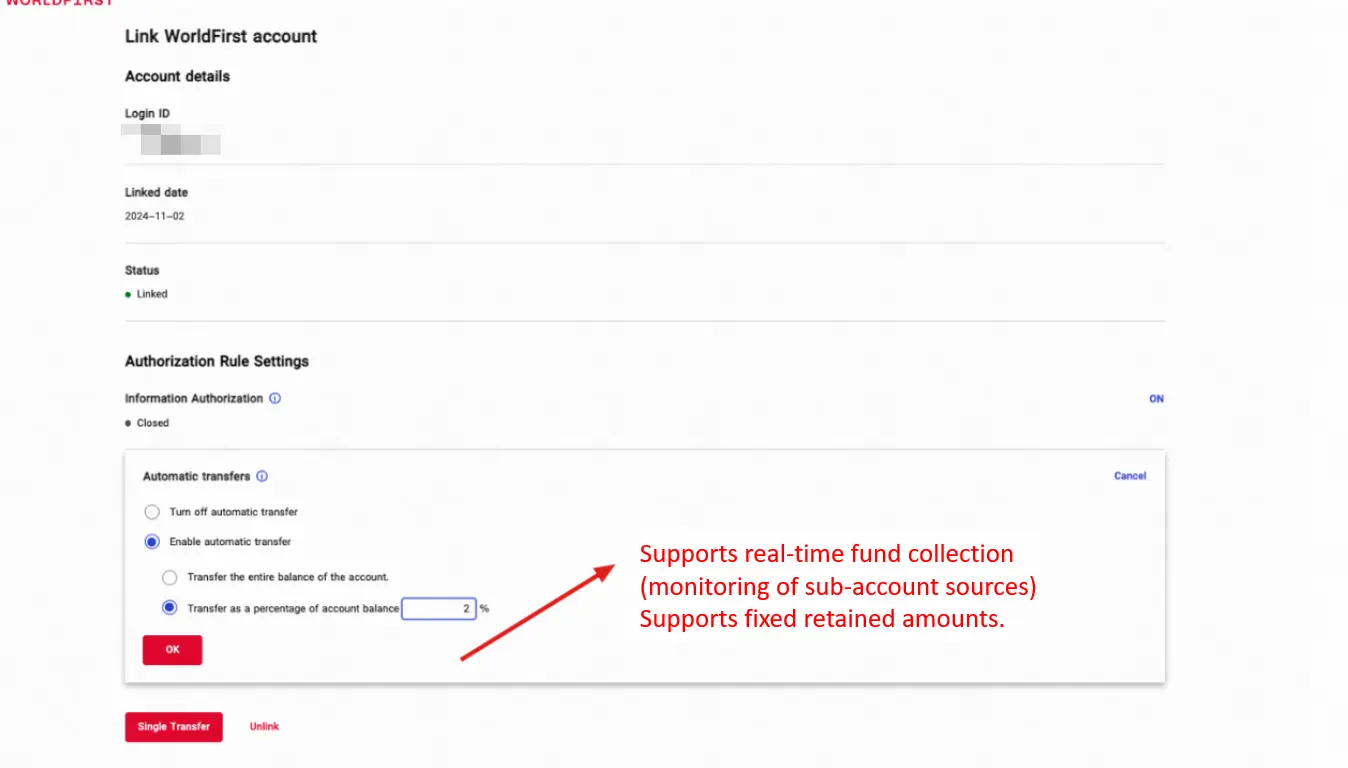
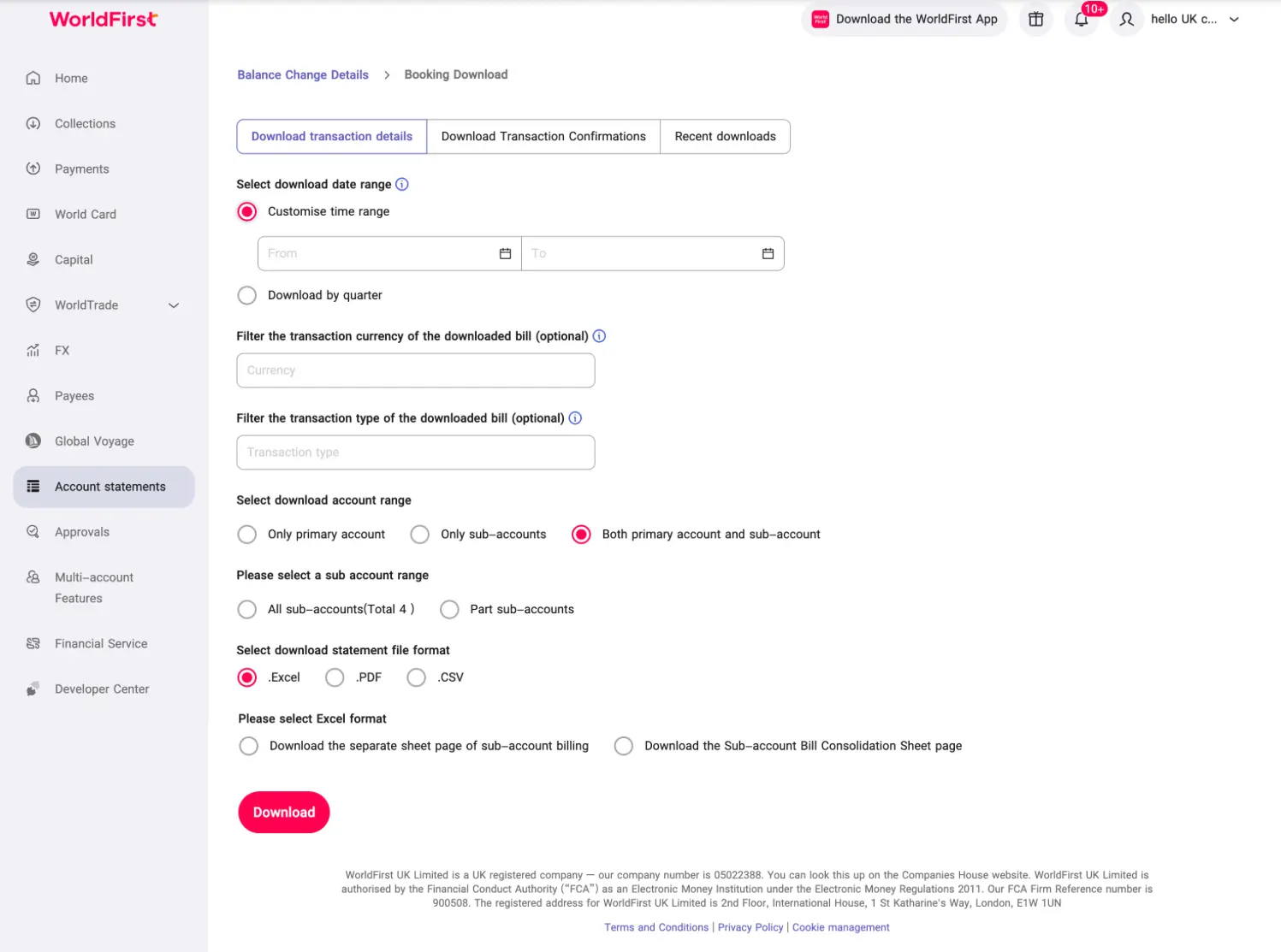
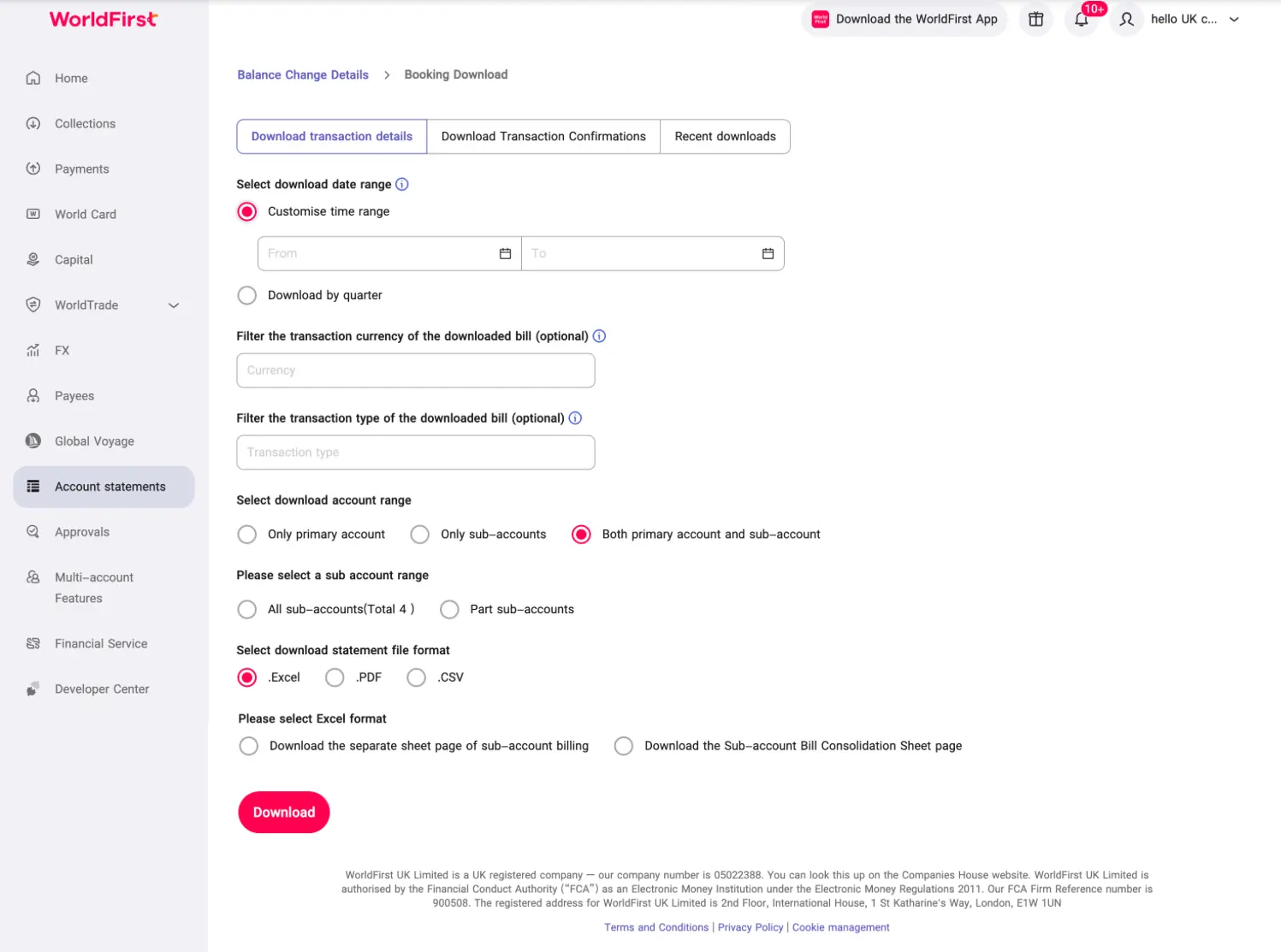
6. Master-Sub Account Statement Management & Download
Supports downloading transaction details for sub-accounts (including Zyla) from the master account.
- Supports downloading statements for the master account, sub-accounts, or both (master + sub-accounts).
- Supports selecting specific sub-accounts or all sub-accounts.
- Electronic signatures are not supported for multi-account statement downloads.
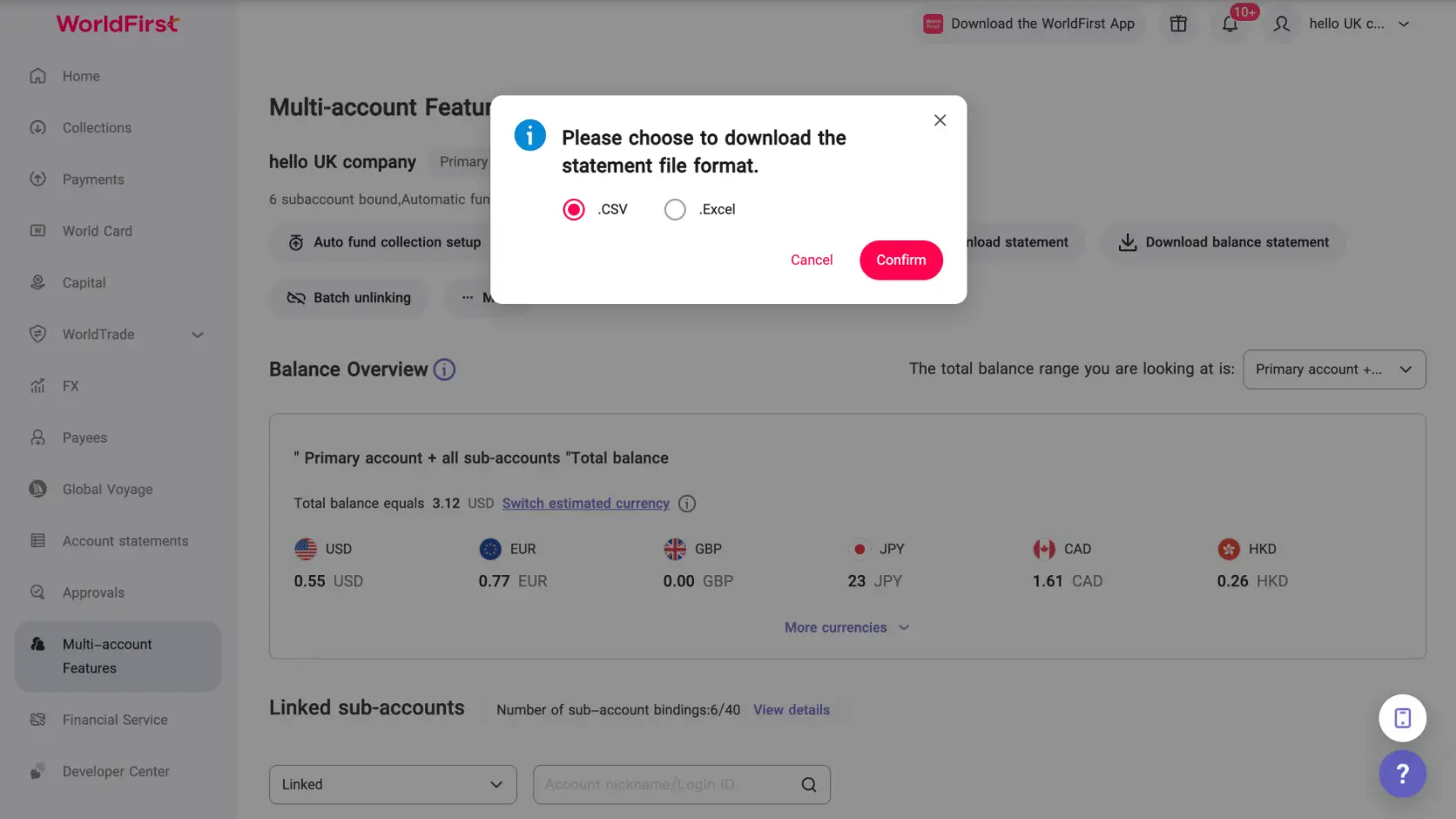
Supports downloading the end-of-day balances of sub-accounts from the master account.
7. Sub-account Expansion & Unbinding
Sub-account Expansion,There are two ways:
- Automatic Expansion in the Backend: If the number of bound sub-accounts is less than 30% of the total number of sub-accounts allowed, the system will automatically expand the capacity(Base on premise that this account carries no risk).
- AM(Account Manager) support:They can help to add the allowable number of bindable sub-accounts.
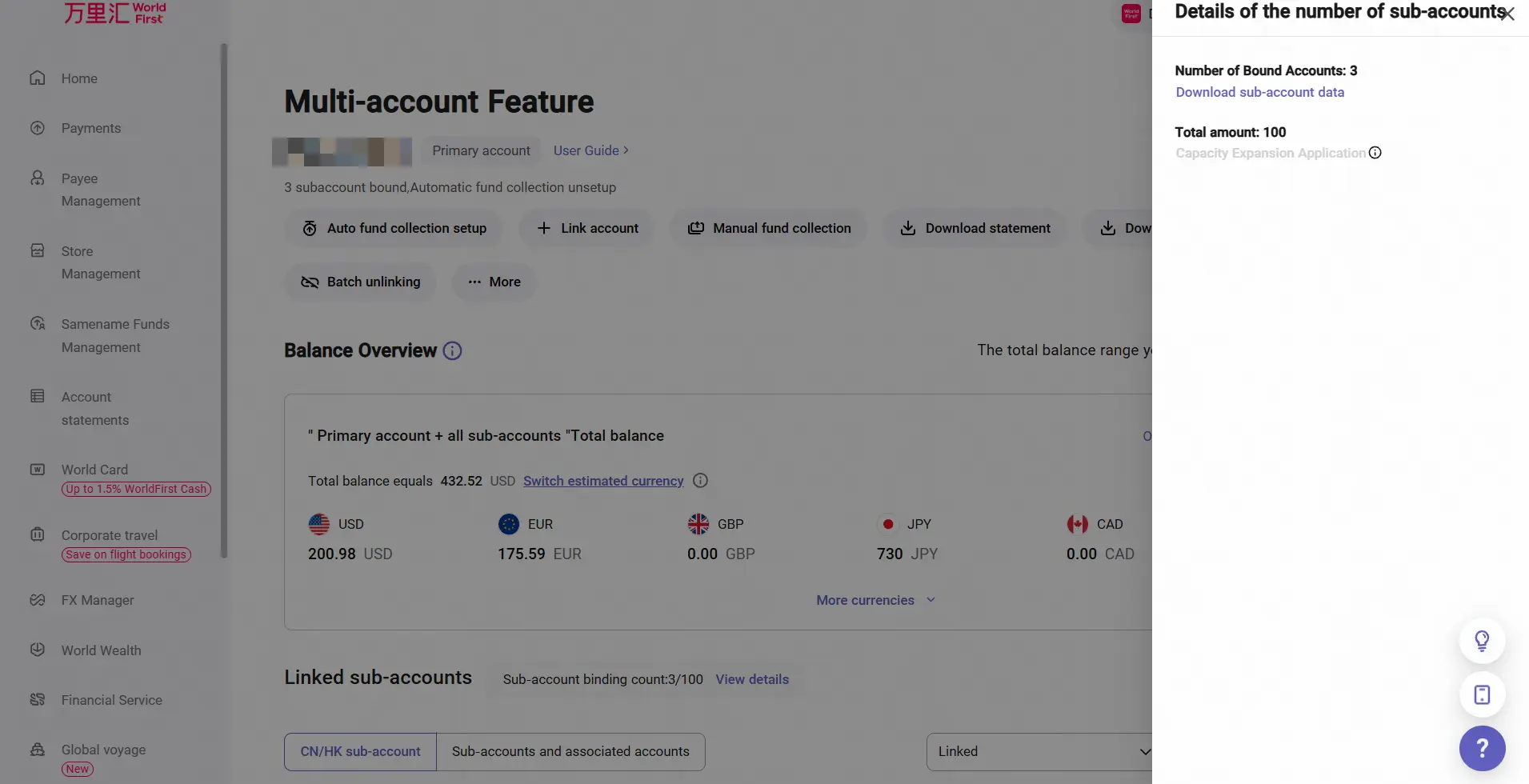
Sub-account Unbinding:
- Client Self-service: The GBL Master account can unbind sub-accounts independently, with batch unbinding supported.
- AM(Account Manager) support: Client can submit a request to AM,too.
8. Deprecation of the Account Switching Feature
We will be discontinuing the「Swith account」feature;
If clients require the “One-click-Switch”functionality in the feature,they can achieve this by configuring multiple accounts to share the Operate. You can then perform one-click switching directly within that Operator’s account.