


























1. Changes to the EC New Sub-operator Invitation Flow
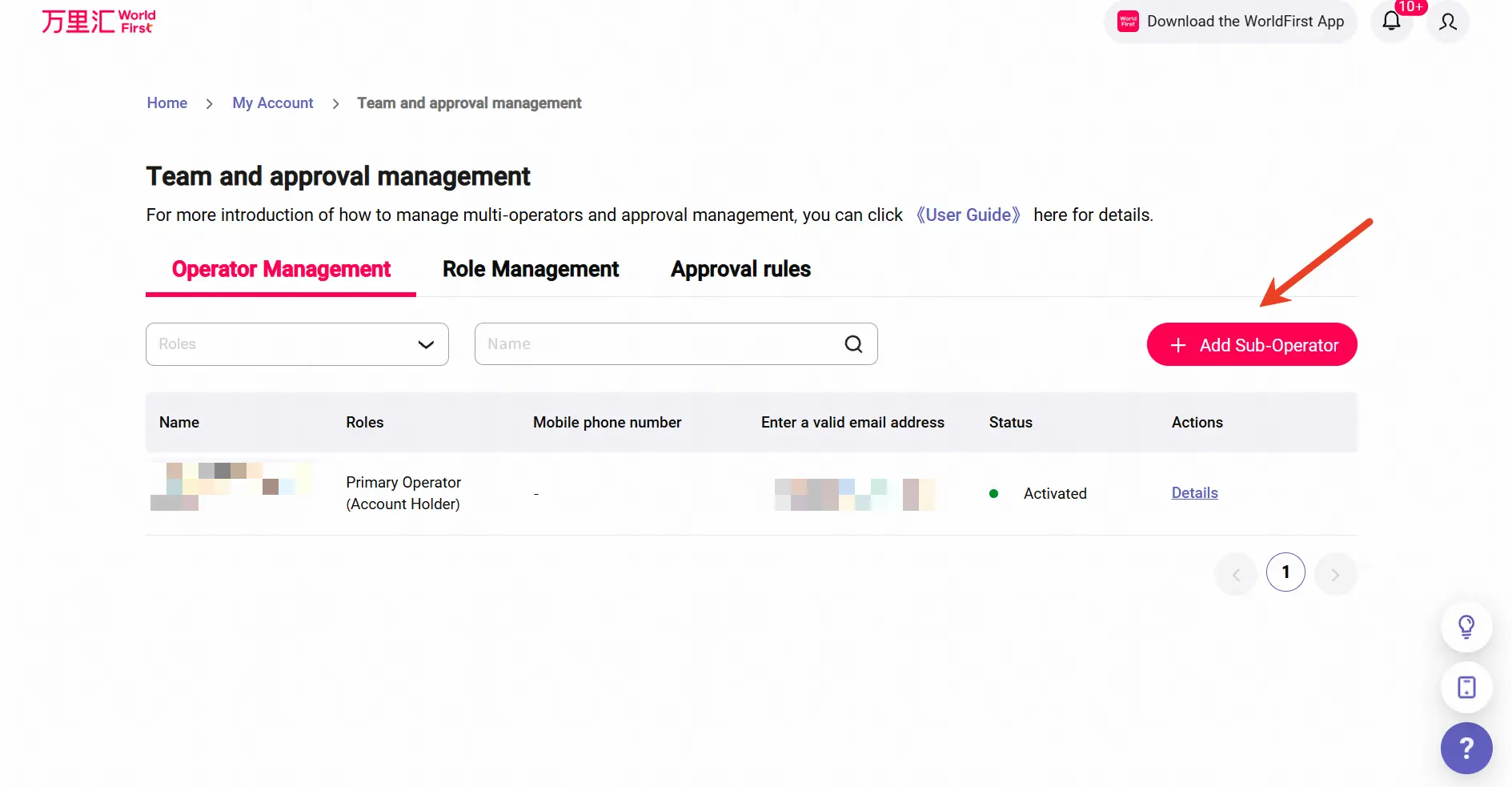
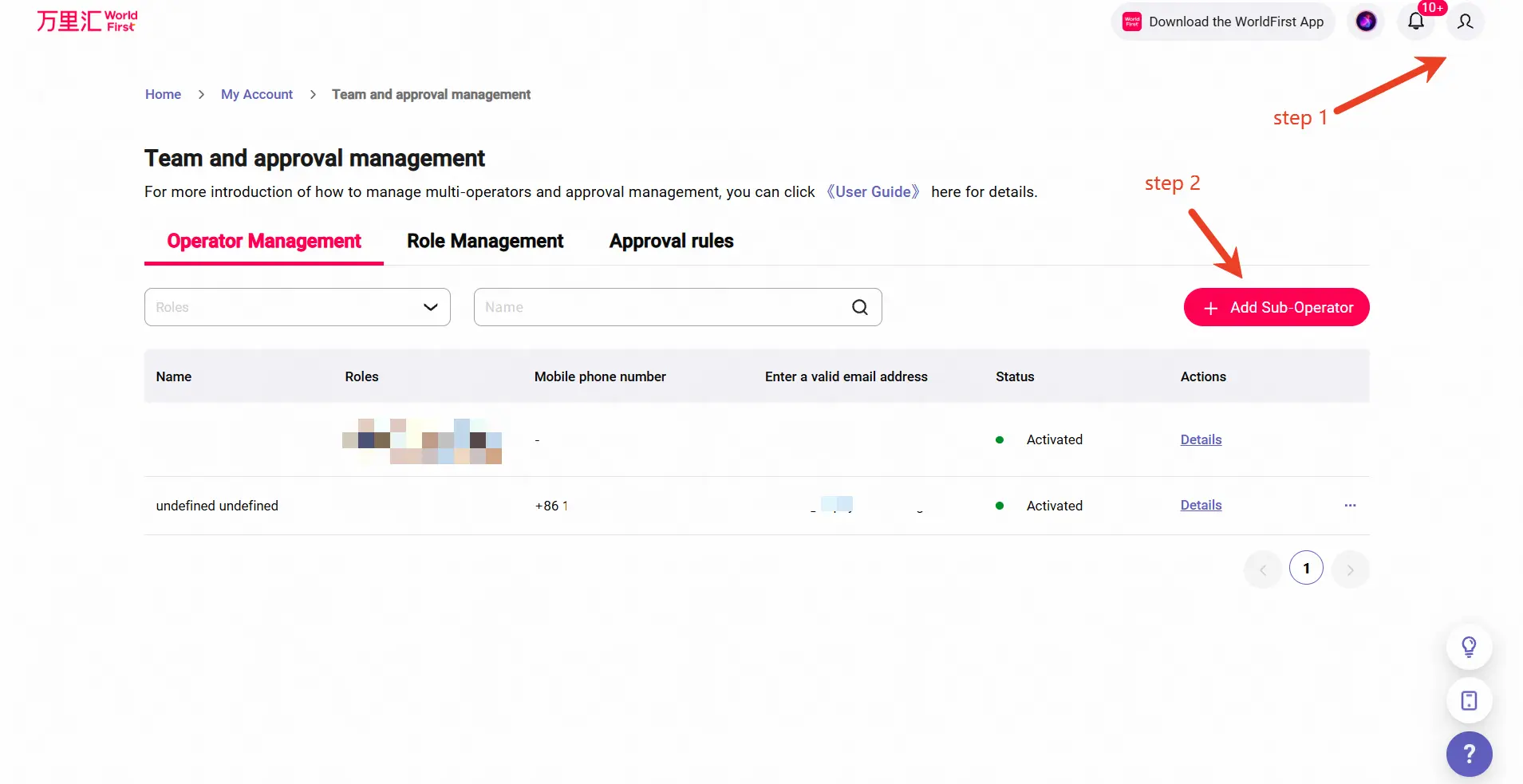
1、【Entry】primary operator invites via “My Team → Add Sub-operator”
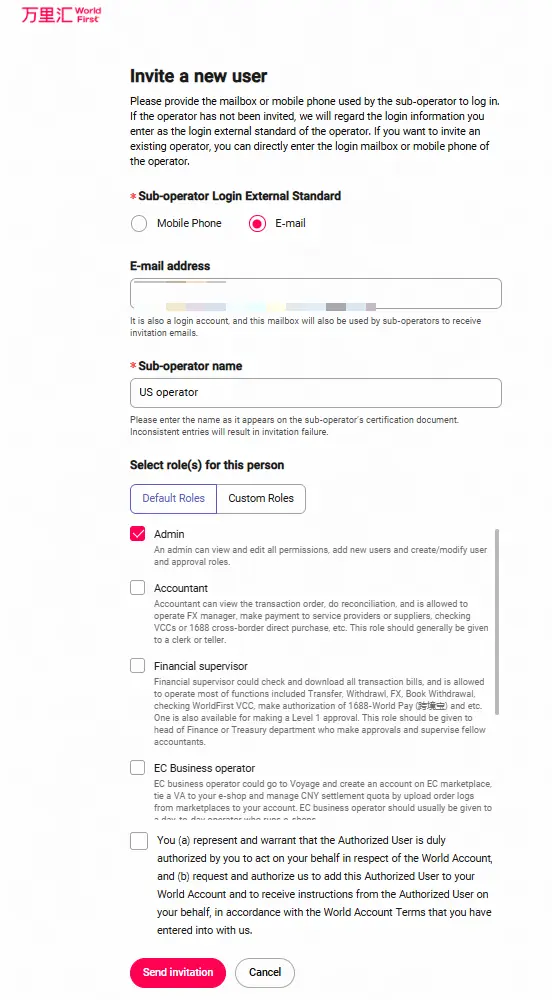
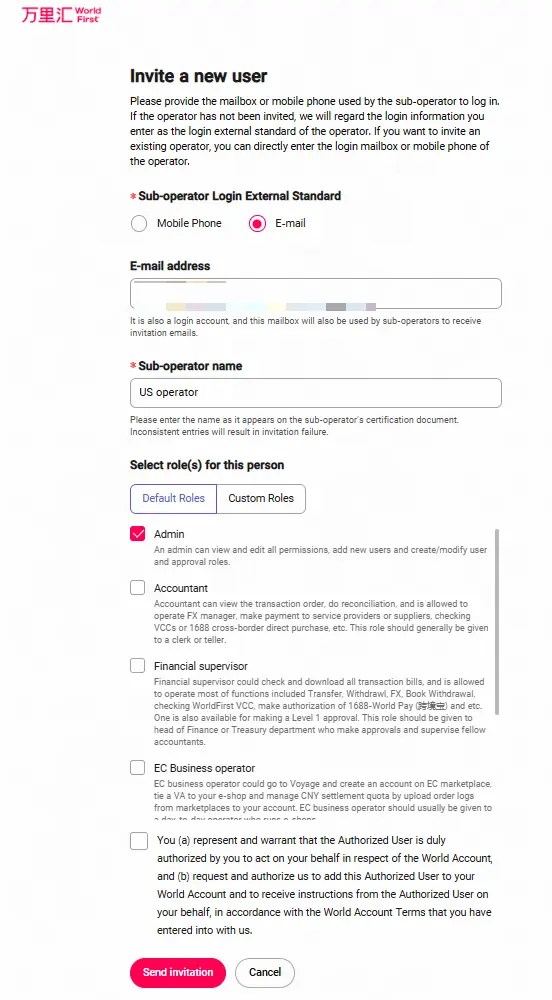
- Primary operator only fills in the sub-operator’s login ID, selects a role, and provides the sub-operator’s name.
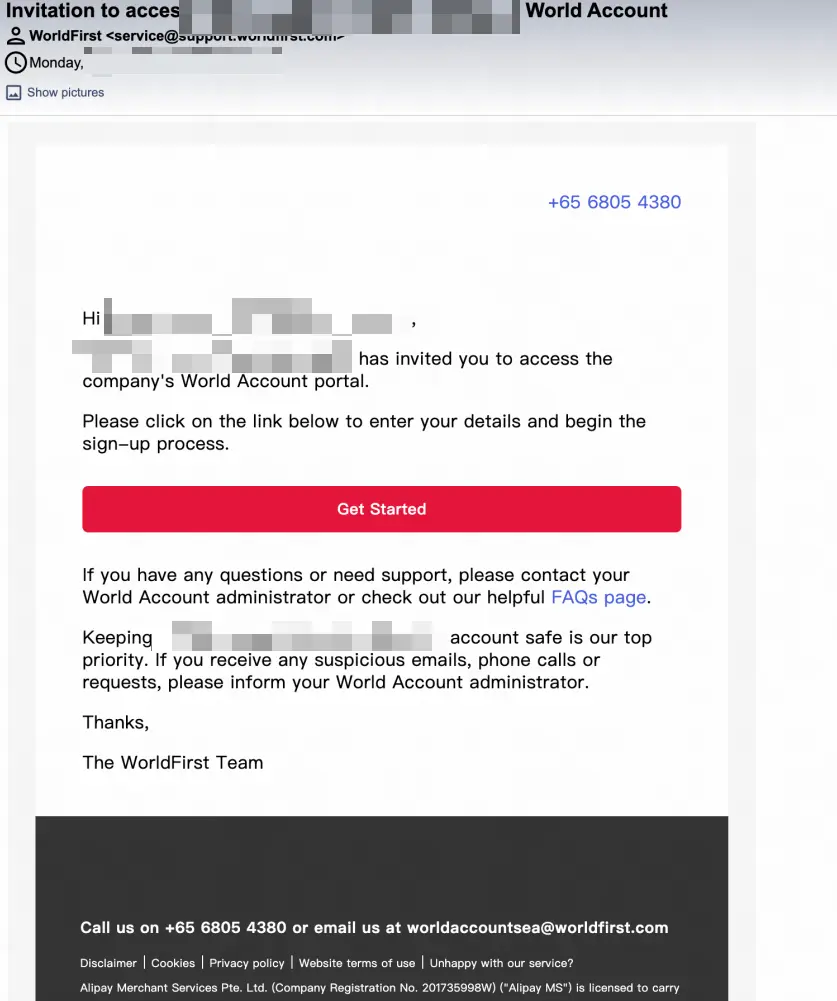
2、Sub-operator Accepts Invitation & Review:
- The sub-operator receives an email, clicks the link -> sets login password -> agrees to accept invitation -> submits KYC materials -> CDD personnel review.
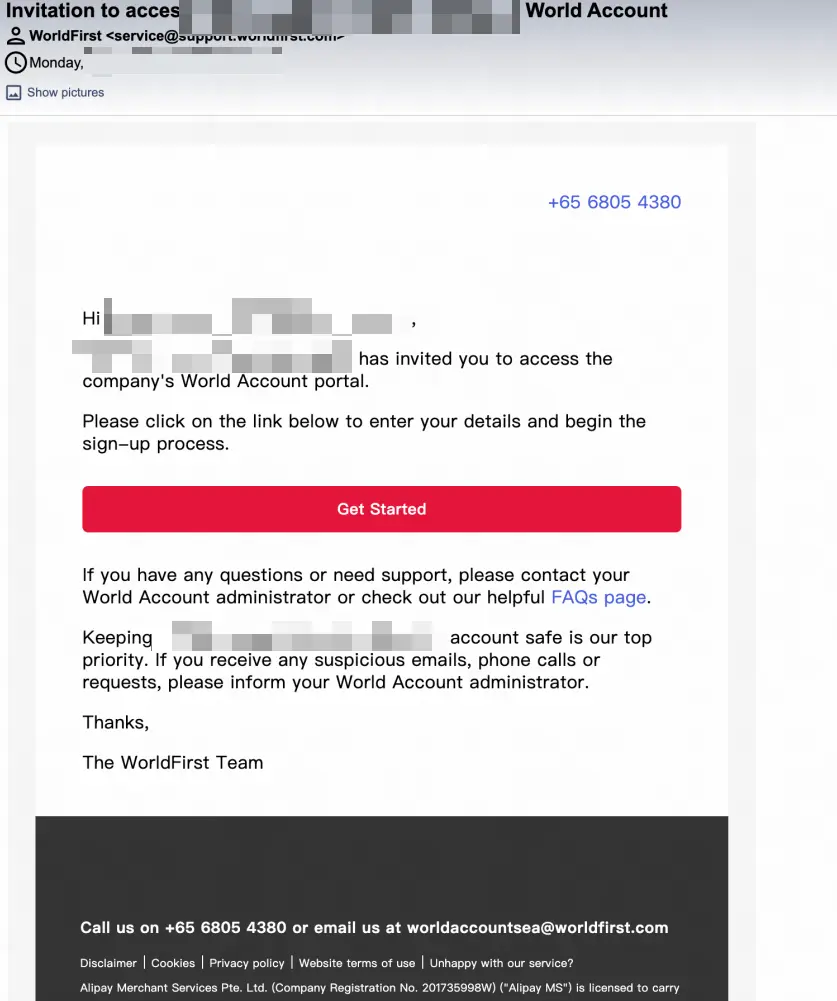
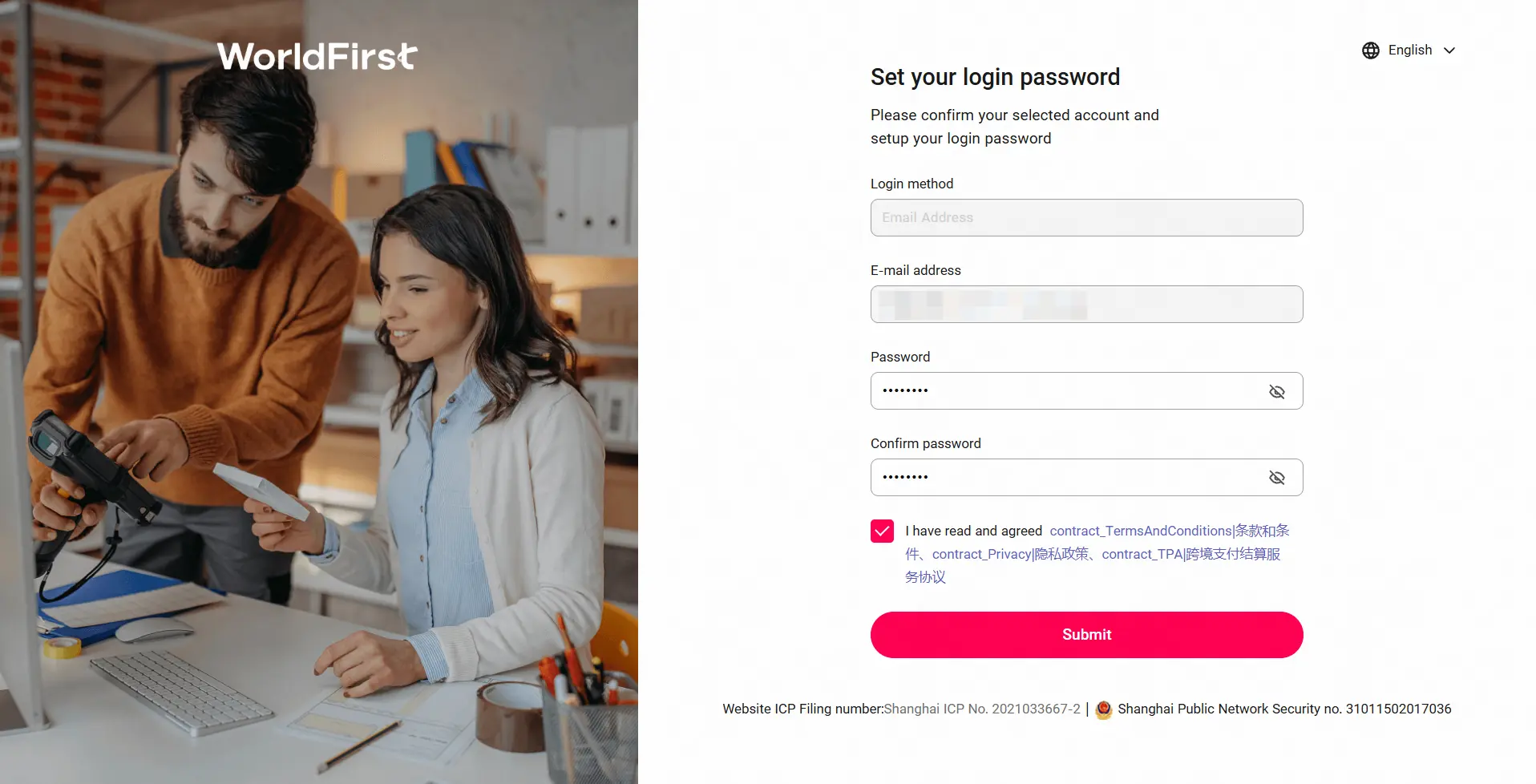
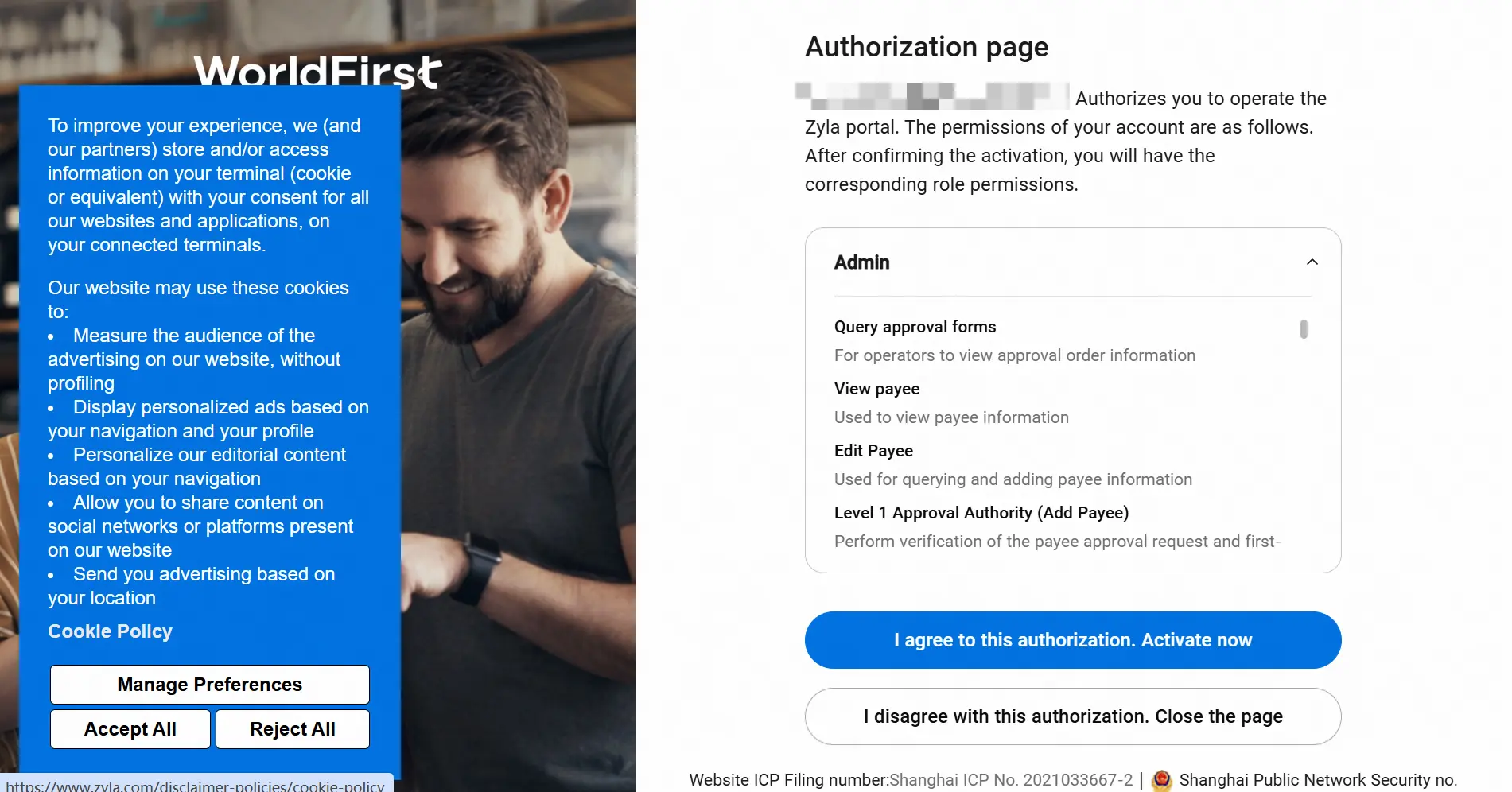
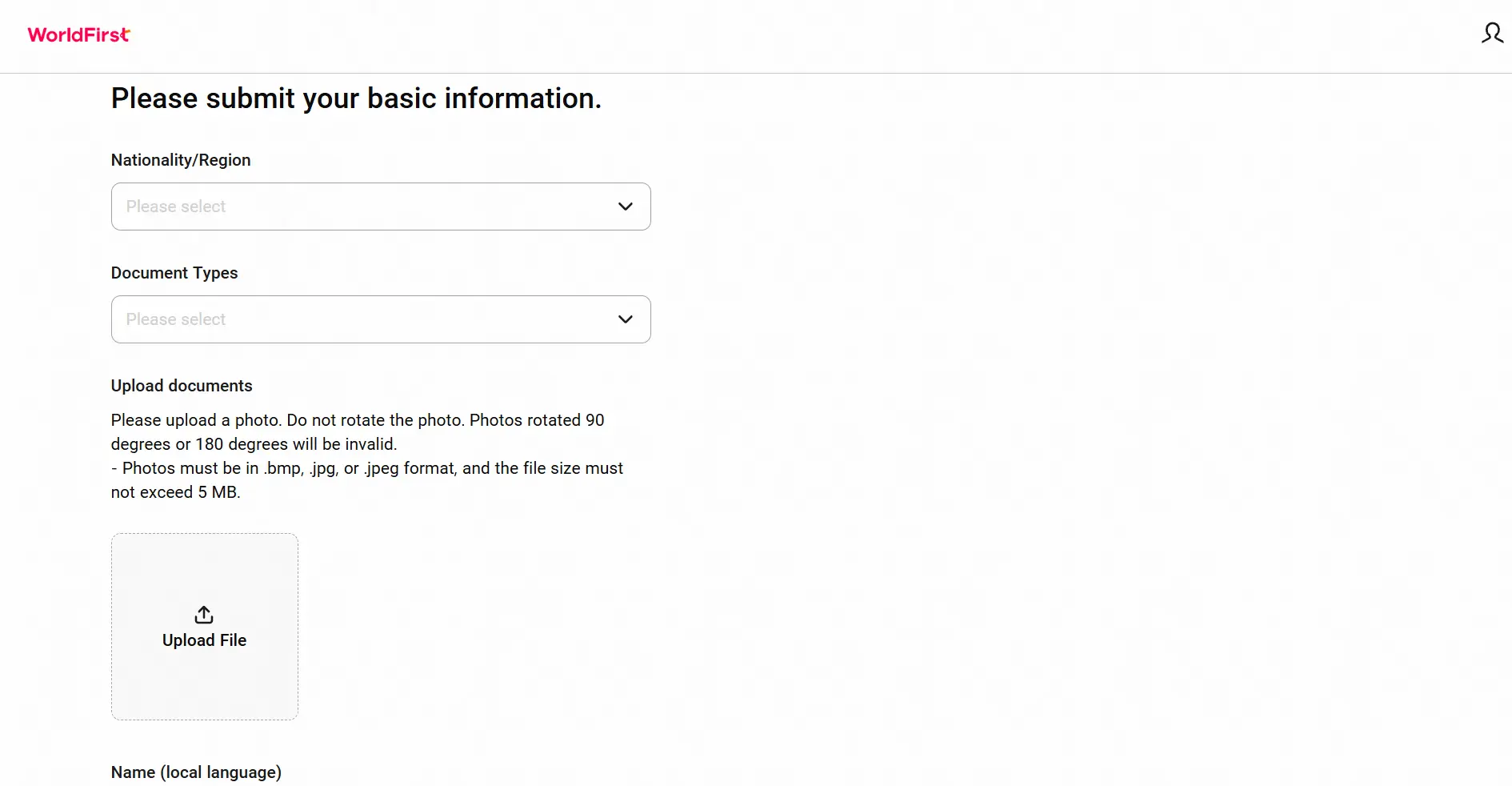
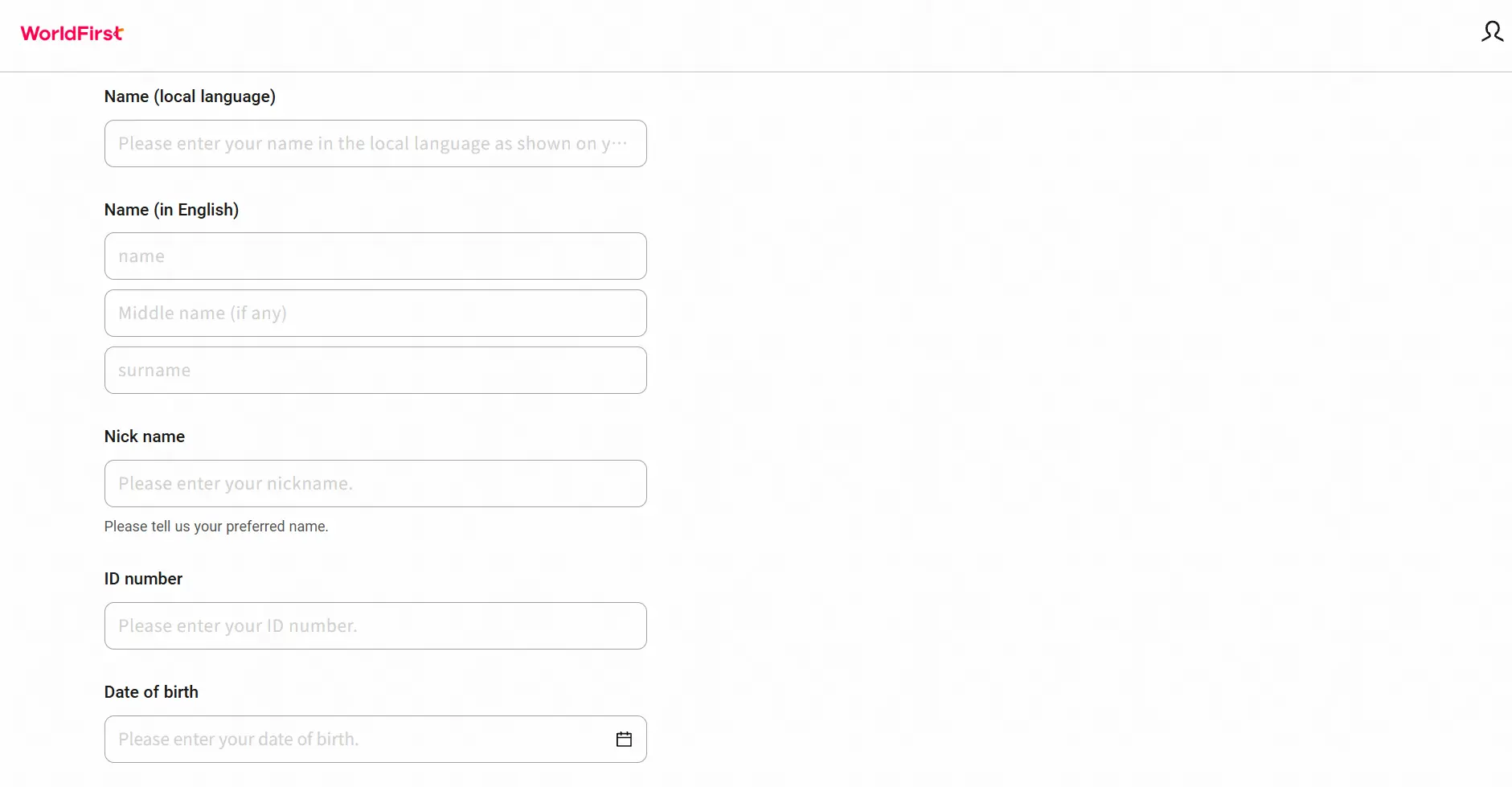
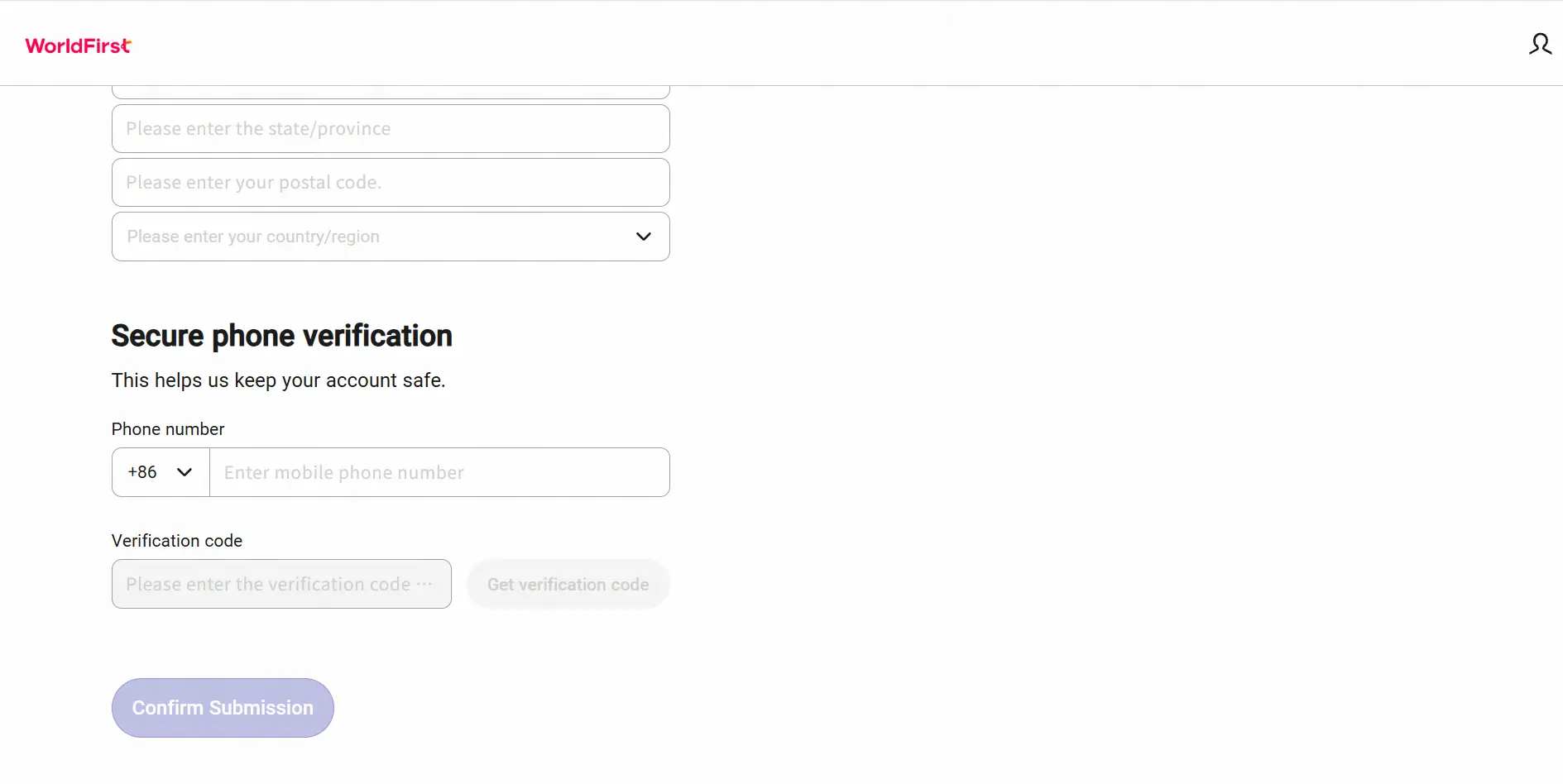
After submission, the review is expected to be completed within 1–3 business days.
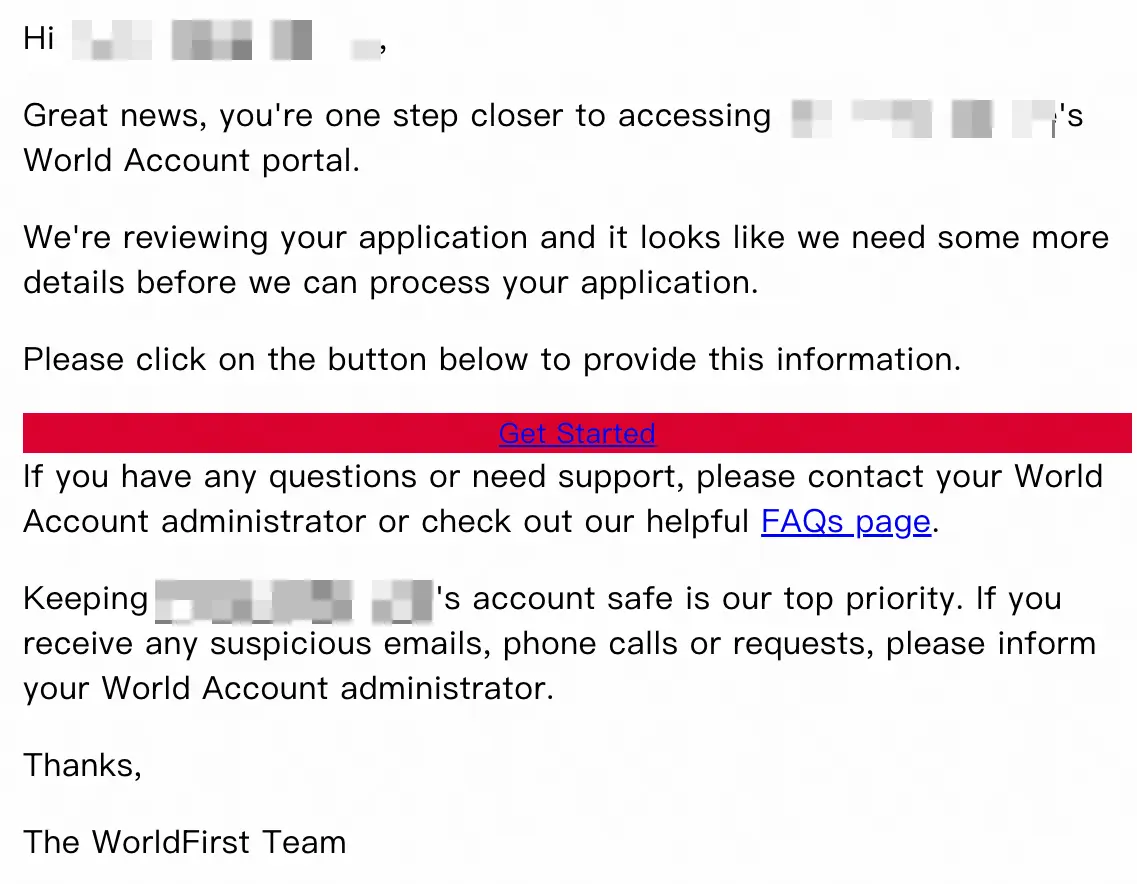
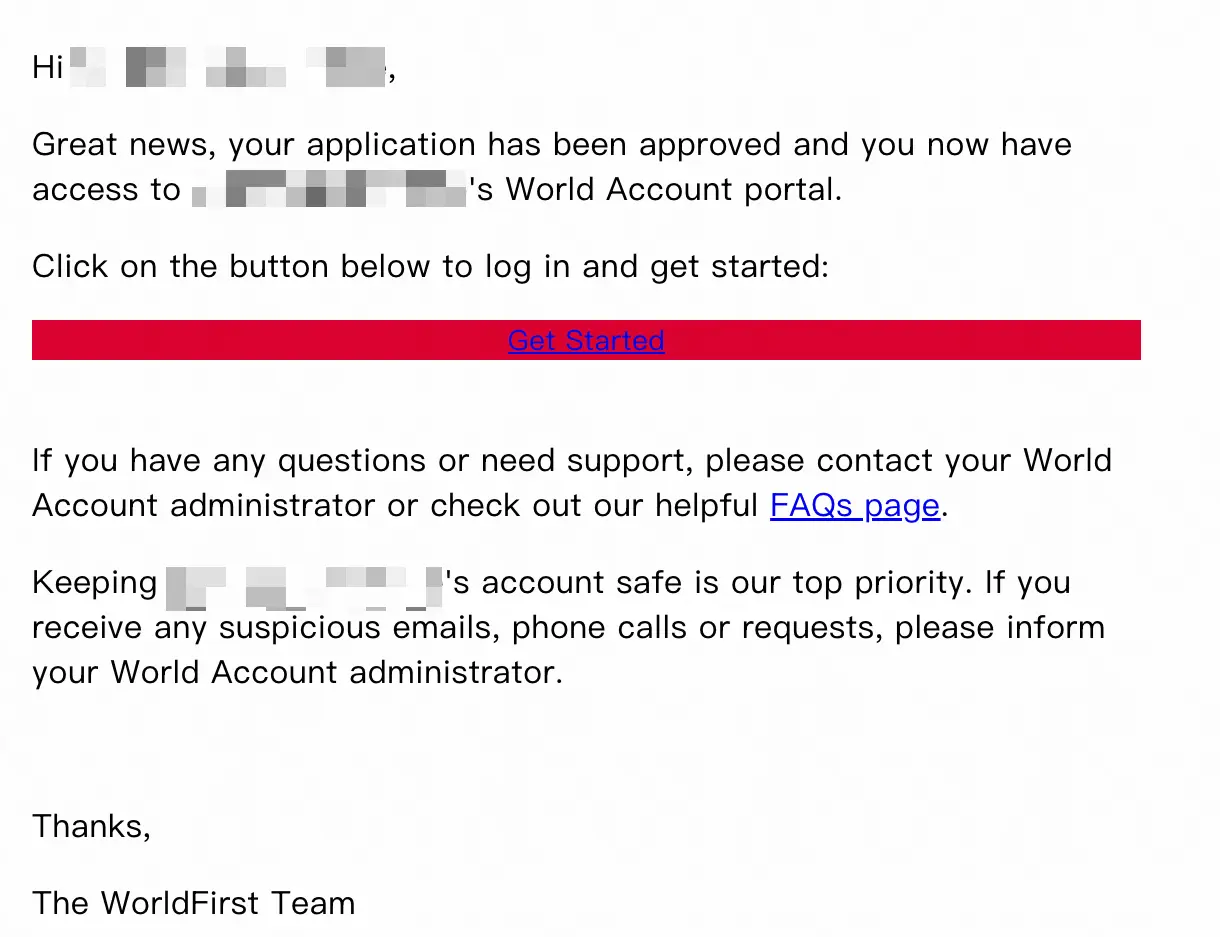
3、WF Notifies Sub-operator of Review Result (Email)
Rejection Notification
Approval Notification
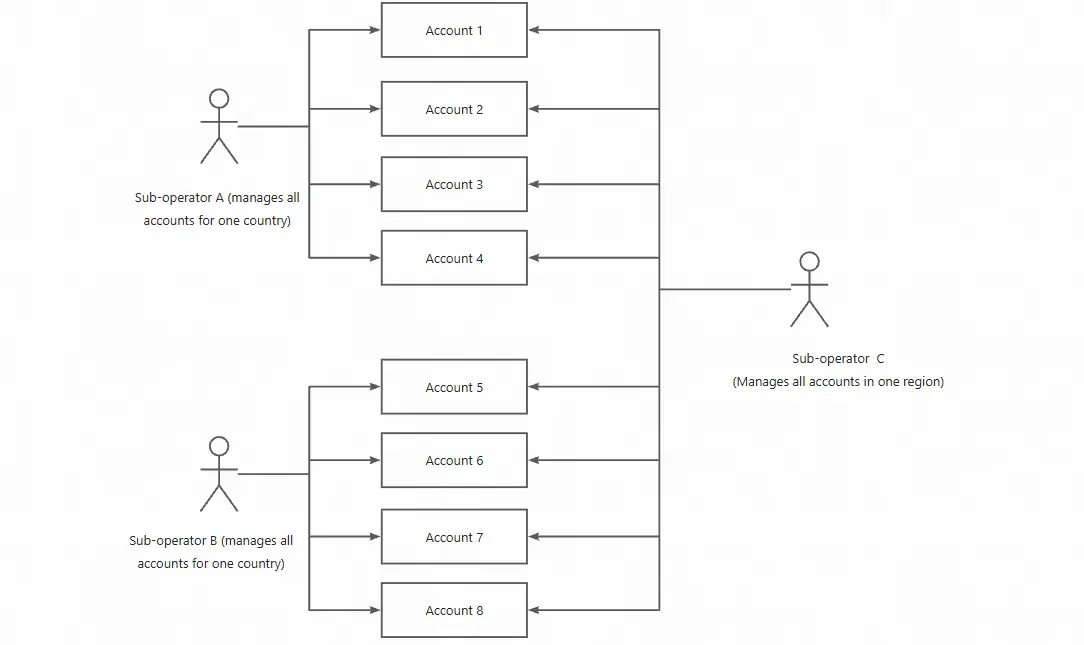
2. Sub-operators can be invited as operators by multiple merchants across all sites/countries:
Account Permission Management Diagram:
1、Primary Operator Sends Invitation: My Team -> Add Sub-Operator
2、Fill in Sub-Operator Basic Info: Mobile/Email, Sub-Operator Name, Select Assigned Role(s)
a、Sub-operator receives the application via email
b、Sub-operator logs into their WF account
(If it’s a never-registered sub-operator, they need to complete the registration + KYC process during login)
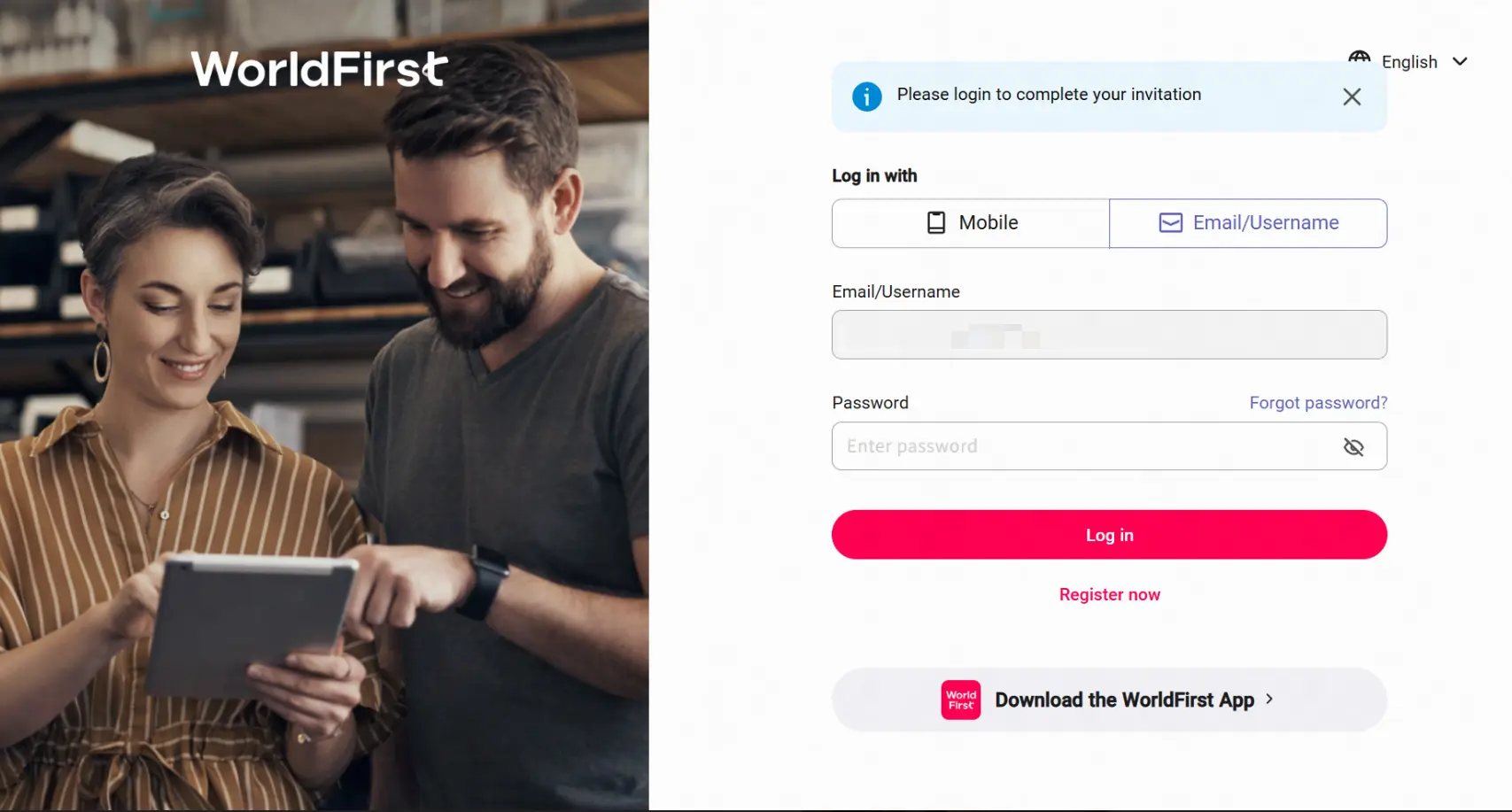
c、Sub-operator confirms invitation and grants authorization
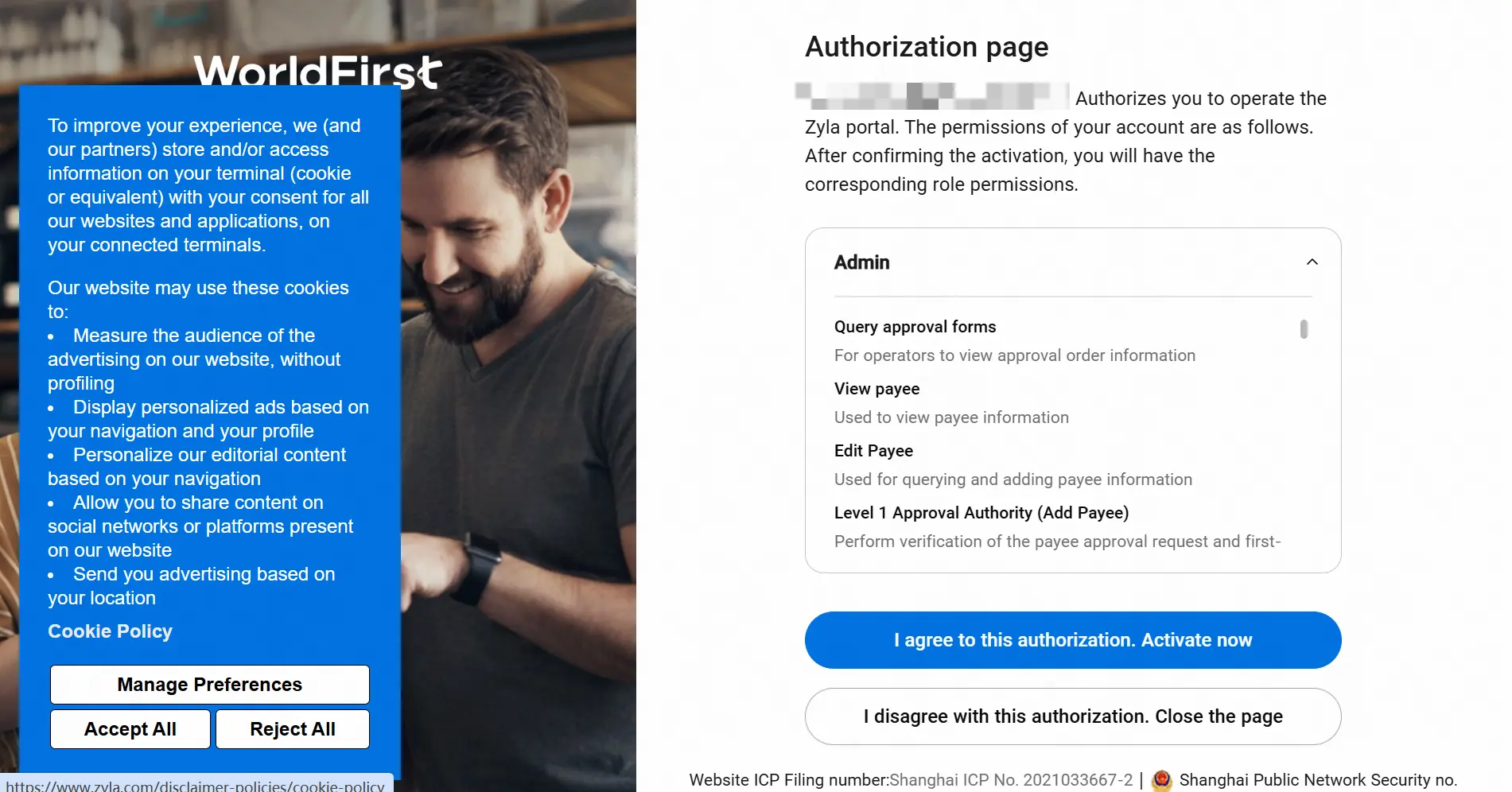
d、After authorization, the sub-operator needs to complete identity verification
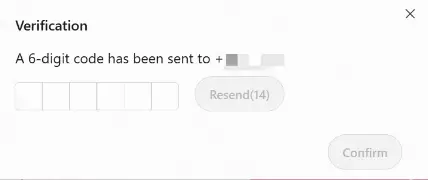
e、 After identity verification is complete, the management authorization takes effect. The sub-operator can click the avatar in the top-right corner to view the accounts they manage and switch between them with one click
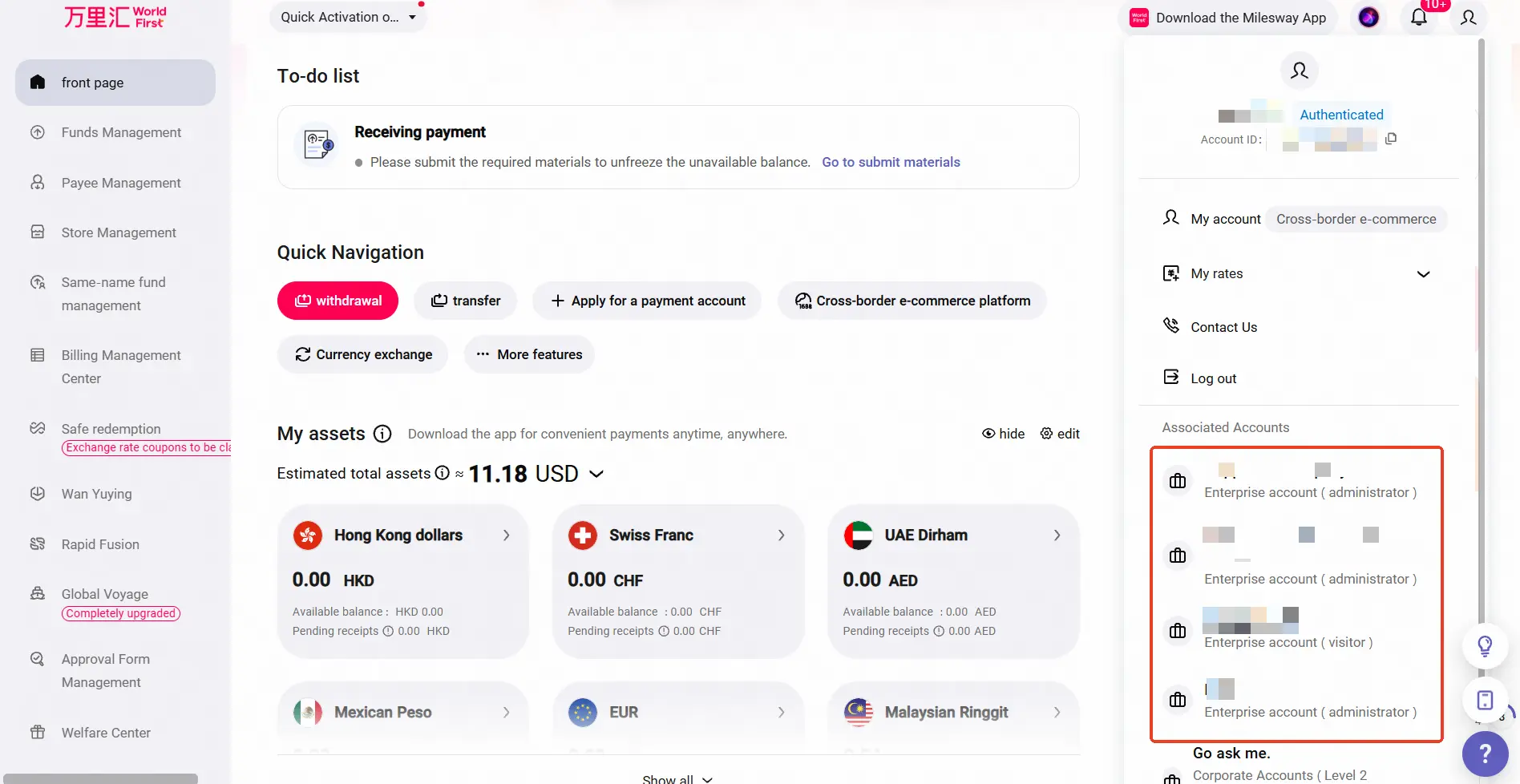
3、Login/Switch Operation Instructions for Sub-Operators Invited by Multiple Account:
- During the login process, there is an intermediate page to select which account to log into;
- After successful login, it supports one-click switching to log into other accounts within the account interface;
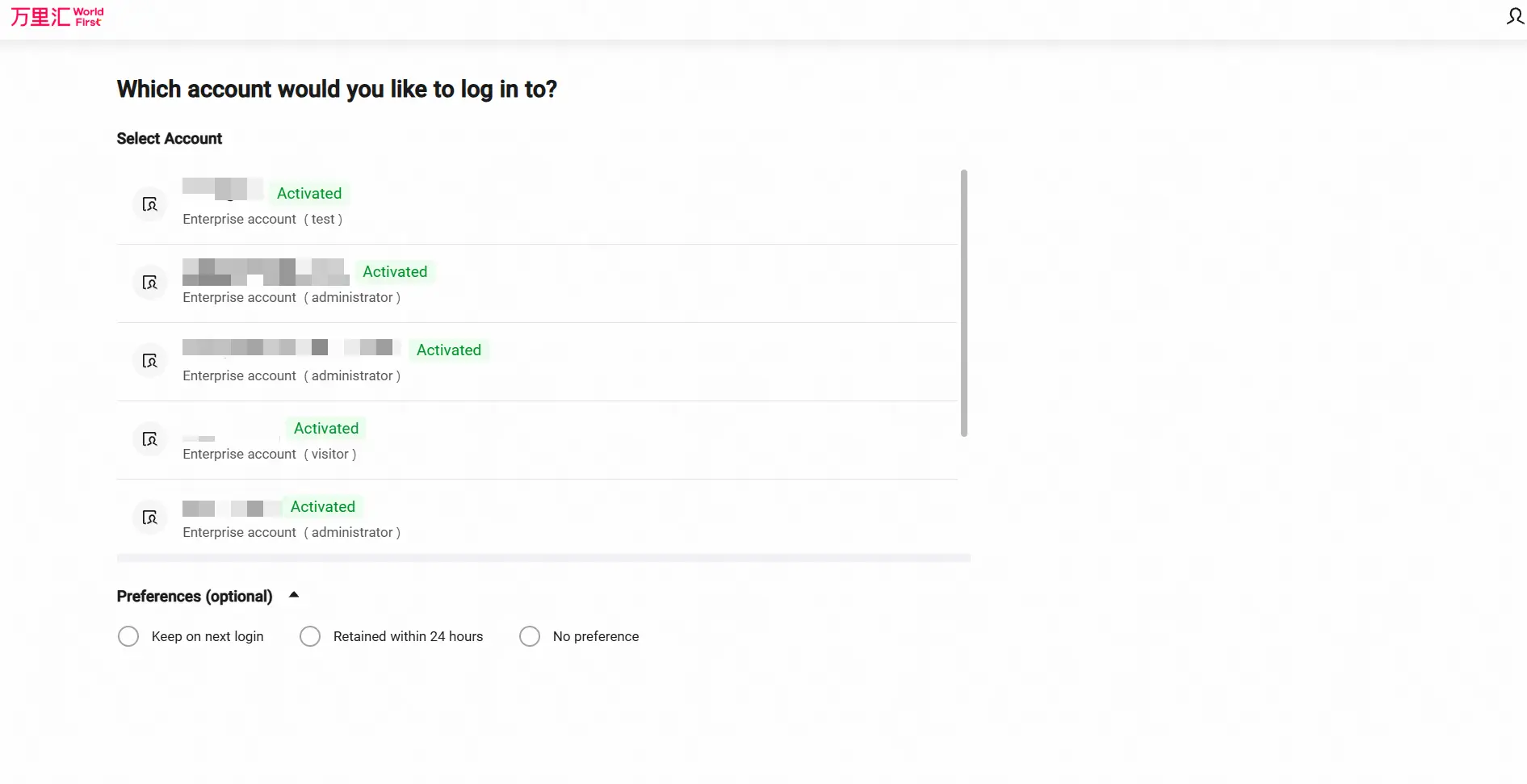
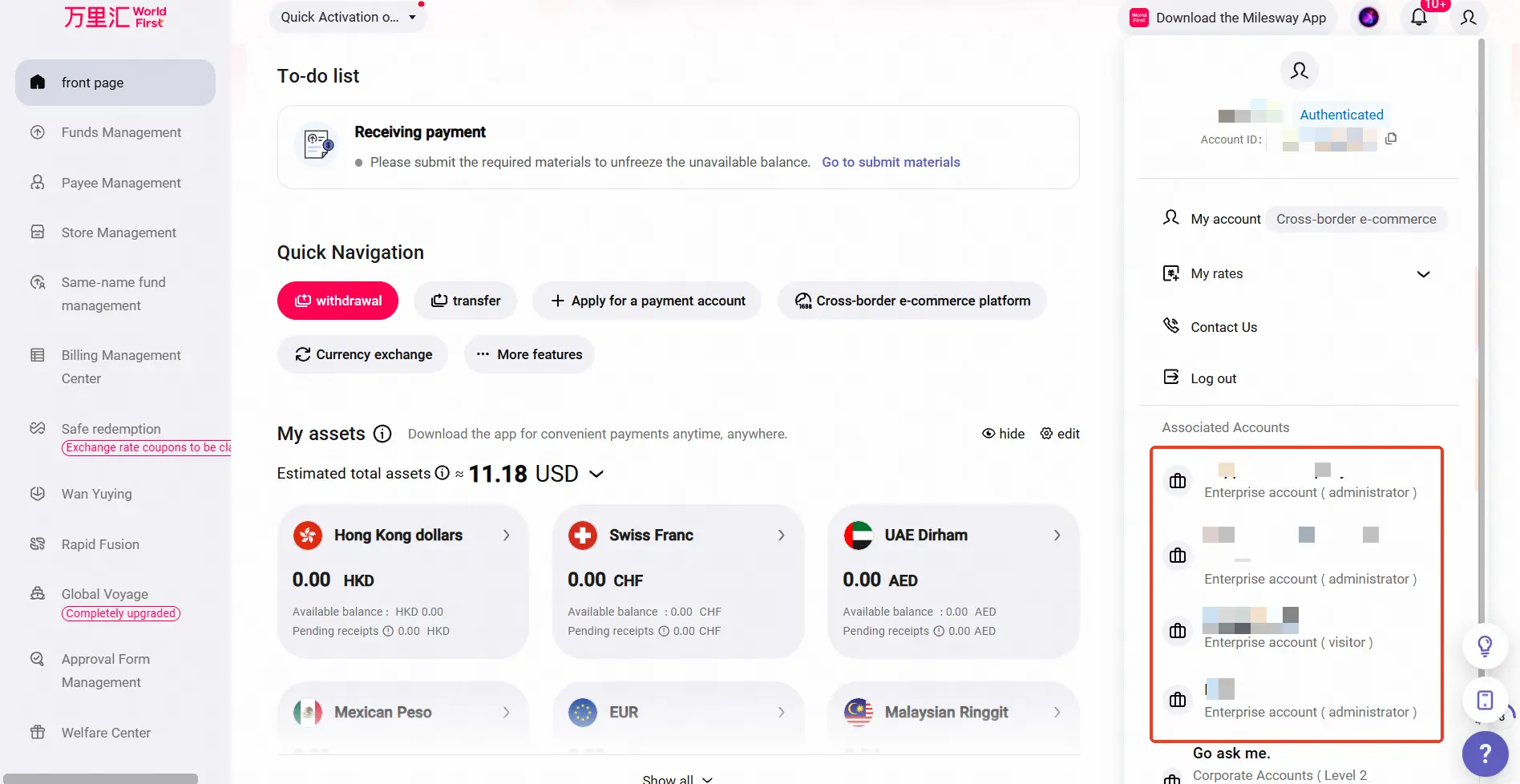
Customer Case Study:
Ningbo-based B2B merchant registered 4 accounts on Z40, all managed by a single finance personnel. During a client visit, the finance staff reported the inconvenience of frequently logging out and logging in to manage the 4 accounts.;
Solution:
- Guide the customer to register a sub-operator account (a) on one of their accounts (Account A);
- Accounts B, C, and D each invite sub-operator account (a) to become an administrator for their respective account;
- Subsequently, the user can log into sub-operator account (a) to manage all 4 accounts, enabling convenient switching between them;
Currently operating under an internal whitelist mechanism; if needed, please contact your account manager to be added.