
































You can order a World Card Physical Card to make payments while you’re on the go. The card is accepted at all offline merchants where Mastercard is accepted. Similar to the virtual card, you can spend in up to 16 currencies without FX fees, manage your cards in the World Account portal or the APP. You can also protect your transactions with a PIN code.
Currently, Physical Card is available only to WorldFirst users in the following regions: Singapore (SG), Australia (AU), Turkey (TR), Philippines (PH), Bangladesh (BD), and Pakistan (PK).
Ordering a physical card
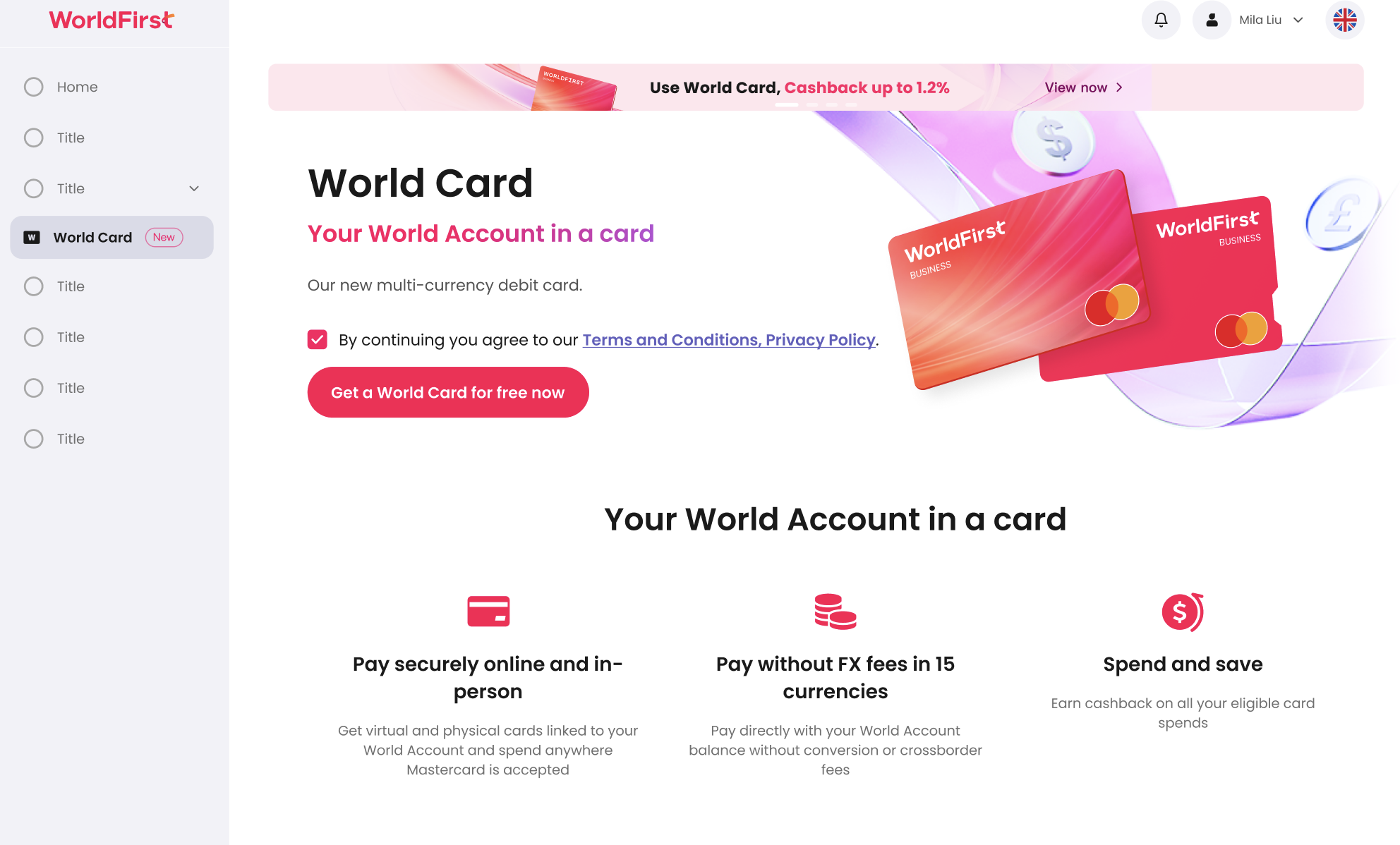
To apply for a Physical Card, log in to your WorldFirst portal, go to “World Card” in the main navigation.
Click “Get a World Card for free now”.
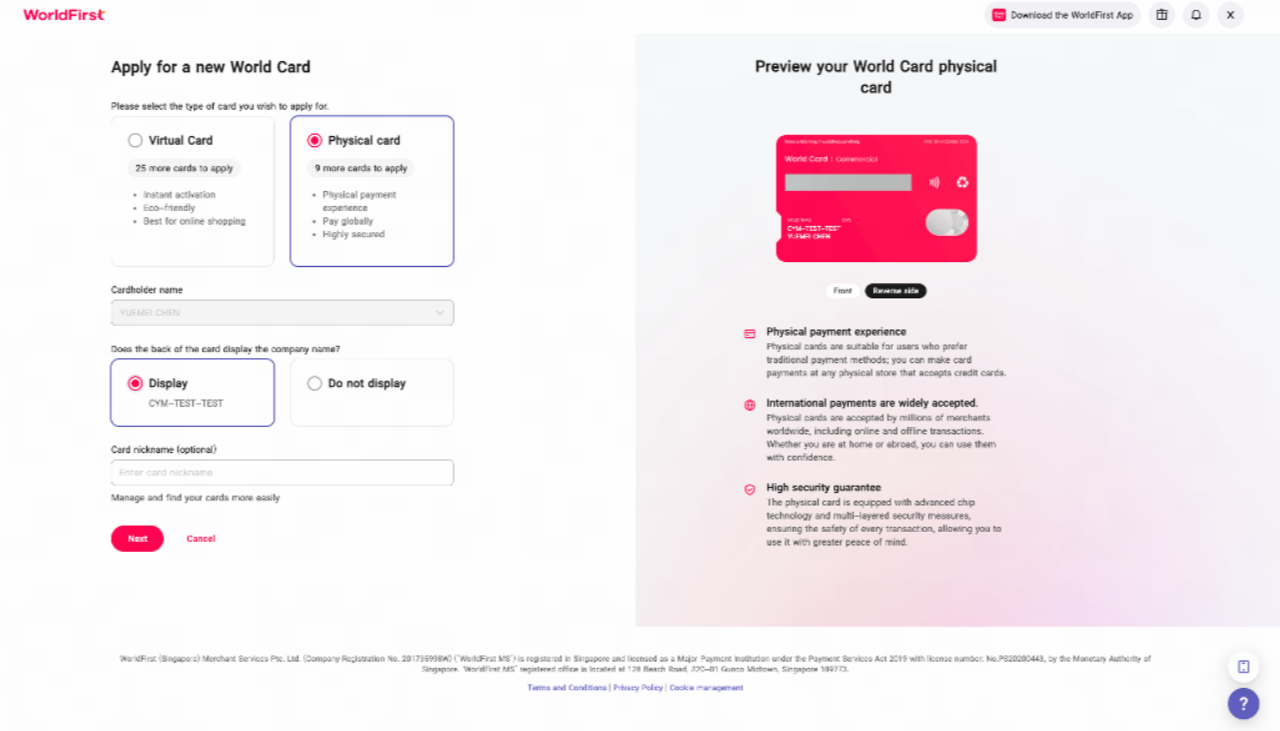
On the card application page, select “Physical Card”, then choose the cardholder for the card. You can also choose if to display the name of your company on the back of the card. Click “Next”.
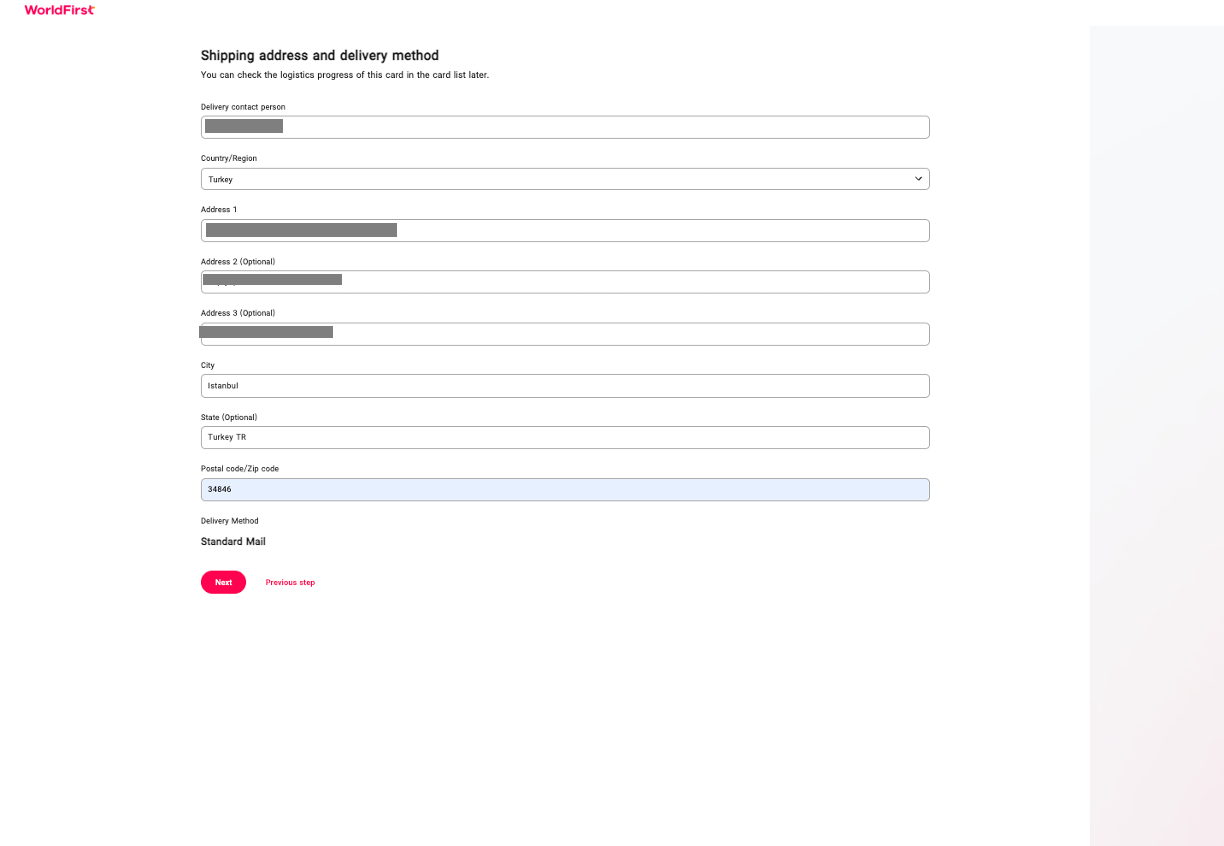
Next, enter the address you would like the card to be delivered to. Please note that we currently only support delivery to addresses of your account region.
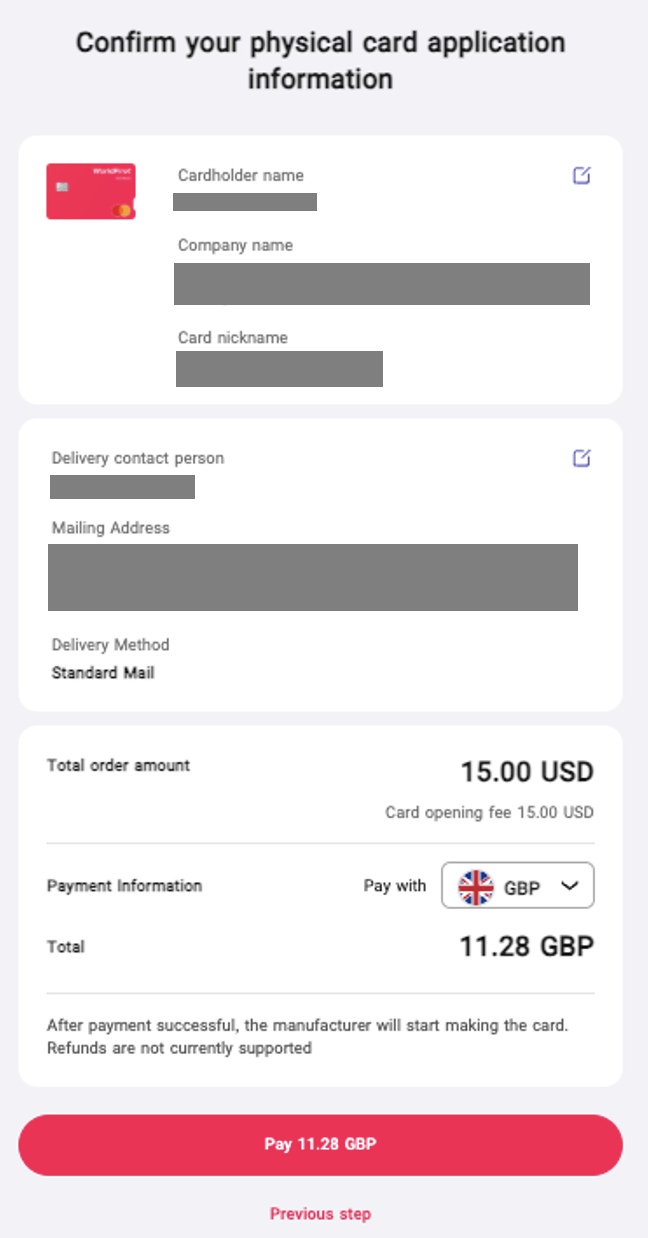
Finally, confirm all the information and complete payment for the card opening fee. Depending on your region, your card may take between 2 – 15 days to arrive.
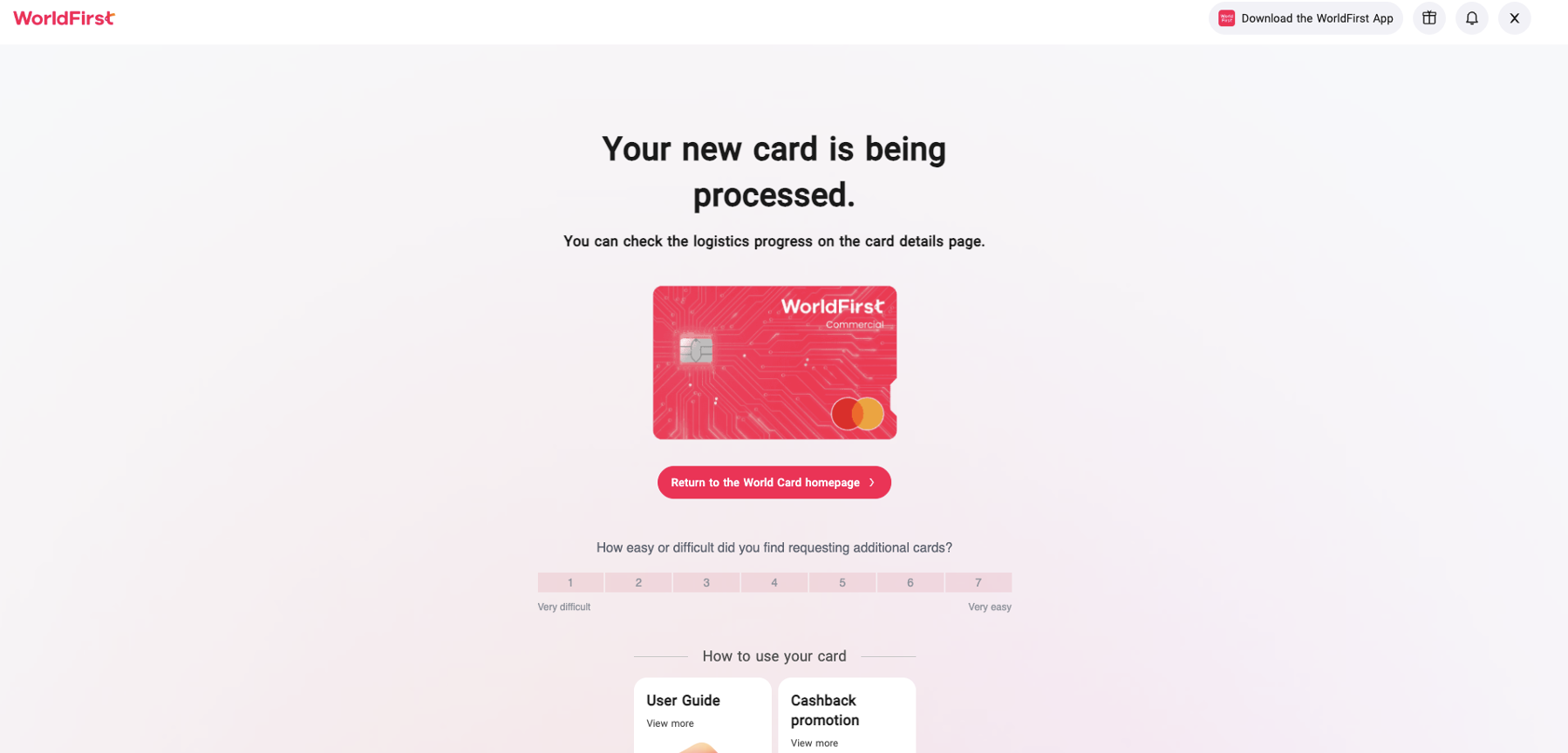
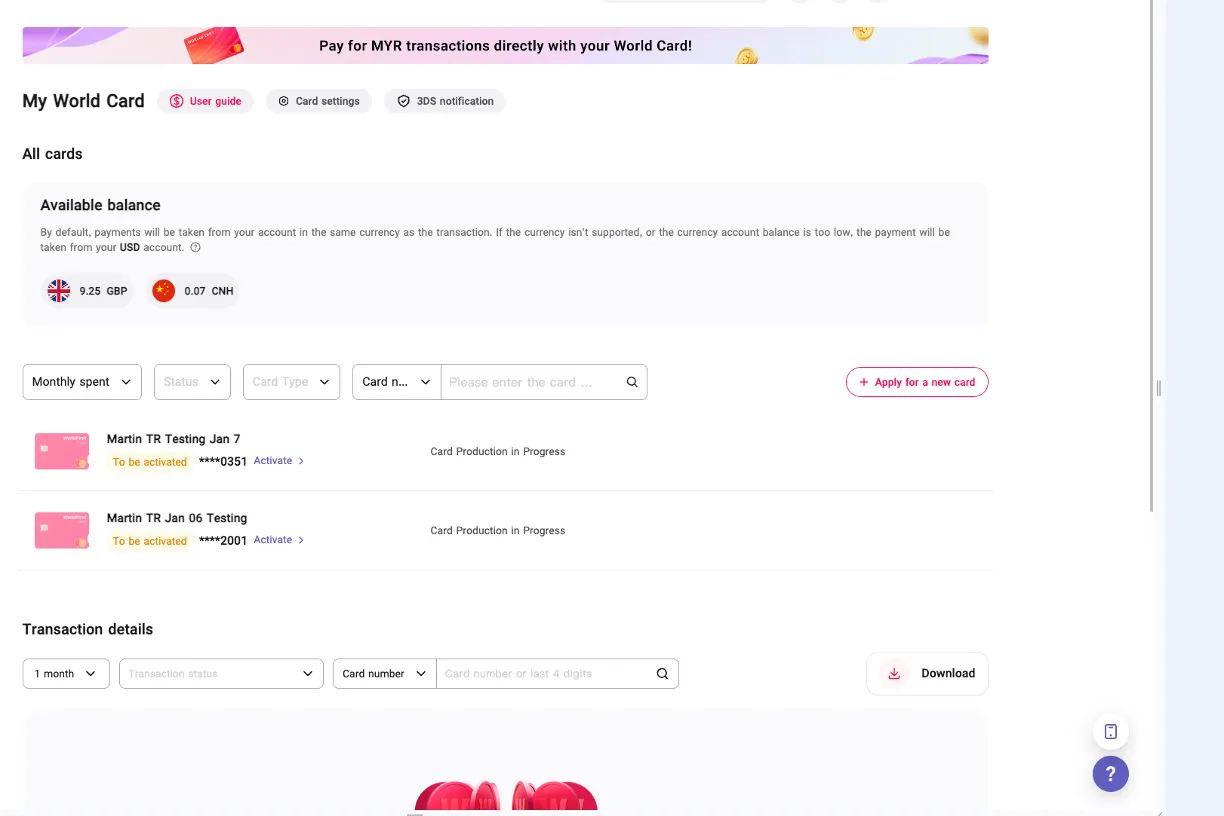
You can track the order status of your card by going back to the “World Card” homepage and finding the card list. While the card is in production, the status will show “Card Production in Progress”. Once the card is shipped, you will be able to access a link to track the delivery status of your card.
You can expect delivery within the timeframes listed below, depending on your location:
| Region | Courier | Card Produce Location | Delivery Time |
| SG/BD/PH/TR/PK | Singapore Post | SG | SG: 2-3 working days (Singapore local mail) BD/PH/TR/PK: 1-2 weeks (Singapore international mail) |
| AU | Singapore Post | SG | 1-2 weeks (Singapore international mail) |
| UK | Royal Mail | UK | 2-5 working days (Singapore local mail) |
| EEA | Royal Mail | UK | 1-2 weeks (Royal Mail international mail) |
Activating your Physical Card
Upon receiving the card, you will first need to activate the card and set a PIN code before making payments at POS locations.
Portal activation
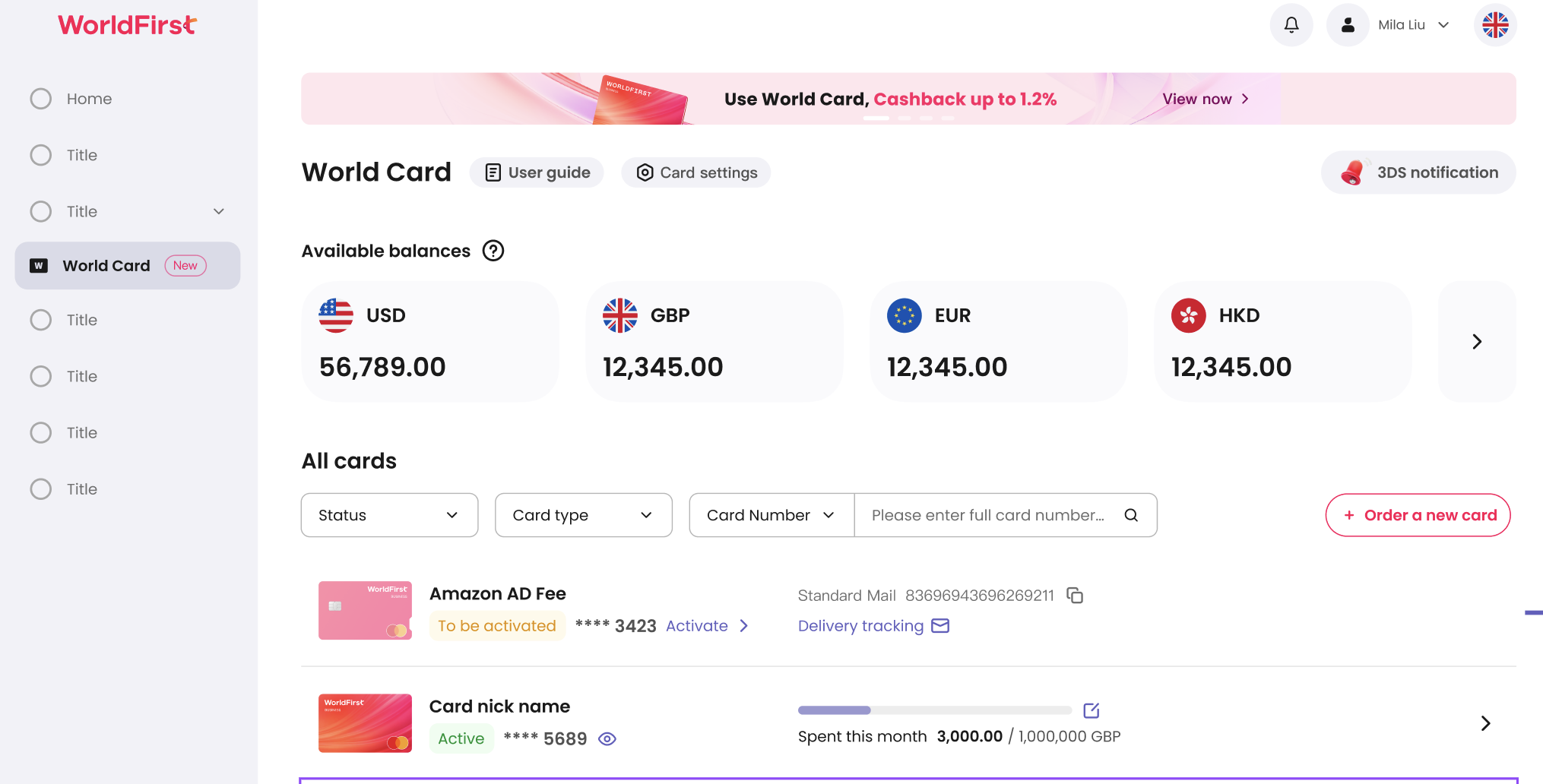
Log in to your portal, go to “World Card”. Find your card in the card list, and click “Activate”.
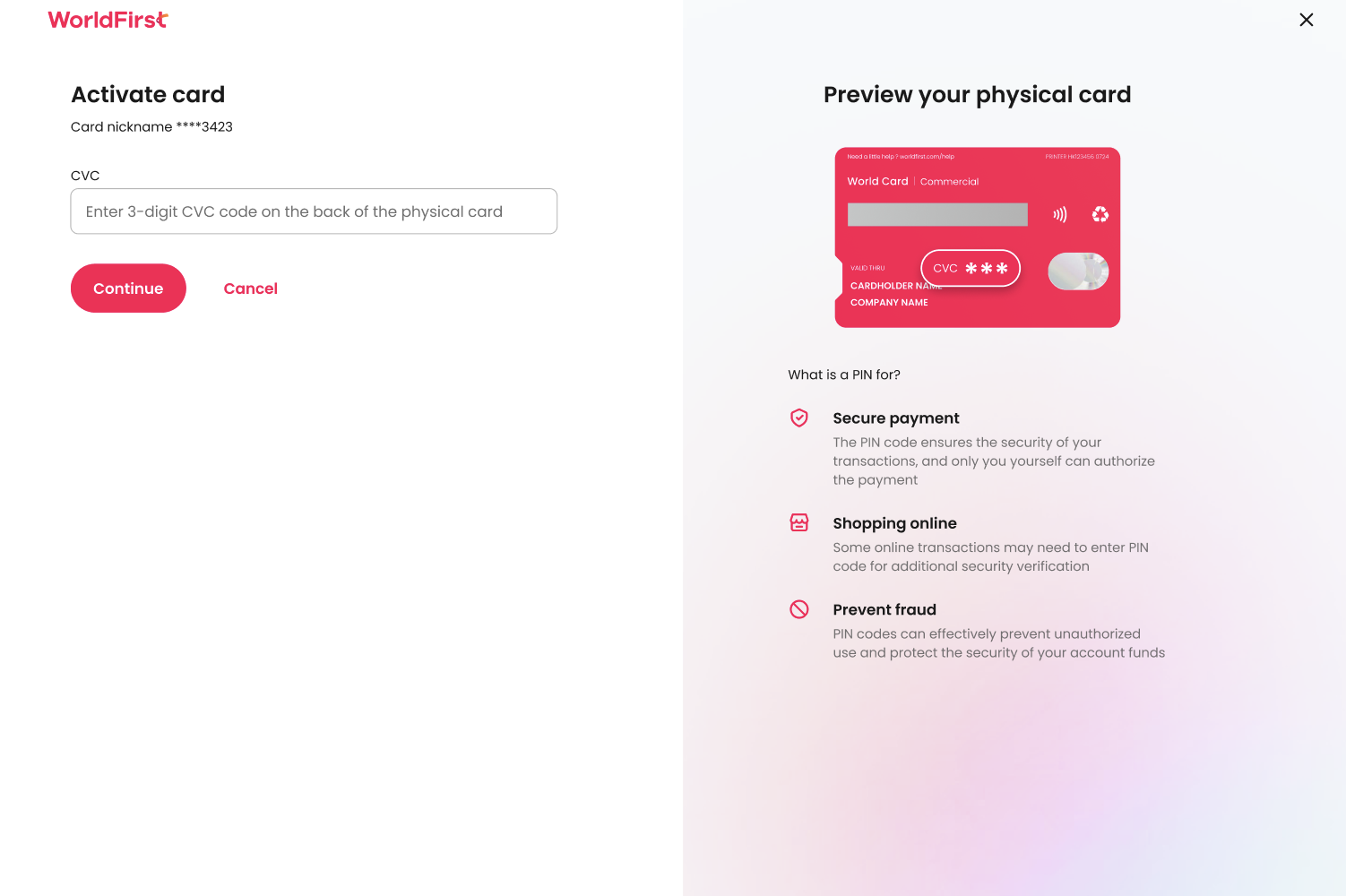
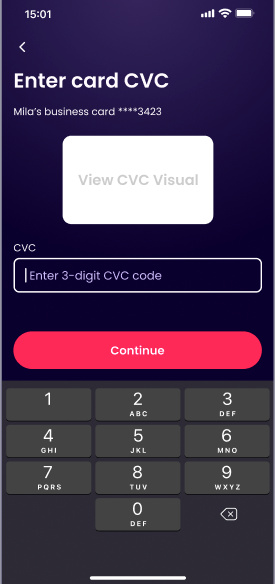
Enter the CVC code from the back of your card. Only 5 failed attempts are permitted. If card is locked due to too many failed CVC attempts or not activated within 180 days, please contact Customer Service for manual re-activation.
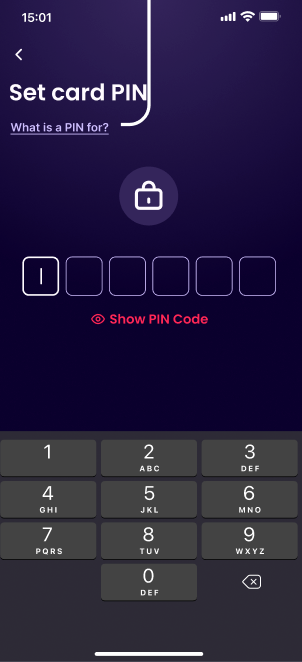
To enhance the security of certain high-risk transactions, a PIN code needs to be set. (Only users in Singapore, Australia, Turkey, Philippines, Bangladesh, and Pakistan are required to set PIN codes.)
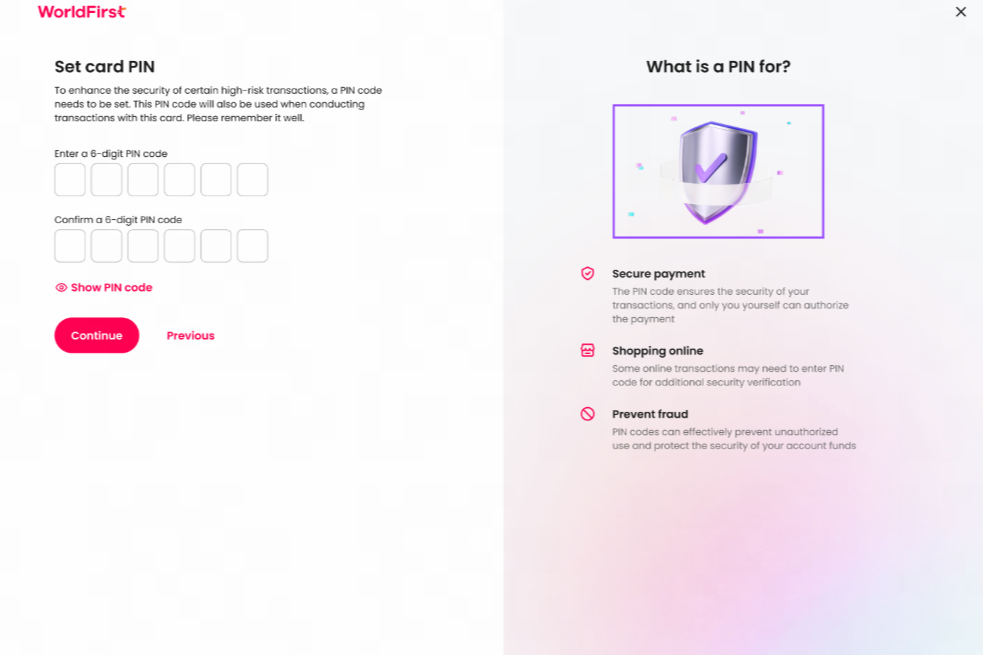
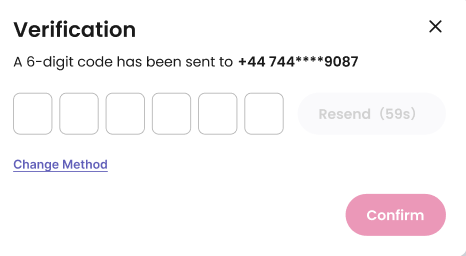
After the PIN is set, a 6-digit code will send to your phone for verification.
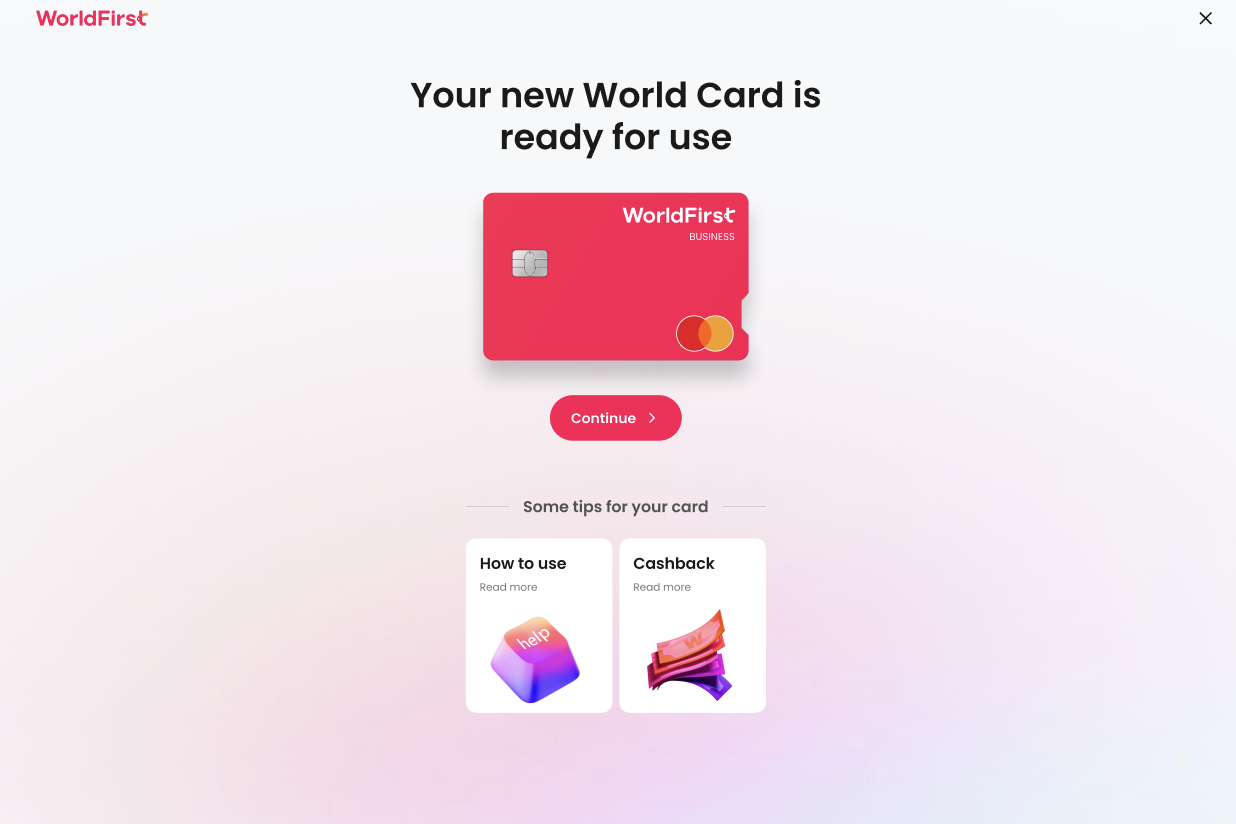
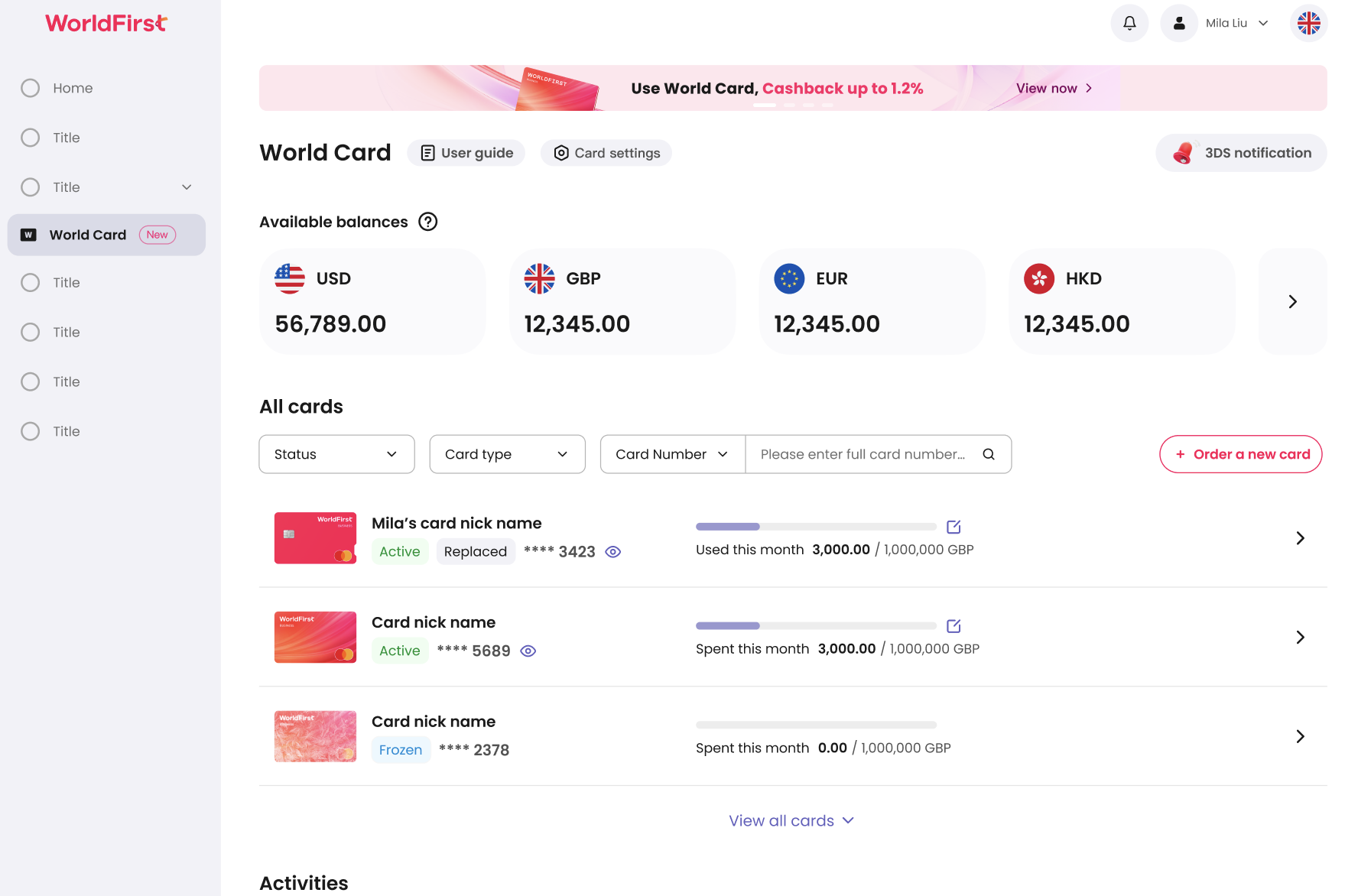
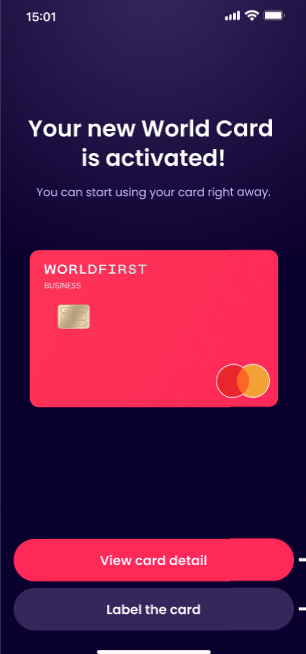
Now, the card is activated and ready for use.
App activation
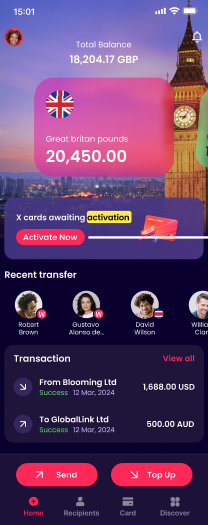
On the APP homepage, you’ll find a banner notifying that your card is awaiting activation. Click “Activate Now”.
Enter the 3-digit CVC code
Then, set your card PIN
Now, your card is activated and ready for use.
Changing card PIN
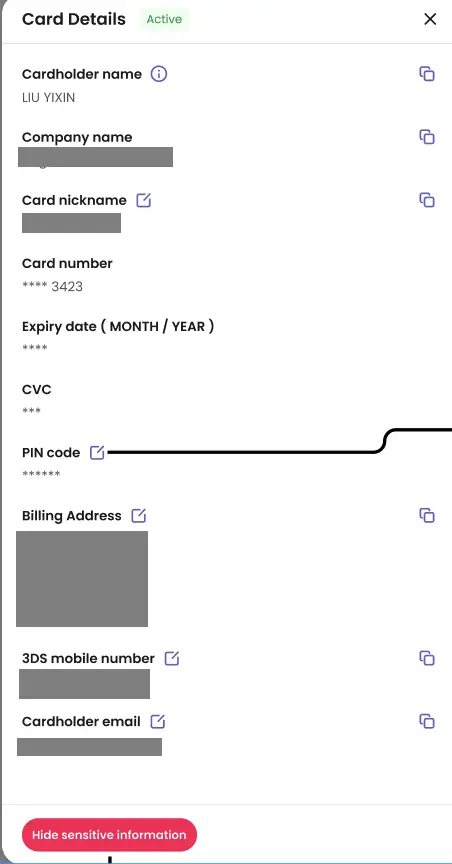
To change the PIN code of your card, go to the card list on the World Card page and go to Card Details. Click on the edit icon next to PIN code.
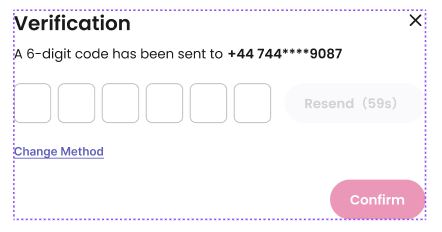
Enter the 6-digit verification code sent to your phone
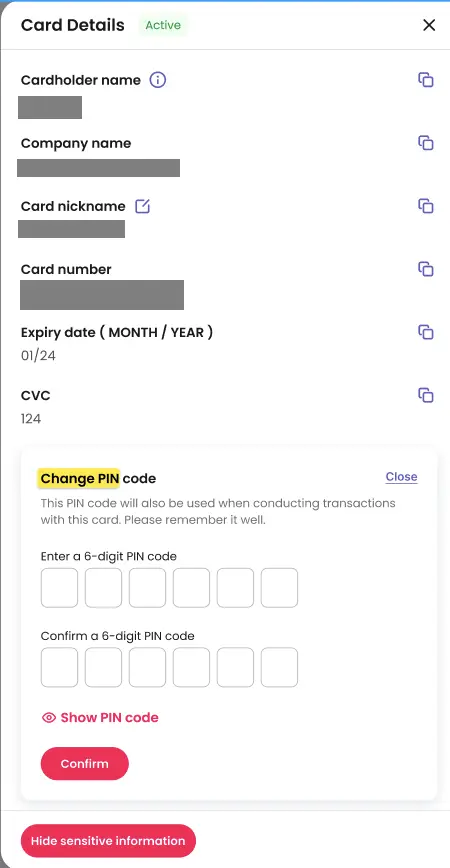
Reset your PIN and click “Confirm”
Freezing your cancelling your card
If your card was lost, you can freeze your cancel your card directly in the World Account portal. To freeze a card, go to “World Card” – “Card Details”. Click “Freeze card”, a pop-up window will appear. After confirmation, your card will be temporarily suspended from use.
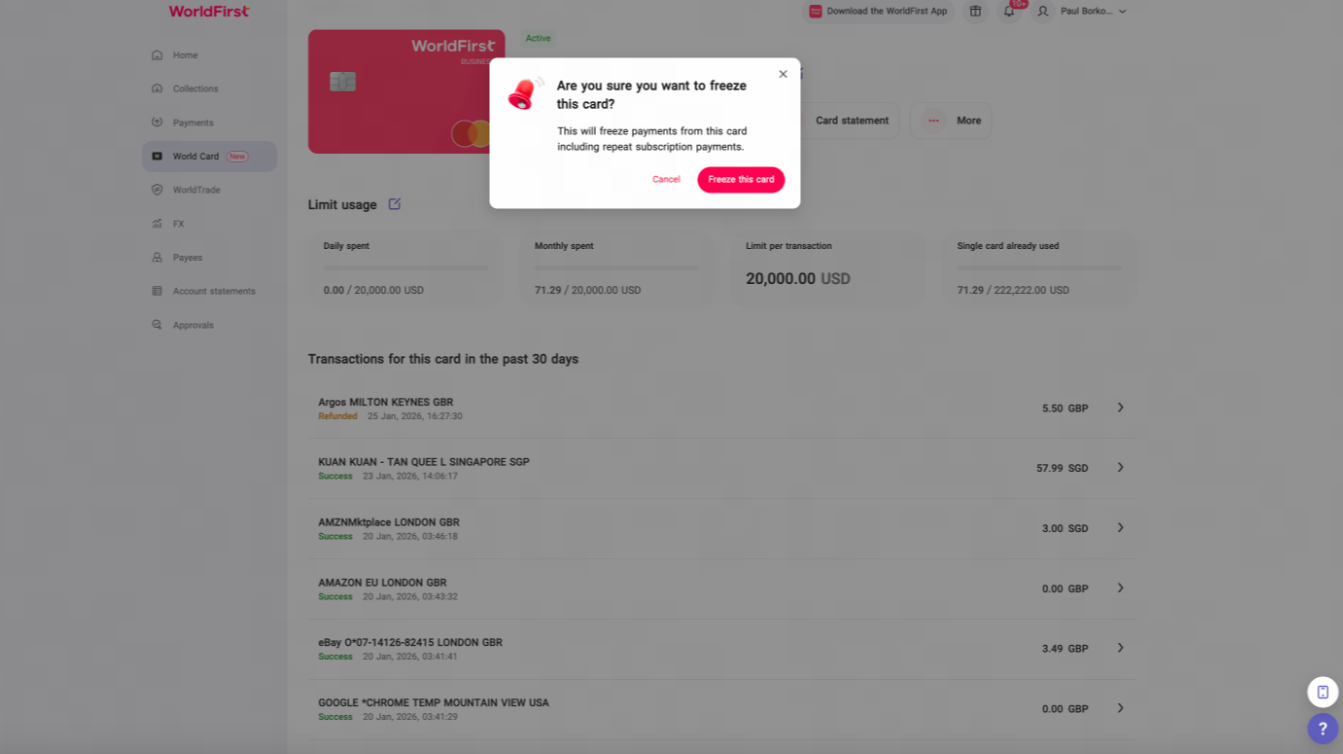
You will be able unfreeze your card later in the card details page.
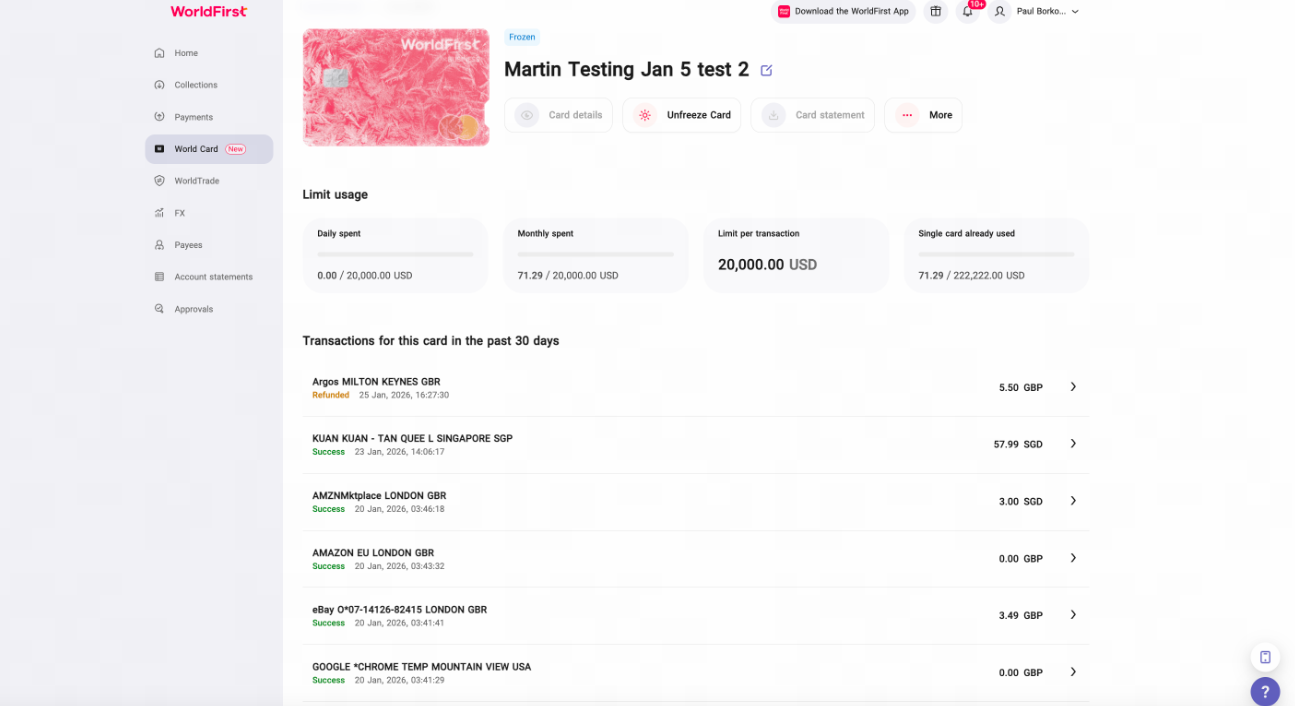
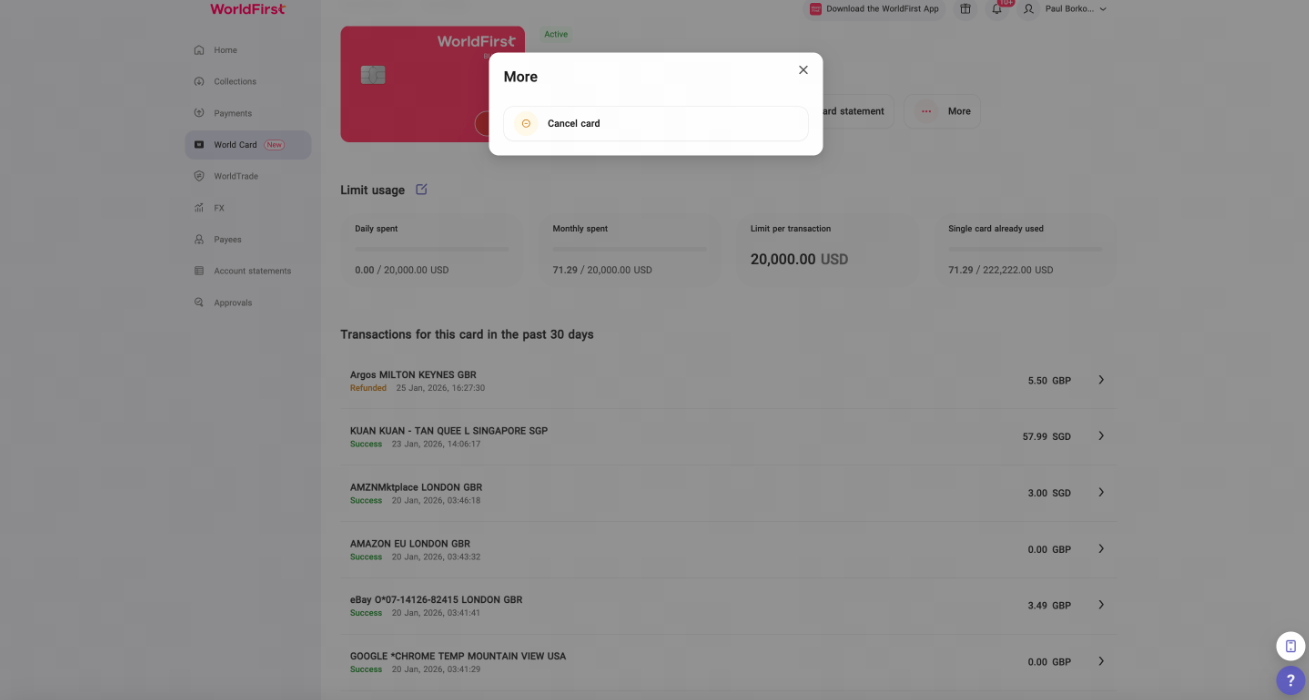
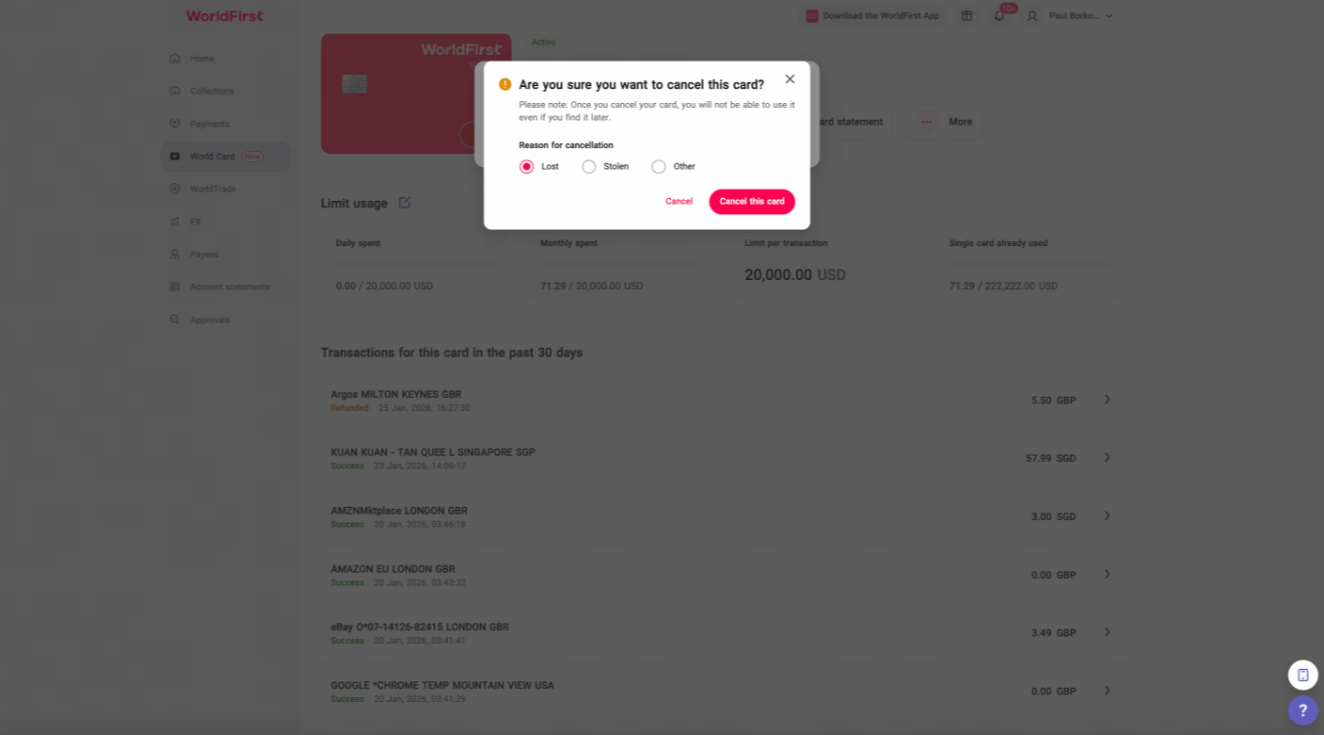
To cancel a card, Go to “World Card” – “Card details”. Click “More” – “Cancel Card”, a pop-up window will appear and click “Cancel this card”, the card will be permanently disabled.
Please note that card cancellation is not reversible.
Card opening and spending limits
When creating new cards, you can choose either physical or virtual card as an option. However, each account’s upper limit of physical cards is 10. If you hit this limit, you will only be able to create additional virtual cards.
Depending on your account region, your cards will have transaction limits indicated as below. Lower limits are in place for contactless payments per local regulations. Cumulative limits refer to the total volume of transactions accrued before you need to make a chip-and-PIN transaction. After the chip-and-PIN transaction, the allowance will be reset.
| Region | Monthly Spending Limit | Daily Spending Limit | Per Transaction Limit | Contactless Per Transaction Limit | Contactless Cumulative Limit |
| SG/BD/PH/TR/PK | 200,000 USD | 100,000 USD | 50,000 USD | 150 USD | 300 USD |
| AU | 200,000 AUD/NZD | 100,000 AUD/NZD | 50,000 AUD/NZD | 200 AUD/NZD | 400 AUD/NZD |
| UK | 750,000 GBP | 200,000 GBP | 50,000 GBP | 45 GBP | 130 GBP |
| EEA | 750,000 EUR | 200,000 EUR | 50,000 EUR | 45 EUR | 130 EUR |


























