































With Pay CNY to China, you can send CNY (Chinese Yuan) payments directly to your suppliers in China and complete the foreign exchange declarations required by Chinese regulators.
About Pay CNY to China
Pay CNY to China allows non-Chinese buyers to pay to suppliers’ bank accounts and Alipay accounts in China directly in CNY.* These payments will not take up payees’ annual limit for foreign currency exchange.
WorldFirst enables customers to make CNY payments to Chinese goods suppliers, offering a range of key benefits:
- 24/7 payment supported, unaffected by weekends or holidays
- Funds are credited on the same day, with the fastest transfers arriving within 1 minute
- Supports payments to a wide range of recipient accounts, including corporate bank accounts and Alipay accounts of suppliers in mainland China, as well as the personal bank accounts and Alipay accounts of legal representatives of suppliers in mainland China
How to add a supplier
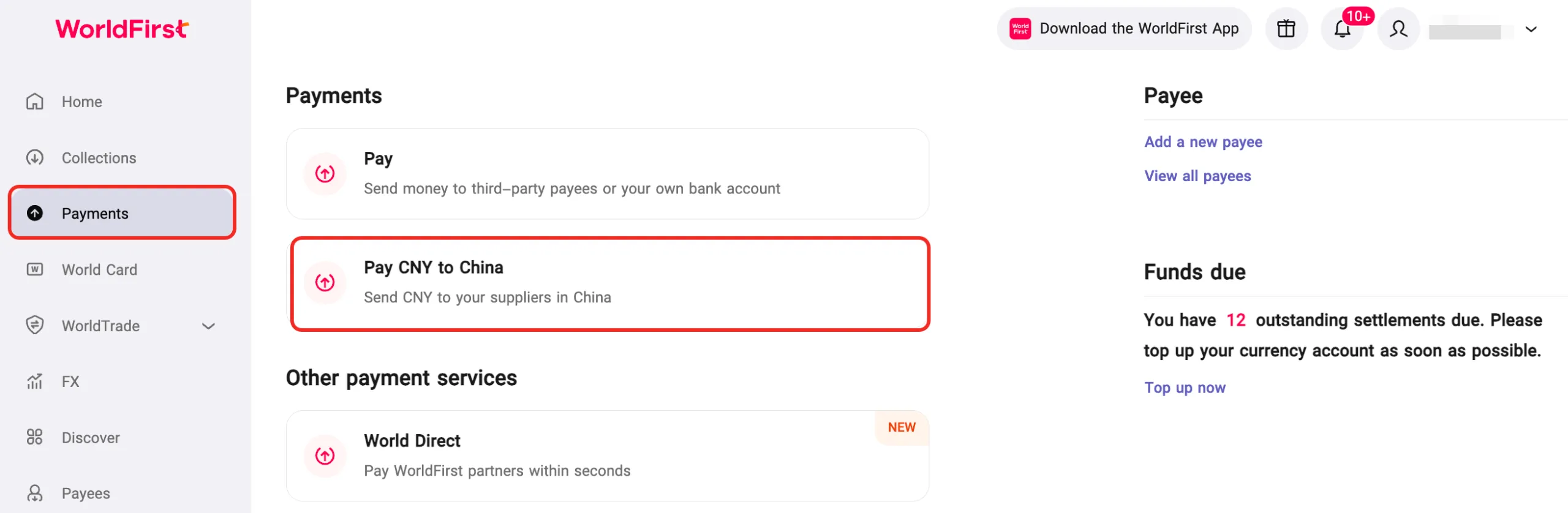
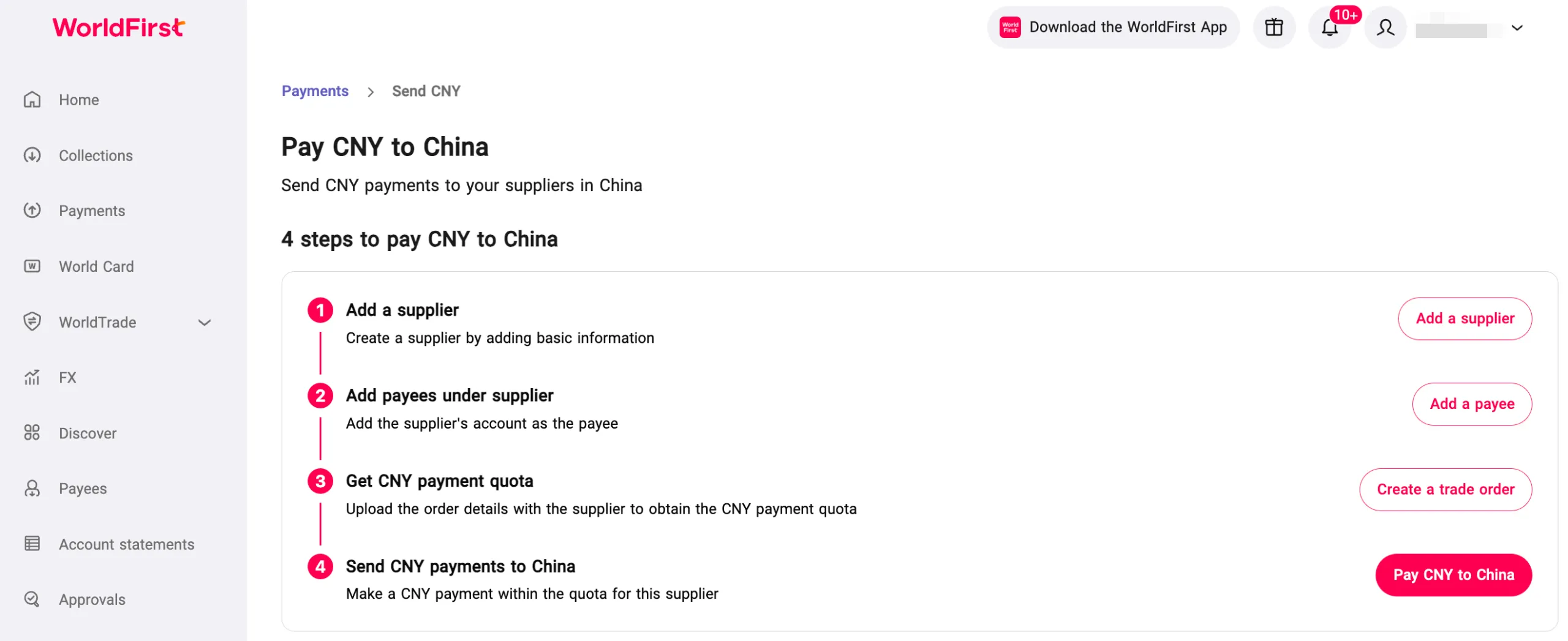
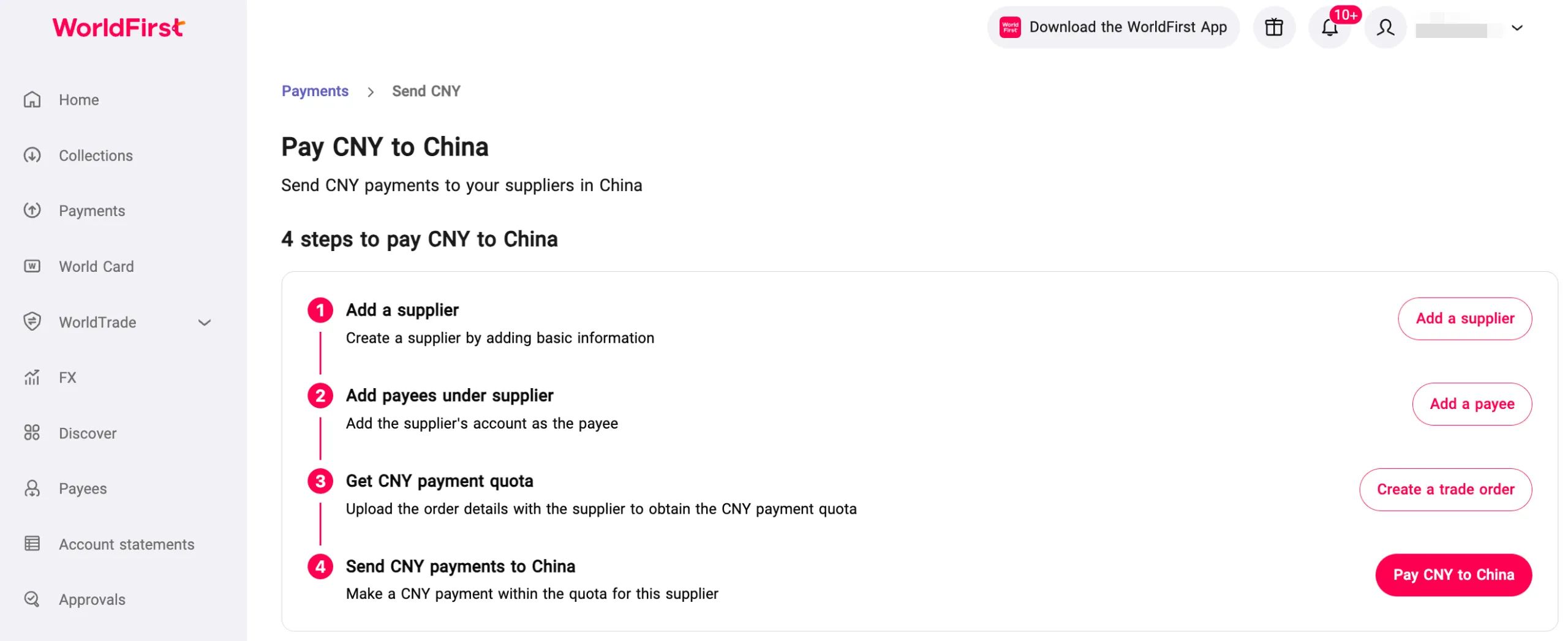
Step 1: In your WorldFirst dashboard, click on “Payments” in the menu on the left and click “Pay CNY to China”.
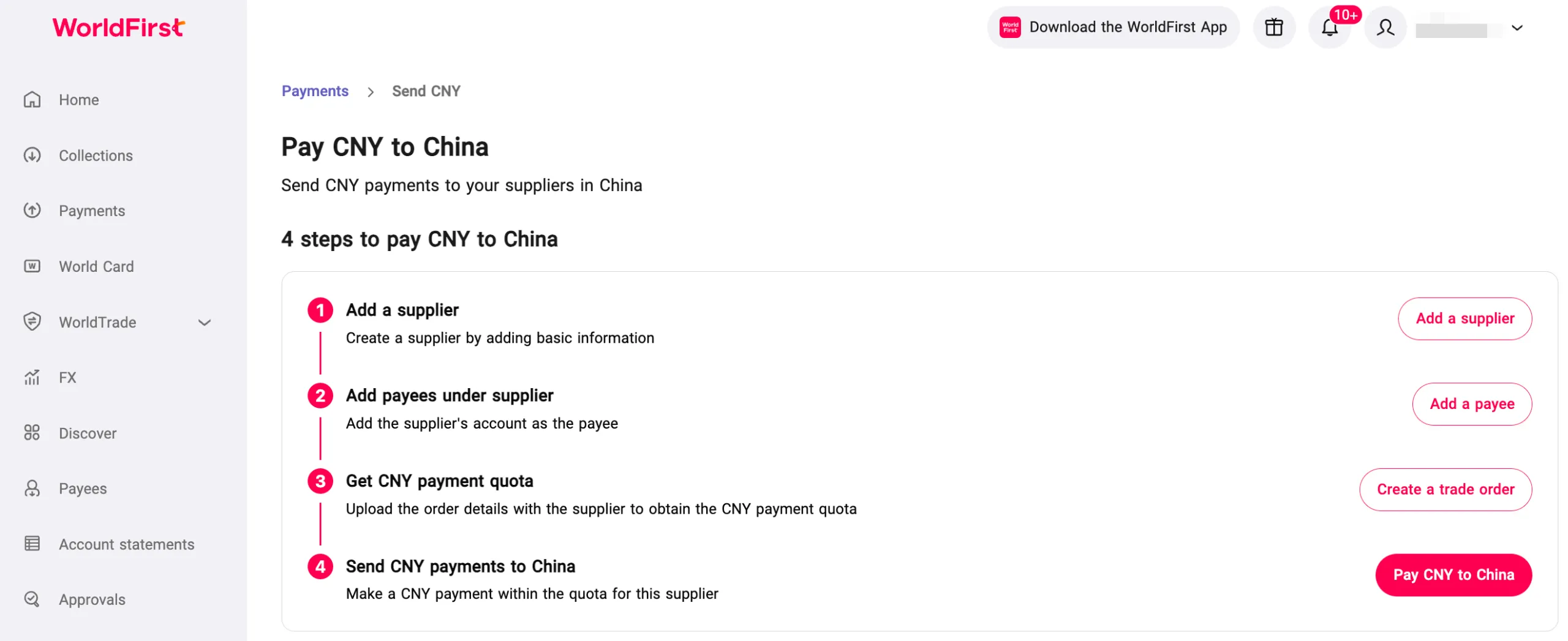
Step 2: Click on “Add a supplier”
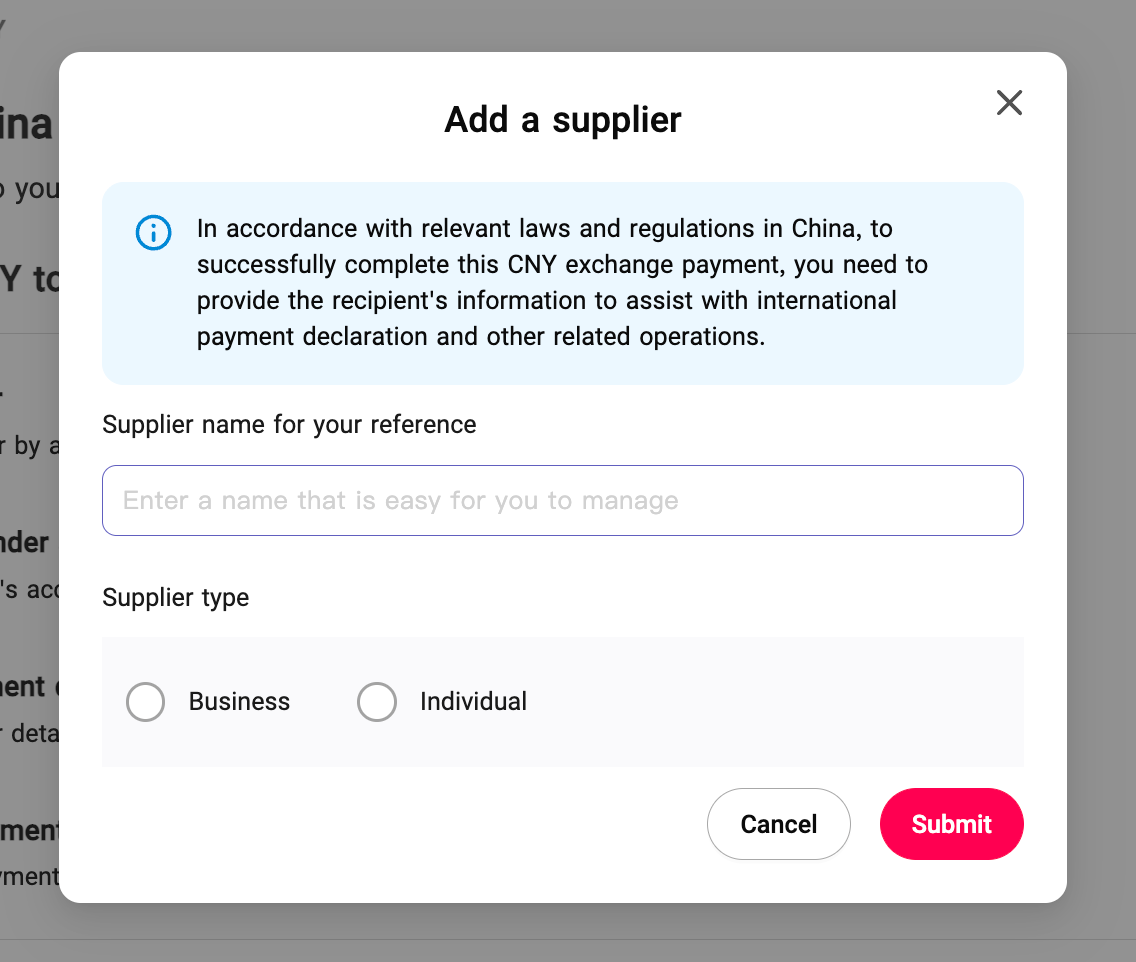
Step 3: Enter the supplier’s name, and choose the supplier type whether “Business” or “Individual”. If you need to make a payment to a Chinese supplier’s legal representative’s personal bank account, select “Individual”; if you need to make a payment to a Chinese company’s corporate bank account, select “Business”.
Step 4: Fill in the supplier information according to the supplier type, and click “Submit”.
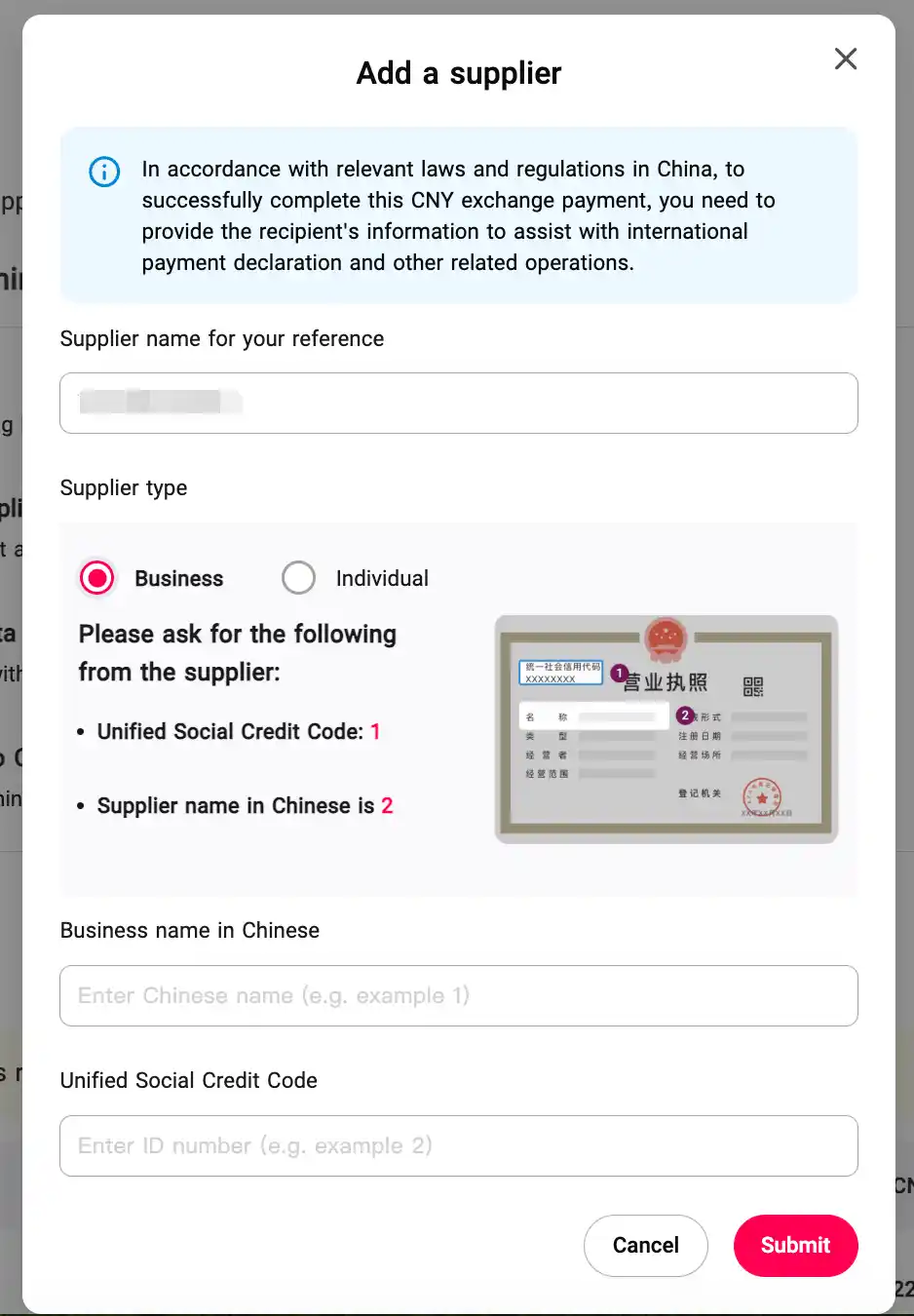
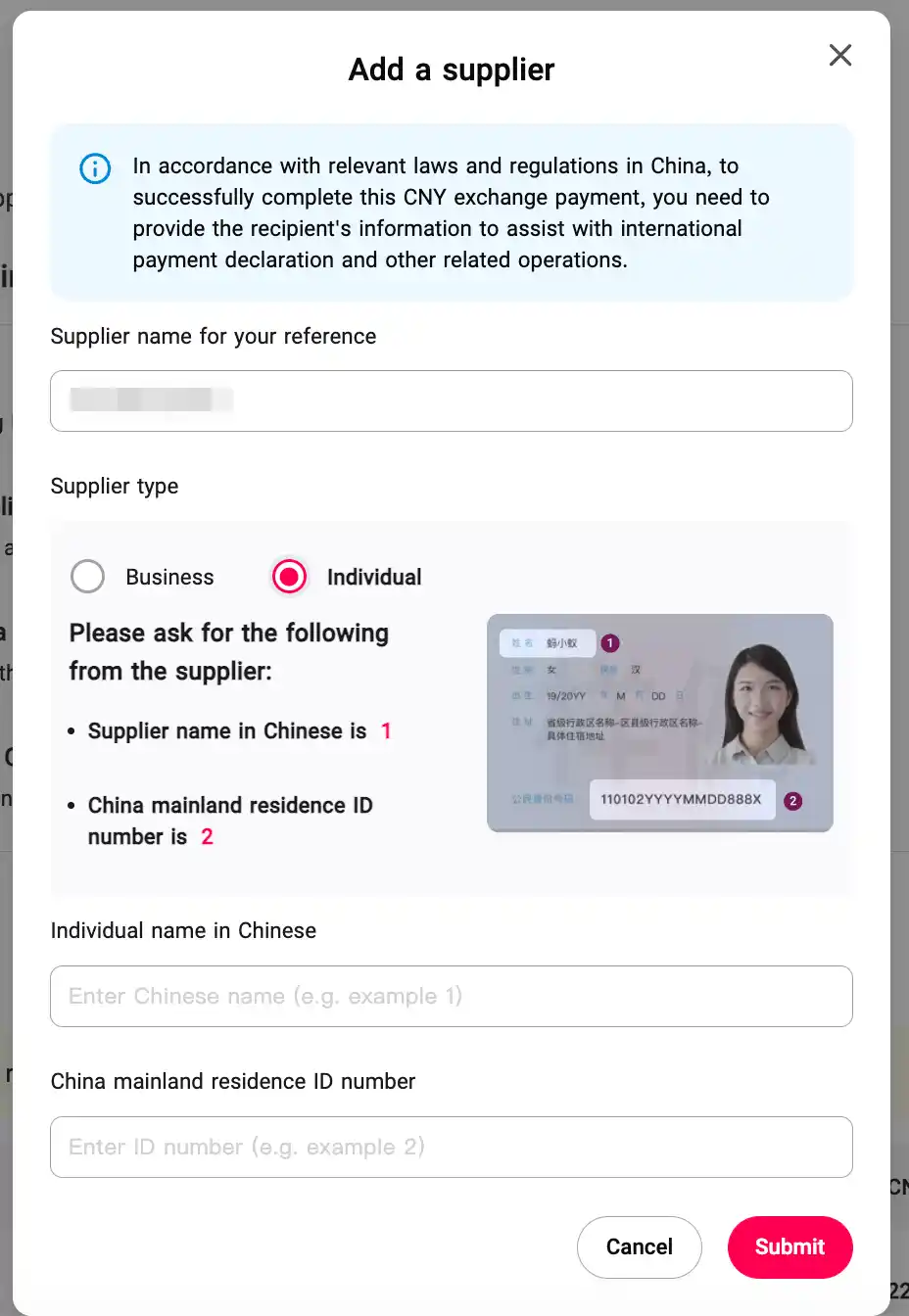
Note:
For individual suppliers, we can only accept a China mainland residence ID number; a passport number will not work. For business suppliers, verification will take approximately one business day. If the supplier’s name contains too many or too few characters, or does not match its unified social credit code, the addition will fail. If you are unsure about the supplier’s name, you can search for it on QCC KYC.
Step 5: Your supplier will be added and pending verification. You can view the status in the “CNY payment quota” section.
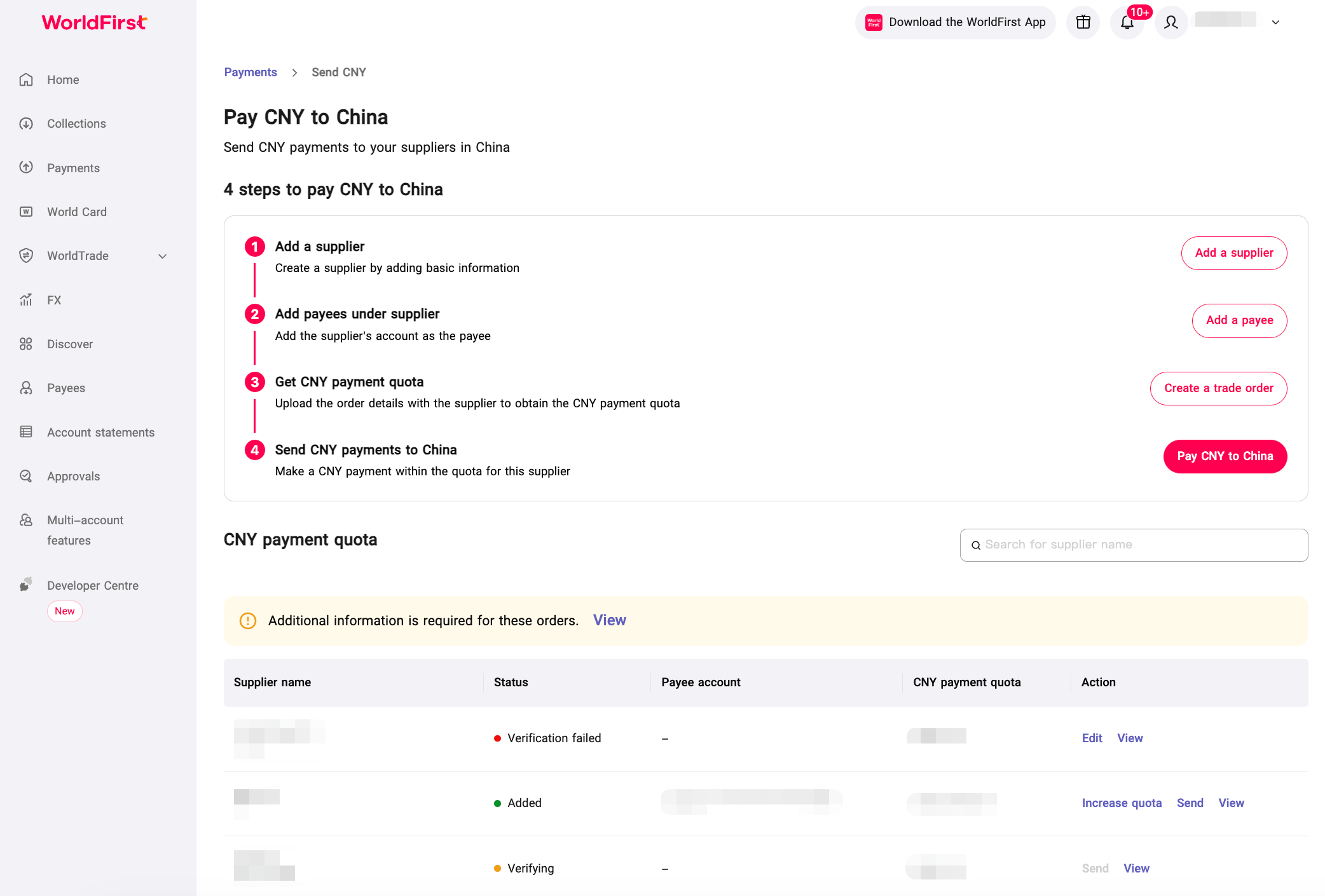
How to add a payee
Once your supplier has been approved, click on “Add a payee”.
Send to single payee: Bank account
Step 1: Select “Bank account”, send to “Someone else”, and select the account type — whether personal or business.
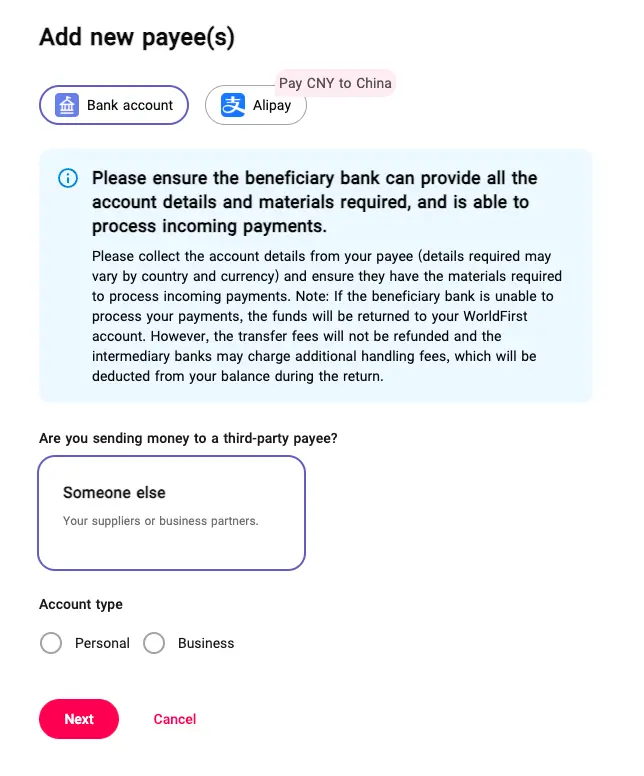
Step 2: Choose “Mainland, China” for the payee account country/region, and “CNY” as the receiving currency. If you are sending to a single payee, enter your supplier’s account details and click “Next”.
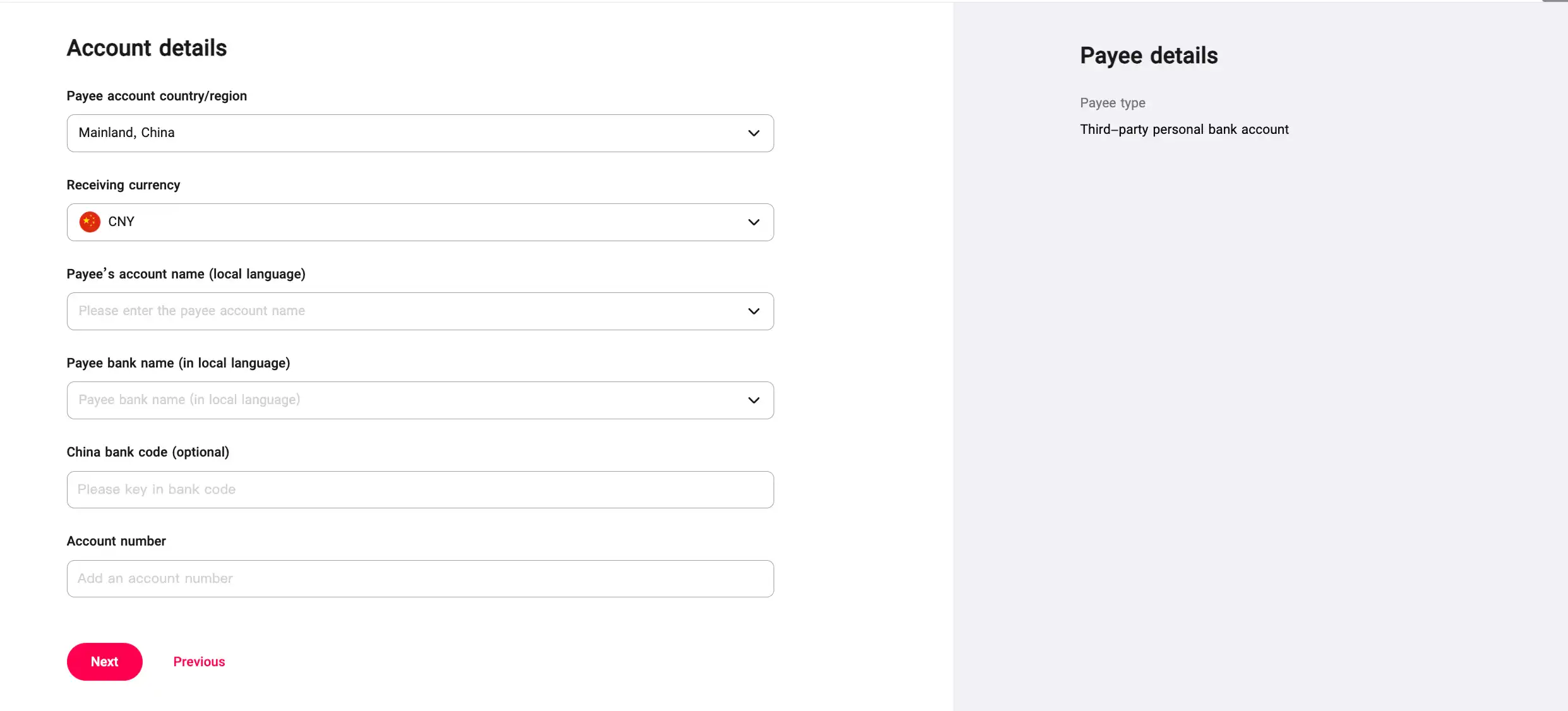
Step 3: Enter the company information and select the payee’s category according to the nature of services your supplier provides. Click “Next”. You will receive a 6-digit verification code to confirm the new payee. Enter the code and click “Confirm”.
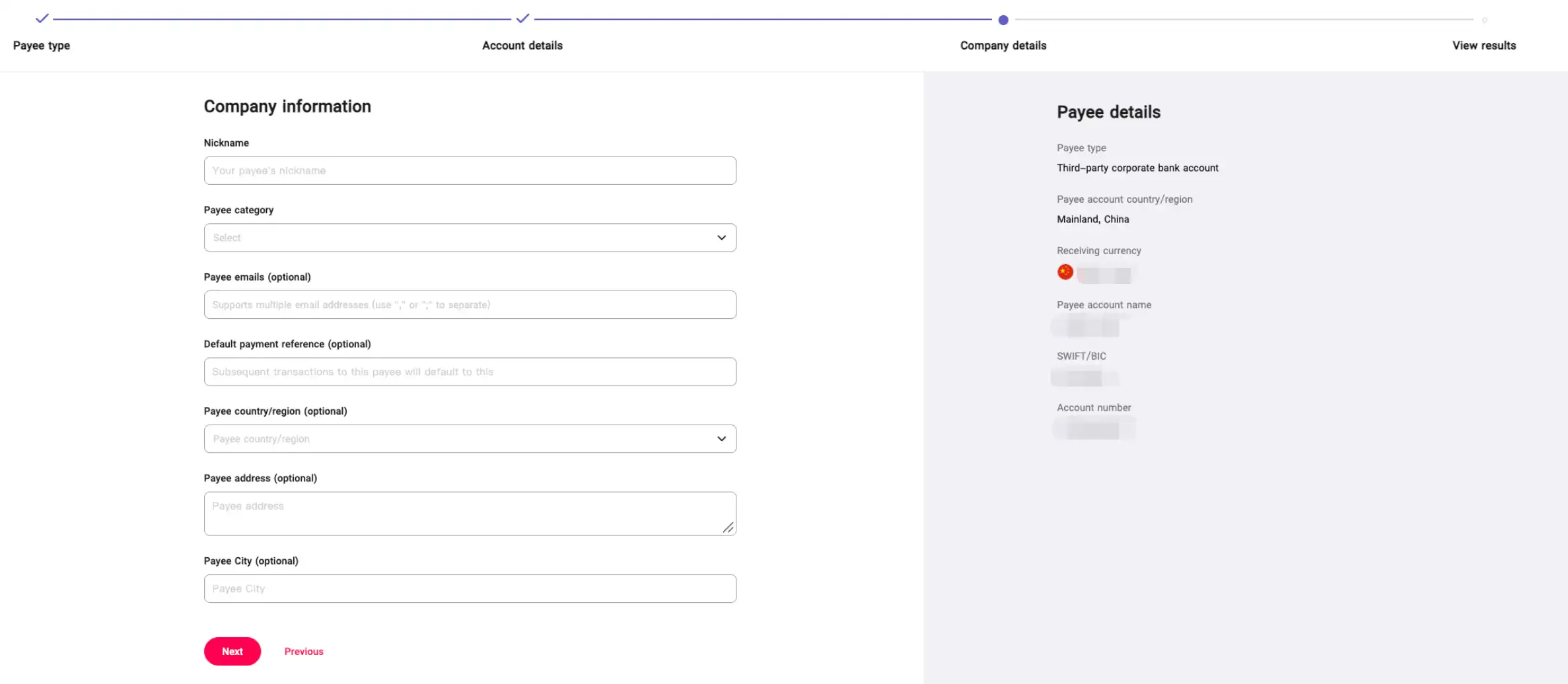
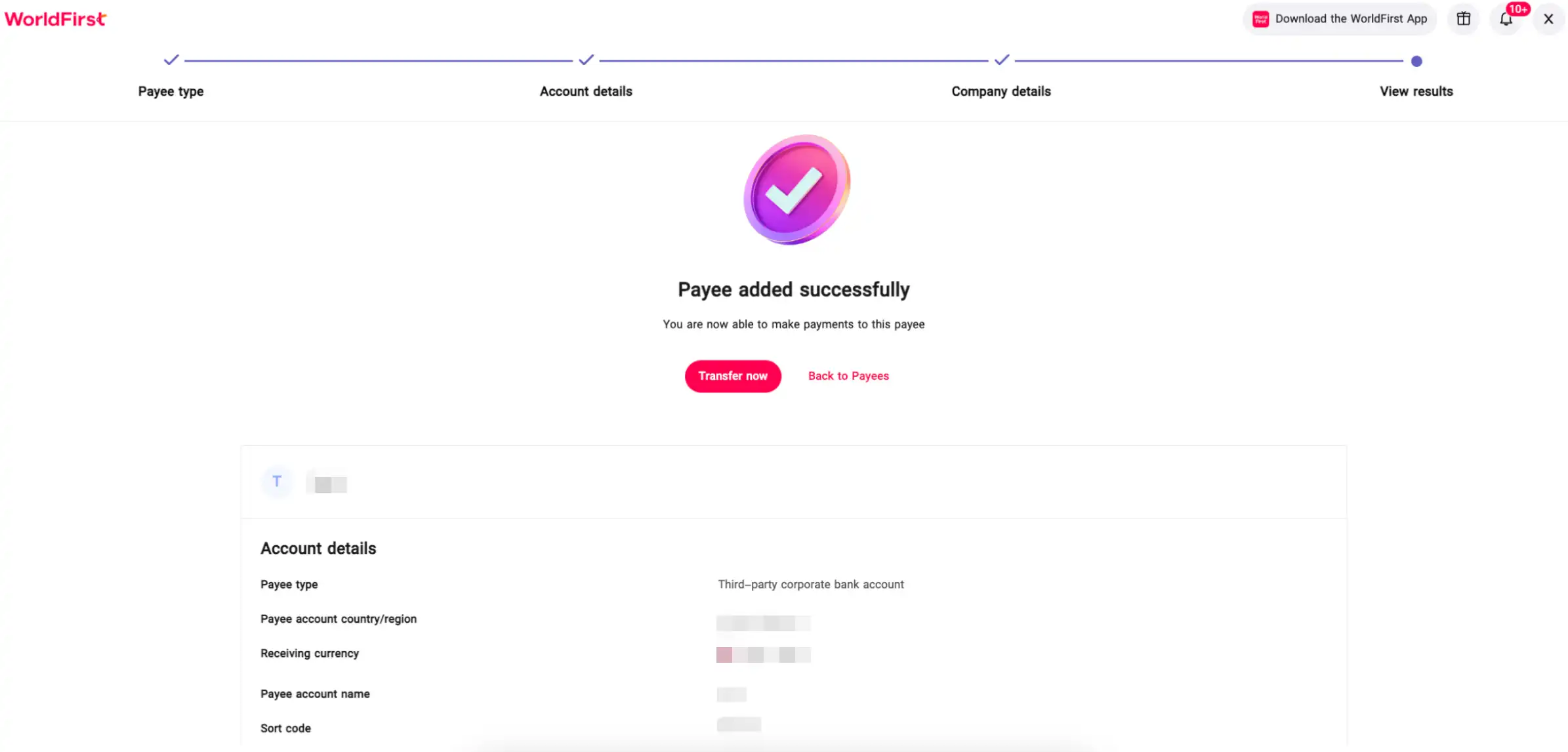
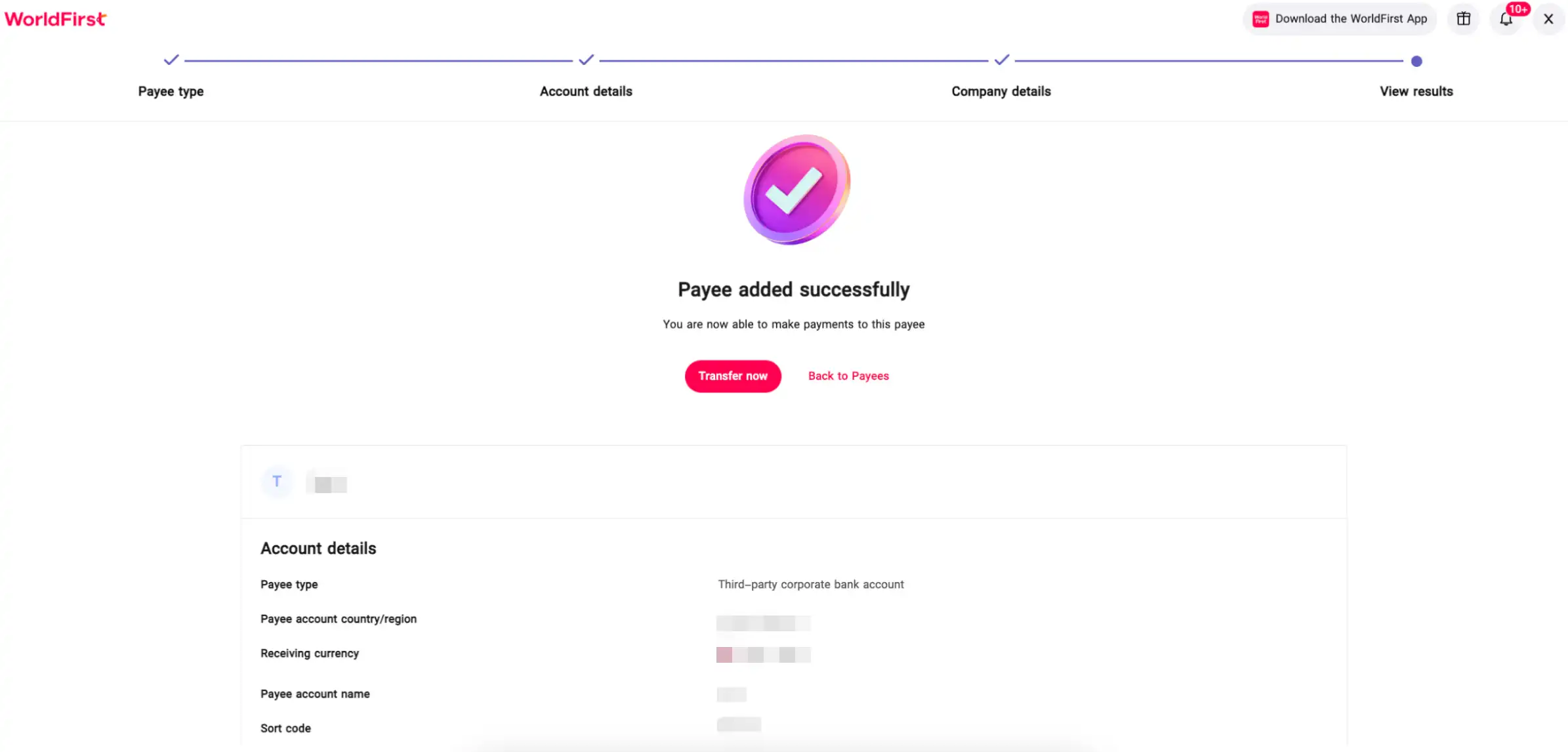
Step 4: Your supplier will be added successfully.
Send to single payee: Alipay account
Step 1: Select “Alipay”, send to “Someone else”, and select the account type — whether personal or business.
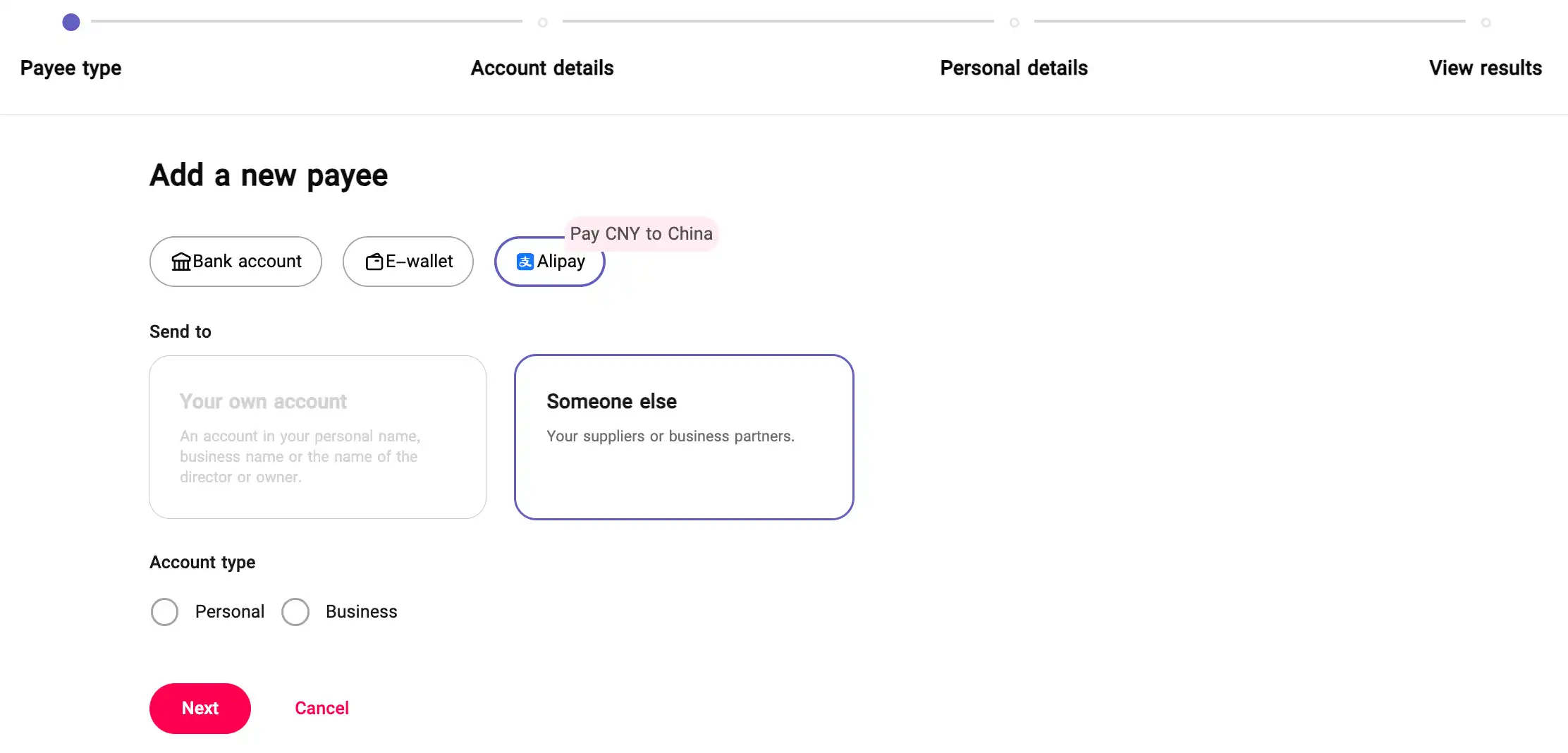
Step 2: Choose your payee and fill in the Alipay account information accordingly. Click “Next”.
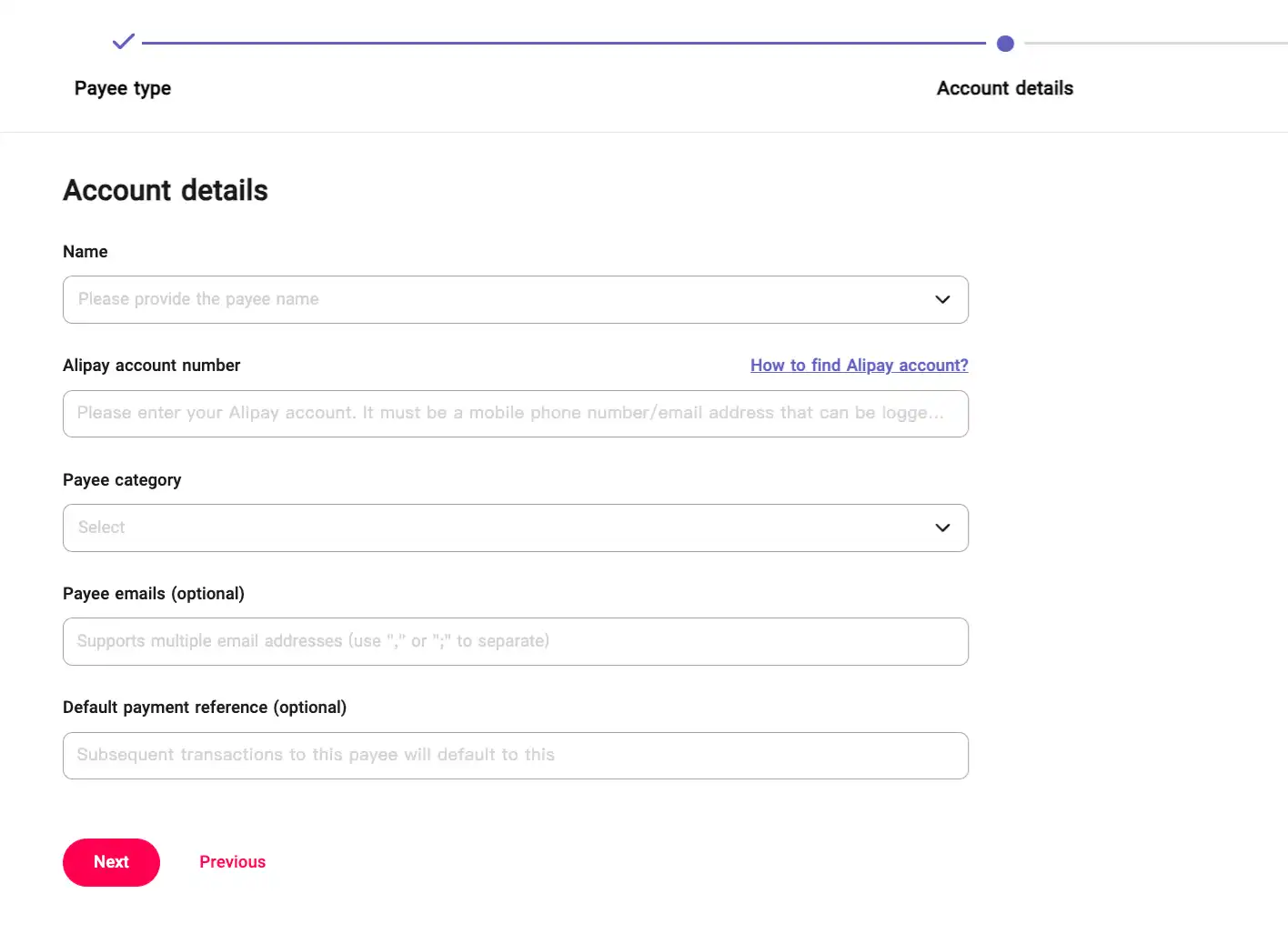
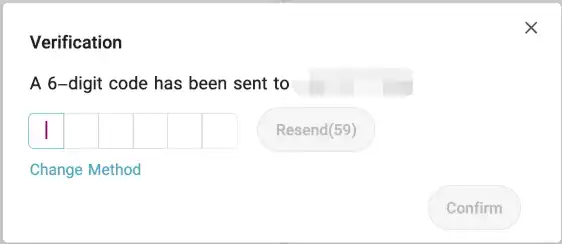
Step 3: Enter the company information and select the payee’s category according to the nature of services your supplier provides. Click “Next”. You will receive a 6-digit verification code to confirm the new payee. Enter the code and click “Confirm”.
Step 4: Your supplier will be added successfully.
How to create a trade order
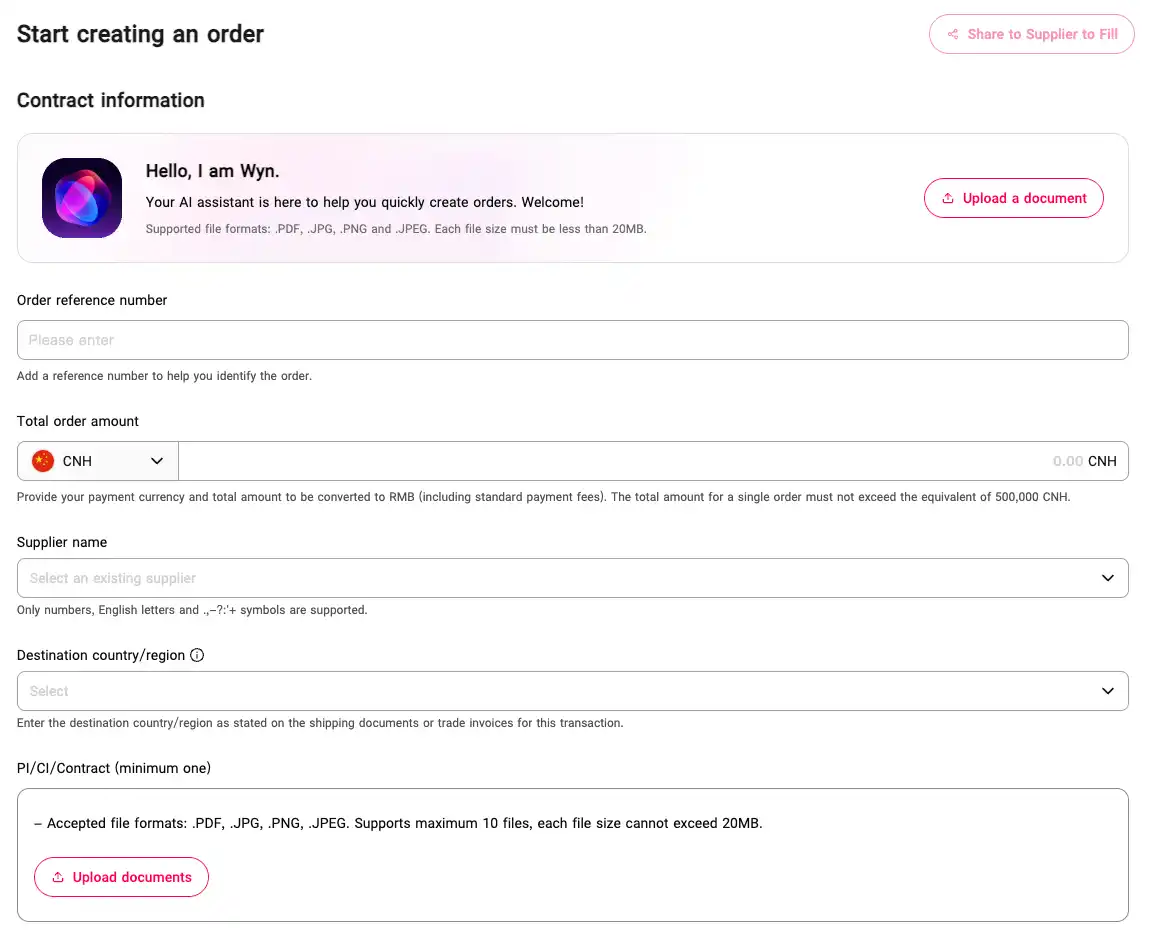
Step 1: Click on “Create a trade order”.
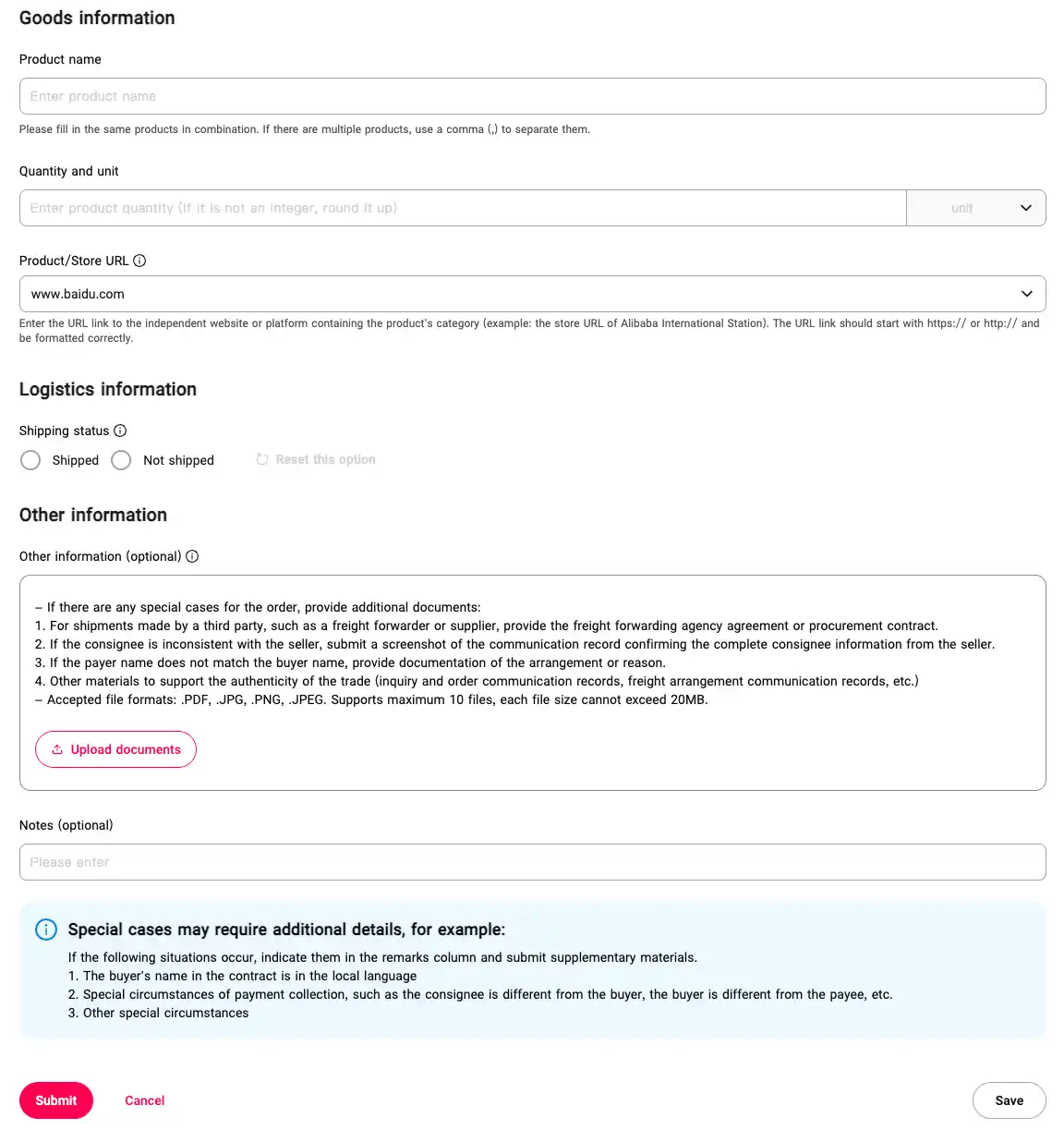
Step 2: Fill in the necessary information for the order and click “Submit”.
Note:
- Order reference number: Any unique number will work, for reference use.
- Total order amount: The amount should include the payment fee, for example, for 0.4% payment fee, you should calculate “Amount = Target / (1 – 0.4%).”, otherwise you might not pay the total amount on contract. If the reference currency on PI/CI/contract is CNY, you can choose CNH. The total order amount should be less than 500,000 CNH; if you have one PI/CI/Contract bigger than this number, you will need to separate it and create multiple orders with one PI/CI/Contract.
- Supplier name: Select from the drop-down menu, if no supplier appears, please check on the product page if your supplier is verified.
- Destination country/region: The goods destination country/region; it should not be Mainland, China.
- PI/CI/Contract: Upload at least one PI/CI/Contract here. The supplier listed in the contract should match the supplier you selected above, or the individual supplier you selected above should be the legal representative of the supplier company listed in the contract.
- Logistics company: Select from the drop-down menu. If the logistics company does not exist in the menu, you can add it by filling in the company name, and click the “+” on the right and search the company again.
- Shipping document number: Fill in the shipping document number.
- Proof of shipment: Upload bill of lading (e.g. ocean bill of lading, airway bill, inland bill of lading) or other logistics bill. If the shipper is neither you nor the supplier, you might need to upload a screenshot of a chat showing that you or the supplier arranged for a third-party logistics company.
- Communication record: For the first order under this supplier, you might need to upload communication records of order inquiry and shipping arrangement.
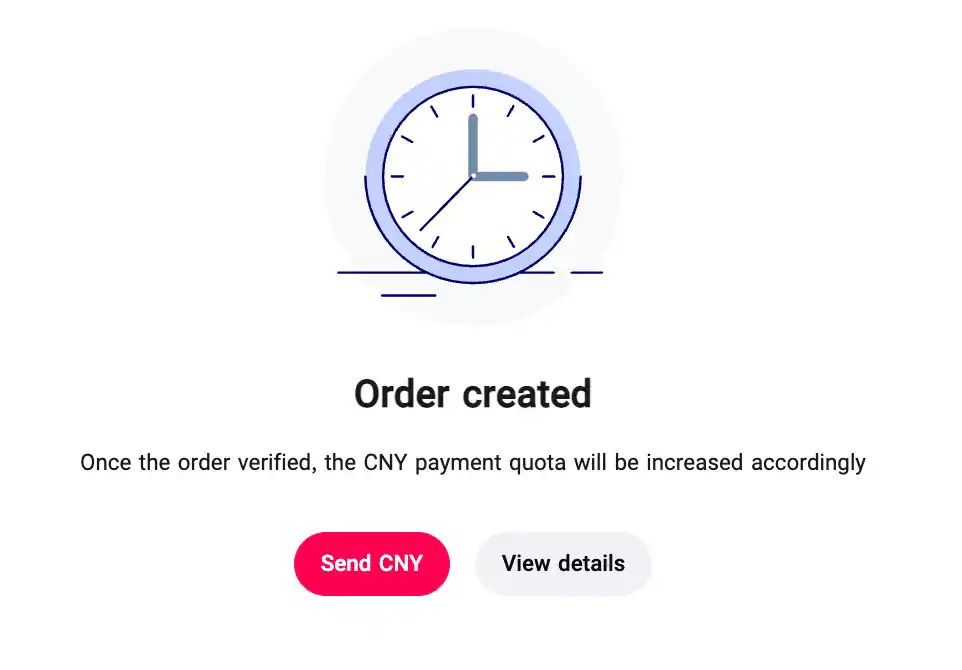
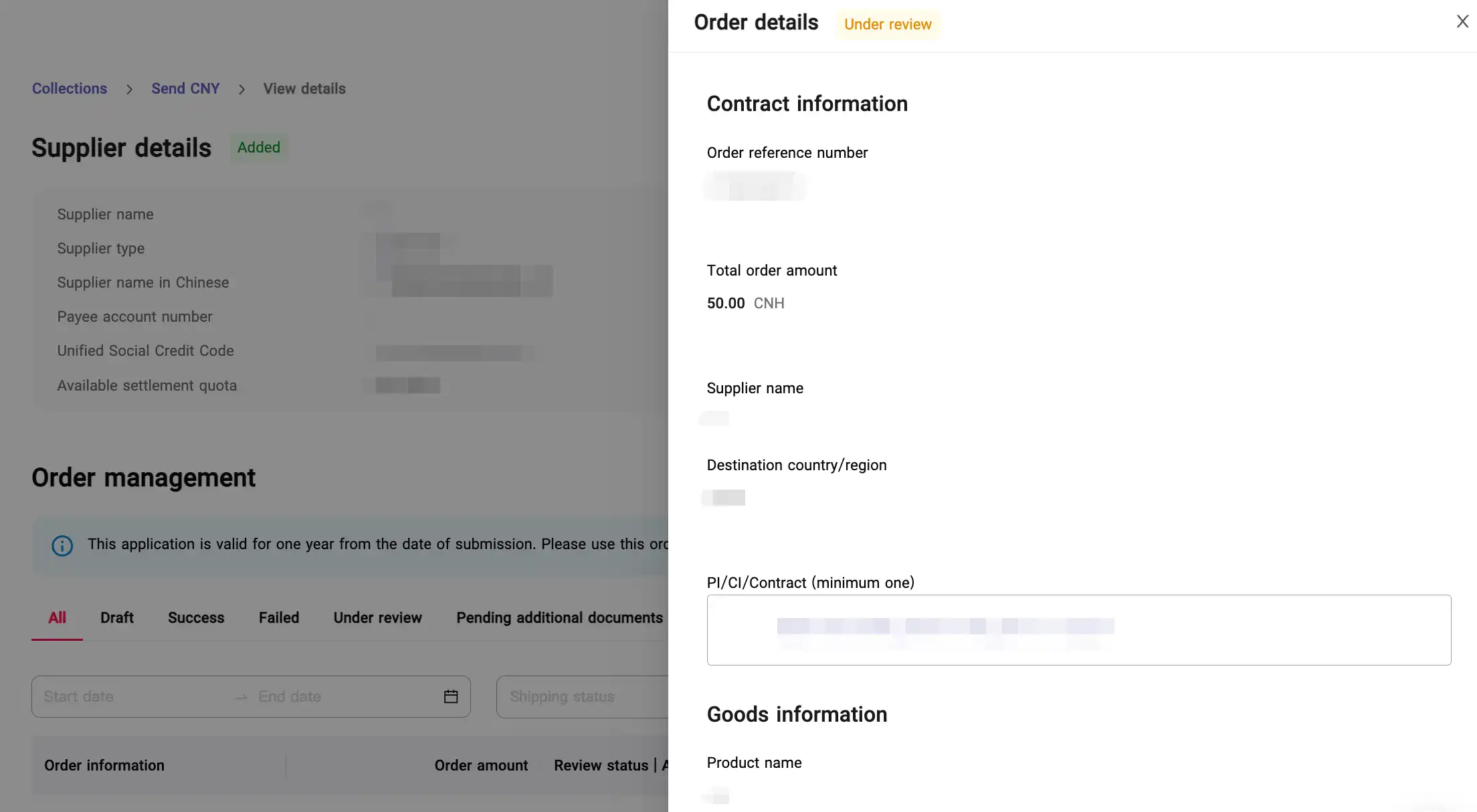
Step 3: Your order is created and will be reviewed in 1 business day. Click on “View details” to check the approval status/details.
Send CNY to China
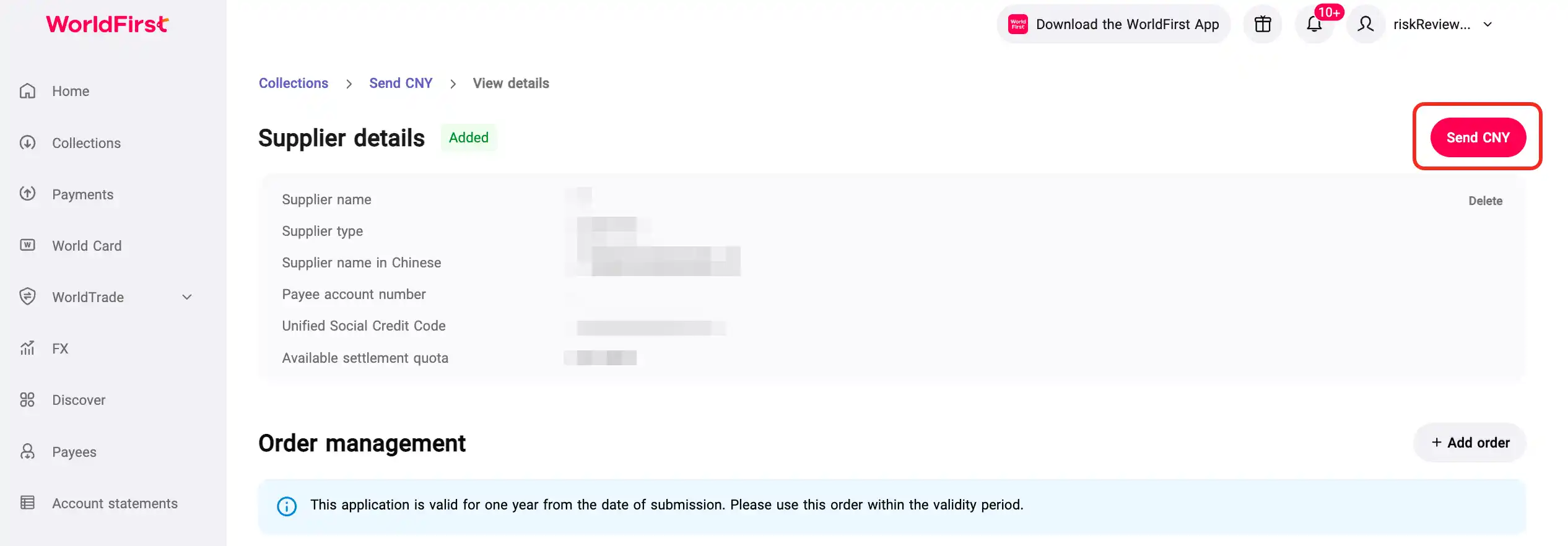
Step 1: For convenience, you can go to the supplier you want to pay and click “Send CNY”. Make sure there is valid CNY quota under the corresponding supplier.
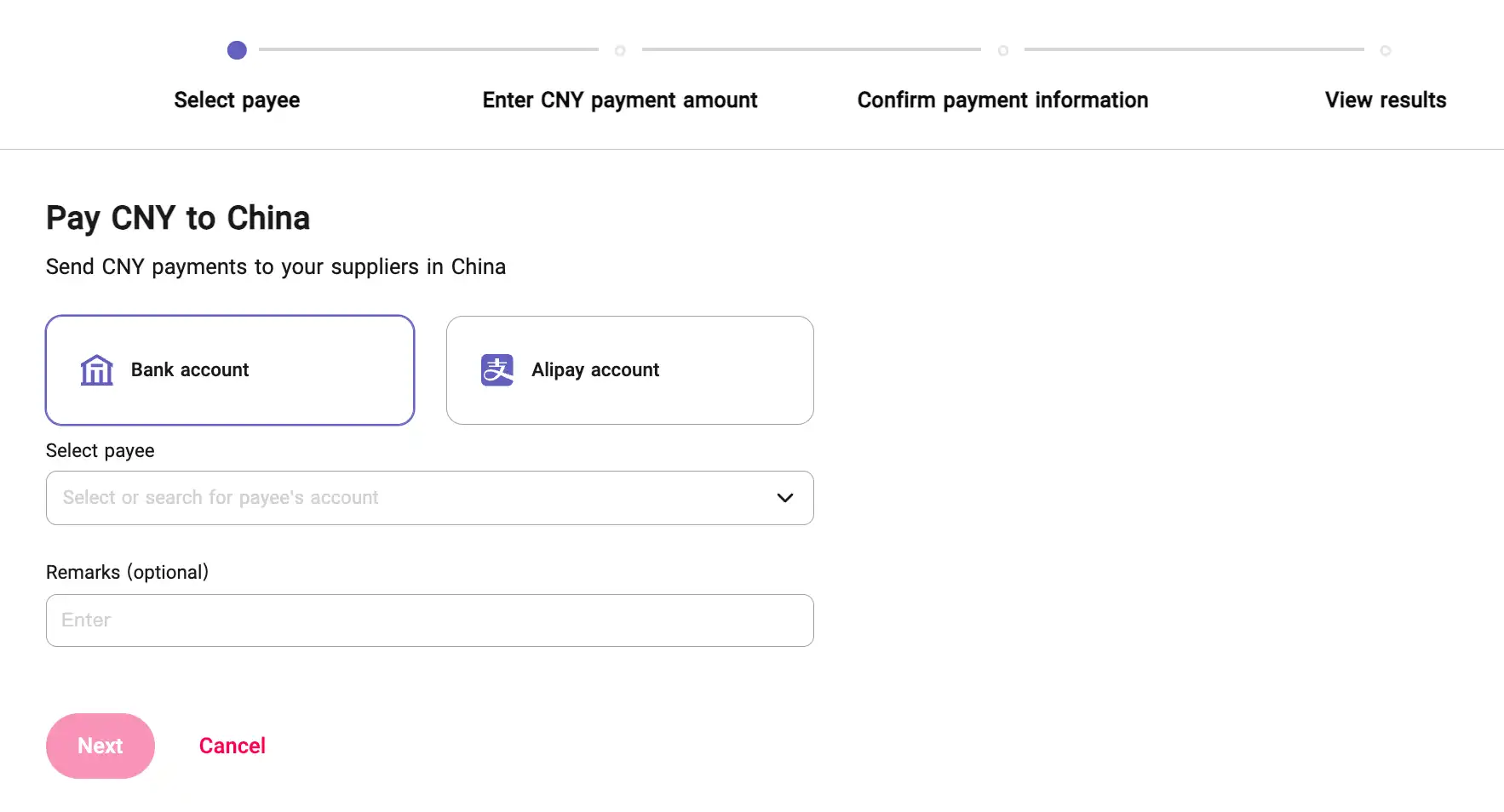
Step 2: Select the type of account, payee, and click “Next”.
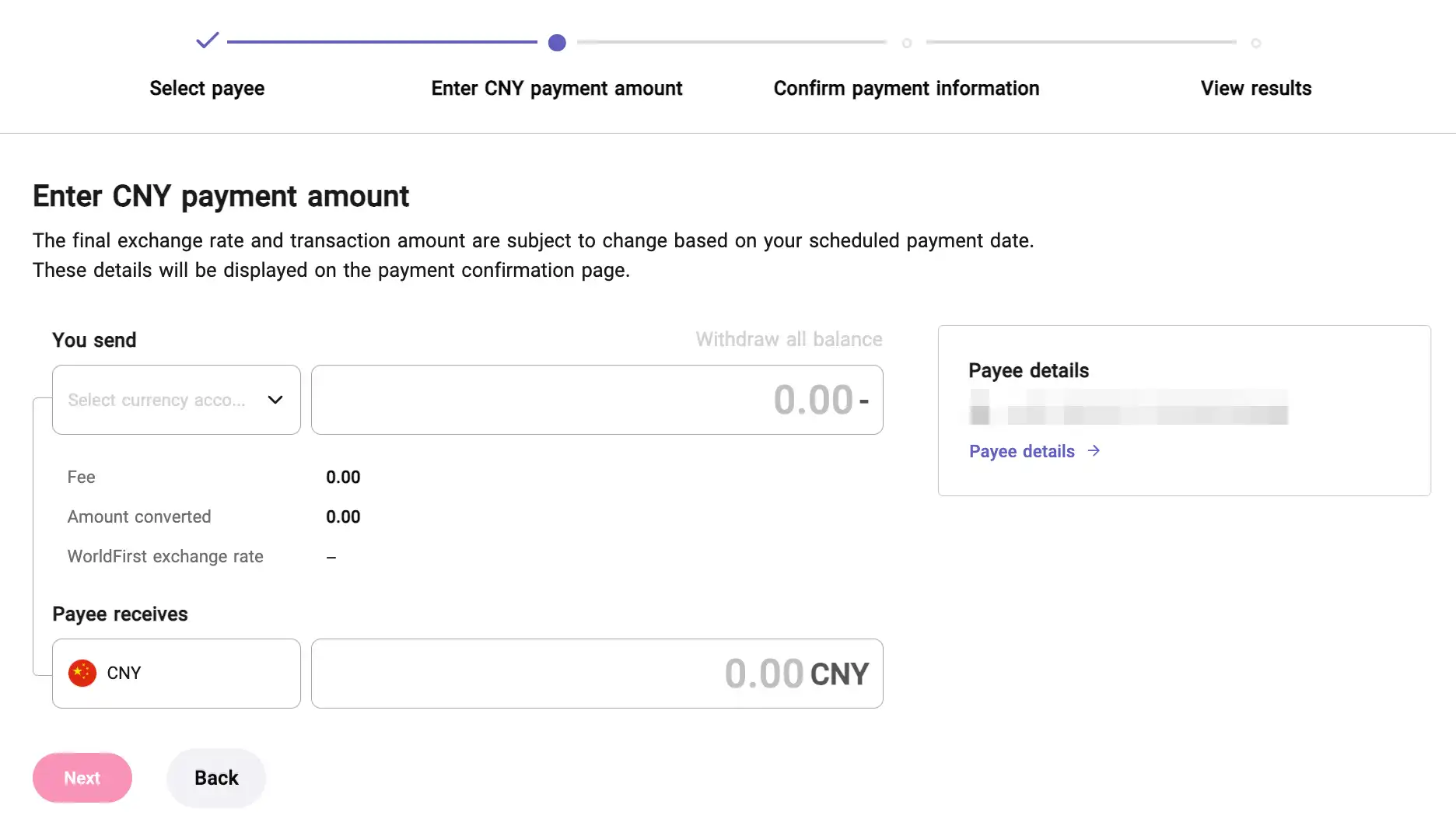
Step 3: Enter the currency, payment amount, and click “Next”. After receiving payments in your local currencies, you might first convert them to a G10 currency (USD, EUR, GBP, HKD, CNH, CAD, SGD, AUD, NZD, JPY).
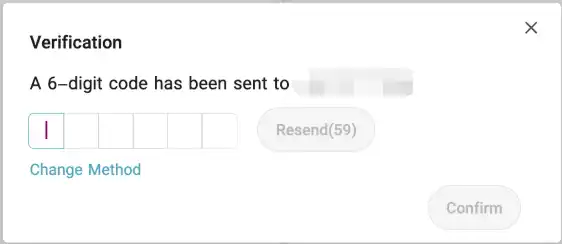
Step 4: A 6-digit verification code will be sent for verification. Click “Confirm” to proceed.
Step 5: Once the verification is done, you’ll be shown a summary of your transaction details. By clicking on “Confirm payment”, you’ll have completed the steps to pay to China.
CNY payout limits
| Account Type | Single transaction limit | Daily limit | Annual limit |
| Corporate bank account | 500,000 CNY | 5,000,000 CNY | No limit |
| Individual bank account | 500,000 CNY | 1,500,000 CNY | No limit |
| Corporate Alipay account | 500,000 CNY | 1,500,000 CNY | No limit |
| Individual Alipay account | 360,000 CNY | No limit | 1,450,000 CNY |
Note: The payout limit is on supplier level, which means you can pay to one specific individual supplier’s bank account up to 500,000 CNY per transaction, and 1,500,000 CNY per day.
FAQs
1. How long will it take for the payment to reach my supplier’s account?
It will usually take only several minutes to complete the payment. Please advise your supplier to review their account transaction history and check for incoming payments in a timely manner. If a supplier reports that payment has not been received within one hour, please contact your Account Manager to assist with checking the payment details.
2. What happens if the bank returns the payment?
Since the CNY payment has been declared, the payment cannot be returned to your account. What we can do is to credit the funds into another Chinese bank account of the supplier.
3. Can I cancel or edit an order after submitting?
You cannot cancel or edit an order after submitting, but while in draft status or after risk reviewing, you can edit or duplicate orders.
4. What is the payment fee?
The payment fee is for all CNY payments is 0.4%.