



























If you’re a seller on Lazada, you can withdraw your marketplace payouts into your World Account. With the World Account, you can hold funds in multiple currencies, make conversions at competitive FX rates between your currency accounts, withdraw to your bank account, or pay your third-party suppliers abroad. You can even make purchases on wholesale marketplaces like 1688.com directly with your World Account balance. Start withdrawing your Lazada sales proceeds in a few simple steps.
*Note: The following example uses an SGD account for demonstration. The steps for other currencies are the same.
Step 1 – Set up a receiving account
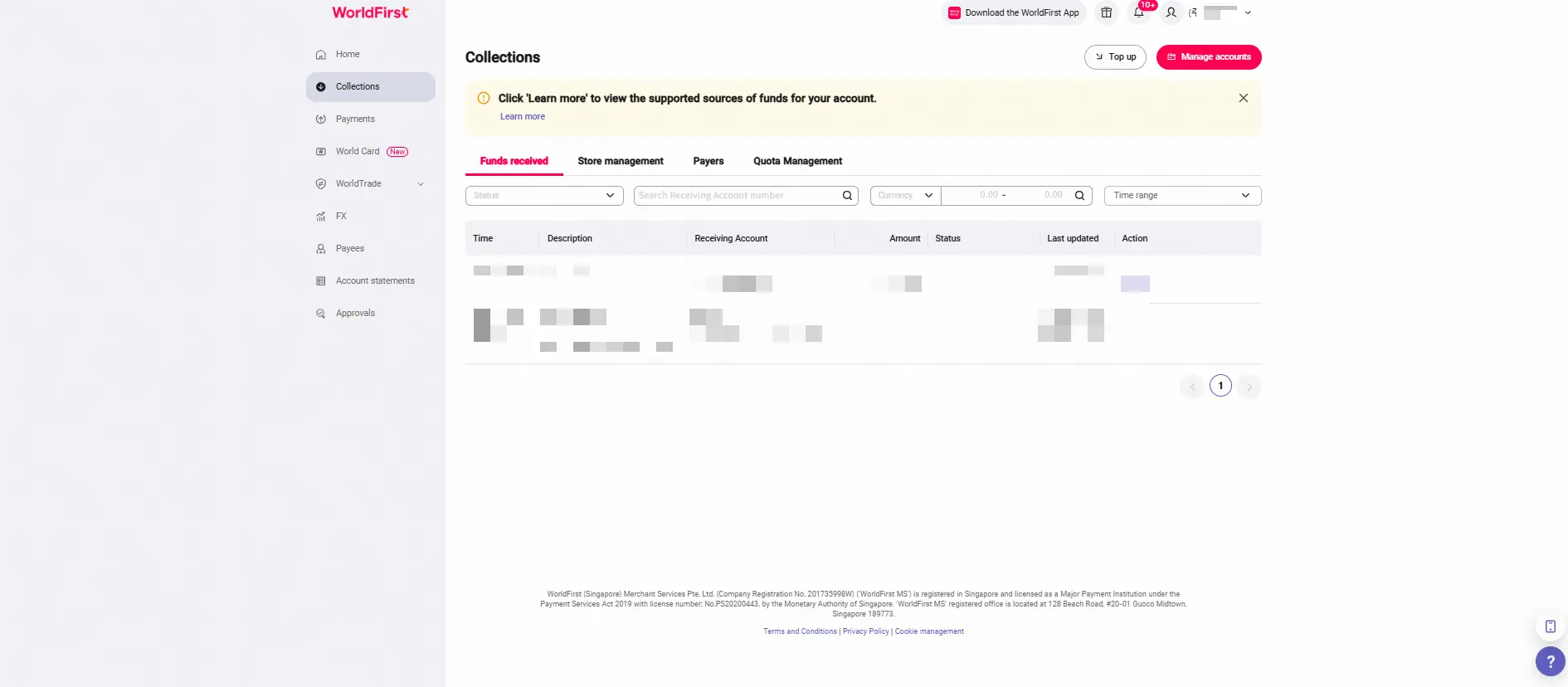
- On your World Account dashboard, go to the Collections tab > Click Manage accounts
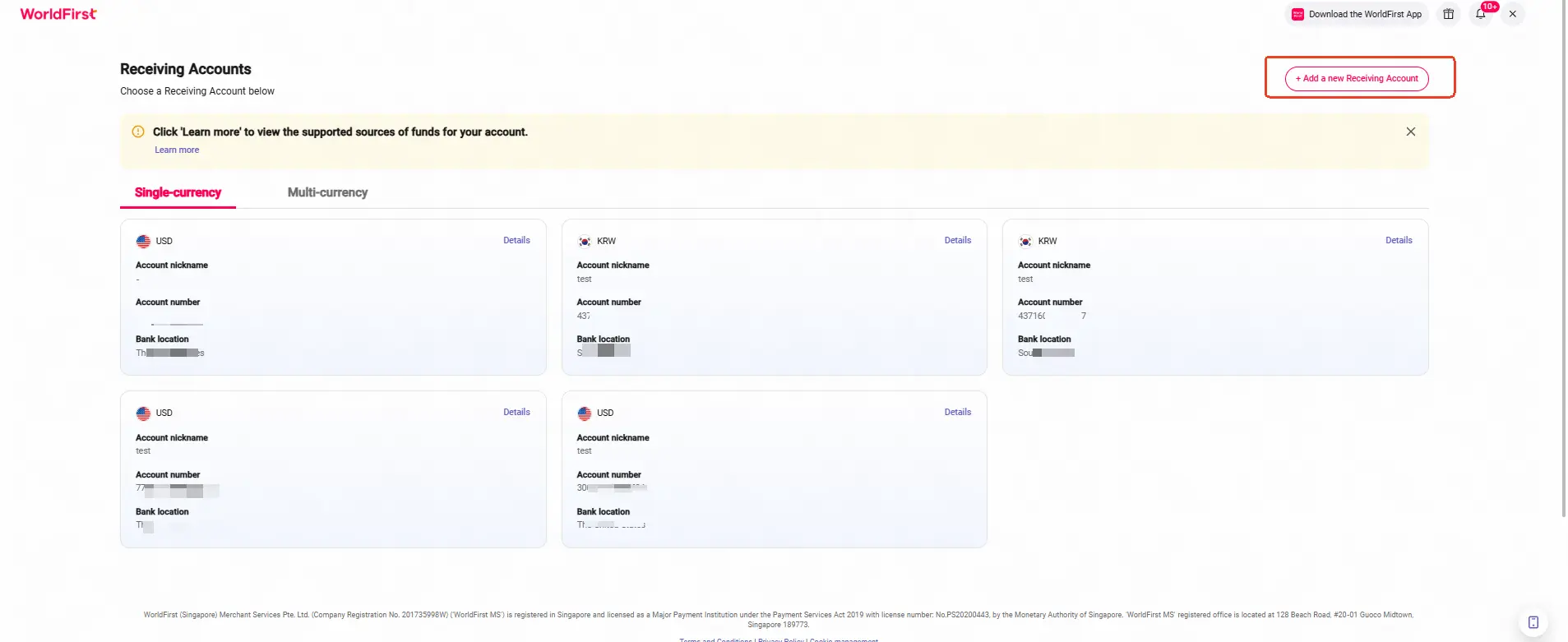
- Click on Add a new Receiving Account. You can then select the currency for your receiving account
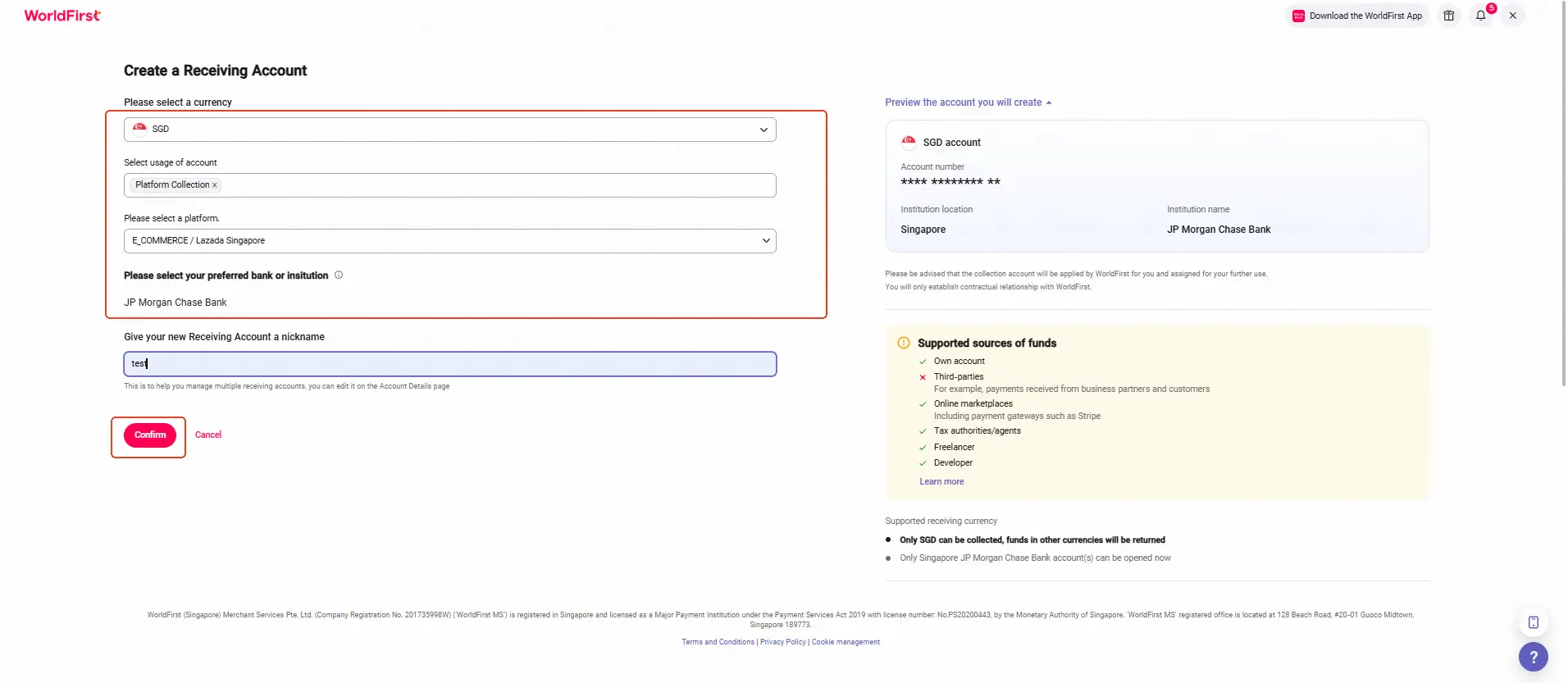
- Select the required currency, account usage, marketplace platform, supported bank, and enter an account name. Click Confirm to complete your new receiving account
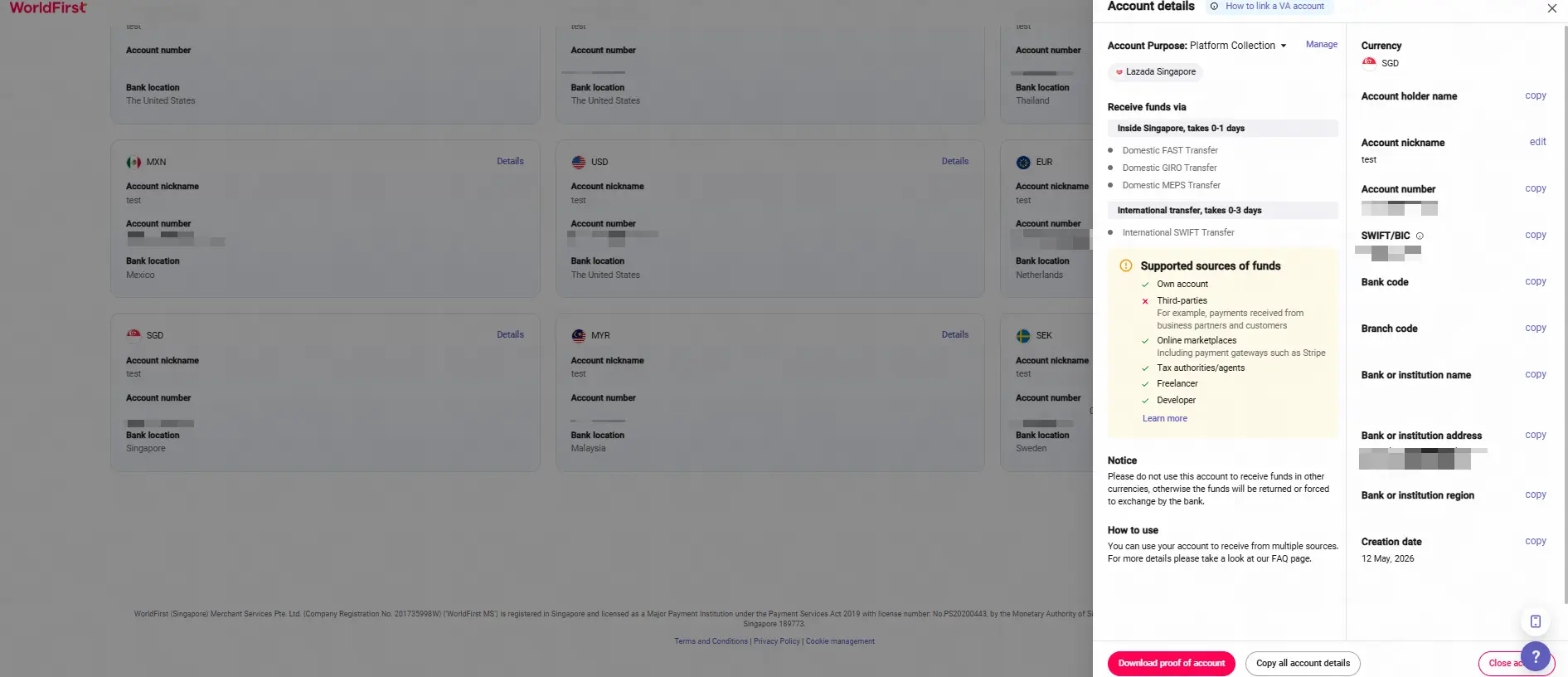
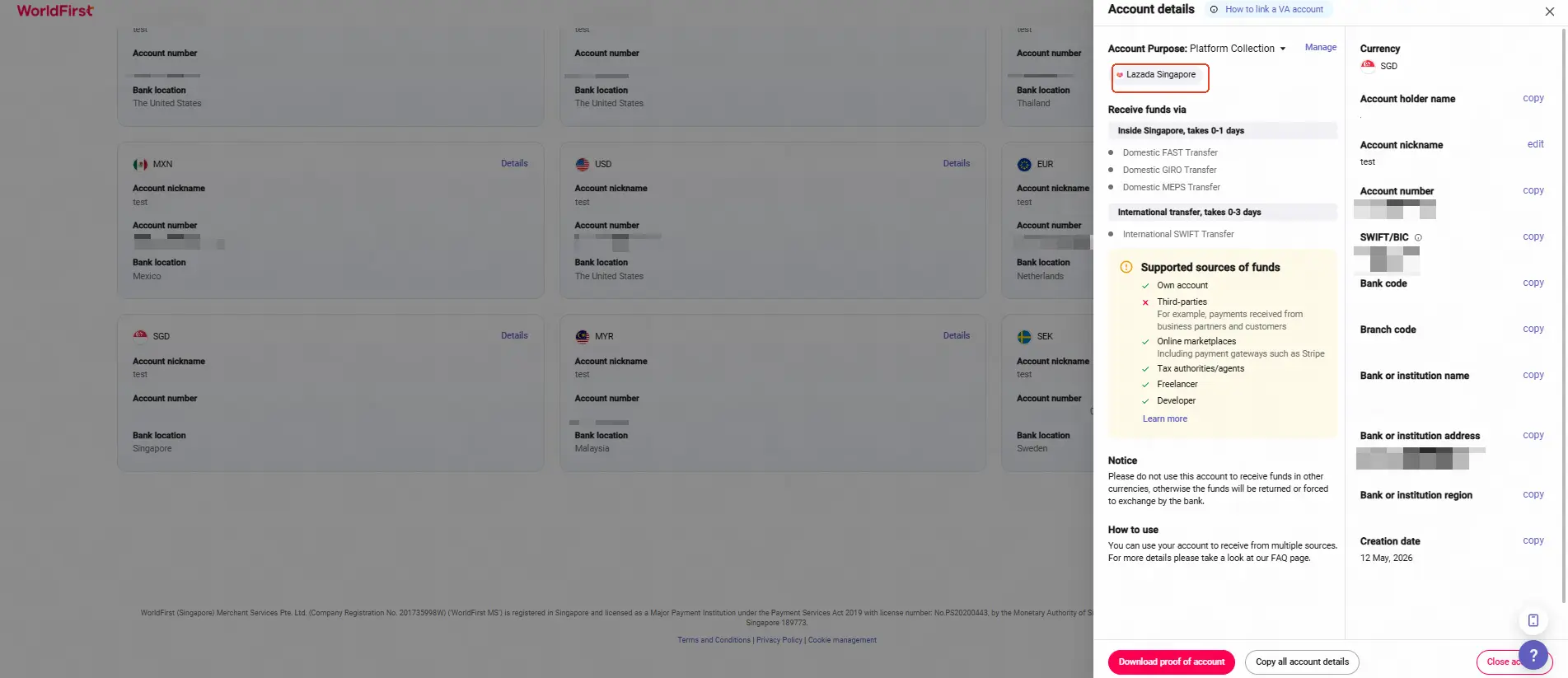
- Once the account is set up, you can click on Details to get the account details
Step 2 – Link your receiving account to Lazada
Reminder:
You need to create a receiving account in your World Account before linking it to your Lazada store for payments.
Download an Account Verification Letter(AVL)
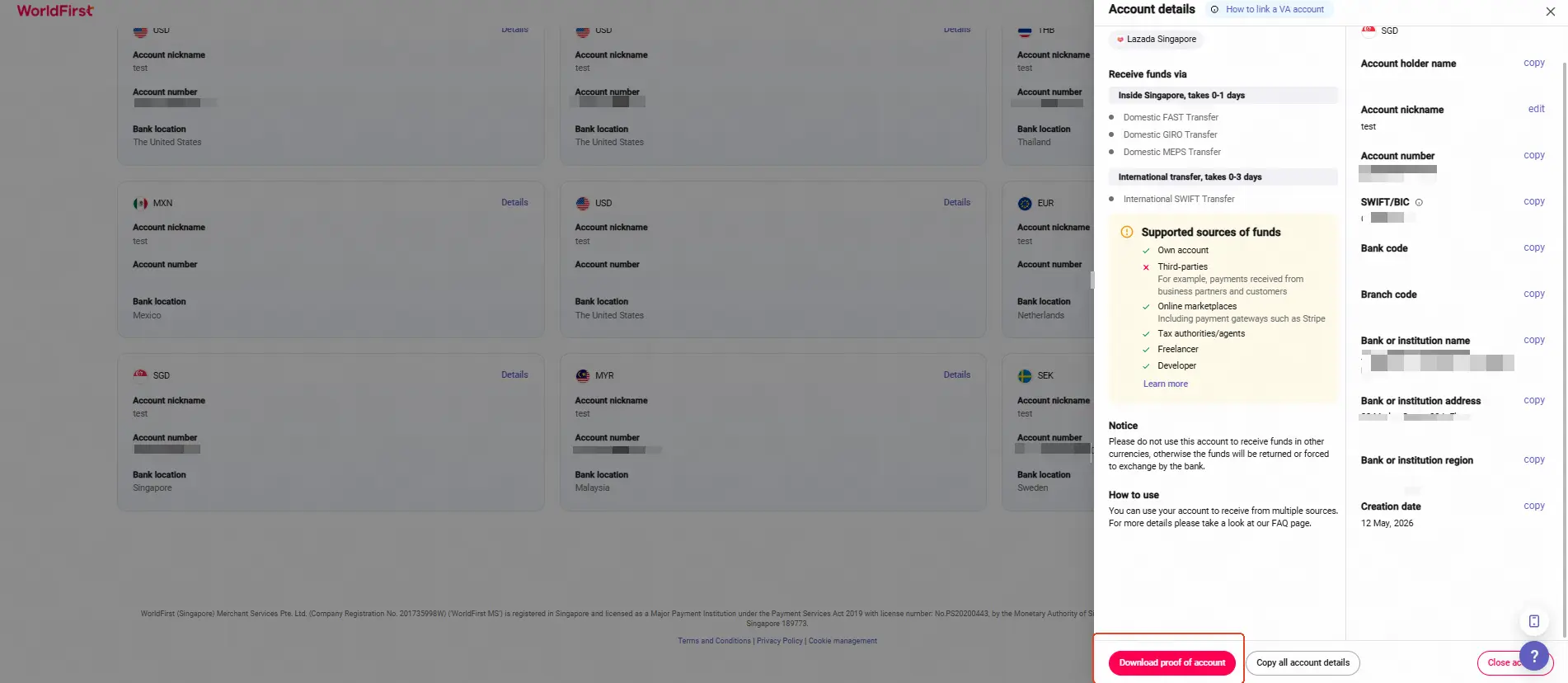
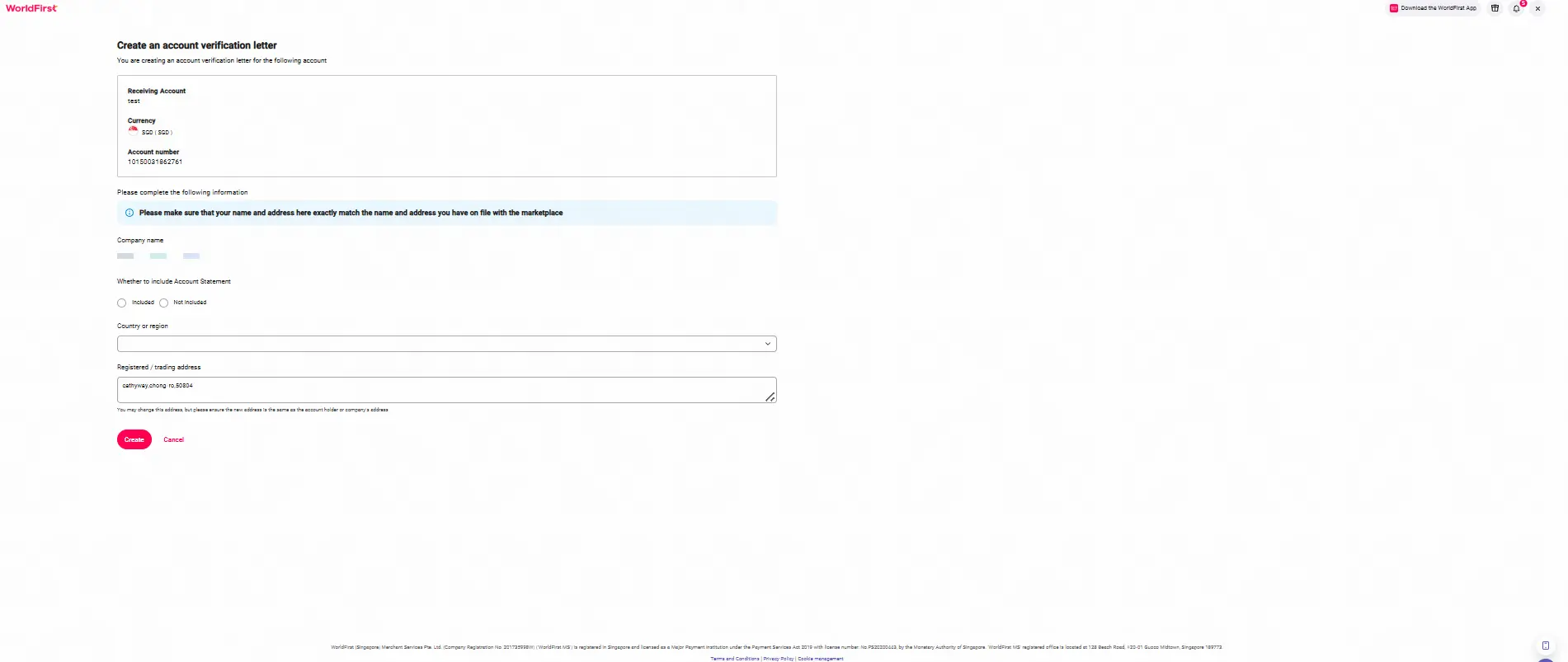
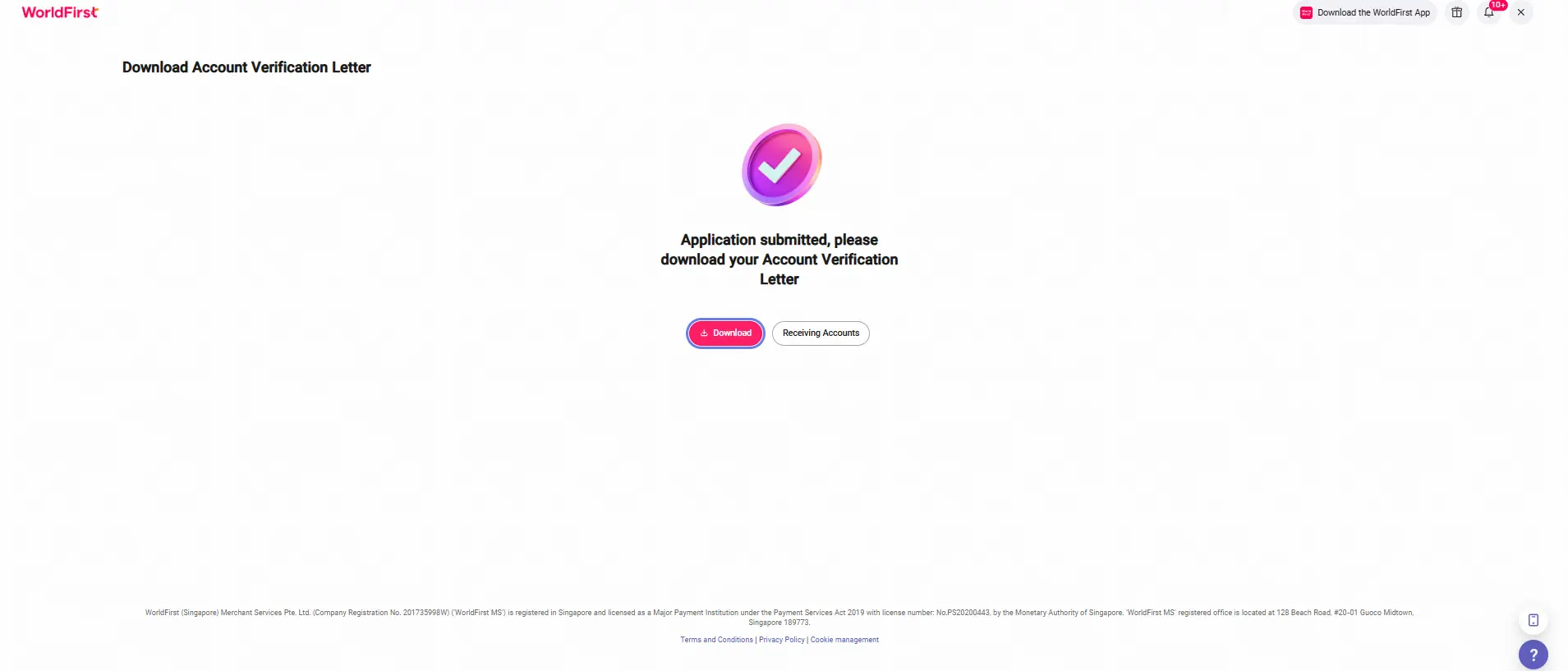
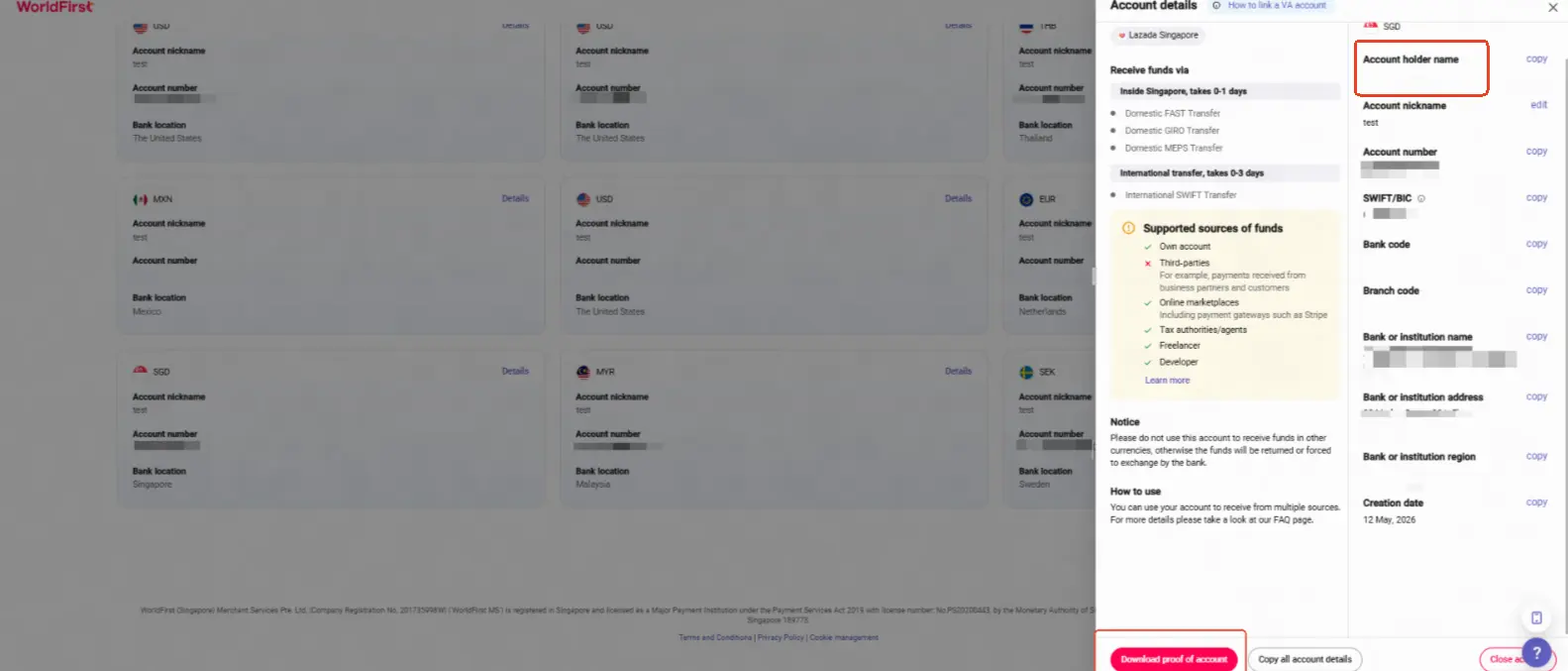
- Go to Account Details and click Download proof of account, then enter your store information. Finally, click Create to download the AVL
Note: When issuing the account verification letter, make sure the account holder name matches your store’s legal entity; otherwise, you may not be able to link your account to your seller store.
Link the receiving account in Lazada Seller Center
- Log in to the Lazada Seller Center and go to Setting > Settings page.
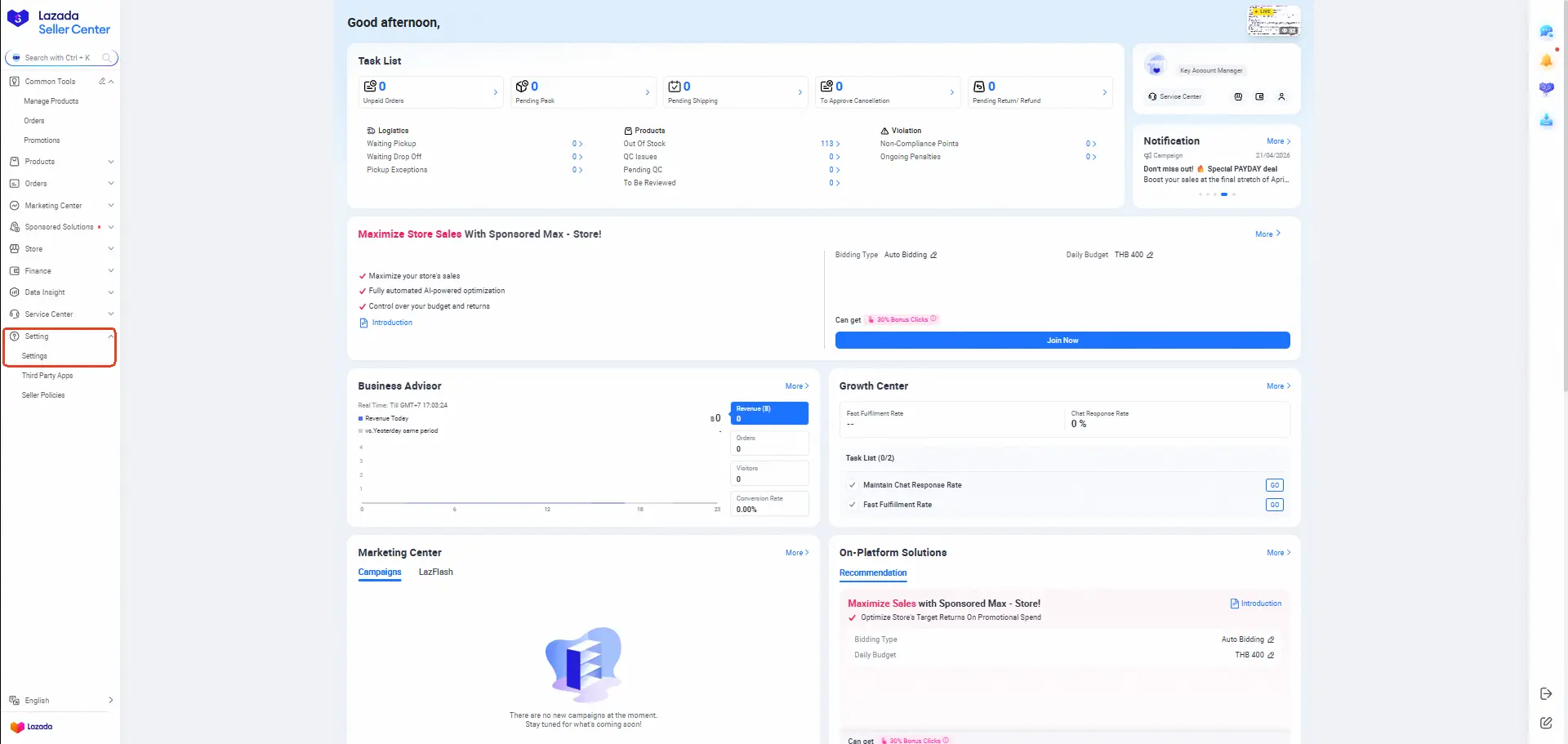
- Click Bank Account.
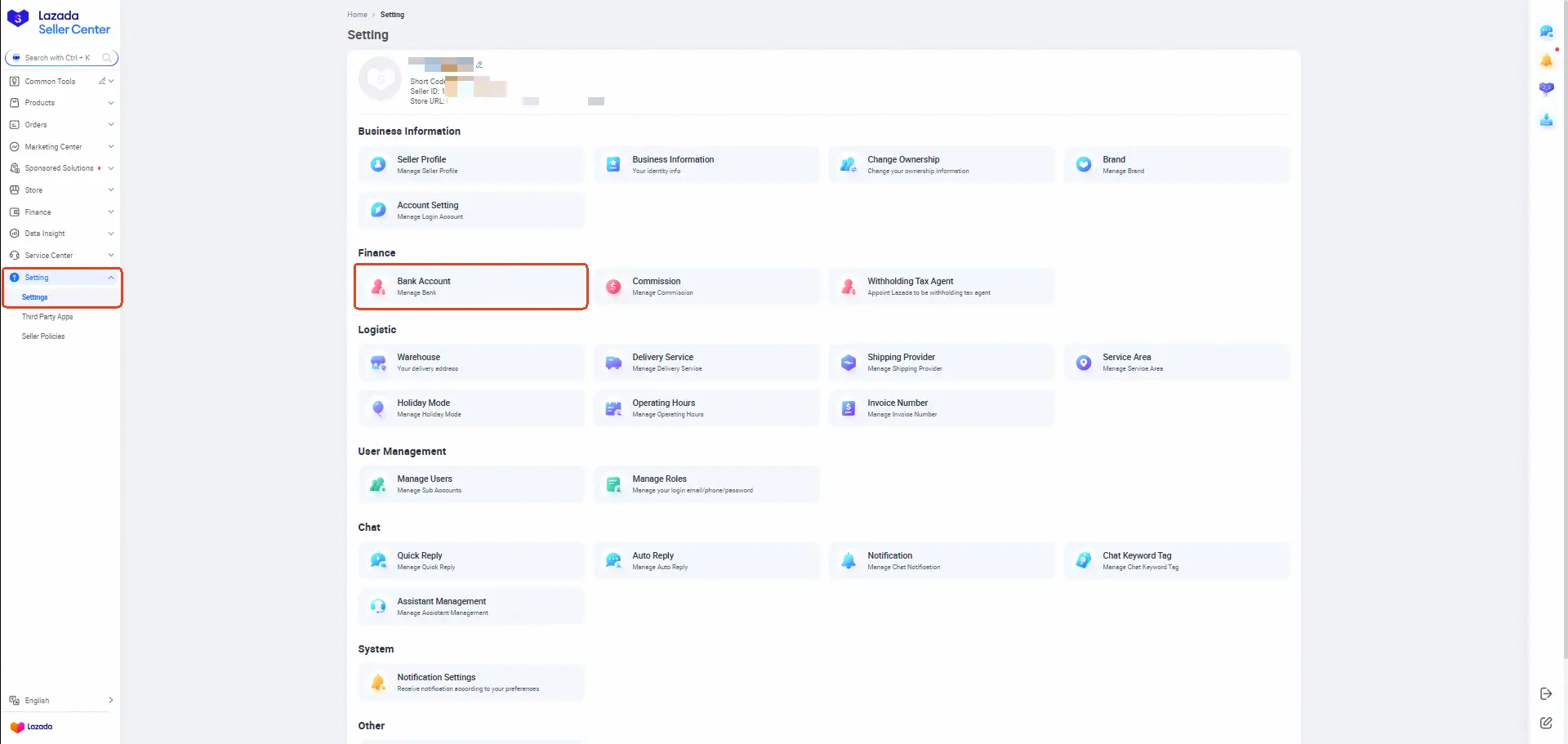
- On this page, select Modify to change your receiving account.
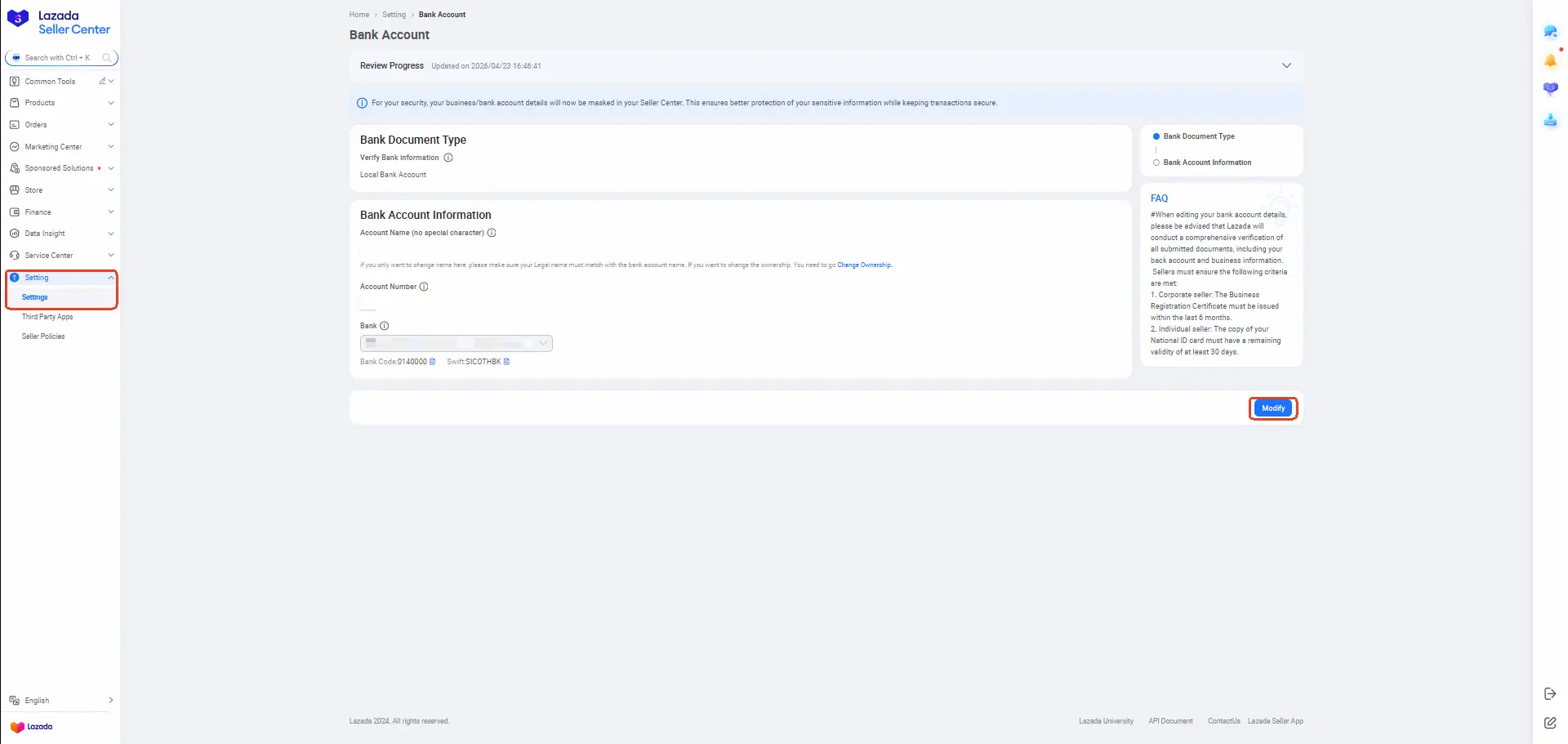
- On the linking page, select Payment Service Provider as the Bank Document Type and WorldFirst will appear as an option. Follow the instructions below to fill in the receiving account details and click Submit to link.
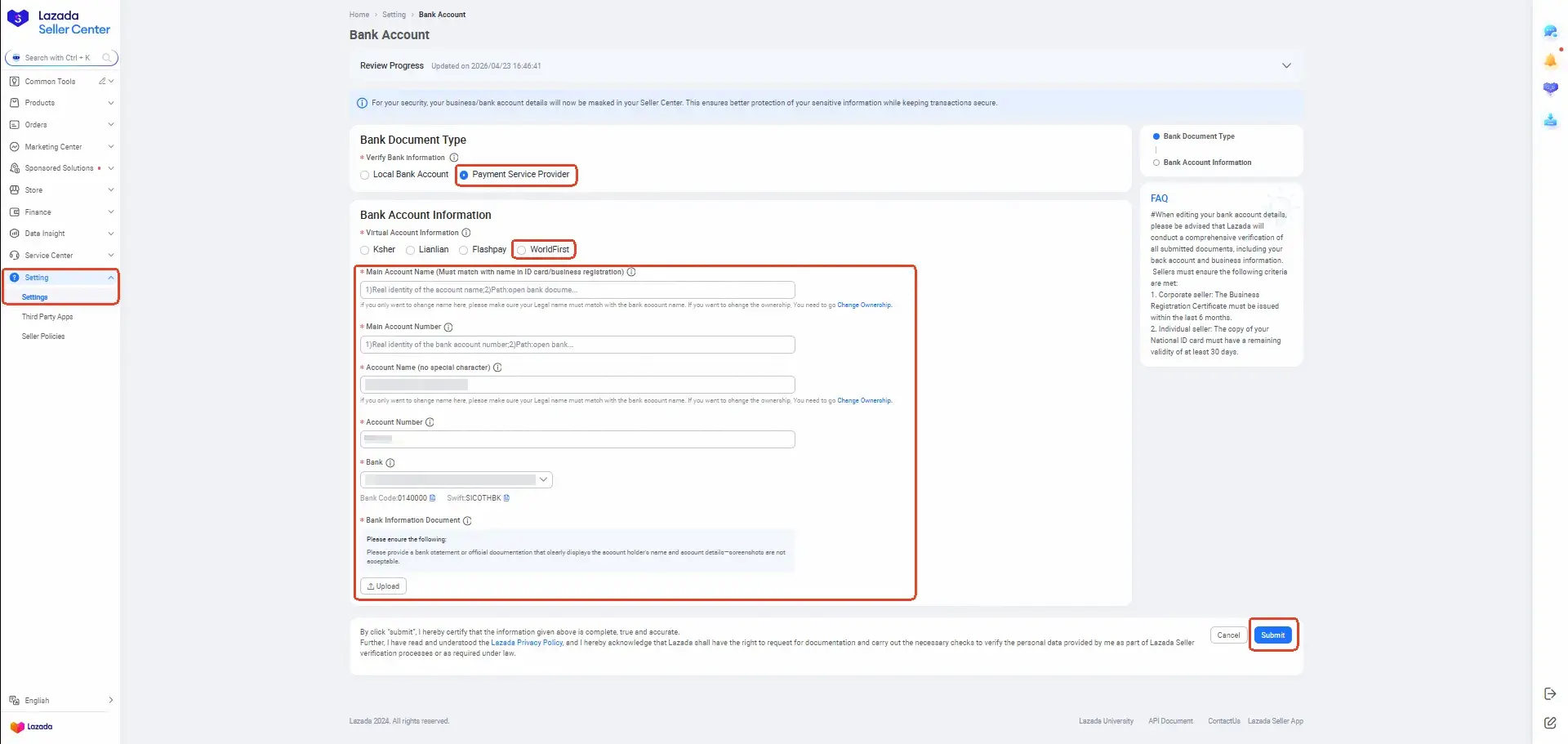
- After clicking Submit, the linking will be completed once the review is approved.
- Please refer to the following for the Lazada information submission requirements. Ensure the information is entered exactly as required, otherwise the review will fail.
| Lazada Field | What to Enter | Reference Screenshot |
|---|---|---|
| Main Account Name | Main Account Name = Account name = Account holder name = Lazada seller entity; These names must match exactly. If they are not identical, the review will fail. |
Account holder name: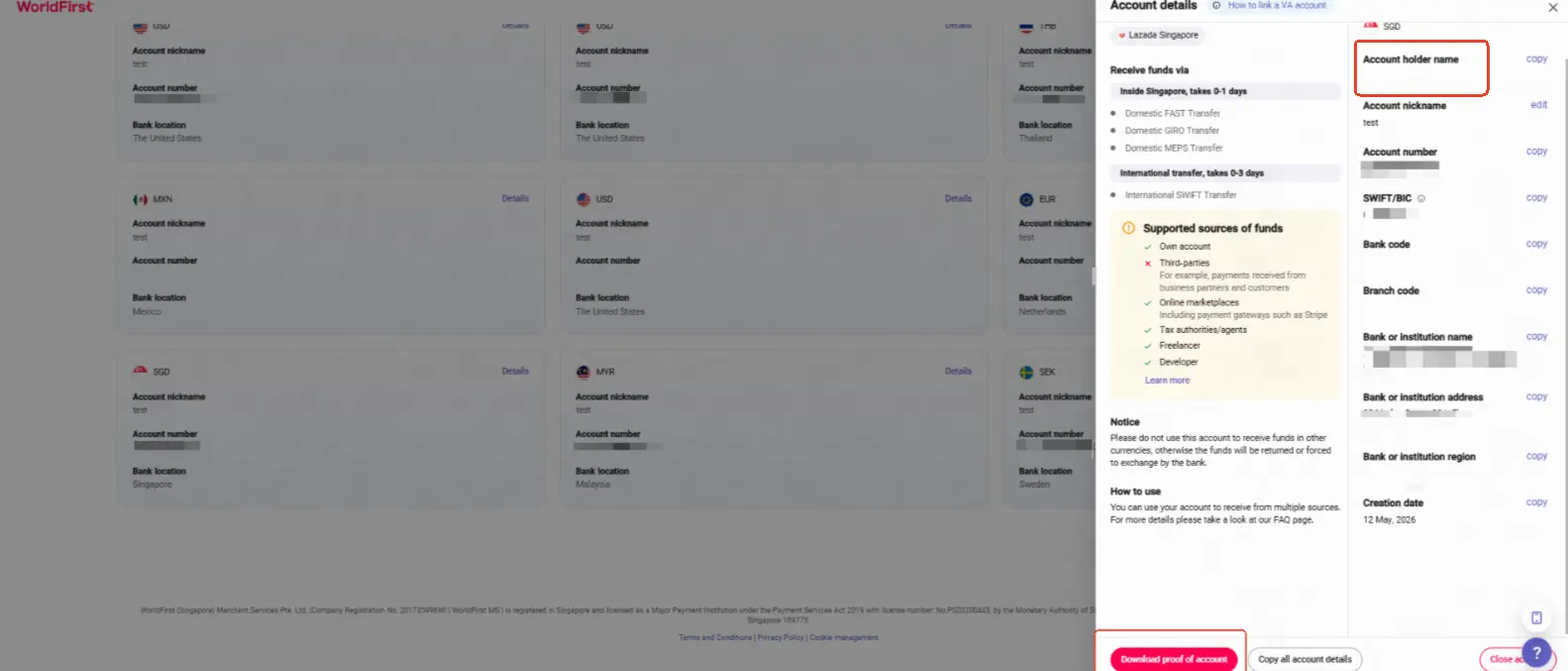 Lazada seller entity name: For demo only. Refer to Lazada Seller Center 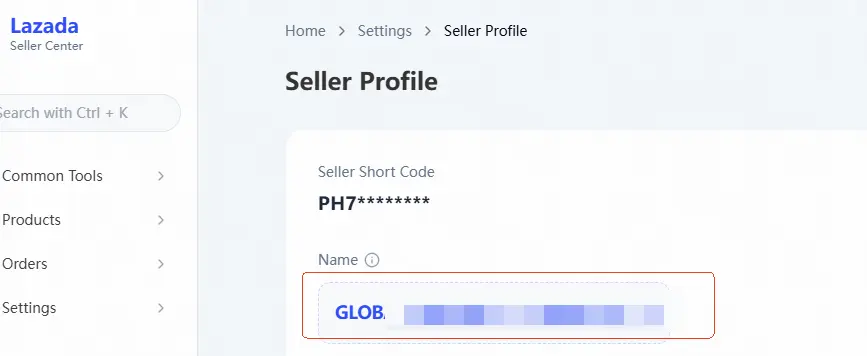
|
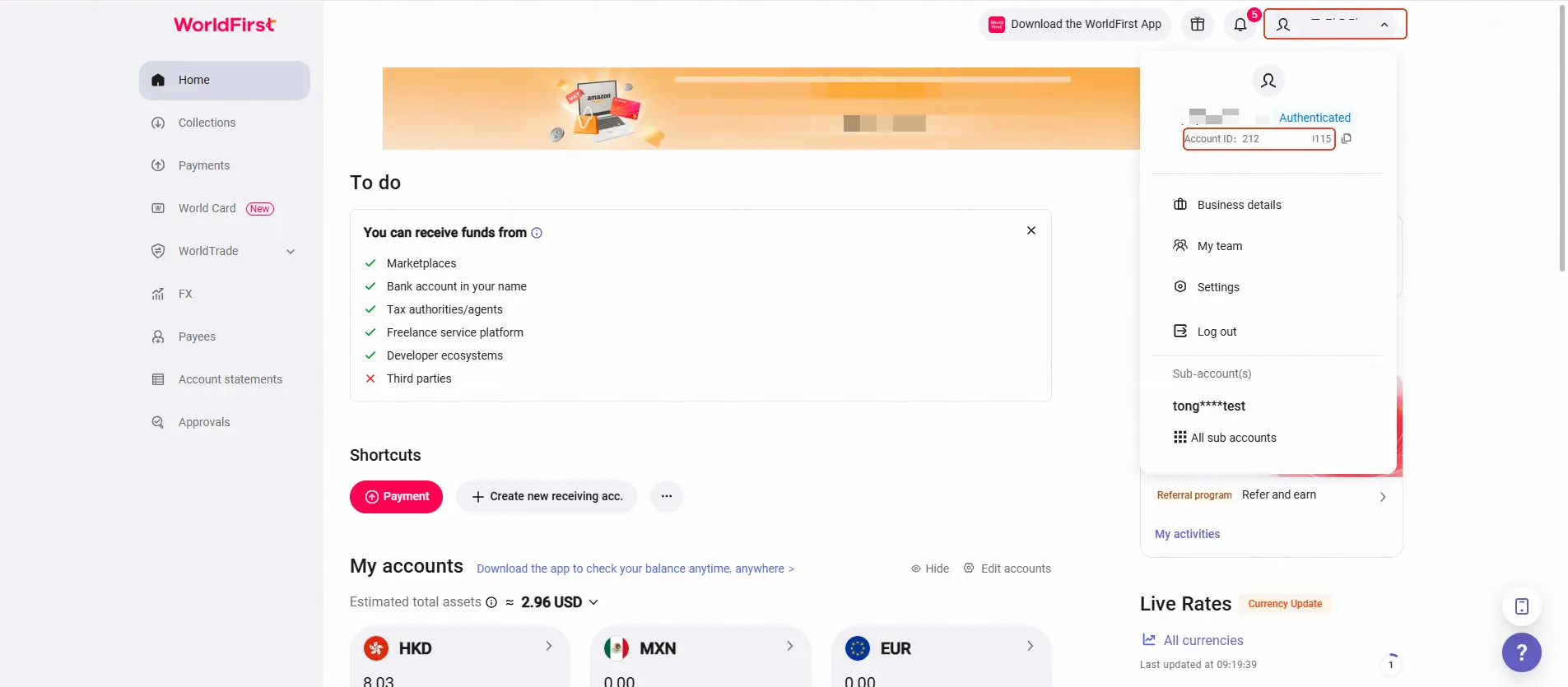
| Main Account Number | Your WorldFirst Account ID (i.e., the MID) |
|
| Account Name | Account holder name |
|
| Account Number | The WorldFirst collection account number (VA number) |
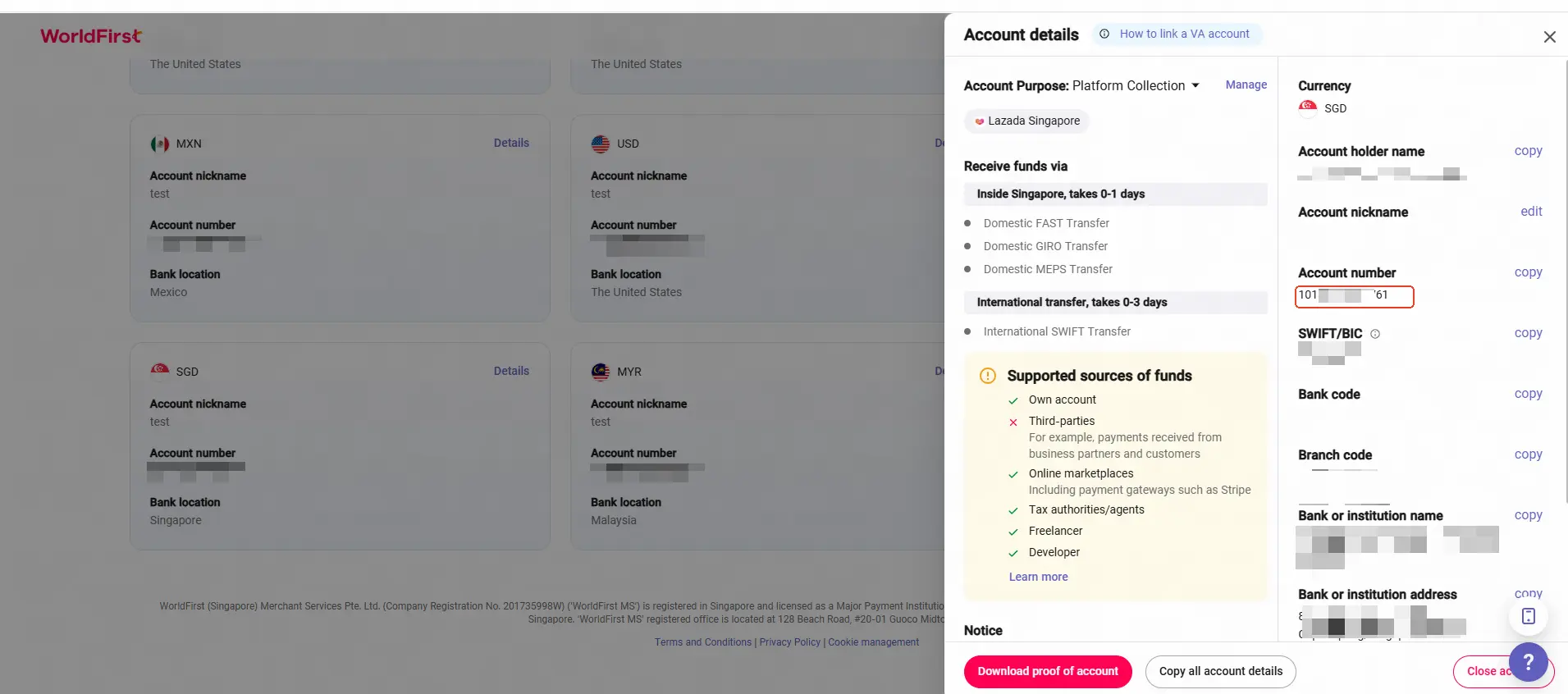
|
| Bank | The bank name of your WorldFirst receiving account. |
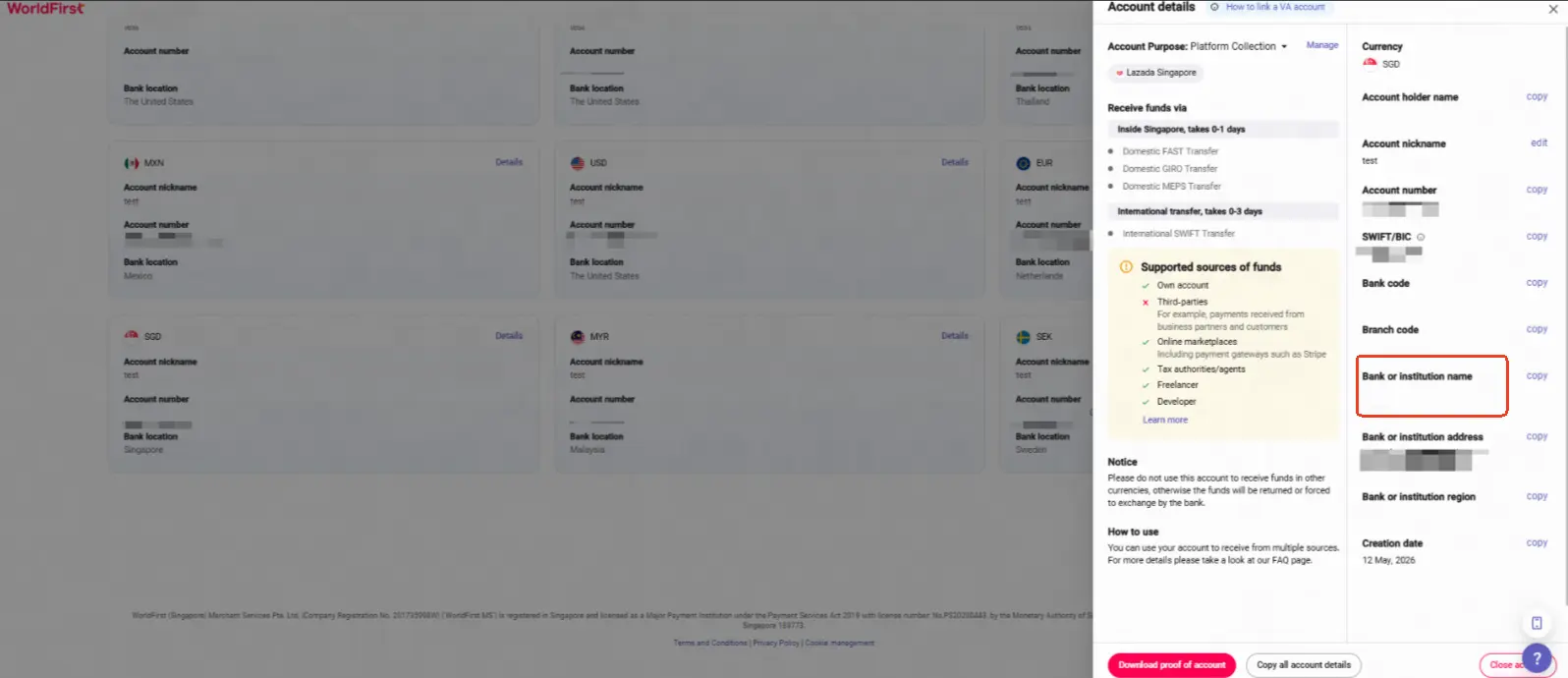
|
| Bank Information Document | Upload the Account Verification Letter downloaded from the account details page in your World Account receiving account |
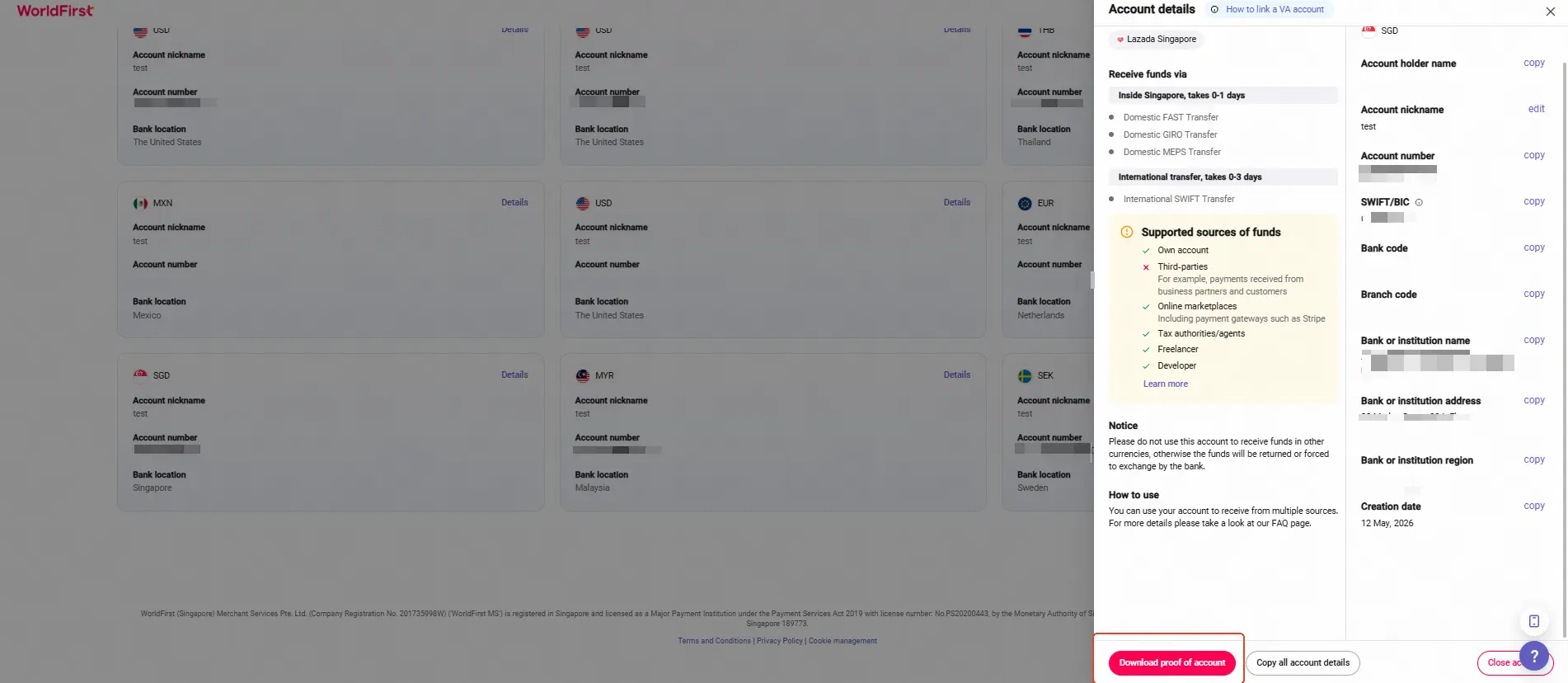
|