





























When you’re setting up your first supplier payment run to a factory in Shenzhen or Ho Chi Minh City, your bank will ask for one thing before it moves a single dollar: a SWIFT/BIC code.
If you’re banking with UOB, that code, the fee structure behind it and the timeline your supplier expects all need to be clear before you commit to a deposit payment. Get any of these wrong, and you risk a rejected transfer, an unhappy supplier, or a bill that’s larger than you budgeted for.
Cross-border payment friction isn’t a rare occurrence for Singapore importers. 36% of Singapore SMEs report problems with cross-border payments, including delays and failed transfers. For a new importer sending your first few telegraphic transfers, understanding exactly how a UOB overseas transfer works, what it costs, and where the friction typically shows up can save you from an expensive first mistake.
This article walks you through UOB’s SWIFT code and the details your supplier needs, describes the full fee structure for personal and business accounts, and explains where a MAS-regulated payments alternative like WorldFirst fits into your supplier payment toolkit.
Key takeaways:
- UOB overseas transfers rely on the SWIFT network: Payments can pass through correspondent banks, which may add extra fees, processing time, and data requirements, so accurate beneficiary details are essential
- Transfer costs go beyond the headline fee: UOB charges commission, cable fees, and possible intermediary bank fees, while the FX margin can often represent the largest part of the total cost.
- Most UOB international transfers take 1 to 5 business days: Timing depends on the destination, currency, intermediary banks, cut-off times, and any compliance checks, so importers should leave enough room before supplier deadlines
- Charge options affect how much your supplier receives: Choosing between OUR, SHA, and BEN determines who pays transfer fees, making the right selection important for avoiding short payments and supplier disputes
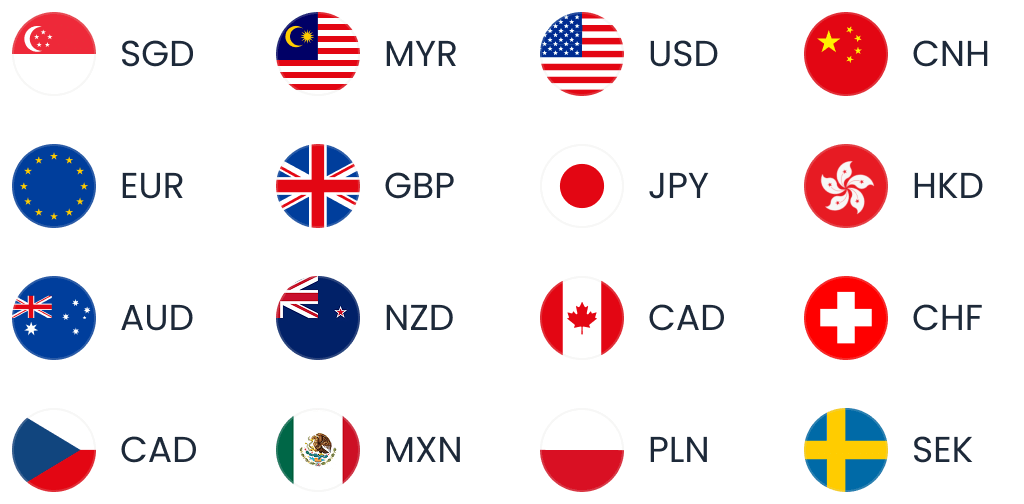
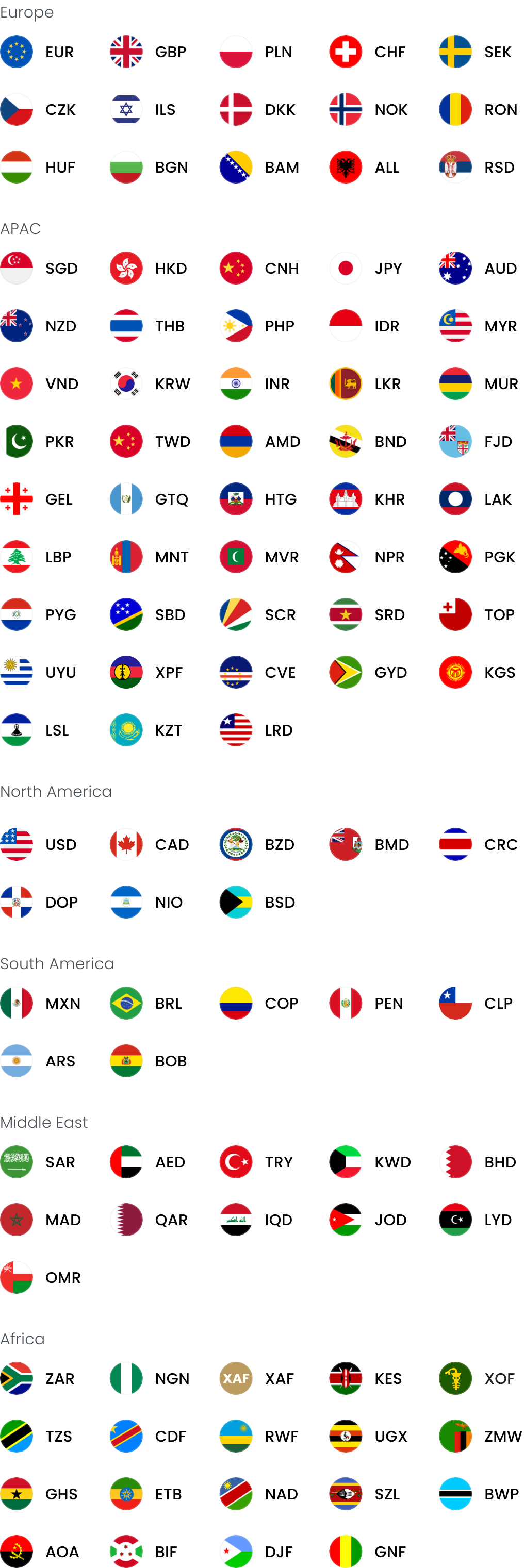
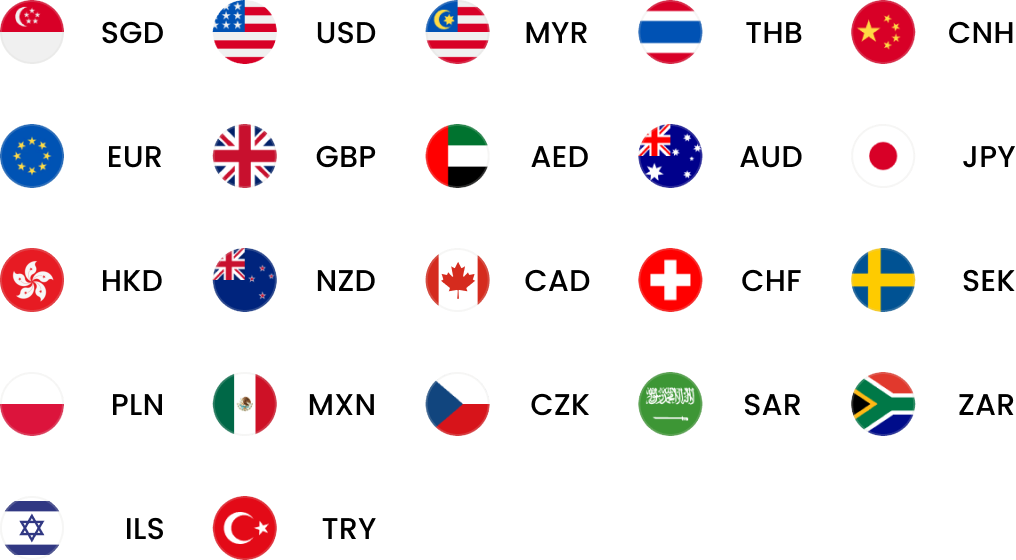
- WorldFirst can be more cost-effective for recurring supplier payments: Importers making frequent cross-border payments can use a World Account to access transparent fees, FX margins of up to 0.6% for major currencies, 20+ supported currencies, and China-focused payment options such as 1688 World Pay
Open a World Account to compare the full cost of your next supplier payment before you commit to a bank TT.
What does a UOB overseas transfer involve for a new importer?
A UOB overseas transfer, like any bank wire, moves through the SWIFT network using a chain of correspondent banks rather than a single direct connection to your supplier’s account.
For a first-time importer, this matters because every link in that chain can add a fee, a delay, or a data-matching requirement that your remittance instructions need to satisfy upfront.
Most new importers first encounter this when paying a supplier deposit, typically 30% upfront with the balance due before shipment. That means you’ll be sending at least two transfers per order, each exposed to the same fee and FX structure.
Understanding the mechanics before your first payment run helps you budget accurately and avoid a rejected transfer that delays your production schedule.
UOB’s SWIFT/BIC code: UOVBSGSG explained
UOB’s SWIFT/BIC code for its Singapore head office is UOVBSGSG. If a supplier or counterparty is sending an inward transfer to your UOB account, the instruction should read ‘Pay to UOB Singapore (SWIFT BIC: UOVBSGSG).’
A SWIFT/BIC code identifies the specific bank and country involved in an international wire, allowing correspondent banks along the route to route your payment correctly. Your supplier’s bank will ask for this code; without it, or with an incorrect code, your transfer can be delayed or returned.
Alongside the SWIFT code, UOB requires several mandatory fields on every outward TT instruction:
- Sender details: Your name, address and account number, so the receiving bank can confirm the payment’s origin
- Payment currency code and amount: Specified precisely, since currency mismatches are a common cause of processing delays
- Beneficiary bank details: The receiving bank’s full name, address and routing code, plus the beneficiary’s full account number or IBAN if you’re paying into Europe or the UK
- Full beneficiary name: Matching exactly what’s on the receiving account, since name mismatches are one of the most frequent rejection triggers
- Intermediary bank name, if applicable: Relevant when your supplier’s bank doesn’t have a direct correspondent relationship with UOB
If your supplier banks with a UOB branch outside Singapore, the SWIFT code changes by country. UOB’s 2025 Annual Report international network document lists branch-specific SWIFT codes, which are useful if you’re paying a supplier or agent who happens to hold a UOB account in the region.
UOB international branch SWIFT codes
| Country/branch | SWIFT/BIC code |
| Singapore (head office) | UOVBSGSG |
| Australia | UOVBAU2S |
| Brunei | UOVBBNBB |
| Canada (Vancouver) | UOVBCA8V |
| Hong Kong | UOVBHKHH |
| India (Mumbai) | UOVBINBB |
| Indonesia | BBIJIDJA |
| Japan (Tokyo) | UOVBJPJT |
| China (Shanghai) | UOVBCNSH |
| Malaysia (Labuan) | UOVBMY2L |
| Myanmar | UOVBMMMY |
| Philippines | UOVBPHMM |
| Thailand | UOVBTHBK |
| United Kingdom (London) | UOVBGB2L |
Table checked against UOB’s 2025 Annual Report international network document.
Read more: DBS vs UOB
How much does UOB charge for overseas transfers?
UOB’s overseas transfer fees combine a percentage-based commission, a fixed cable charge, and variable agent or intermediary bank charges, on top of the FX margin baked into the exchange rate.
The exact commission depends on whether you’re a personal or business customer and which channel you use.
Personal banking outward TT fees
According to UOB’s official fee schedule (updated 15 May 2026), the main fees are:
- Via branch: 1/8% commission (minimum S$10, maximum S$100), plus cable charges and agent charges
- Via Personal Internet Banking: 1/16% commission (minimum S$10, maximum S$100), plus cable and agent charges; the cheaper of the two channels since online banking halves the percentage rate
- From a foreign currency account: 1/8% commission (minimum S$10; maximum S$100 with exchange, S$300 without exchange), plus cable and agent charges
- Cable charges: S$20 for transfers to Malaysia, S$30 for all other countries except Singapore
- Amendment or cancellation: S$10 plus cable charges, correspondent bank charges and out-of-pocket expenses
Business banking outward TT fees
UOB’s business remittance fee page sets out the standard, non-promotional structure, which includes:
- Manual submission, SGD account: 1/8% commission (minimum S$10, maximum S$100), plus cable and agent charges
- Online banking, SGD account: 1/16% commission (minimum S$10, maximum S$100), plus cable and agent charges
- Online banking, Global Currency Account without FX: 1/16% commission (minimum S$10, maximum S$240), plus cable and agent charges
- Amendment or cancellation: S$30 per amendment or cancellation, S$20 per tracer, plus cable, agent and out-of-pocket expenses
UOB also runs promotional flat fees, valid until 31 December 2027, on its telegraphic transfers page: a flat S$15 TT fee for eBusiness and BizTransact account holders, or US$11 for BizGlobal account holders.
Separately, UOBSend, a lower-cost cross-border payment service, charges S$8 (BizTransact) or US$6 (BizGlobal) for overseas payments up to S$200,000 or its equivalent, covering local currency delivery to more than 45 markets, per UOB’s SME international transfers page.
Read more: 6 best SME bank accounts in Singapore
Inward TT fees
If a customer or supplier partner sends you funds, UOB’s inward remittance fee page shows:
- Credit to UOB Group account holder in Singapore: S$10 or equivalent, plus any agent charges.
- Credit to a non-account holder, SGD: S$20.
- Credit to a non-account holder, foreign currency: 1/8% (minimum S$10) plus cable and agent charges.
The hidden cost: FX margin
The visible fees are only part of the bill. WorldFirst’s published comparison notes that bank FX margins at DBS and UOB often reach around 2%–3% on top of transfer and intermediary fees.
This means that, for example, on a US$50,000 supplier payment, a 1% FX margin costs US$500 in hidden conversion cost, and a 3% margin costs US$1,500.
Scaled up to an annual payment run of SG$300,000, a 2% margin costs SG$6,000 in currency conversion alone. This cost rarely appears as a single line item on your statement, making it easy to underestimate.
Read more: 8 benefits of foreign exchange risk management for businesses
Charge options: OUR, SHA and BEN
When you submit a TT, you choose who bears the transfer charges:
- OUR: You, the sender, bear all charges, so your supplier receives the full invoice amount. For USD payments under this option, UOB requires the instruction to be marked ‘/FULLPAY/’.
- SHA: Charges are shared between sender and beneficiary.
- BEN: The beneficiary bears all charges, meaning your supplier receives less than the invoice amount unless you factor this into your payment.
Choosing the wrong charge option is a common source of disputes with new suppliers, since a short-paid invoice can look like a missed payment on their end.
How long does a UOB overseas transfer take?
A standard UOB overseas transfer via SWIFT typically takes 1 to 5 business days. Some third-party sources cite a narrower window of 1 to 3 working days. That shorter estimate likely reflects specific, well-established corridors, so it’s worth budgeting for the broader 1–5 day range, particularly for a first payment to a new supplier or an unfamiliar corridor.
Several factors affect where your transfer lands within that range:
- Destination country and currency: Major corridors with established correspondent banking relationships tend to clear faster than less common routes
- Number of intermediary banks: Each additional bank in the chain adds processing time and, potentially, an additional fee
- Compliance and screening checks: Anti-money laundering and sanctions screening can hold a transfer for manual review, particularly on larger or first-time payments
- Cut-off times: Submitting after your bank’s daily cut-off pushes processing to the next business day
Read more: How long does a telegraphic transfer take?
China-specific requirements
If you’re paying a supplier in mainland China, be aware that PBOC Document (2018) No. 130 imposes customer identification requirements on cross-border remittances to or through mainland China, effective since 14 December 2018.
UOB’s own guidance warns that missing information will be rejected by the clearing bank, so double-check your supplier’s full beneficiary name, account details and any required identification fields before submitting.
For visibility once a transfer is underway, UOB supports SWIFT gpi tracking, letting you track payments in near real time and retrieve MT103 copies online, useful if a supplier asks for proof of payment before releasing goods for shipment.
Can I transfer money from my bank to an overseas bank account?
Yes, UOB customers can send an overseas transfer either through Personal Internet Banking or at a branch. For online transfers, you’d typically navigate to ‘Payment & Transfer’ then ‘Overseas Transfer’ within your internet banking portal, entering the mandatory fields covered earlier, including the SWIFT code, beneficiary bank details and account number or IBAN.
Before you submit your first transfer to a new supplier, it’s worth checking a few details carefully:
- Charge option accuracy: confirm whether your supplier expects OUR, SHA or BEN, since this affects how much they actually receive.
- Invoice reference: include a clear payment reference so your supplier can match the incoming funds to the correct order.
- Beneficiary details: verify the account number, SWIFT code and full beneficiary name against your supplier’s official invoice, not an email that could be a phishing attempt.
- Currency and amount: double-check you’re sending the currency your supplier actually invoiced in, not an approximation.
How to enable overseas transactions on your UOB debit card
If you’re travelling to visit a supplier factory or need to withdraw cash overseas, note that UOB disables the magnetic stripe on all credit, debit and ATM cards for overseas point-of-sale transactions and ATM access by default.
EMV chip and contactless transactions remain enabled for overseas use even without activation.
Functions affected when the magnetic stripe is disabled include:
- Overseas ATM cash withdrawal: Blocked unless you activate magnetic stripe use for that trip.
- Credit card overseas cash advance: Similarly disabled by default.
- Overseas retail transactions at swipe terminals: Relevant mainly in regions where chip terminals aren’t universal.
Step-by-step activation
You can activate overseas card use through several channels:
- UOB TMRW app: The fastest option for most users, with in-app activation
- Personal Internet Banking: Activate via your online banking portal
- UOB branch: Visit in person if you prefer face-to-face verification
- Mail-in form: Slower, best arranged well ahead of travel
- 24-hour hotline: Call +65 6386 8188 for phone-based activation
- UOB ATM: Activate using your card PIN directly at the machine
Whichever channel you use, UOB sends a one-time password to your registered mobile number for verification, so make sure your contact details are up to date before you travel.
Activating a new or renewed card
Separately from overseas activation, new or renewed credit and debit cards need standard activation before first use. UOB’s card activation page outlines the options:
- Via the UOB TMRW app (tap ‘Accounts’, select the card, then ‘Activate now’)
- By SMS (‘ACTVC’ plus the last four digits of the card to 71423 for credit and debit cards, or ‘ACTVA’ plus the last four digits for ATM cards)
- Through the UOB website
Where UOB overseas transfers fall short for new importers, and how WorldFirst can help
A bank TT through UOB is a reasonable option if you’re making an occasional, low-frequency payment and value the reassurance of an established local bank relationship.
For a new importer who expects to make recurring supplier payments, particularly deposit-and-balance structures on every order, the combined cost of commission, cable charges and FX margin can add up quickly across a year of orders.
On a recurring supplier payment schedule, that combination becomes harder to budget for accurately, and it complicates reconciliation when your accounting team is trying to match invoices to actual landed cost.
Consider a hypothetical Tuas-based importer paying a Guangzhou textile supplier a US$50,000 balance payment. At a 2% bank FX margin, the conversion cost alone is US$1,000, on top of the commission, cable charge and any agent fees along the route. At WorldFirst’s published FX margin of up to 0.6% for major currencies, that same conversion costs US$300, a difference of US$700 before transfer fees are even counted.
WorldFirst’s transfer fee structure is also more transparent: local non-SWIFT USD payments cost from US$1 where supported, and SWIFT transfers start from US$5, both fixed and visible before you confirm the payment, compared to UOB’s percentage-plus-cable-plus-agent structure where the final cost isn’t always clear until after the transfer completes.
| Cost component | UOB (typical) | WorldFirst (typical) |
| Transfer fee | Commission (1/16%-1/8%) + cable charge (S$30) + agent charges | From US$5 (SWIFT) |
| FX margin | Around 2-3% | Up to 0.6% for major currencies |
| Cost visibility | Confirmed after processing | Shown before you confirm |
| Multi-currency holding | Not standard on personal/business SGD accounts | Hold 20+ currencies in one account |
Figures checked against UOB’s official fee schedules and WorldFirst’s published product content; illustrative only and not a quote for your specific transaction.
Beyond fees, a World Account lets you hold, convert and pay in 20+ currencies from a single account, with no ongoing account fees and full cost visibility before you confirm each transfer.
For importers sourcing specifically from China, WorldFirst connects directly with 1688.com through 1688 World Pay, letting you pay suppliers in CNH, the offshore renminbi used for international settlement, distinct from onshore CNY, without needing a mainland bank account or an intermediary agent.
WorldFirst isn’t a bank. It’s a regulated payments provider, and WorldFirst entities in Singapore hold MAS licences under the Payment Services Act for services including account issuance, domestic and cross-border money transfers, and e-money issuance.
That means WorldFirst doesn’t offer lending, payroll, cash management or full domestic banking. Client funds are held in segregated safeguarding accounts rather than as bank deposits, so they sit outside the Singapore Deposit Insurance Scheme, unlike eligible SGD deposits at a bank.
If you need integrated domestic banking alongside your cross-border payment rail, a bank relationship still has a genuine role to play; many established importers run both in parallel.
Open a World Account to see the full cost of your next supplier payment before you send it.
FAQ
1. How much does UOB charge for overseas transfers?
UOB charges a percentage-based commission on top of fixed cable charges and variable agent fees.
Personal banking customers pay 1/8% via branch or 1/16% via Personal Internet Banking (minimum S$10, maximum S$100), plus a cable charge of S$20 for Malaysia or S$30 for other countries.
Business customers face a similar commission structure, though UOB currently runs a promotional flat fee of S$15 for eBusiness and BizTransact accounts, or US$11 for BizGlobal accounts, valid until 31 December 2027.
On top of these visible fees, the bank’s FX margin, often cited at around 2-3% for major banks, is typically the highest single cost on the transfer.
2. How long does a UOB overseas transfer take?
A standard UOB overseas transfer via SWIFT takes 1 to 5 business days, depending on the destination, currency, intermediary banks involved and any compliance checks triggered along the route.
3. Can I transfer money from my bank to an overseas bank account?
Yes, you can send funds from your UOB account to an overseas bank account through Personal Internet Banking or at a branch, using the ‘Overseas Transfer’ function.
You’ll need the beneficiary’s full name, account number or IBAN, the receiving bank’s SWIFT/BIC code, and the payment currency and amount.
4. How to enable overseas transactions in UOB?
You can enable overseas transactions through the UOB TMRW app, Personal Internet Banking, a UOB branch, a mail-in form, the 24-hour hotline at +65 6386 8188, or directly at a UOB ATM using your card PIN.
UOB sends a one-time password to your registered mobile number to verify the request, so confirm that your contact details are up to date before travelling. EMV chip and contactless payments remain enabled overseas even without this activation step.
Sources:
- https://www.uob.com.sg/business/transact/payments/telegraphic-transfers.page
- https://www.uob.com.sg/web-resources/personal/pdf/personal/save/chequeing/one-account/fees-and-charges.pdf
- https://www.uob.com.sg/business/help-support/rates-fees/remittance-fees-outward.page
- https://www.uob.com.sg/business/help-support/rates-fees/remittance-fees-inward.page
- https://www.uob.com.sg/business/sme/international-money-transfers/index.page
- https://www.uob.com.sg/business/accounts/uob-biztransact-account.page
- https://www.uob.com.sg/business/transact/payments/index.page
- https://www.uob.com.sg/personal/cards/services/overseas-card-use.page
- https://www.uob.com.sg/personal/cards/services/card-activation.page
- https://www.uobgroup.com/AR2025/documents/International_Network.pdf
- https://www.worldfirst.com/sg/blog/latest-happenings/best-sme-bank-accounts-singapore