Revolut is often one of the first names UK SMEs look at when comparing business accounts. It’s well-known, app-based and covers everyday banking, cards, team spending and international payments.
But the most familiar option may not be the right match for every business trading overseas. Bibby Financial Services’ 2025 research found that 54% of UK SMEs trading overseas dealt with exchange-rate volatility in the past year. On average, those businesses lost more than £53,000.
WorldFirst is built more specifically around cross-border business payments, multi-currency accounts and FX. That matters when your business receives marketplace revenue, pays overseas suppliers or holds balances in more than one currency.
In this guide, we compare WorldFirst vs Revolut across fees, FX, international payments, integrations and best-fit use cases for UK SMEs comparing or switching providers.
WorldFirst at a glance
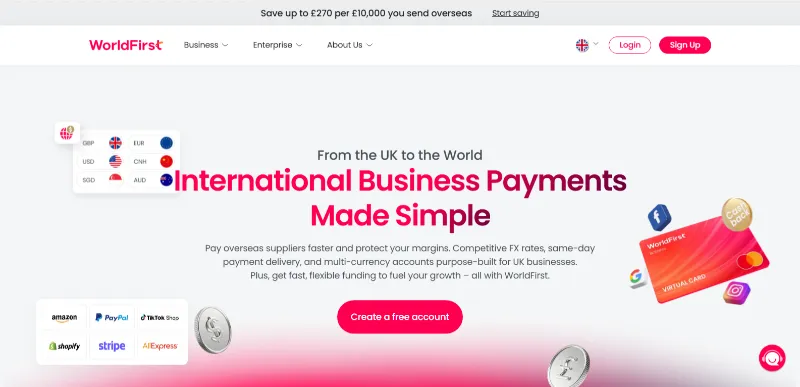
When your SME trades across borders, the account you use for each payment can affect more than just the transfer itself. Supplier invoices, marketplace payouts, currency balances and FX records all need to line up before you can see the real cost of moving money.
WorldFirst focuses on that kind of workflow. Its multi-currency World Account gives UK businesses one place to collect overseas revenue, hold foreign currency, convert when needed and pay suppliers without first routing every transaction through a standard business bank account.
A broader app-based account may work well for UK payments, cards and team spending. However, if you already have local banking covered, WorldFirst gives you more control over cross-border payments, where payment timing, currency choice and reconciliation can affect margins.
With a World Account, you can:
- Collect international revenue in 20+ currencies: Receive business payments and marketplace payouts in major currencies, so you do not have to convert every payout back to GBP straight away
- Open local receiving accounts in 15+ currencies: Use local account details in currencies such as GBP, USD, EUR, CAD, AUD and JPY to get paid more like a local business
- Pay suppliers in 100+ currencies: Send payments to suppliers, vendors and partners across 210+ countries and territories, then track the payment from the same account
- Hold and convert currency balances: Keep funds in multiple currencies until you need to pay, withdraw or convert. You can review the quoted rate before confirming a conversion
- Connect marketplace and finance workflows: Link with 100+ marketplaces and payment gateways and connect accounting tools such as Xero and NetSuite to reduce manual reconciliation
WorldFirst does not operate as a bank. World First UK Ltd is an FCA-authorised Electronic Money Institution and safeguards customer funds in line with e-money rules.
Revolut at a glance
Revolut Business is Revolut’s account for companies that want app-based banking, cards, team spending controls, expenses and payment acceptance in one place.
For UK SMEs, Revolut Business may work best when the main switch driver is everyday account management, including cards, team spending, local payments and app-based controls.
It also includes international payment and currency features, but these are integrated into a broader business account rather than a dedicated cross-border payment setup.
With Revolut Business, you can:
- Manage everyday business banking: Use a digital account for local payments, account access, balances and day-to-day finance tasks
- Hold and exchange 25+ currencies: Keep money in different currency balances and exchange within your plan allowance during market hours
- Use business cards for team spending: Issue physical and virtual cards, set controls and manage employee spend from the app
- Send international transfers: Make global transfers, with no-fee international transfer allowances on selected plans and extra fees once you pass those limits
- Accept customer payments: Use payment acceptance tools for online or in-person sales where they match your business model and plan
Revolut Bank UK Ltd is a UK bank authorised by the Prudential Regulation Authority and regulated by the Financial Conduct Authority and the Prudential Regulation Authority.
Read more:
WorldFirst vs Revolut Business: side-by-side comparison
| Feature | WorldFirst | Revolut Business |
|---|---|---|
| Main role | Multi-currency account for cross-border business payments | App-based business account for banking, cards, expenses and payment tools |
| Account cost | Free to open, with no ongoing account fees | Paid plans with monthly fees and plan-based allowances |
| Receiving and holding currencies | Receive payments and marketplace payouts in 20+ currencies, with local receiving accounts in 15+ currencies, and hold funds before converting, withdrawing or paying suppliers | Hold and exchange 25+ currencies, with receiving options available through account details and payment acceptance tools, depending on setup and eligibility |
| Supplier payments and transfer costs | Pay suppliers, vendors and partners in 100+ currencies, with cross-currency payments above £5,000 free | Send global transfers, with no-fee allowances on selected plans and extra fees above allowance |
| FX pricing | Currency conversions up to 0.50%, with a 0.3% new customer offer where applicable | Monthly FX allowance by plan, then 0.6% above allowance and 1% outside market hours |
| Cards and spend | World Card supports business spend from World Account balances | Physical and virtual cards support team spending and spend controls |
| Integrations | Xero, NetSuite and API support | Xero, Sage, QuickBooks and other business integrations |
| Regulation | World First UK Ltd is an FCA-authorised Electronic Money Institution | Revolut Bank UK Ltd is authorised by the PRA and regulated by the FCA and PRA |
| Use when | Cross-border supplier payments, marketplace revenue and FX control drive the switch | UK account management, cards, expenses and payment acceptance drive the switch |
WorldFirst pros and cons
Pros:
- Lower friction on supplier payments: WorldFirst can make overseas supplier payments easier to manage when your business pays vendors and partners across several currencies
- More control over marketplace revenue: You can collect marketplace payouts, hold balances in different currencies and decide when to convert, withdraw or use funds for supplier payments
- Simpler cost structure for cross-border workflows: A free account with no ongoing account fees can make costs easier to track when your main payment needs are international
- Upfront FX visibility before you pay: Seeing the quoted conversion cost before confirming a payment can help your team understand the amount they’ll pay before money moves
- Easier payment record management: Keeping balances, payments, FX and accounting integrations in one workflow can reduce manual checks when reconciling supplier invoices and marketplace payouts
Cons:
- More specialised for cross-border trade: The World Account may be more than you need for UK-only account activity
- Not built for personal remittances: WorldFirst focuses on business payments, so it is not the right choice for personal transfers or small, routine payments unrelated to business trade
Revolut Business pros and cons
Pros:
- Easier day-to-day account access: Revolut Business gives teams a web and mobile app for local payments, balances, cards and account controls
- More control over employee spending: Physical and virtual cards can make company spending easier to manage when several people need access to business funds
- Customer payments and account admin in one place: Payment acceptance tools can reduce the need to manage customer payments separately from daily account activity
- Useful currency access within plan limits: Holding and exchanging 25+ currencies can help businesses that need multi-currency access, as long as the monthly exchange allowance and market-hour rules match their usage
- Regulated UK bank setup: Revolut Bank UK Ltd’s bank status may reassure eligible UK businesses that want FSCS protection on deposits, although eligibility depends on the business category and account setup
Cons:
- FX fees apply above allowance: A 0.6% fee applies above your plan’s FX allowance, while exchanges outside foreign exchange market hours carry a 1% fee
- International transfers depend on the plan limits: Basic includes 0 no-fee global transfers; Grow includes 5; and Scale includes 25, with £5 charged for each additional international transfer
WorldFirst vs Revolut Business: which should you choose?
Switching activity shows that an increasing number of smaller organisations are reviewing their account setup. The Current Account Switch Service reported 10,393 switches in Q3 2025, up 43% from Q2 2025.
The right choice depends on what your priority is: international payments or everyday account management.
When to choose WorldFirst:
- You pay overseas suppliers regularly: Use the World Account when supplier invoices, payment tracking and currency choice all affect the final cost of an order
- You collect marketplace revenue: WorldFirst works well when you receive payouts from marketplaces or payment gateways and want to hold funds before converting them back to GBP
- You manage multiple currency balances: The account can reduce forced conversions when you receive funds in one currency and need to pay suppliers or partners in another
- You want to check FX costs before you move money: You can review the quoted conversion cost before confirming, which matters when FX changes affect your margins
- You need cleaner payment records: WorldFirst makes more sense when your team needs to match supplier payments, marketplace payouts, currency conversions and accounting records
When to choose Revolut Business:
- You mainly need UK account management: Revolut Business can work well when local payments, balances and app access drive the switching decision
- You issue cards to team members: Physical and virtual cards can support controlled employee spending across travel, subscriptions and day-to-day expenses
- You need expense workflows: The account can help teams manage spend approvals, receipts and expense tracking from the same platform
- You accept customer payments: Revolut Business can fit businesses that want online or in-person payment acceptance linked to their business account
- Your international use is predictable: Plan-based allowances can work when FX and global transfers stay within your monthly limits
Verdict: WorldFirst vs Revolut Business
The right choice may change as your international payment volume grows.
When cross-border payments are occasional, a broad business account with cards, local payments and app-based controls may cover enough of what you need.
As overseas supplier payments, marketplace payouts and currency balances become a larger part of monthly cash flow, different details start to matter. FX costs, receiving options, payment coverage and reconciliation can have a bigger effect on margin than the monthly account fee or the number of general account features.
Grand View Research projects the global cross-border payments market to reach US$312.1 billion by 2033. For UK SMEs already trading internationally, that growth makes the account decision less about what works now and more about what gives you control as cross-border activity becomes more frequent.
That is where WorldFirst becomes more relevant: not because every SME needs a dedicated international payments setup from day one, but because growing overseas volume puts more pressure on FX, supplier payments, currency balances and payment records.
Take a £50,000 overseas supplier payment as an example:
- WorldFirst new customer offer: The 0.3% offer would put the conversion cost at £150 where it applies, with cross-currency payments above £5,000 free
- WorldFirst standard pricing: The standard conversion cost is up to £250, and cross-currency payments above £5,000 are free
- Revolut Business Basic: The £1,000 monthly FX allowance leaves £49,000 above allowance, which would cost £294 at 0.6%, before the Basic monthly plan fee and any international transfer fee
- Revolut Business Grow: The £15,000 monthly FX allowance leaves £35,000 above allowance, which would cost £210 at 0.6%, before the Grow monthly plan fee
- Revolut Business Scale: The £60,000 monthly FX allowance could cover the full £50,000 during market hours, but Scale is a higher-paid plan
That example does not prove that one provider always costs less; it shows that plan fees, transfer fees, market hours, live exchange rates and eligibility all matter.
Revolut Business Scale can work well if your company already needs the higher plan allowance and wider banking toolkit. If you mainly want cross-border supplier payments without paying for a broader plan, WorldFirst keeps the comparison closer to the payment itself.
FAQ
1. Can I use WorldFirst and Revolut together?
2. Is WorldFirst good for Amazon sellers?
3. Can I use WorldFirst without switching bank accounts?
Sources:
- https://ffnews.com/newsarticle/tradetech/smes-hit-hard-by-53000-loss-from-currency-fluctuations
- https://www.wearepay.uk/the-current-account-switch-service-records-surge-in-sme-switches/
- https://www.grandviewresearch.com/industry-analysis/cross-border-payments-market-report
- https://www.revolut.com/business/