Revolut has become one of the UK’s most popular multi-currency financial platforms, and in March 2026, Revolut Bank UK Ltd became a fully licensed UK bank. Eligible deposits are now protected by the FSCS up to £120,000, although existing accounts are being migrated in phases.
For individuals and smaller businesses, Revolut offers a convenient way to manage everyday banking, multiple currencies and international payments from one app. But as transaction volumes grow, factors such as monthly plan fees, FX allowances and international payment costs become more important.
In this Revolut review, we look at its 2026 fees, features, exchange rates, security and suitability for businesses. We’ll also compare it with WorldFirst to help you decide which platform better fits your international business needs.
Key takeaways
- Revolut Bank UK Ltd became a fully licensed UK bank on 11 March 2026, with eligible deposits protected by the FSCS up to £120,000 per person per authorised bank. Existing accounts are being migrated to the bank in phases.
- Revolut Business offers multi-currency accounts, international payments, business cards, expense management and accounting integrations, with pricing, features and allowances varying by plan.
- Business plans start at £10 per month, with additional charges applying to certain services and transactions. Currency exchange above the plan allowance is charged at 0.6%, while an additional 1% fee applies to exchanges outside standard market hours.
- Revolut Business can suit companies looking for an app-based account with integrated payment and spending tools. As businesses grow, they may need to reassess whether the account still meets their transaction, currency, and international payment needs.
- WorldFirst focuses on international business payments and collections, offering local accounts in 20+ currencies, payments in 100+ currencies to 200+ countries, and FX margins of up to 0.5% for major currencies. It has no monthly account fee.
What Is Revolut?
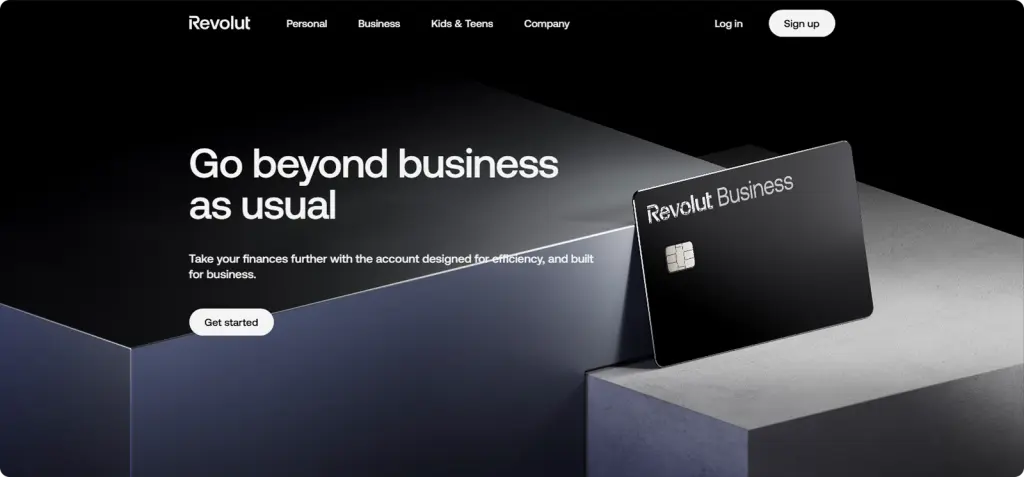
Revolut Business is a digital banking and financial services platform offering personal and business accounts, payments and money management tools. Its UK business offering, Revolut Business, is positioned as an all-in-one business account for managing currencies, payments, cards and expenses from one platform.
Founded in London in 2015, Revolut now serves around 70 million customers across 40 markets, including millions of UK customers and hundreds of thousands of businesses. Its platform combines everyday banking with international financial services, allowing customers to hold, exchange, and transfer money across multiple currencies.
For businesses, Revolut Business offers multi-currency accounts, international payments, physical and virtual cards, expense management and accounting integrations. This makes it particularly useful for companies that want to manage day-to-day spending and international transactions from a single platform.
For growing businesses, it’s worth looking closely at Revolut’s pricing, currency allowances, and international payment costs.
What Are the Pros and Cons of Revolut Business?
Revolut Business offers flexibility and modern tools for companies that trade or operate globally. However, it has limitations. Here’s a closer look at its key strengths and limitations:
| Category | Pros | Cons |
| Currency support | Hold, send, and receive in 25+ currencies, suitable for cross-border operations | Conversion fees apply once the free monthly allowance is used, and weekend FX markups may apply |
| International payments | Fast transfers with competitive rates within allowances | Limited free transfers on lower plans, and SWIFT payments can carry third-party fees |
| Integrations | Connects with Xero, QuickBooks and other tools, and supports invoicing on some plans | Some features require higher-tier plans |
| User experience | Modern, mobile-first design with fast onboarding | Standard Business support is provided through secure in-app chat, with account management available for Enterprise customers. |
| Regulatory protection | As of March 2026, Revolut is a fully-licensed bank, with eligible deposits FSCS-protected up to £120,000 | Migration is phased, so accounts opened before March 2026 should confirm their current protection |
| Payment methods | Virtual and physical business cards, with team spending controls | No cash or cheque deposits, and lending products are still rolling out |
| Scalability | Tiered plans let you upgrade as you grow | Higher tiers raise monthly costs, and there is no free plan |
| Reliability | Well-established, with around 70 million customers worldwide | Accounts can be temporarily restricted during security or compliance checks, and businesses may be asked to provide additional information through the app |
Revolut Business fees and pricing
Revolut Business offers four plans, with pricing and allowances varying by tier. Here’s a quick look at what each plan includes and the main fees to keep in mind.
Pricing: plans and allowances
Revolut Business offers four plans for UK businesses: Basic, Grow, Scale and Enterprise. Each plan includes different allowances and features, so the best option depends on your business size and transaction needs.
| Plan | Price | Key features/allowances |
| Basic | From £10/month | £1,000 monthly FX allowance; 10 free local transfers; 0 free international transfers; multi-currency accounts; physical and virtual cards |
| Grow | From £30/month | £15,000 monthly FX allowance; 100 free local transfers; 5 free international transfers; bulk transfers; advanced spending controls |
| Scale | From £90/month | £60,000 monthly FX allowance; 1,000 free local transfers; 25 free international transfers; higher allowances and advanced controls |
| Enterprise | Custom | Custom allowances and features, plus dedicated account management |
Disclaimer: Pricing, fees and features shown in this comparison are based on information available from the providers at the time of writing (August 2026). Providers may change their pricing, terms, or product offerings, so check the latest information before signing up.
Fees: what else will you pay?
Beyond the monthly plan fee, some Revolut Business services and transactions incur additional charges. Here are the main costs to be aware of:
| Fee | Cost |
| Local transfers (GBP, EUR and CHF) | £0.20 per transfer outside the plan allowance |
| International transfers | £5 per transfer outside the plan allowance. |
| Currency exchange above the plan allowance | 0.6% |
| Out-of-hours FX | 1% additional fee |
| ATM withdrawals | 2% fee applies per withdrawals |
| Additional physical cards | Delivery fee from £4.99, depending on the order |
| Online card payments | From 1% + £0.20 for UK consumer Mastercard/Visa cards. |
| In-person card payments | From 0.8% + £0.02 for UK consumer Mastercard/Visa cards |
| Expenses app | £8 per active team member |
| Payroll app | £3 per active team member |
Disclaimer: Pricing, fees and features shown in this comparison are based on information available from the providers at the time of writing (August 2026). Providers may change their pricing, terms, or product offerings, so check the latest information before signing up.
Revolut Business features
Revolut Business combines multi-currency accounts, international payments, business cards, expense management and accounting integrations in one platform. The features and allowances available depend on the plan you choose. Here’s a closer look at the key features.
Multi-currency and international payments
Revolut Business lets businesses hold, send and receive money in 25+ supported currencies, including GBP, EUR, USD, CHF, CAD, AUD, JPY, SGD and AED. Businesses can manage multiple currency balances from one account, making it easier to receive international payments and pay overseas suppliers without needing separate accounts for each currency.
Cards, spending and expense control
Revolut Business offers physical and virtual cards for team spending, subscriptions and business purchases. Businesses can set spending limits, control where cards can be used and manage cards directly from the platform. Cards support spending in 150+ currencies, making it easier for teams to manage expenses while travelling or buying from international suppliers.
Accounting integrations and automation
Revolut Business connects with Xero, QuickBooks, Sage and other accounting platforms, helping businesses sync transactions, bills and expenses and simplify reconciliation. It also integrates with HR, ecommerce and automation tools such as Shopify, WooCommerce, Zapier and Slack, helping businesses connect financial tasks with their wider workflows.
Payment acceptance
Revolut Business lets businesses accept payments online and in person through card payments, Revolut Pay and tools such as its Payment Gateway and Revolut Terminal. Businesses can also offer one-off or recurring payments and accept major cards and mobile wallets.
Payments can be settled into a separate Merchant account, with Revolut stating that funds can be accessed the next day, including weekends, subject to its terms. Businesses can also settle payments in 32 currencies, giving them more flexibility when selling internationally.
Security and fund protection
Revolut Bank UK Ltd operates as a UK bank under PRA authorisation and is regulated by both the FCA and PRA, with eligible deposits protected by the FSCS up to £120,000 per person per authorised bank. Revolut says eligible Business customers benefit from this protection, although some business categories are excluded.
Revolut also keeps customer money in dedicated accounts separate from its operational funds and provides 24/7 security monitoring. Businesses can use in-app controls such as card freezing and additional security settings, while support is available through in-app chat.
How to open a Revolut Business account
To open a Revolut Business account in the UK, you’ll need to provide basic company details and identification for directors and owners. Here are the steps to follow:
- Start your application on the Revolut Business website. The online sign-up takes around 10 minutes.
- Enter business details, including legal entity type, company name, incorporation number, trading name, and business activity.
- Provide identification and supporting information for directors and beneficial owners, such as a valid ID and proof of address, depending on your application.
- Upload supporting documents like the certificate of incorporation, proof of business activity (invoices, contracts or website), ownership structure documents and registered address proof.
- Submit authorisation if you’re not a director or shareholder. This can be an authorisation letter confirming your right to open the account.
- Submit your application for review. Revolut reviews applications after the required information has been submitted. Processing times can vary, so check Revolut’s current onboarding guidance for the latest estimate.
- Access your account once approved. You can then hold, exchange and send funds, issue cards and manage team payments directly from your dashboard.
Revolut Customer feedback and reputation
Revolut receives positive feedback for its app experience, ease of use and range of features, but customer reviews also highlight concerns around customer support, account restrictions and fraud-related issues.
What users like
- Customers frequently praise the app’s interface and ease of managing multiple currencies.
- Revolut’s broad range of features, including cards, spending tools and international payments, is another commonly mentioned benefit.
- Some customers also highlight the convenience and speed of international payments.
Where concerns appear
- Some customer reviews raise concerns about customer support, particularly when dealing with more complex account or verification issues.
- Account restrictions or temporary freezes can be frustrating for customers when additional checks are required.
- Fraud and scam handling has also attracted scrutiny. According to Which? (October 2025), Revolut received 3,242 APP fraud complaints escalated to the Financial Ombudsman Service in 2024, the most of any firm in its analysis.
Revolut enjoys strong praise for its app experience and feature set, but user feedback also raises valid concerns around support and fraud handling.
When is Revolut Business a good fit?
Revolut Business can work well for companies that want to manage everyday spending and international payments through one digital platform. However, the right fit depends on how much your business transacts, how often you exchange currencies, and how complex your international payment needs are.
When Revolut Business may be a good fit
- You want an all-in-one business account: Revolut combines multi-currency accounts, international payments, business cards, and expense management in one platform.
- Your FX needs fit within your plan allowance: If your monthly currency conversions stay within your plan’s allowance, Revolut can be a practical option for managing international payments.
- You value digital-first account management: Businesses that prefer managing payments, cards, expenses, and team spending through an app may find Revolut convenient.
- You make occasional international payments: If your business doesn’t regularly make large currency conversions or high volumes of overseas payments, Revolut’s plan structure may suit your needs.
When you may need more
- You regularly exceed your FX allowance: Businesses making frequent or high-value currency conversions may face additional costs once their monthly allowance is exceeded.
- You manage complex international cash flows: Companies receiving and paying in multiple currencies may need more specialised tools for managing cross-border transactions.
- You regularly pay overseas suppliers: Importers and ecommerce businesses making frequent supplier payments may benefit from comparing Revolut with a provider focused specifically on international business payments.
Looking Beyond Revolut Business: Consider Worldfirst
Revolut Business can be a good fit for companies looking for an app-first business account with multi-currency capabilities and international payments. For businesses with more complex cross-border needs, WorldFirst offers a dedicated platform for managing international payments, currencies, and global collections.
Built for cross-border business
The WorldFirst World Account gives businesses one place to receive, hold, convert, and send money in multiple currencies. This can simplify international cash flow by letting businesses manage overseas payments and currency balances without maintaining separate accounts with different providers.
Businesses can open local accounts in 20+ currencies to receive international payments and send payments in 100+ currencies to 200+ countries. This makes the account particularly useful for businesses that regularly receive overseas revenue, pay international suppliers, or operate across multiple markets.
Opening a World Account is free, with no setup or monthly account fees, so businesses can access its multi-currency and international payment capabilities without a recurring account charge.
Transparent FX and control

WorldFirst offers market-based exchange rates with margins of up to 0.5% for major currencies, giving businesses a clear view of their FX costs.
For businesses with future foreign-currency payments, forward contracts let you lock in an exchange rate for up to two years, which can help you plan costs when exchange rates move. If the market moves in your favour, you won’t benefit from the better rate, and you may need to pay a deposit upfront.
Global collections and integrations
WorldFirst helps businesses collect international revenue and manage it alongside their other currency balances. Businesses can receive payouts from 130+ marketplaces and payment gateways, including Amazon, eBay, Etsy, TikTok Shop, PayPal and Shopify, using local account details. Funds can then be held, converted, or used to pay suppliers through the same World Account.
For accounting, WorldFirst integrates with Xero and NetSuite, allowing businesses to automatically sync transaction data and reconcile payments across multiple currencies. The Xero integration supports reconciliation in 10+ currencies and automatic transaction feeds, reducing the need for manual CSV uploads.
World Card for business spending

The World Card is a business virtual card linked to your World Account, allowing businesses to pay suppliers, software providers, advertising platforms, and other business expenses directly from their multi-currency balances. It supports spending in 150+ currencies, with no FX fees on 15 major currencies when you pay from an eligible currency balance.
Businesses can also earn up to 1.2% uncapped cashback on eligible transactions. The card includes controls such as instant freezing and 3D Secure, while businesses can issue up to 25 virtual cards and manage spending from the World Account dashboard.
Business-focused international payments
The table below compares some of the key costs and features of Revolut Business and WorldFirst for UK businesses:
| Feature | Revolut Business | WorldFirst |
| Monthly account fee | From £10/month | No monthly account fee |
| Multi-currency account | Available with Business plans | Local accounts in 20+ currencies |
| Receiving funds | Local transfers included within plan allowances; other fees may apply | Receive funds in supported currencies |
| Holding multiple currencies | Multiple currencies supported | Multiple currencies supported |
| International payments | From £5 per international transfer, depending on plan and allowance | £0.27–£23.00 per payment, depending on currency and destination |
| Currency conversion | 0.6% above plan allowance; additional 1% outside market hours | Up to 0.5% for major currencies |
| Business card | Physical and virtual cards available | World Card with up to 1.2% cashback |
Disclaimer: Pricing, fees and features shown in this comparison are based on information available from the providers at the time of writing (August 2026). Providers may change their pricing, terms or product offerings, so check the latest information before signing up.
FAQs
1. Is Revolut a bank?
Yes. Since 11 March 2026, Revolut Bank UK Ltd holds a full UK banking licence, regulated by the PRA and FCA, and eligible deposits are FSCS-protected up to £120,000. Revolut is migrating accounts to the bank in phases, so if you opened your account before that date, check your status in the app, as it may still sit with its e-money entity for now.
2. Is WorldFirst a bank?
No. WorldFirst is an FCA-authorised electronic money institution (firm reference number 900508), not a bank. It is built for business payments, and client funds are safeguarded in segregated accounts, which is different from FSCS deposit protection.
3. How much does Revolut Business cost?
Revolut Business plans start at £10 per month for Basic, while Grow and Scale are advertised from £30 and £90 per month respectively. Enterprise pricing is customised. Additional charges can apply to certain transfers, currency exchanges, card services, and other features, depending on the plan and how you use the account.
4. What does Revolut Business offer?
Revolut Business offers multi-currency accounts, international payments, physical and virtual cards, expense management, accounting integrations, and payment acceptance tools. Available features and allowances vary by plan.
Sources:
- https://www.worldfirst.com/uk/
- https://www.worldfirst.com/uk/product/pay/world-card/
- https://www.worldfirst.com/uk/product/
- https://www.revolut.com/business/
- https://www.revolut.com/business/business-account-plans/
- https://www.revolut.com/blog/post/revolut-is-officially-a-bank-in-the-uk/
- https://www.forbes.com/advisor/uk/banking/revolut-business-account-review/
- https://www.which.co.uk/