



























Alipay is a mobile payment platform widely used in China. It allows users to pay online and in-store by scanning QR codes or authorising payments through the app.
For UK businesses trading with China, Alipay can help you make payments during business trips and understand how Chinese customers pay. International users face some account requirements, fees and payment limitations, so it’s worth knowing them before you travel
This guide covers how to set up and use Alipay, its fees and safety, and how UK businesses can accept payments and pay Chinese suppliers.
Key Takeaways
- Alipay is a widely used digital payment platform in China that allows users to make online and in-store payments by scanning QR codes or using linked payment cards.
- UK users can register with an international mobile number and link an eligible UK bank card to make supported payments in China without opening a Chinese bank account.
- Alipay uses security measures to protect user accounts and payments, but users should still verify merchants and transactions before paying.
- Payments made with eligible overseas bank cards may incur a 3% service fee on transactions above RMB 200, with transaction limits and promotional exemptions also applying.
- Alipay and WeChat Pay both support QR code payments in China, but Alipay operates as a dedicated payment and services app, while WeChat Pay is integrated into Tencent’s messaging platform.
- Alipay may suit paying Chinese suppliers that accept it, but international cards may not support business transfers. Eligible UK businesses can use WorldFirst for supported supplier bank transfers and 1688 payments.
What Is Alipay and How Does It Work?
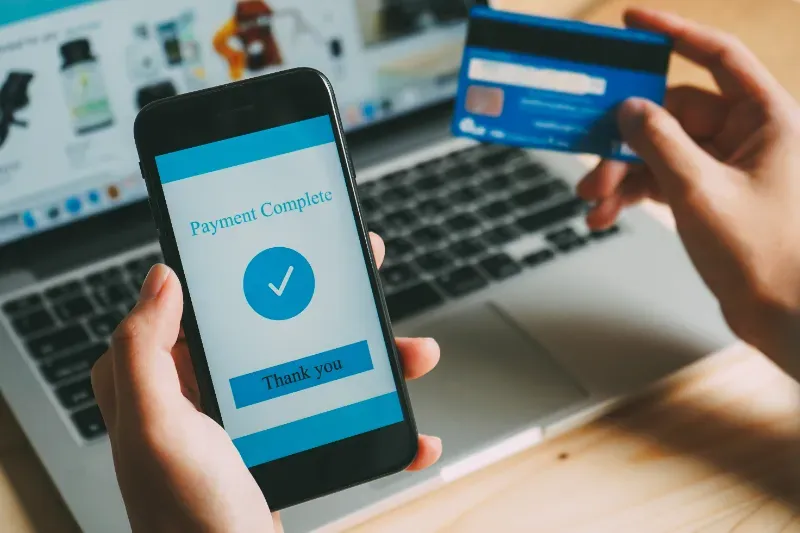
Alipay is a digital payment platform launched in China in 2004. It allows users to make online and in-store payments through its mobile app, mainly using QR codes. Users can scan a merchant’s QR code to pay or show their own payment code for the merchant to scan.
Alipay also supports cross-border payments, allowing eligible international users to link overseas bank cards and pay at participating merchants in China. However, available features, transaction limits and fees depend on the account and payment method.
Pros and Cons of Alipay
Pros
- Convenient payments: Pay online and in-store using QR codes.
- International card support: Eligible overseas bank cards can be linked without opening a Chinese bank account.
- Wide merchant acceptance: Alipay is widely used across China’s retail and service sectors.
- Additional services: The app offers access to services such as transport, food delivery and other everyday activities.
Cons
- Transaction fees: Payments made with linked international cards may incur a service fee. In some cases, transactions above RMB 200 attract a 3% fee.
- Spending limits: International card payments are subject to transaction and annual limits.
- Card compatibility: Some overseas banks may decline card-linking requests.
- Merchant restrictions: Not every merchant or transaction supports every Alipay payment method.
What Is Alipay+?
Alipay+ is a cross-border payment platform developed by Ant International. It connects businesses with multiple international e-wallets and payment methods through a single integration.
This means customers can use their preferred local payment apps to pay participating merchants when shopping or travelling overseas. For example, a traveller can scan an Alipay+ QR code and pay using a supported e-wallet from their home country, without needing to create a separate Alipay account.
For businesses, Alipay+ lets them accept payments from customers using different digital wallets without integrating each one separately.
The key difference is that Alipay is a digital wallet primarily used in China, while Alipay+ connects multiple digital wallets and payment providers across markets.
How to Set Up an Alipay Account
UK users can register for Alipay using an international mobile number. You don’t need a Chinese phone number or bank account to set up an account for supported everyday payments in China. Follow these steps to get started.
Step 1: Download the Alipay app: Install the official Alipay app from the Apple App Store or Google Play Store.
Step 2: Register your account: Open the app, select Sign Up, choose the UK country code (+44), enter your mobile number and verify it using the SMS code.
Step 3: Complete identity verification: Follow the in-app instructions if Alipay requests identity verification. You may need to provide your passport details.
Step 4: Link an international bank card: Go to Me > Bank Cards, select Add Card and enter the details of an eligible Visa, Mastercard or other supported card.
Step 5: Complete card verification: Follow any additional verification steps required by Alipay or your card issuer.
Once your card is linked, you can use Alipay to pay participating merchants in China. International card payments are subject to eligibility requirements, transaction limits and fees. Some Alipay services, such as person-to-person transfers, may not be available with an overseas card.
How to Use Alipay as a UK Business Owner in China
UK business owners can use Alipay to pay online and in-store in China, including through a linked World Card at participating merchants.
How to Pay Online Using Alipay
When shopping on a website that supports Alipay, select it as your payment method at checkout. Follow the on-screen instructions to authorise the payment through the Alipay app.
If you’re using a desktop computer, the merchant may display a QR code on the checkout page. Open Alipay on your phone, scan the code, check the payment details and confirm the transaction.
How to Pay In-Store Using Alipay
Alipay supports two main QR-code payment methods in physical stores.
Method 1: Scan the merchant’s QR code
- Open the Alipay app and select Scan.
- Scan the QR code displayed by the merchant.
- Enter the payment amount if prompted.
- Check the details and confirm the payment.
Method 2: Show your payment code to the merchant
- Open Alipay and select Pay/Collect or the payment code option.
- Display your payment code on your phone.
- Let the cashier scan it to process the payment.
- Check the payment confirmation in the app.
The method available depends on the merchant’s payment setup. International users should also check that their account and linked payment card are eligible for the transaction.
Pay With World Card Through Alipay
UK business owners with an eligible WorldFirst account can add their World Card to their Alipay wallet and use it to make in-person payments at participating merchants in China.
To get started, add your World Card details in Alipay’s Bank Cards section and follow the verification instructions. Once linked, select Alipay at checkout and authorise eligible purchases using your linked card.
The World Card is connected to your World Account, so payments are deducted from your available account balance. It supports payments in multiple currencies, with no FX fees on eligible transactions in supported currencies when you hold sufficient funds in the matching currency balance. Alipay’s own service fee still applies, so payments above RMB 200 may incur a 3% fee (correct as of 4 November 2026).
How Can UK Businesses Accept Alipay Payments?
UK businesses can accept Alipay payments by working with a payment service provider or acquirer that supports Alipay. The provider handles merchant onboarding, payment processing and settlement, so businesses can accept payments without building a direct integration with Alipay. Requirements depend on the provider and the business’s location, industry and payment setup.
What Do Businesses in the UK Need to Accept Alipay?
To accept Alipay payments, UK businesses need a payment processor or acquirer that supports Alipay. The typical requirements include:
- Choose a payment provider: Select a provider that supports Alipay for UK merchants and complete its Know Your Customer (KYC) and Anti-Money Laundering (AML) checks.
- Complete merchant onboarding: Provide the required business details, including company registration information and director records. Providers may also request your business address, beneficial ownership details, identity documents and business bank account information. Eligibility depends on the provider’s supported markets, business category and risk assessment.
- Integrate the payment system: Connect the provider to your existing systems, such as your website, ecommerce platform, checkout, point-of-sale system, invoicing or accounting software.
- Set up settlement options: Check which settlement currencies are available and whether the provider supports receiving funds in GBP or CNY. Some providers may also offer local currency accounts for like-for-like settlement.
- Review security measures: Make sure your setup includes fraud prevention, transaction monitoring and data security measures. Review these controls regularly to help identify and manage suspicious transactions.
Before accepting payments, review the provider’s processing fees, settlement charges and currency conversion costs. These vary by provider and your merchant agreement.
The exact requirements, fees, settlement options and technical setup depend on the payment provider and your business. Keeping company records and business information up to date can help make the onboarding process easier.
Accepting Alipay Payments In-Store
UK businesses can accept Alipay in-store through a compatible payment terminal or QR code setup provided by their payment provider.
Depending on the integration, customers can either scan a merchant-displayed QR code or show their Alipay payment code for the cashier to scan. The provider processes the payment, and the merchant receives confirmation once it is successful.
Accepting Alipay Payments Online
For online payments, businesses need a website or app connected to a payment gateway that supports Alipay. At checkout, customers select Alipay, follow the payment prompts and authorise the transaction through the Alipay app or payment page. The gateway processes the payment and sends the transaction result to the merchant.
Examples of UK Payment Providers That Support Alipay
UK businesses can accept Alipay through payment providers such as Adyen and Stripe, subject to merchant eligibility and account approval.
- Adyen: Supports Alipay for online and in-store payments in the UK. Its published pricing lists a processing fee of £0.11 plus 3% per transaction. GBP is among its supported settlement currencies.
- Stripe: Supports Alipay for UK businesses accepting payments from Chinese customers and travellers. Its published UK pricing is 2.9% plus 20p per successful payment, with an additional 2% if currency conversion is required.
These are provider processing fees and are separate from any fees charged to customers using Alipay. Actual costs and settlement arrangements may vary depending on the merchant agreement. All fees are correct as of 4 November 2026.
How Can WorldFirst Help UK Businesses Make Payments in China?
WorldFirst helps UK businesses pay Chinese suppliers through its multi-currency World Account. Businesses can send payments directly to eligible Chinese business or personal bank accounts, hold and convert currencies, and pay suppliers on 1688 through World Pay. This gives importers different ways to manage China payments without opening a Chinese bank account for every payment method.
Paying Chinese Suppliers with WorldFirst
With a World Account, UK businesses can pay eligible Chinese supplier bank accounts in supported currencies, including CNH. They can convert funds into the required currency before transferring. Payment availability and supported currencies depend on the destination and account eligibility.
For businesses sourcing products on 1688, World Pay offers a direct payment option. Connect your 1688 account to your World Account, make sure you have enough CNH available and select World Pay at checkout. The payment is deducted from your World Account balance, so you don’t need a Chinese bank account or a sourcing agent to pay eligible 1688 orders.
Open a World Account to manage international payments, convert currencies and pay your Chinese suppliers from one account.
Learn more: Why does China have two currencies? CNY vs CNH explained
Learn more: The best way for UK businesses to pay overseas suppliers
Is Alipay Safe in the UK?
Alipay uses security measures such as transaction monitoring, identity verification and payment authentication to protect user accounts and transactions. However, users should take precautions when linking bank cards and making payments.
To use Alipay safely
- Download the official app from a trusted app store.
- Use a strong password and protect your verification codes.
- Check the merchant details and payment amount before confirming.
- Avoid scanning QR codes from unverified sources.
- Monitor transactions and report unauthorised payments promptly.
Buyer protection and payment dispute options depend on the transaction type and payment method. If you notice an unauthorised or incorrect payment, contact Alipay or your card issuer, as applicable. Merchants should follow their payment provider’s procedures for handling suspicious transactions, refunds and chargeback disputes. Refund and chargeback rights depend on the applicable terms and payment method.
UK users should also check the terms of their Alipay service to understand which entity provides it and what protections apply. Alipay should not be treated as a bank account or assumed to have FSCS protection.
What Are the Fees for Using Alipay?
Alipay fees depend on the payment method. If you link an eligible international bank card to your Alipay account, these are the main costs and limits to consider.
Overseas Card Fees
Alipay generally applies the following platform service fees to payments made using linked international bank cards.
| Transaction amount | Alipay service fee |
| RMB 200 or less | No platform service fee |
| Above RMB 200 | 3% of the full transaction amount |
For example, a payment of RMB 500 may incur a RMB 15 service fee. Promotional exemptions may apply, so check the fee displayed before confirming the payment.
International Payment Limits
Payments made using linked overseas bank cards are subject to the following limits.
- Single transaction limit: Up to USD 5,000.
- Annual cumulative limit: Up to USD 50,000.
These are the published limits for overseas bank card payments. Your account may have different applicable limits, so check the Alipay app before making a payment.
Exchange Rates and Bank Fees
When you pay through Alipay using an international bank card, the exchange rate is provided by your card network and issuing bank. Your UK bank or card provider may also charge a foreign transaction fee. These charges are separate from Alipay’s platform service fee. Check your card provider’s fee schedule to understand the total cost.
Alipay vs WeChat Pay: What’s the Difference?
Alipay and WeChat Pay are two widely used mobile payment services in China. Both allow users to make online and in-store payments using QR codes. However, they differ in their wider features and app ecosystems.
Alipay is a payment-focused app developed by Ant Group. It supports QR code payments, online shopping and services such as transport bookings and bill payments.
WeChat Pay, developed by Tencent, is integrated into WeChat, China’s messaging and social media app. Users can make payments within WeChat, including through mini-programs, online stores and QR codes at physical shops.
| Feature | Alipay | WeChat Pay |
| Provider | Ant Group | Tencent |
| Main platform | Dedicated payment app | Payment service within WeChat |
| QR code payments | Yes | Yes |
| Online payments | Supported merchants and platforms | Supported merchants and WeChat mini-programs |
| International bank cards | Supports eligible overseas cards | Supports eligible overseas cards |
| Additional features | Transport, travel and lifestyle services | Messaging, mini-programs and social commerce |
Both services allow eligible international users to link overseas bank cards and pay participating merchants in China. Users can scan a merchant’s QR code or display their own payment code. Fees, supported card networks and transaction limits may vary, so check the terms in each app before paying.
Conclusion
Alipay is the easiest way to pay for everyday things in China, from taxis to factory-visit lunches. Link an eligible card before you fly, and keep an eye on the 3% fee on payments over RMB 200.
Supplier invoices are a different job, and overseas cards linked to Alipay aren’t built for business transfers. Eligible UK businesses can also use WorldFirst to pay Chinese suppliers through supported payment methods and manage international payments from one account.
FAQs
1. Is Alipay available in the UK?
Yes. UK users can download Alipay from the Apple App Store or Google Play Store and register using an international mobile number. They can link an eligible international bank card for payments in mainland China. However, some features may be restricted for overseas users.
2. Can UK businesses accept Alipay payments?
Yes. UK businesses can accept Alipay through payment providers and acquirers that support the service. They need to complete merchant onboarding and integrate the payment solution with their website or point-of-sale system. Availability depends on the provider and merchant eligibility.
3. Can I use Alipay in the UK with a UK bank card?
You can link an eligible UK-issued Visa or Mastercard to Alipay. However, international card payments are primarily intended for purchases in mainland China. Acceptance for payments outside China depends on the merchant, account verification and payment eligibility.
4. Can I use Alipay without a Chinese bank account?
Yes. Overseas users can register with an international mobile number and link an eligible international bank card without opening a Chinese bank account. However, some Alipay features may require additional verification or a Chinese bank account.
5. Is Alipay safe for UK users?
Alipay uses account verification and payment security measures. UK users should download the official app, protect their login details, check payment information before confirming transactions and monitor their account for suspicious activity.
6. What is the difference between Alipay and Alipay+?
Alipay is a digital payment app widely used in China. Alipay+ is a cross-border payment platform that connects international e-wallets with participating merchants, allowing customers to pay using supported local payment apps.
7. Can you pay a Chinese supplier with Alipay?
Yes, but it depends on whether the supplier accepts Alipay and whether your account and payment method support the transaction. International cards linked to Alipay are generally intended for everyday purchases in mainland China and may not support person-to-person or business transfers. UK businesses can also explore WorldFirst for eligible Chinese supplier payments, including bank transfers and World Pay for 1688.
Sources:
- https://idocs.alipay.com/alipayplus-handbook/alipay/en
- https://english.www.gov.cn/news/202404/11/content_WS6617c858c6d0868f4e8e5f4d.html
- https://english.shanghai.gov.cn/en-Individuals-BankingandPayments-Payments/20260921/c2c94d06a0454c8fa05386b80d0ae865.html
- https://www.alipayplus.com/about-us/”>Alipay+ About Us
- https://english.shanghai.gov.cn/en-Individuals-BankingandPayments-Payments/20260920/4fc94c2f0e6b47e7939969415e5feb04.html
- https://www.szns.gov.cn/english/news/content/post_11241383.html
- https://cschannel.alipay.com/mobile/helpDetail.htm?help_id=215132
- https://www.worldfirst.com/uk/product/pay/world-card/
- https://global.alipay.com/product-detail.htm?bizCode=OPEN_OFFLINE_PAYMENT-Thirdparty
- https://docs.alipayplus.com/alipayplus
- https://docs.alipayplus.com/alipayplus/alipayplus/api_acq_unified/registration?product=Payment1&role=ACQP&version=1.2.0
- https://www.adyen.com/en_GB/pricing
- https://stripe.com/gb/pricing/local-payment-methods
- https://www.worldfirst.com/uk/product/pay/pay-chinese-suppliers/
- https://www.worldfirst.com/uk/product/pay/1688-world-pay/
- https://cschannel.alipay.com/mobile/helpDetail.htm?help_id=201602777221&keyword=3
- https://docs.alipayplus.com/alipayplus/legal/docs/privacy
- https://www.gov.uk/foreign-travel-advice/china/safety-and-security
- https://www.tencent.com/tencents-weixin-pay-enhances-mobile-payment-experience-for-overseas-users-visiting-china-to-pay-like-a-local/
- https://english.shanghai.gov.cn/en-PaymentsInShanghai/20260920/f22b7e0f606c407e9da9d26b089eac48.html