




















Multi-currency accounts, competitive FX, and global transfers — Everything you need to pay and get paid internationally

WorldFirst Enterprise
Built for faster payments, smarter liquidity, and robust compliance—all powered by our next-gen API toolkit and AI-native architecture.

Named a Top Global Fintech Company by CNBC & Statista, we’ve supported 1.5M+ businesses since 2004.

Europe
Asia
Oceania
Africa

We provide coverage in South Asia and Middle East: servicing 210+ countries and territories.

The best foreign currency accounts in Australia

Contents

This guide compares the top multi-currency accounts in Australia for businesses making cross-border payments

Key takeaways

  • Find an account that can grow with your business and offers main features you need including foreign exchange tools and exclusive payment integrations
  • When comparing foreign current accounts, consider the number of supported currencies, transaction fees and currency conversion rates
  • Other things to take into account are the speed of transfers and additional services such as forward contracts, multi-currency cards, or accounting software integration

Foreign currency accounts offer several financial benefits for global businesses. They let you hold and manage money in multiple currencies, so you can pay suppliers in the same currency your customers pay you, reducing the need for conversions. Additionally, these accounts often provide competitive exchange rates and the flexibility to convert currencies when rates are favourable.

There’s quite a lot of research involved if you’re in the market for a new foreign currency account. This guide rounds up the best foreign currency accounts in Australia.

What is a foreign currency account?

A foreign currency account or a multi-currency account allows you to hold, manage and transact in multiple currencies.

You can hold funds in different currencies to make payments to suppliers or withdraw them into your bank account when exchange rates are in your favour.

For example, a foreign currency account provider could allow you to open a US dollar account in Australia without needing a local US-based address for your business. You can then hold USD funds from international customers and use them to pay suppliers abroad.

A USD account is one of several local currency accounts available within a multi-currency account, alongside currencies like GBP, EUR and SGD, so you avoid costly conversions and can take advantage of better exchange rates rather than being forced to convert on the spot.

How do I compare foreign currency accounts in Australia?

Here are the main factors to consider when comparing foreign currency accounts in Australia.

Number of supported currencies

While some foreign currency accounts support over 10 currencies, others may only support two or three. But it’s not about who offers the most local currency accounts. When considering a foreign currency account, look for a service provider that supports all the major currencies your business usually transacts in.

Transaction fees and other costs

Foreign currency accounts can be a cost-saving solution if you make frequent foreign transactions. But some have fees attached to different account activities, such as receiving payments or holding funds. Reading the fine print before opening a new foreign currency account helps avoid unexpected costs. Common fees to look out for include conversion fees, transaction fees, monthly fees and account setup fees.

Currency conversion rates

Compare currency rates of different providers. While banks add a markup to mid-market rates, there are payment providers that offer interbank exchange rates. It’s important to compare foreign exchange rates to find an account that aligns with your requirements.

Account balance

Some foreign currency accounts require you to keep a minimum account balance.

Security

Look into the security measures used by the foreign currency accounts. Do they offer two-factor authentication and fraud monitoring? Are they regulated and licensed by the major government bodies? How are the funds stored?

Money transfer speed

Look into how long it takes for money to arrive in your supplier’s bank account or for you to receive money from customers.

Multi-currency cards

Multi-currency cards are payment cards linked to your foreign currency or multi-currency accounts. They enable you to make transactions in different currencies using the existing balance in your accounts, helping you avoid extra conversion fees. You can also add funds to your multi-currency account when exchange rates are favourable and hold the funds until you’re ready to make a payment.

For example, if you receive payments from customers in USD, you can hold the funds in your account and use your multi-currency card to make USD transactions directly, whether for SaaS tools, to marketing agencies, or for paying other business expenses.

Some business bank account providers in Australia allow you to issue cards to different employees or teams, which can support expense management and spend control. Comparing features across providers helps identify which benefits matter most for a given business.

Compare the best foreign currency accounts in Australia

Provider Hold multiple currencies Receive foreign currencies Local foreign currency accounts Monthly fees Multi-currency cards
WorldFirst 20+ 15+ 15+ Zero
Westpac Yes, number not specified 12 12 Zero
NAB Not specified 16 16 Zero
Commonwealth Bank 1 currency per account 18 18 Zero
Wise Business 40+ 23+ 23+ Zero
Airwallex 20+ 20+ 20+ AU$29/month
OFX Business 30+ 5 5 Zero for up to 3 users
Payoneer 9+ 9+ 9+ Zero Only single currency cards available
Revolut Business 30 30 Supported but number not specified From AU$15/month
ANZ No 30 No Zero

*Fees checked in July 2026

Top foreign currency accounts in Australia

WorldFirst

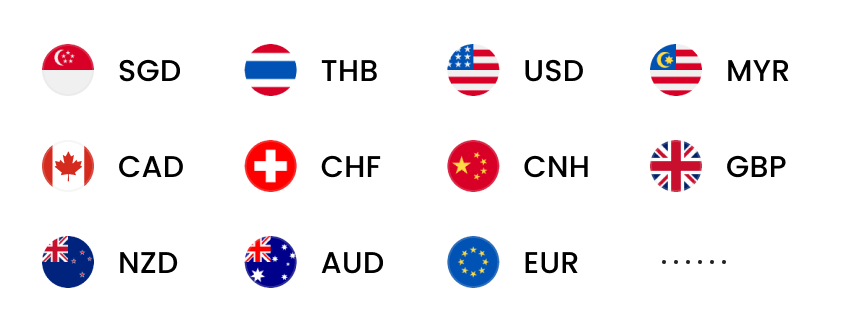
WorldFirst allows global businesses to open local currency accounts in 20+ currencies, including GBP, USD, EUR, AUD, JPY, NZD, SGD, HKD, CNH and CAD. You can also make fast, secure, and reliable international payments in 100+ currencies across 200+ countries and regions.

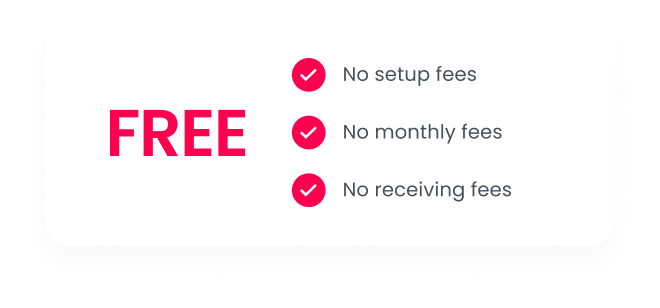
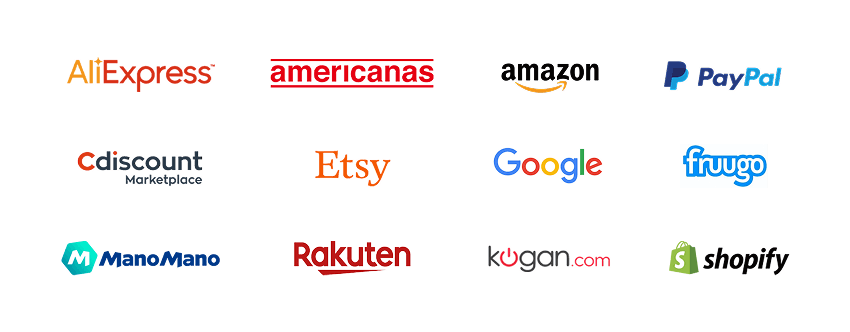
The multi-currency account lets you collect payments from 130+ marketplaces and payment gateways including Amazon, Stripe, Etsy and PayPal. All international transactions are processed at competitive exchange rates, with no fees for opening a new World Account or receiving funds into it.

To further simplify global spending, WorldFirst offers the World Card, a multi-currency card that supports payments in 150+ currencies. When making payments in 15 major supported currencies, you’ll pay zero foreign exchange fees, as long as you hold sufficient balances in your account. You can apply for up to 20 World Cards for your business.

Learn more about how WorldFirst works and supports global businesses like yours.

Pros of opening a foreign currency account with WorldFirst:

  • Open local currency accounts in 20+ currencies
  • Pay in 100+ currencies across 200+ countries and regions
  • Collect payments at zero costs from 130+ marketplaces and payment gateways
  • Pay 1688 suppliers directly from your account
  • Make instant and no cost transfers between World Accounts
  • Keep more of what you make with competitive exchange rates
  • Set up forward contracts or firm orders
  • Decrease admin tasks with Xero and NetSuite integration
  • No minimum balance required

WorldFirst fees

WorldFirst
Monthly fee Zero
Opening a multi-currency account Zero (15+ currencies)
Receiving funds Zero
Sending payments to WorldFirst users Zero cost and instant payments
Sending payments to other accounts
  • Local payments in AUD or NZD: Zero
  • Cross-border payments and local payments in currencies other than AUD or NZD: From 0.4%, capped at AU$15
Holding funds in multiple currencies Zero
Currency conversion
  • For major currencies: Up to 0.6%
  • For minor currencies: From 0.67%
  • For payments to 1688 suppliers: Up to 0.8%
  • Forward contracts: Up to 0.2% per month
Multi-currency card Up to 20 virtual cards available at no additional cost
Forward contracts Yes
Integration with accounting tools Yes

*Fees checked in July 2026

Westpac

Westpac offers foreign currency accounts in 12+ currencies, including USD, GBP, JPY, and SGD.1 No minimum amount is required to open it. You can manage the account online, from signing up and receiving payments to handling different currencies.

But you need to be an existing Westpac AUD transaction account holder to open a foreign currency account online or send payments through it.1 Non-Westpac users would first have to visit a branch to open the account.

Check out the Westpac foreign currency account review to learn more about the account.

Pros Cons
  • Set up multi-currency account in 15 currencies (12 can be opened online)
  • Overdrafts are available in some currencies
  • No account opening or monthly maintenance fees
  • Non-Westpac customers can only apply for a foreign currency account at a Westpac branch or through a representative2
  • Sending international payments requires a linked Westpac AUD transaction account
  • No multi-currency cards


Westpac foreign currency account fees2
Monthly fee Zero
Multi-currency account Zero (You need a linked Westpac AUD transaction account, which might have its own monthly or annual fees)
Receiving funds AU$12 for every payment
Sending payments Zero to AU$32, depending on the mode of transfers
Holding funds in multiple currencies A deposit maintenance fee may apply, depending on the currency and amount
Currency conversion A margin is added over the current market rates
Multi-currency card No
Forward contracts Yes
Integration with accounting tools Yes

*Fees checked in July 2026

NAB

NAB’s foreign currency account supports 16 currencies, including USD, EUR and HKD.3 There are no account opening fees, monthly fees, or minimum balance requirements. But, holding large balances may incur a foreign currency holding fee.

An overdraft facility is available to eligible businesses, subject to NAB’s terms. The interest rates charged on overdrawn amounts can vary depending on the currency.

Check out the detailed NAB foreign currency account review to learn more.

Pros Cons
  • Supports 16 major currencies3
  • No account opening or monthly fee3
  • No minimum balance requirement3
  • You can’t open a foreign currency account online, only available through an NAB branch or representative3
  • No eligibility criteria listed on its website
  • No multi-currency cards
NAB foreign currency account fees4
Monthly fee Zero
Opening a multi-currency account Zero
Receiving funds Up to AU$15
Sending payments Zero to AU$30
Holding funds in multiple currencies NAB may charge interest when funds exceed the threshold amount set for different currencies
Currency conversion A margin is added over the current market rates
Multi-currency card No
Forward contracts Yes
Integration with accounting tools Yes

*Fees checked in July 2026

Commonwealth Bank

Commonwealth Bank supports 18 foreign currencies, including USD, GBP and EUR.5 The multi-currency account can be accessed online through CommBank’s mobile app or website. To open a CommBank account, you’ll need to visit a bank branch and have an existing CommBank AUD account.

While domestic businesses need to have an ABN and/or ACN to be eligible for a foreign currency account, foreign companies doing business in Australia must be registered with ASIC.5

Check out the CommBank foreign currency account review to learn more.

Pros Cons
  • No cost transfers between your own linked Commonwealth Bank accounts6
  • Earn interest on selected currencies
  • No account set up or monthly fees
  • You need to visit a branch to open a business foreign currency account5
  • Requires a linked CommBank AUD account, which may incur additional fees
CommBank foreign currency account fees6
Monthly fee Zero
Opening a multi-currency account Zero, but you need to have an eligible CommBank AUD account, which may have additional fees
Receiving funds Up to AU$11 per transaction
Sending payments  

Zero to AU$30

Holding funds in multiple currencies CommBank could charge a credit deposit fee on some currencies
Currency conversion A margin is added over the current market rates
Multi-currency card No
Forward contracts Yes
Integration with accounting tools Yes

*Fees checked in July 2026

Wise

Wise Business’s multi-currency account allows customers to access local account details for over 23 currencies, including AUD, CAD, USD and EUR for a one-off fee of AU$22.7

Wise also offers multi-currency debit cards which businesses can use to make purchases in 40+ currencies.

Check out the Wise business account review to learn more about the account.

Pros and cons of Wise Business account

Pros  Cons
  • No monthly changes
  • The multi-currency account offers access to 23 currencies7
  • Multi-currency cards can be used anywhere Mastercard is accepted
  • Setting up the foreign currency account costs AU$658
  • Wise Business users can only get three virtual cards at a time9
  • All SWIFT payments have a fixed fee8
Wise Business account fees8
Monthly fee Zero
Opening a multi-currency account AU$65
Receiving funds Zero for AUD, CAD, EUR, GBP, HUF, NZD, RON, SGD, TRY and USD (non-wire)

SWIFT payments have a fixed fee, which depends on the currency

Sending payments Fee starts at 0.63% (varies by currency)
Holding funds in multiple currencies Zero
Currency conversion From 0.63%
Multi-currency card One physical card and up to three virtual cards available9
Forward contracts No
Integration with accounting tools Yes

*Fees checked in July 2026

Airwallex

Airwallex offers a foreign currency account with support in 20 currencies, including USD, GBP, EUR, AUD, CNY, HKD and CAD.10 Customers can choose monthly subscriptions from AU$ 29-999 to get access to the account.11

There are virtual and physical multi-currency debit cards available which allow users to make payments in 150 currencies.

Check out the Airwallex review to learn more about the account.

Pros  Cons
  • No setup fees
  • Accept payments through payment links and various payment methods
  • Visa-powered multi-currency company cards and employee cards
  • Monthly account maintenance fees starting at AU$2911
  • Features like expense management are only available in higher pricing plans
  • SWIFT transfers can cost up to AU$3011


Airwallex account fees11
Monthly account fee AU$29-999, depending on the plan
(zero if you deposit at least AU$5K per month or hold a minimum balance of AU$10K)
Opening a multi-currency account Zero
Receiving payments Zero
Sending payments Zero for domestic payments


International payments attract a transfer and currency conversion fee


SWIFT payments cost AU$10–35

Holding funds in multiple currencies Airwallex does not specify any fee
Currency conversion 0.5% for major currencies and 1% for other currencies
Multi-currency card Number of cards depends on the monthly plan.The starter plan of AU$29 comes with 2 no-cost employee cards and 10 company cards
Forward contracts No
Integration with accounting tools Yes

*Fees checked in August 2025

OFX

OFX business is a multi-currency account designed for businesses making international payments.12 It supports holding, converting and sending funds in 30+ currencies, with local account details available in five currencies.12 Businesses can also issue virtual and physical cards, automate reconciliation through Xero integration and send batch payments.12

Marketplace collections require a separate global currency account, and international transfers have a minimum payment amount of US$150.13

Pros Cons
  • Supports holding, converting and paying in 30+ currencies12
  • Xero integration and batch payment functionality12
  • No monthly fee for up to three users14
  • Marketplace collections require a separate global currency account12
  • Minimum international transfer amount of US$15013
Feature OFX account fees14
Monthly fee Zero for up to 3 users; AU$15 per additional user/month
Opening a multi-currency account Zero
Receiving funds
  • Zero for domestic payments
  • AU$5 for international SWIFT/wire payments
Sending payments
  • Zero for standard cross-border payments
  • AU$10 for SWIFT transfers
  • First 20 domestic payments at no cost, then AU$1 each
Holding funds Zero
Currency conversion Exchange rate markup applies (not publicly disclosed)
Multi-currency card Virtual cards at no cost (one per user); physical card AU$10
Forward contracts No
Accounting integrations Yes

*Fees checked in July 2026

Check out the OFX review to learn more about the account.

Revolut

Revolut business offers multi-currency accounts designed for businesses managing international payments and team spending.15 Businesses can hold and exchange up to 30 currencies, send payments to 150+ destinations, and issue physical and virtual corporate cards.15 Features available depend on the selected plan, with plans starting from AU$15/month, going up to AU$1,250/month.15

Pros Cons
  • Hold and exchange up to 30 currencies15
  • Integrates with Xero, Sage, QuickBooks and 45+ business tools15
  • Subscription fees apply across all business plans16
  • Basic plan starting at AU$15 comes with zero international no-fee transfers16
  • No batch transfers in the basic plan16
Revolut business fees16
Monthly fee AU$15–AU$1,250+, depending on the plan
Opening a multi-currency account Zero
Receiving funds Zero for supported local and international account details
Sending payments Domestic and international transfer allowances vary by plan. Additional international transfers cost AU$10 each beyond the monthly allowance; additional local transfers cost AU$0.20 each beyond the allowance
Holding funds in multiple currencies Zero (supports up to 30 currencies)
Currency conversion Interbank exchange rate within monthly plan allowance during market hours: 0.6% fee above allowance and 1% fee outside market hours
Multi-currency card Physical and virtual cards available; up to 50 virtual cards per team member
Forward contracts Yes
Integration with accounting tools Yes

*Fees checked in July 2026

ANZ

ANZ is an international payment transfers provider for businesses making overseas supplier payments.17 Businesses can send money in 30 currencies to more than 250 destinations through ANZ internet banking. ANZ focuses on international transfers rather than providing a standalone multi-currency business account with local currency balances.17

Pros Cons
  • Send payments in 30 currencies to 250+ destinations17
  • $0 transfer fee when sending foreign currency from eligible ANZ accounts18
  • Does not offer a multi-currency account for holding foreign currency balances
  • No multi-currency business debit card or marketplace collection features
ANZ transfer fees18
Monthly fee Zero (international payments service)
Opening a multi-currency account Not applicable
Receiving funds Up to AU$15 for incoming overseas payments of AU$300 or more
Sending payments
  • AU$0 when sent in foreign currency from eligible accounts
  • Up to AU$15 (ANZ Plus)
  • AU$18 (Internet Banking)
  • AU$32 (Phone Banking) for AUD transfers
Holding funds in multiple currencies Not available
Currency conversion Exchange rate includes an ANZ foreign exchange margin
Multi-currency card No
Forward contracts / FX tools Yes
Integration with accounting tools Not specified

*Fees checked in July 2026

Payoneer

Payoneer is a global payment provider for businesses, freelancers and online sellers that supports sending and receiving payments in 70+ currencies across 190+ countries and territories. Businesses can hold and receive funds in over 9 currencies using local receiving accounts, collect payouts from international marketplaces, request payments from customers and make batch payments. Payoneer also offers Mastercard-powered business cards. Card and transaction fees vary by region and account type.

Pros Cons
  • Supports payments in 70+ currencies across 190+ countries and territories
  • Hold and receive funds in 9+ currencies with local receiving account details
  • Charges of up to 3.99% may apply when receiving payments from customers who don’t use Payoneer
  • Withdrawals may incur fees of up to 3%
Payoneer business account fees
Monthly fee Zero, but AU$29.95 account maintenance fee applies
Opening a multi-currency account Zero
Receiving funds
  • From Payoneer customers: Free
  • From non-Payoneer customers:
    • Credit card: Up to 3.99%
    • ACH Bank Debit: 1% (US only)
    • PayPal: 3.99% + $0.49 (US only)
    • Bank account: Free (EUR, GBP and other currencies); Up to 1% (USD)
Sending payments to Payoneer users Zero
Sending payments to other accounts 3%
Holding funds in multiple currencies Zero
Currency conversion 0.5% of the transaction amount + current currency conversion rate
Withdrawals Up to 3%
Multi-currency card Mastercard-powered business card available; annual fee of AU$29.95 applies for the first card
Forward contracts Yes
Integration with accounting tools Yes

*Fees checked in July 2026

Check out the Payoneer review to learn more about the account.

WorldFirst simplifies payments for global businesses

WorldFirst simplifies international transactions for small businesses and SMEs. A World Account makes it easy for businesses to send payments to suppliers and collect payments from leading marketplaces and payment gateways.

You get a centralised platform to manage all global and local transactions in one place without worrying about high conversion fees.

With a World Account, you can collect overseas sales revenue from 130+ marketplaces and payment gateways, and send supplier payments while saving on conversion fees and transaction costs.

Some of the leading features of the World Account, include:

  • Cross-border payments: Pay suppliers and other business partners in 100+ currencies
  • Seamless integration with marketplaces: Collect payments from 130+ marketplaces and payment gateways, including Amazon, eBay, AliExpress, and Stripe
  • Make instant payments: Payments are at no cost and instant between World Accounts.
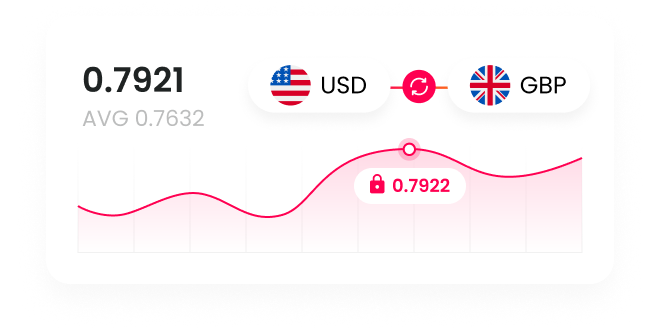
  • Protect profit margins: Lock in exchange rates for up to 24 months with forward contracts

FAQs

Which currencies can I hold in an Australian foreign currency account?

The number of supported currencies varies widely. Some providers support fewer than 10 currencies, while others allow businesses to hold balances in 20 or more currencies, including commonly used currencies such as USD, EUR, GBP, AUD and JPY.

Do I need an ABN to open a business foreign currency account?

For Australian businesses, many providers require an Australian Business Number (ABN) or Australian Company Number (ACN) as part of the application process. Eligibility requirements differ by provider, so it’s worth checking the specific documentation required before applying.

Can I open a foreign currency account in Australia online?

Many fintech providers like WorldFirst allow businesses to apply online, while some traditional banks may require customers to visit a branch or already hold an eligible Australian business account before opening a foreign currency account.

Disclaimer: The information contained is general only and largely our views. Before acting on the information you should consider whether it is appropriate for you, in light of your objectives, financial situation or needs. Although information has been obtained from and is based upon multiple sources the author believes to be reliable, we do not guarantee its accuracy and it may be incomplete or condensed. All opinions, estimates, mentioned products/services and referenced material constitute the author’s own judgement as of the date of the briefing and are subject to change without notice. WorldFirst shall not be responsible for any losses or damages arising from your reliance of such information.

Sources

  1. https://www.westpac.com.au/business-banking/bank-accounts/foreign-currency-account/
  2. https://www.westpac.com.au/content/dam/public/wbc/documents/pdf/cb/foreigncurrencyaccount.pdf
  3. https://www.nab.com.au/business/business-bank-accounts/specialised-accounts/nab-foreign-currency-account
  4. https://www.nab.com.au/important-information/business/banking-fees-charges#5-nab-foreign-currency-account
  5. https://www.commbank.com.au/business/international/international-payments/foreign-currency-accounts.html
  6. https://www.commbank.com.au/content/dam/commbank/personal/apply-online/download-printed-forms/ADB1784.pdf
  7. https://wise.com/au/business/
  8. https://wise.com/au/pricing/business
  9. https://wise.com/help/articles/2935762/how-do-i-order-a-wise-card
  10. https://www.airwallex.com/business-account/global-accounts
  11. https://www.airwallex.com/au/pricing
  12. https://www.ofx.com/en-au/
  13. https://www.ofx.com/en-us/faqs/what-is-the-minimum-transfer-amount/
  14. https://www.ofx.com/en-au/business/pricing/#compare-feature
  15. https://www.revolut.com/en-AU/business/
  16. https://www.revolut.com/en-AU/business/cards/
  17. https://www.revolut.com/en-AU/business/business-account-plans/
  18. https://www.anz.com.au/personal/travel-international/international-payments/

Based in Sydney, Jim is responsible for the WorldFirst business across Australia and New Zealand. He brings with him over 25 years of experience helping Business Owners, CFO’s and Treasury Managers overcome the challenges with cross border payments and navigating volatile foreign exchange markets.

Jim Vrondas

Author

Country Manager ANZ at WorldFirst

Continue reading

The simpler way to pay and get paid

Save money, time, and have peace of mind when expanding your global business.