Expanding into Southeast Asia doesn’t mean opening a local office or launching a new ecommerce website. For many UK businesses, it starts with selling through an established marketplace like Shopee.
Shopee doesn’t operate a dedicated UK marketplace. UK businesses looking to sell through its regional marketplaces must check the registration requirements and available routes for their chosen market.
This guide covers how to pick a market, get through Shopee’s seller checks, and get paid without losing margin to conversion.
Key Takeaways
- Shopee has no dedicated UK marketplace, but eligible UK businesses may be able to sell through its regional marketplaces.
- Seller eligibility varies by market, and some cross-border programmes require an existing local Shopee presence.
- Choosing the right market means assessing customer demand, registration requirements, competition and local regulations.
- Shipping, seller fees, customs duties and currency conversion costs all affect your pricing and profit margins.
- A successful Shopee store needs localised product listings, reliable fulfilment and a clear plan for managing international payments.
- Manage Shopee earnings with WorldFirst by receiving supported marketplace payouts, holding multiple currencies and paying overseas suppliers through one account, with zero receiving fees.
What Is Shopee?
Shopee is one of the world’s leading e-commerce marketplaces, connecting businesses with millions of shoppers in Southeast Asia and selected Latin American markets. Launched in Singapore in 2015 and owned by Sea Limited, Shopee is a mobile-first platform that makes online shopping fast, convenient, and accessible for buyers and sellers.
Is Shopee Available in the UK?
No, Shopee doesn’t have a UK marketplace. It operates in Southeast Asia, Taiwan, and Latin America, so UK businesses can’t register for a local UK Shopee storefront.
To sell on Shopee, a UK business must identify a suitable regional market and establish whether it meets that market’s seller requirements. Some markets require local registration or a local presence, and cross-border programmes are not open to every new seller.
Can UK Businesses Sell on Shopee?
Sometimes. A UK company registration won’t get you in on its own. Some markets want a local business registration or a local presence, and Shopee’s cross-border programmes (SIP and the Singapore-Malaysia Direct Selling Programme) are built for sellers already on Shopee Singapore. Check your target market’s rules with Shopee before you build anything.
How to Register as a Shopee Seller
You can register through the Shopee App, the “Start Selling” option on Shopee’s website, or Shopee Seller Centre. The exact process depends on your target marketplace. Generally, you’ll need to create an account, add your shop details, verify your identity, list products, set up withdrawals, and choose your shipping options. See Shopee’s official seller onboarding guide for more information.
For UK businesses, the main challenge is meeting local registration and identity verification requirements. For example, Singapore and Malaysia have specific requirements for individual and business sellers, which UK businesses may not meet automatically.
Your potential routes include:
- Set up a local entity: This offers greater control but involves additional administrative work and costs.
- Partner with a local operator: A locally registered partner or distributor may help you access a market, depending on the arrangement.
- Explore cross-border programmes: Shopee’s cross-border programmes may help eligible existing sellers expand into other markets, but they are not necessarily available to UK businesses without an existing local presence.
Before applying, check the requirements for your chosen marketplace and confirm which registration routes are open to your business.
Understanding Shopee Seller Fees
Shopee seller fees vary by marketplace, product category, and seller programme. These costs may include commission, transaction, shipping-related, and other service fees, which can reduce the amount you receive from each sale.
Some marketplaces offer temporary fee exemptions to eligible new sellers. However, the duration, eligibility criteria, and applicable fee types differ by market.
Before setting your prices, consult the relevant Shopee Seller Education Hub to confirm current fees and exemptions. Factor these charges into your pricing and profit margins, along with shipping, customs duties, and currency conversion costs.
How to Sell on Shopee as a UK Business
Selling through Shopee’s regional marketplaces requires a few extra considerations for UK businesses. By following the steps below, you can prepare your business for a successful launch and long-term growth.
Step 1: Choose the Right Shopee Marketplace
Since Shopee doesn’t operate a UK marketplace, your first step is to decide which regional marketplace you’ll sell through. Each market has its own customer demand, seller requirements, currency, and fulfilment considerations, so choosing the right one from the outset can help you build a smoother cross-border selling strategy.
Before selecting a market, compare:
- Singapore: English-speaking market with high purchasing power.
- Malaysia: Strong cross-border ecommerce demand and bilingual customer base.
- Philippines: Growing ecommerce market with widespread English usage.
- Thailand: Large consumer market with local language requirements.
- Vietnam: Fast-growing digital economy with increasing online shopping adoption.
- Indonesia: The largest population of any Shopee market.
- Taiwan: Established e-commerce market with demand for quality imported products.
When making your decision, consider product demand, competition, language, local regulations, shipping costs, and the local currency you’ll be selling in.
Tip: Start with one market before expanding into others. You’ll learn what sells, what shipping really costs, and how payouts land before you add a second currency.
Step 2: Check Shopee’s Seller Requirements
Before registering, confirm that you’re eligible to sell in your chosen Shopee marketplace. Since UK businesses sell through Shopee’s regional marketplaces, each country has its own onboarding requirements and policies for international sellers.
Before you apply, check:
- Cross-border seller eligibility: Confirm that your chosen Shopee marketplace accepts international sellers and review any programme-specific requirements.
- Business verification: Prepare your business registration details and identity documents for verification.
- Tax and regulatory requirements: Understand any tax obligations, customs requirements, or import regulations that apply in your target market before listing products.
- Product compliance: Make sure your products comply with local marketplace policies and any country-specific restrictions.
Step 3: Register Your Shopee Seller Account
Register your business through the Shopee Seller Centre for your chosen marketplace once you’ve met the seller requirements. The exact steps may vary by country, but the overall process is similar for most Shopee marketplaces.
During registration, you’ll typically need to:
- Create your seller account using your business details.
- Complete business and identity verification.
- Set up your seller profile with accurate contact and business information.
- Add your payout or supported receiving account, where required.
Before submitting your application, review all the information carefully. Once your seller account is ready, you can start adding products and setting up your storefront.
Step 4: Create Optimised Product Listings
Your listing does the selling. Shoppers are comparing near-identical products, so detail wins.
When creating your listings:
- Write clear, descriptive product titles using keywords your target customers are likely to search for.
- Display your product with high-quality photos that highlight important details, colours, and variations.
- Include detailed descriptions covering features, specifications, dimensions, and materials.
- Add product variations, such as size, colour, or model, where available.
- Select the most appropriate product category to help customers find your products.
- Set pricing that reflects local market conditions, shipping costs, and marketplace fees.
Before publishing, review each listing for accuracy and make sure the information matches the product you’ll deliver. Well-prepared listings can help reduce customer enquiries, returns, and order issues.
Step 5: Set Up Shipping and Fulfilment
Before you start selling, decide how you’ll fulfil orders to your chosen Shopee market. Your shipping strategy will affect delivery times, costs, and the overall customer experience.
Plan for:
- Cross-border shipping: Decide whether you’ll ship directly from the UK or use a local fulfilment solution.
- Delivery partners: Choose a logistics provider that serves your target market and offers shipment tracking.
- Shipping costs: Factor delivery costs into your pricing strategy.
- Delivery times: Set realistic delivery estimates for international orders.
- Customs documentation: Prepare the required export and customs paperwork to help prevent clearance delays.
- Returns: Define a clear process for handling international returns and refunds.
Step 6: Configure Payments and Manage Multiple Currencies
Once your products start selling, you’ll need a way to receive marketplace payouts, manage currency conversions, and pay overseas suppliers. The payment methods and supported currencies depend on your chosen Shopee marketplace.
A multi-currency account can help you manage supported currency balances, convert funds when needed, and make international supplier payments. WorldFirst’s World Account offers these features for eligible businesses, subject to the currencies and payment routes supported.
Before linking your account, confirm that WorldFirst supports payouts from your chosen Shopee marketplace and the currency you expect to receive.
Step 7: Launch Your Store
Before you publish your store, make sure everything is set up correctly. A final review can help you avoid errors once your products go live.
Check that you’ve:
- Reviewed your product listings.
- Confirmed your pricing.
- Verified your shipping settings.
- Updated your inventory.
- Completed your payout setup.
Once you’re satisfied, publish your listings and start selling.
Step 8: Promote, Monitor, and Grow Your Store
Once you’re live, use Shopee’s promotional tools to get seen, then track what’s working.
Focus on:
- Running Shopee Ads to increase product visibility.
- Joining Flash Sales and promotional campaigns.
- Offering vouchers and free shipping incentives.
- Promoting your products through social media and influencer partnerships.
- Tracking sales and conversion rates.
- Updating product listings based on performance.
- Refining your pricing strategy to stay competitive.
- Encouraging customer reviews to build trust.
- Expanding into additional Shopee marketplaces and adding new products as your business grows.
Common Challenges for UK Businesses Selling on Shopee (and How to Overcome Them)
Managing currencies and FX costs
Challenge: Each Shopee market pays out in its own currency. If you sell in Singapore, Malaysia and Thailand, you’ll get paid in SGD, MYR and THB, while your costs sit in GBP and your suppliers may invoice in USD or CNH. Every conversion costs something, and exchange rate movements can eat into your margin between getting paid and paying out.
How to overcome it: Hold your payouts in the currency they arrive in, and convert when you have a payment to make rather than every time Shopee pays you. WorldFirst’s World Account lets eligible UK businesses receive, hold and convert supported currencies in one place. For larger or future payments, WorldFirst’s FX tools give you more control:
- spot contracts for immediate conversions
- firm orders, which convert automatically if the market reaches your target rate before the order expires
- forward contracts, which lock in a rate for a future payment. With a forward, you won’t gain if the market moves in your favour.
Logistics and Shipping Delays
Challenge: Shipping directly from the UK can increase delivery times, shipping costs, and the likelihood of customs delays.
How to overcome it: Consider Shopee’s cross-border logistics services or local fulfilment centres within your target market to reduce delivery times and improve the customer experience.
Customer Service Across Time Zones
Challenge: Selling to customers across Southeast Asia means supporting buyers in different time zones, making it harder to respond quickly during UK business hours.
How to overcome it: Use automated responses, detailed FAQs, or local support partners to keep response times fast and the customer experience consistent.
Language and Localisation
Challenge: English-only listings may not perform well in markets where shoppers search and buy in local languages.
How to overcome it: Localise your product titles, descriptions, keywords, and images for each market to make your listings more relevant to local customers.
Platform Fees and Profit Margins
Challenge: Marketplace commissions, advertising costs, fulfilment fees, and international shipping can reduce profitability.
How to overcome it: Build every selling cost into your pricing strategy and review your margins regularly to maintain profitability as your business grows.
Competing with Local Sellers
Challenge: Local businesses often benefit from faster delivery, lower shipping costs, and stronger brand recognition.
How to overcome it: Differentiate your business by highlighting product quality, offering reliable customer service, and using Shopee’s promotional tools, including Ads, Flash Sales, and vouchers, to increase visibility.
Manage Payments and Finances as Your Shopee Business Grows
As your Shopee business grows, so do the demands of managing international payments, multiple currencies, and overseas suppliers. WorldFirst brings these together in one platform, helping UK businesses manage cross-border finances more efficiently.
Why Shopee Sellers Choose WorldFirst
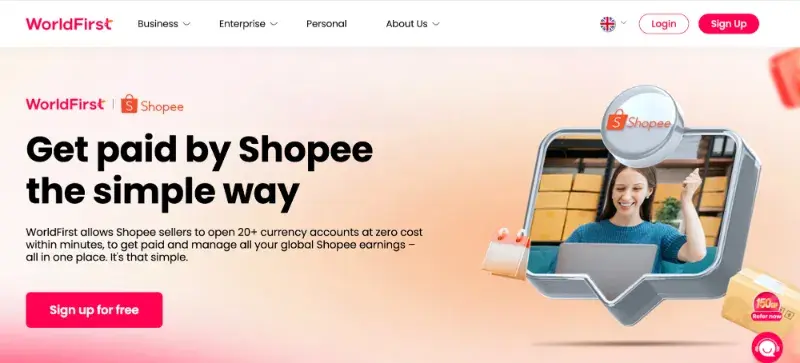
As your Shopee sales grow, so does the volume of international payments you need to manage. The rate you pay when converting currencies can quickly add to your cross-border costs, particularly when you’re making regular payments across multiple markets.
A real-world example shows how quickly the cost can add up. One eight-figure ecommerce business owner compared prices on Shopee and Taobao before buying, but had never checked the FX rate applied to six-figure monthly payments across multiple countries. When they compared their bank’s rates with the mid-market rate, they found a 2–3% gap on every conversion.
They switched to WorldFirst, citing a lower FX markup on major currencies and the ability to make local-currency payments from one account rather than relying on separate international bank transfers.
- Get paid by Shopee with ease: Link your WorldFirst receiving account to Shopee Seller Centre and collect marketplace earnings in 20+ currencies.
- Open a free account in minutes: Set up your World Account online with no setup fees or fees for collecting supported Shopee payouts.
- Manage FX with flexible tools: Use spot contracts for immediate conversions, firm orders to convert if the market hits your target rate, and forward contracts to lock in a rate for future payments, so you won’t gain if rates move your way.
- Pay suppliers worldwide: Make business payments to suppliers in 210+ countries and regions directly from your World Account.
- Use World Card for business spending: Pay for advertising, software subscriptions, inventory, and other eligible business expenses with World Card. Get up to 1.2% uncapped cashback, with no FX fees on eligible transactions and no annual card fee.
- Pay suppliers on 1688.com instantly: Source products from China and pay suppliers instantly using your available CNH balance through WorldFirst’s 1688 World Pay.
- Collect marketplace payouts: Receive payments from 130+ marketplaces and payment gateways in one multi-currency account, with zero receiving fees.
- Support international growth: Manage Shopee collections, currencies, supplier payments, and cash flow from one platform as you expand into new markets.
Open a WorldFirst account to manage Shopee payouts, multiple currencies, and overseas supplier payments in one place.
Connect Your Shopee Store to WorldFirst
Connecting your Shopee store to WorldFirst only takes a few steps. Once your receiving account is linked, you can collect marketplace payouts, hold funds in multiple currencies, and withdraw or use your balance to pay suppliers.
Step 1: Open a WorldFirst World Account: Create your WorldFirst World Account online and generate a receiving account for the currency supported by your Shopee marketplace. You’ll receive the account details needed to connect your store.
Step 2: Add Your Receiving Account to Shopee: Sign in to your Shopee Seller Centre and add your WorldFirst receiving account as your payout account. Use the receiving account details provided in your WorldFirst account to complete the setup.
Step 3: Start Receiving Shopee Payouts: After your receiving account has been linked and verified, eligible Shopee marketplace payouts will be deposited directly into your WorldFirst World Account, allowing you to manage your earnings in one place.
Step 4: Manage Your Funds: Choose how you want to use your earnings. Hold funds in supported currencies, convert them at competitive FX rates, withdraw them to your local bank account, or pay overseas suppliers directly from your WorldFirst account.
Continue with the WorldFirst Shopee setup guide to link your account and start receiving marketplace payouts.
Open a WorldFirst account to manage Shopee earnings, hold multiple currencies, and pay overseas suppliers from one place.
FAQs
1. Is Shopee available in the UK?
No, Shopee doesn’t operate a dedicated UK marketplace. UK businesses must confirm whether they qualify for direct registration or an eligible cross-border selling arrangement in their chosen market. Access is not guaranteed.
2. Can UK businesses sell on Shopee?
Sometimes. Whether a UK business can sell on Shopee depends on the target marketplace’s registration rules and the seller’s eligibility. Shopee’s published cross-border programmes don’testablish a general onboarding route for UK businesses. Confirm availability directly with Shopee before proceeding.
3. Why Should UK Businesses Sell on Shopee?
Shopee gives UK businesses an opportunity to reach new customers, test demand in international markets, and expand their sales channels without building separate online stores, subject to each market’s seller requirements.
4. Which Countries Does Shopee Operate In?
Shopee operates across Southeast Asia and Taiwan, with a presence in Latin America. Its markets include Singapore, Malaysia, Indonesia, Thailand, Vietnam, the Philippines, Taiwan, and Brazil, among others. Market availability and seller eligibility vary, so UK businesses should check the requirements of their target marketplace before applying.
5. Do I need a local bank account to receive Shopee payments?
Not necessarily. Eligible UK businesses can use WorldFirst’s World Account to collect supported Shopee marketplace payouts in 20+ currencies, hold multiple currency balances, convert funds at competitive FX rates, and withdraw to a local bank account.
Sources:
- https://www.sea.com/products/shopee
- https://seller.shopee.sg/edu/article/14165/how-to-start-selling-on-Shopee
- https://seller.shopee.ph/edu/article/21077
- https://www.worldfirst.com/uk/marketplaces/get-paid-by-shopee/
- https://www.worldfirst.com/uk/help-center/receiving-payments/shopee/
- https://www.instagram.com/reels/DazxOsQvDx1/