Waiting weeks for approval, filling endless forms, and juggling IDs from every director can make opening a business bank account feel harder than launching the business itself. But it doesn’t have to be.
This guide walks you through how to open a business bank account step by step, covering the documents you’ll need, the differences between account types, the compliance checks to expect, and how modern multi-currency options simplify global business banking.
Key takeaways
- Separate business and personal finances to simplify taxes, protect liability, and build credibility
- Open the right account by checking eligibility, preparing documents, and completing verification
- Use a business account to get clear cash flow visibility, easier tax reporting, and accounting integrations
- Dedicated providers like WorldFirst add global features such as multi-currency accounts, fast supplier payments, and transparent FX
What is a business account?
A business account is a bank account designed specifically for companies, freelancers, and entrepreneurs. It handles transactions such as receiving client payments, paying suppliers, and managing payroll. For businesses, a dedicated account is the foundation that keeps operations transparent, compliant, and professional.
Why do you need a business account?
Having a dedicated business account is mandatory for keeping your company healthy and credible because of:
- Compliance and liability: For incorporated businesses, the law often requires a separate business account. Even when it’s not mandatory, separating company funds from personal money ensures accurate reporting and protects your liability.
- Professional credibility: Paying suppliers and receiving customer funds through a business account shows professionalism and builds trust with partners and clients.
- Financial control: Keeping your finances separate makes bookkeeping, audits, and tax reporting easier while reducing costly errors.
- Global trade advantage: If you operate internationally, a multi-currency account allows you to send and receive funds in different currencies without expensive conversions or delays.
Step-by-step guide to opening a business bank account
Opening a business bank account usually follows a clear process, from choosing the right provider to completing compliance checks.
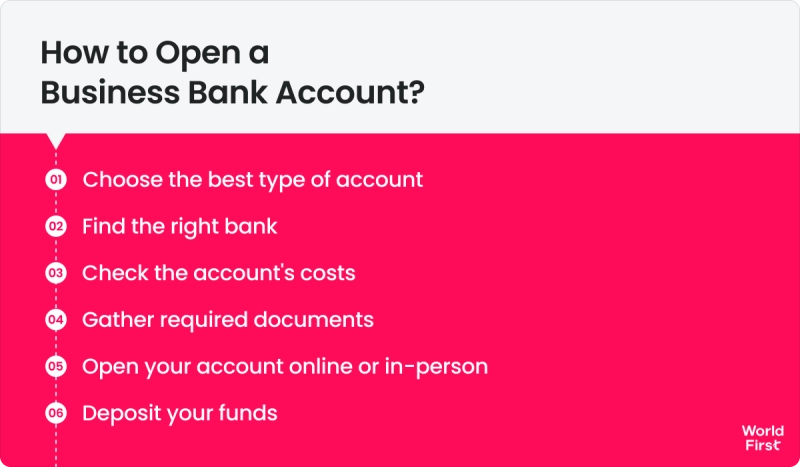
Here’s how to open a business bank account, plus what to keep in mind if you trade internationally:
1. Choose the right bank and account type
Start by researching which bank or provider best suits your needs. Consider whether you want a traditional high-street bank or a fintech alternative.
Compare features and fees: some banks offer free banking for the first 12 months, while others integrate with accounting software or provide stronger online services. If your business deals in multiple currencies or sells via online marketplaces, look into a multi-currency account or one that supports international transactions.
When choosing, keep in mind the main types of business accounts you’ll come across:
- Standard business current account: Best for everyday business banking like payments, deposits, and transfers
- Business savings account: Helps you earn interest on surplus funds while keeping money separate from daily operations
- Multi-currency account: Ideal for international traders, allowing you to hold, pay, and receive in different currencies without constant conversions
- Merchant account: Used to accept card payments from customers, often linked to payment gateways or POS systems
- Specialist or sector-specific accounts: Some banks offer tailored solutions for startups, charities, or high-volume e-commerce businesses
2. Check the eligibility criteria
Each bank has its own eligibility requirements, so verify that you qualify before applying.
Typical conditions include:
- Being over 18
- Having a registered business address
- Meeting turnover thresholds
Some accounts are tailored to startups, while others require a year of trading history. Make sure the account supports your business type, whether you’re a sole trader, a partnership, or a limited company. Taking time to confirm these details will save you from rejected applications.
3. Gather the required documentation
Preparing your documents in advance is key to a smooth application. While exact requirements vary by bank, you will typically need:
- Proof of identity (passport, national ID, or driver’s licence)
- Proof of address (recent utility bill, bank statement, or official letter)
- Business verification documents (company registration number, incorporation certificate, or proof of trading name/tax registration for sole traders)
- Financial details (expected turnover or revenue projections; in some cases, a short business plan)
- Personal financial history (credit checks, or sometimes recent bank statements)
Also, if any documents aren’t in the local language, provide certified translations. Double-check names and addresses match across all paperwork to avoid delays.
4. Submit your application
Now you’re ready to apply. Most banks let you apply online through their website or mobile app. Currently, over 78% of small and medium-sized enterprises (SMEs) globally use digital-only banking solutions.
The application process typically involves filling out a form with your personal and business information, followed by uploading the necessary documents. Some fintech companies provide instant ID verification via a selfie or video.
Traditional banks may still require an in-branch visit to check originals and sign paperwork. If the bank asks you to attend a meeting, bring all your documents and prepare to answer basic questions about your business.
5. Pass compliance checks (KYC/AML)
After you’ve applied, the bank will perform necessary compliance checks. This Know Your Customer (KYC) and Anti-Money Laundering (AML) process is standard for all banks to verify who you are and that your business is legitimate.
They will confirm your identity documents and may do background checks against fraud and sanction databases. During this stage, the bank could reach out for additional information.
For example, you might get an email or call requesting clarification on your business activities (especially if you ticked an unusual industry category), or asking for proof of a trading address or a first invoice as evidence that your business is active.
Respond promptly to any such requests to keep things moving. Compliance checks can feel intrusive, but they are routine. As long as you’ve been truthful and your business is lawful, these checks should pass without issue.
6. Wait for approval and account setup
Once everything is submitted and verified, you need to wait for the bank to open your account formally.
On average, expect a few days’ turnaround if there are no complications.
Sometimes it can range from almost instantly to a couple of weeks, depending on the bank and your situation. With WorldFirst, onboarding is typically completed within two working days once all documents are submitted, so you can start trading faster.
Some digital banks offer near-same-day account opening if all your documents are in order, while traditional banks might take several days to review everything.
If you’re accepted, the bank will issue your new account details – typically a sort code and account number (and IBAN for international use). You’ll receive a debit card for the account, usually by post within a week, and instructions on how to activate online banking.
At this point, your business bank account is open.
Common mistakes when opening a business bank account (and how to avoid them)
Opening a business bank account isn’t difficult, but many entrepreneurs fall into the same traps. Here are the big ones to watch out for:
1. Mixing personal and business finances
Many small business owners, particularly sole traders, manage everything through their personal accounts to save time or fees. This practice leads to messy records and tax complications, and, in the case of limited companies, it is not allowed.
How to avoid it:
Open a business account as soon as you start trading. It keeps finances separate, simplifies bookkeeping, and makes you look professional to clients.
2. Applying without the proper documents
Missing paperwork, such as ID, proof of address, or company registration details, often delays or causes banks to reject applications.
How to avoid it:
Gather all required documents in advance. Check the bank’s list carefully or call them for confirmation before the procedure starts, so nothing gets overlooked.
3. Not exploring options
Many entrepreneurs choose their personal bank to open a business account. However, this option may come with higher fees and often lacks features tailored to business needs.
How to avoid it:
Take your time and compare providers before applying. Consider monthly fees, transaction charges, online banking features, and extras such as accounting integrations or free banking periods.
4. Ignoring account fees and conditions
A “free” account often comes with hidden charges after the first year, or fees for things like international payments and cash deposits.
How to avoid it:
Read the fee schedule carefully and compare it to how your business actually operates. Check not just the first-year offer but also what the pricing looks like once the promotional period ends.
5. Overlooking international needs
Accounts designed for local use can quickly become expensive when receiving or sending money abroad. Slow transfers and costly currency conversions are common pitfalls.
How to avoid it:
If you trade internationally, consider a multi-currency account or a bank that specialises in global transfers. This way, you will save money and keep cross-border transactions efficient.
Top benefits of opening a business bank account
Opening a dedicated business bank account gives you the tools and clarity you need to run your company more effectively.
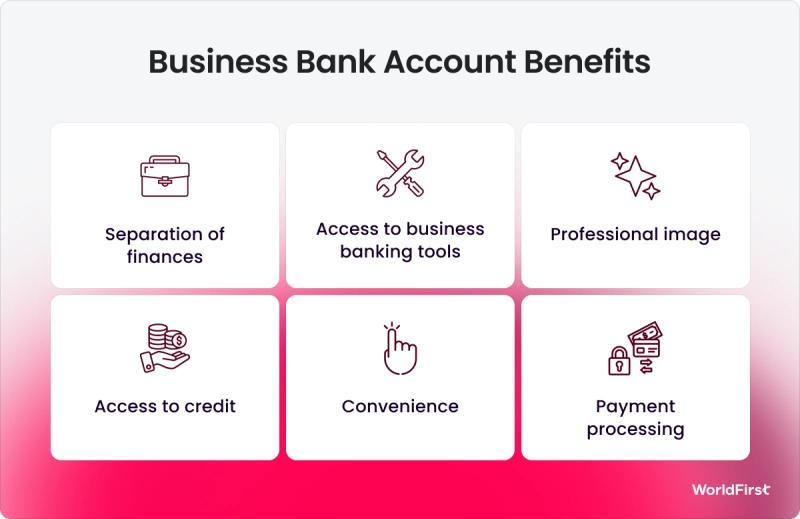
Here are some of the biggest advantages you’ll gain:
1. Get a complete view of your cash flow
When you mix personal and business spending in the same account, tracking your company’s performance quickly turns into a nightmare.
Open a business account to remove that hassle. Keep all business-related transactions in one place, and you’ll clearly see your income, expenses, and profit at a glance. With that clarity, you can budget for the short term and plan for the future.
2. Make tax season simpler
Few things cause more stress for entrepreneurs than tax season. Without a dedicated account, you’ll spend hours untangling personal expenses from business ones before you can even begin filing.
A business bank account cuts through that complexity by keeping everything business-related in one clean record.
Instead of digging through mixed statements, they can immediately identify eligible deductions, track VAT (Value-Added Tax) or GST (Goods and Services Tax), and prepare accurate returns.
3. Sync seamlessly with business tools
Many modern business accounts connect directly with accounting and bookkeeping platforms such as Xero or QuickBooks. With these integrations, your transactions sync automatically, eliminating hours of manual data entry and reducing the risk of errors.
4. Access features designed for businesses
Unlike personal accounts, business accounts come with features that match the needs of growing companies.
These include:
- No transaction limits: Businesses make frequent payments, and restrictions can disrupt cash flow. Many business accounts allow unlimited transfers and deposits, so operations never stall
- Multi-user access: As your team grows, you may need to give accountants, payroll staff, or managers access to the account. Business accounts let you securely add and remove users as required, keeping control firmly in your hands
- Priority support: Many providers offer businesses faster response times, dedicated account managers, and tailored support to keep things running smoothly
Why should you open a business account with WorldFirst?
Opening a World Account means you get more than just a place to hold money. You gain a complete toolkit for running your business globally, with speed, transparency, and security at the core.
- Trusted and secure: WorldFirst operates under strict financial regulations, with two-factor authentication, real-time fraud monitoring, and segregated accounts at top-tier banks
- Multi-currency flexibility: Open local receiving accounts in 20+ currencies (GBP, USD, EUR, AUD, JPY, CAD, SGD, and more) without needing an overseas business address
- Global payments made easy: Send payments in 100+ currencies across 200+ countries, process up to 200 batch payments at once, and benefit from 80% of transfers arriving the same day
- Marketplace integrations: Connect with 100+ platforms (including Amazon, eBay, Etsy, AliExpress, Stripe) and pay suppliers on 1688.com directly through your World Account
- Transparent pricing: FX margins are capped at 0.6% with no hidden fees, and SWIFT GPI provides real-time transfer tracking for faster cross-border payments
How to open a business account with WorldFirst?
Setting up a World Account is straightforward. Follow these steps to get started and unlock multi-currency banking for your business:
- Gather your documents: Have the essentials ready before you begin, including your company information (ABN, trading address, and structure), a valid ID such as a passport or driver’s licence, your mobile phone, details of all registered directors, and valid ID for all major shareholders. For a complete list, check the official verification requirements
- Select your business location: Select the country or region where your business is registered from the dropdown menu
- Verify your email: Enter your email address, click Send code, then confirm it with the code you receive. Create a secure password to protect your account
- Verify your mobile: Add your mobile number, request a code, and enter the 6-digit SMS verification
- Enter your business details: Provide your registration number, company name, type of business, and registered address
- Upload proof of identity: Select the issuing country of your ID and upload a copy for verification
- Add director and shareholder details: List all directors and major shareholders, then upload their supporting documents
- Start banking globally: Once verified, your World Account is ready. It comes pre-set with AUD, NZD, and USD receiving accounts, and you can open additional local currency accounts whenever you need them
Ready to open your business account?
Open a World Account today and simplify how you send, receive, and manage money across borders.