If your company sends or receives money in more than one currency, a domestic-only account starts costing you in ways that are easy to miss: wide exchange rate margins, slow SWIFT transfers, and an account that was never built for regular cross-border trade.
This guide compares five accounts UK businesses commonly use for international payments: WorldFirst’s World Account, HSBC’s International Business Current Account, Starling’s Business Bank Account, Barclays’ Foreign Currency Account, and Wise Business. We look at multi-currency support, fees, FX margins, how your money is protected, and which accounting software each one connects to.
We explain the difference between a business bank account and a business account. The two are not the same thing, and that difference matters more once you’re moving money across borders.
We also introduce you to WorldFirst’s World Account, a flexible overseas business account that lets you receive payments in 20+ currencies and make payments in 150+.
Want to get started selling overseas immediately? Sign up for a World Account for free today.
Key takeaways
- An international business account lets you hold, send and receive money in multiple currencies instead of converting everything back to GBP.
- Not every provider is a bank. WorldFirst, and other well known names like Wise, are FCA-regulated Electronic Money Institutions (EMIs), not banks. Funds are safeguarded rather than FSCS-protected. That’s a real trade-off worth understanding before you apply, not after.
- Watch total cost, not just the account fee. A free account with a wide FX margin can cost more over a year than a modest fee with a tight one.
- WorldFirst’s World Account holds 20+ currencies and pays into 150+, with FX margins capped at 0.5% on major currencies and no monthly fee.
- HSBC, Starling and Barclays are all licensed banks, so eligible deposits carry FSCS protection, but each has its own trade-off: HSBC and Barclays charge monthly fees with less transparent FX pricing, while Starling’s multi-currency support is limited to paid add-on accounts.
- Wise Business is the closest comparison to WorldFirst on pricing philosophy: both quote FX as a declared margin rather than building a markup into the rate, and neither is a bank.
What is an international business bank account?
An international business bank account, sometimes marketed as an overseas, multi-currency or foreign currency account, lets a business hold, send and receive money in currencies other than its home currency, usually from one account rather than opening a separate account in every country it trades with.
The “bank account” part of that phrase is doing some work. Strictly, a bank account is provided by a licensed bank and carries FSCS protection. Many of the accounts businesses actually use for this job, including WorldFirst’s World Account and Wise Business, are provided by FCA-regulated payment or e-money institutions instead. Both types can hold and move foreign currency. They’re not protected the same way, which is exactly why the distinction below is worth five minutes of your time.
Key features to look for in an international business account
Before comparing providers, it helps to know what you’re actually comparing. The features that matter most for cross-border trade are:
- Currency coverage: which currencies you can hold, and which you can only send or receive
- FX margin: the fee added on top of the mid-market rate, and how clearly it’s disclosed
- Local receiving details: whether you get local account numbers, sort codes or IBANs in each currency, or whether payments route through SWIFT
- Settlement speed: same-day and next-day settlement is now standard among specialist providers; traditional SWIFT transfers can still take several business days
- Protection type: FSCS-backed bank account, or safeguarded funds with an EMI
- Marketplace and platform integrations: useful if you get paid by Amazon, Shopify, Etsy or similar
- Accounting software integrations: Xero, QuickBooks, NetSuite and similar
- Eligibility: some accounts require an existing UK banking relationship, a UK registered address, or a minimum turnover
Top 5 overseas business accounts compared
Here’s a brief comparison of the key features for each of the top global business accounts:
| WorldFirst World Account | HSBC International Business Current Account | Starling Business Bank Account | Barclays Foreign Currency Account | Wise Business | |
| Best for | Businesses trading internationally that want to hold, pay and collect in multiple currencies without a full banking relationship | Established businesses that want foreign currency held within an existing HSBC relationship | UK SMEs and startups wanting low domestic fees with occasional international payments | Importers and exporters comfortable managing single-currency balances per currency | Businesses and freelancers invoicing internationally who want mid-market FX with no monthly fee |
| Multi-currency | Hold 20+ currencies, pay in 150+ | Hold and manage USD, EUR and around 90 other currencies | GBP native; EUR and USD available as paid linked accounts, subject to availability | No single multi-currency account; open separate accounts in up to 17 currencies | Hold and receive in 40+ currencies; local receiving details in 20+ on the Advanced plan |
| Account fees | Free to open and maintain | £10/month, plus standard HSBC business banking fees | Free; optional EUR (£2/month) and USD (£5/month) linked accounts | No minimum balance; requires an underlying Barclays Business account, £8.50/month after any introductory period | Essential plan free (send and hold only); Advanced plan has a one-off £50 setup fee to unlock receiving |
| FX fees | Up to 0.5% margin on major currencies, capped at 0.75% on others | Not published as a flat rate; card withdrawals abroad can run to several percent | 0.4% conversion fee plus a delivery fee per international payment | Not published; confirm the applicable spread before transacting | Mid-market rate plus a declared fee from around 0.33%, varying by currency pair |
| Protection | FCA-authorised EMI; funds safeguarded, not FSCS-protected | FSCS-protected up to standard business banking limits | FSCS-protected up to standard business banking limits | FSCS-protected up to standard business banking limits | FCA-authorised EMI; funds safeguarded, not FSCS-protected |
| Accounting integrations | Xero, NetSuite, plus an API for custom integrations | Xero, QuickBooks and other ERP software | Xero, QuickBooks and FreeAgent | Limited; some Barclays business customers can access FreshBooks | Xero, QuickBooks and Twinfield |
*Disclaimer: All information presented in this blog has been sourced from provider websites and is accurate to the best of our knowledge at the time of writing (August 2026). However, providers may update their offerings, and details are subject to change over time.
How WorldFirst’s World Account helps UK businesses sell globally
Opening an international business bank account is tough for small businesses. Traditional banks often favour larger companies with high turnover – and this leaves SMEs underserved.
As a result, opening a business account with a fintech platform like WorldFirst is often the easier option.
WorldFirst is a digital payments platform that helps cross-border businesses send, receive and hold funds in multiple currencies. Since 2004, we’ve helped 1.5 million businesses send over US$500 billion across the world.
While WorldFirst isn’t a bank, our World Account does everything a business account should. It’s a flexible multi-currency account that allows you to make payments to 200+ countries and hold balances in 20+ currencies without needing to open another account.
We offer worldwide customer support options, and it’s completely free to apply online. Plus, the World Account has no minimum deposits, average balance requirements or monthly fees.
Here’s what you can do once you sign up for a World Account:
Get local account details for 20+ major currencies and make same-day international transfers
With a World Account, you can create local account details for 20+ currencies, including AUD, EUR, GBP, SGD and USD, among others. You can pay and get paid like a local, and benefit from faster cross-border transactions.
For instance, these local account details allow you to bypass the international SWIFT network (which can take up to six days for payments to settle). This way, you get faster processing times and cheaper transactions, since your payments don’t have to go through intermediary banks.
This same process applies to every major currency we offer, which means 40+ countries and territories will be able to process your transfers as domestic transactions.
We’ll always send your funds through the fastest route possible, which is why 80% of payments made with WorldFirst settle on the same day and 90% settle by the next day.
Read more: How to receive international payments: 3 top methods for businesses
Benefit from low FX fees and transparent currency conversion rates
World Account holders can transfer funds at the mid-market exchange rate, plus a small fee of up to 0.5% for major currencies. For all non-major currencies, our FX markup is capped at 0.75%.
If you want complete price certainty, even against highly volatile currencies, we allow you to lock in exchange rates with a forward contract for up to 24 months. This is a contract where you agree to convert a fixed amount of currency at a set foreign exchange rate (FX rate) in the future.
We also offer other FX tools, such as rate alerts and firm orders, to make sure you can convert at your desired price.
Read more: How to lock in exchange rates as a cross-border business: 3 best methods
Keep your funds protected with advanced security measures, no matter where you trade
WorldFirst is authorised by the Financial Conduct Authority (FCA) in the UK.
When we onboard users, we do strict KYC and AML checks to ensure only authentic businesses own World Accounts. If your payee also has a World Account, this means your transfers will settle instantly and at no cost since we’ve already vetted them.
We offer security protections like two-factor authentication (2FA) and 256-bit encryption to protect our users’ accounts and transactions. If fraudulent access is spotted (like logins from a country you don’t live in), you’ll be prompted to enter a 2FA code. If no code is entered in time, we’ll block access to your account.
We also support real-time fraud monitoring, and our 3D Secure (3DS) card payments help safeguard your account against scams.
Read more: How to pick the best online business bank account (12 options)
Create up to 50 virtual World Cards to help manage your expenditure
With WorldFirst, you can create up to 50 virtual World Cards that you can use to separate your multi-currency balances and manage your business finances.
You can assign World Cards to teams, expense categories, vendors or even individual currencies like EUR and USD. From your World Account dashboard, you can manage all of your debit cards. Control your spending by setting individual spending limits and adding authorised team members to each card.
Paying with a World Card also helps you keep your funds secure. Since they all come with unique card details, you can create a card and then immediately freeze or delete it after completing your transaction. This prevents your details from being stolen or stored without your consent.
WorldFirst business cards can be used anywhere that Mastercard is accepted, and you’ll also earn up to 1.2% unlimited cashback on all business spending.
Read more: How to get an instant virtual debit card online: Your options
How to open a World Account online for free
To start holding multi-currency balances with WorldFirst, you’ll first need to sign up for a World Account.
Here’s how to sign up online for free:
- Head to our World Account signup portal and enter your personal details
- Fill in your account information and verify your identity with a passport or driver’s licence
- Upload business documents, including your shareholder IDs, company ownership documents and proof of address
- Once you click ‘Submit’, you’ll receive an acceptance email (usually within 48 hours)
3 alternative overseas bank accounts for UK businesses
If WorldFirst isn’t right for you (or you specifically want an overseas bank account), here are three of the best options for UK businesses:
1. HSBC UK’s International Business Account
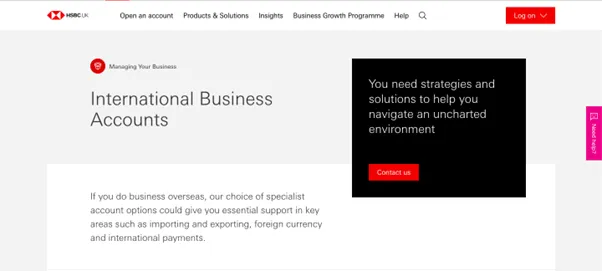
HSBC UK’s International Business Account1 is aimed at larger companies that operate internationally and need access to traditional banking facilities. With an extensive network of branches that covers 66 countries and territories, HSBC is a great option if you deal in large amounts of cash or need to sign forms in person frequently.
The International Business Current Account is available in US dollar, euro and around 90 other world currencies. Once you sign up, you’ll be able to access HSBC’s overdraft facilities (subject to agreement) and sync your account with Xero, QuickBooks, and other ERP software.
However, HSBC’s FX rates are quite high, and they change depending on which currency you’re using. For example, HSBC will charge you 6.23% when withdrawing cash in a foreign currency with a Visa business card. This is obviously a costly way to operate, especially if you make large or frequent conversions.1b
Charges:
- This account has a £10 monthly charge1a
- You’re also subject to HSBC’s normal business banking fees
- HSBC charges 1.50% of the amount deposited in cash at a branch1a
- Standard debit and credit transactions have a charge per item of 45p (for the euro currency account) and 64p for all other currency accounts1b
2. Starling Bank’s Business Bank Account
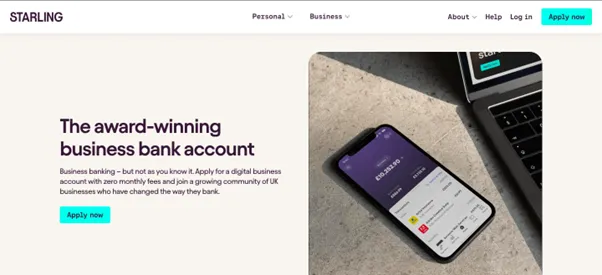
Starling’s Business Bank Account2 is aimed at UK SMEs and startups that prioritise paying low fees. It lets you make cross-border payments to bank accounts in 34 countries worldwide, with no hidden fees.
Starling doesn’t support holding multiple currencies in one account. However, they offer paid add-ons where you can hold specific currencies in a linked account. Starling’s euro accounts and USD accounts cost £2/month and £5/month respectively – though it’s worth noting they aren’t accepting applications at the moment.
Starling offers free, 24/7 support (from real people) via mobile app, phone or email. You can also integrate with accounting software like Xero and FreeAgent from the Starling Marketplace, however, Starling can’t provide access for third parties (such as accountants, finance teams or assistants).
Charges:
- This account costs £0 per month
- There’s no fees for making card payments abroad or for withdrawing from an ATM
- Starling Business accounts charge a 0.4% currency conversion fee on international transfers plus a delivery fee
- Delivery fees are either £5.50 for SWIFT (priority) transfers, or £0.30+ for slower local network payments, depending on the currency and country.2b
Read more: What’s the best bank account for a small business? 5 options
3. Barclays Foreign Currency Account
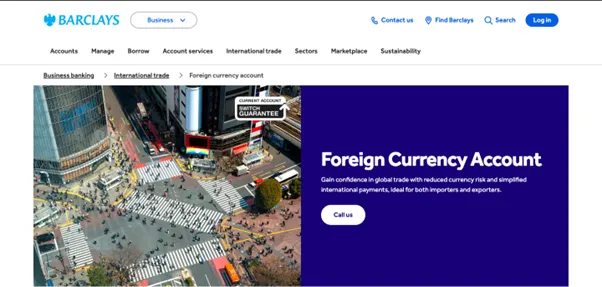
The Barclays’ Foreign Currency Account3 is aimed at UK importers and exporters. Foreign Currency Accounts are available in a wide range of currencies, including AUD, CAD, CNY, CZK, DKK, EUR, HKD, JPY, NZD, NOK, PLN, SGD, ZAR, SEK, CHF, AED and USD.
This account comes with no minimum balance requirements, and you can access your balances 24/7 via online banking, telephone or the Barclays app.
However, you’ll need to open a separate account for each currency you trade in, as this account doesn’t let you hold multiple currencies. And while euro, USD and Canadian dollar transactions settle on the same day, all other currencies take up to two working days.
If you’re a new Barclays customer, you’ll need to open a business account before you can apply for a Foreign Currency Account.
Charges:
- You won’t have to pay a monthly account fee for your Business Account for the first 12 months (if you don’t already have a Barclays Business Account)3a
- After 12 months, you’ll pay £8.50 per month
4. Wise Business
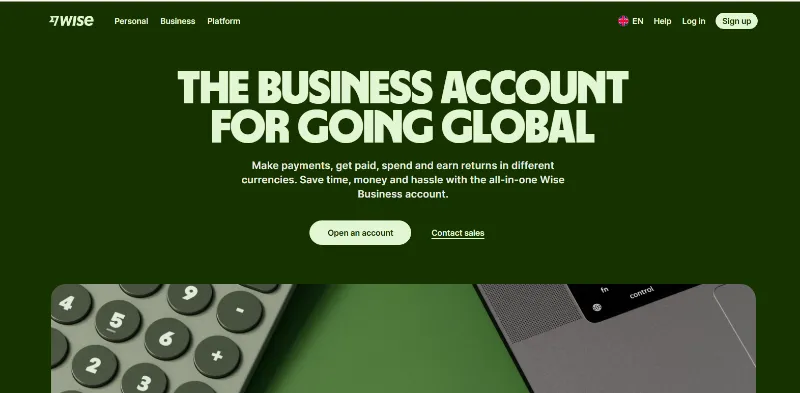
Wise Business is the closest comparison to WorldFirst on pricing philosophy, and it’s worth knowing about even though it isn’t a bank either. It suits businesses and freelancers who invoice or pay internationally often and want FX priced at the mid-market rate plus a declared fee, rather than a rate with a markup built in.
The free Essential plan lets you send and hold balances but not receive payments. Most businesses that invoice clients will need the Advanced plan, unlocked with a one-off £50 setup fee, which gives you local receiving details in 20+ currencies. FX conversions are charged at the mid-market rate plus a fee from around 0.33%, varying by currency pair, shown upfront before you send. Wise connects to Xero, QuickBooks and Twinfield.
Like WorldFirst, Wise is an FCA-regulated Electronic Money Institution rather than a bank, so funds are safeguarded rather than FSCS-protected, and there’s no overdraft or lending on any plan.
Charges:
- Essential plan: free (send and hold only)
- Advanced plan: one-off £50 setup fee to unlock receiving
- FX conversion from around 0.33% on top of the mid-market rate, varying by currency pair
Read more: Business foreign currency accounts: 4 options compared
How to choose the right international business account
Step 1: Map your currency needs
List every currency you currently hold, send or receive, plus any you expect to add in the next 12 to 24 months. This determines whether you need true multi-currency holding (WorldFirst, Wise) or whether a single foreign currency add-on (Starling, Barclays) covers you.
Step 2: Compare total cost, not the headline fee
Add the monthly fee, transaction fees and FX margin together at your expected volume. A free account with a wide FX margin can cost more over a year than a modest monthly fee with a tight one, especially once you’re converting five or six figures regularly.
Step 3: Check how your funds are protected
Decide how much the FSCS distinction matters to your business. A licensed bank (HSBC, Starling, Barclays) gives FSCS cover up to the standard limit. An FCA-regulated EMI (WorldFirst, Wise) safeguards funds in ring-fenced accounts instead. Neither is automatically wrong, but choose knowingly rather than by accident.
Step 4: Confirm eligibility, especially if you’re registered outside the UK
Some accounts require an existing UK banking relationship or a UK registered address before you can apply. If your company is registered abroad, check this before investing time in an application, since requirements vary by provider and can change.
Step 5: Check settlement speed and platform integrations
If you sell on marketplaces or invoice through accounting software, confirm the account connects to what you already use, and check how quickly payments actually settle. SWIFT transfers through a traditional bank can take several business days; specialist providers built for this typically settle same or next day.
Choose WorldFirst as your overseas business account and start selling globally within minutes
In this article, we’ve shared four options for multi-currency accounts. For small and medium-sized businesses that prioritise flexibility, WorldFirst’s multi-currency World Account stands out. It allows you to:
- Make global payments in 150+ currencies, and receive them in 20+ major currencies, for free
- Access foreign account details for 20+ currencies, covering 40+ countries/territories
- Benefit from low transfer fees and transparent conversion rates
- Keep funds secure with strong anti-fraud protection
Ready to get started with WorldFirst? Sign up for a World Account today.
FAQs
What’s the difference between an overseas business account and an overseas business bank account?
A business bank account is a corporate account that you hold with a traditional bank, and it typically gives you access to features like physical cards, lending options and interest on your balances. Plus, bank accounts are usually protected by deposit insurance schemes (such as FSCS in the UK).
In contrast, a business account is a corporate account that you hold with a fintech alternative such as WorldFirst. Compared to traditional banks, World Accounts provide significantly lower transfer costs, more transparent exchange rates, and a quicker sign-up process. You can also make reliable same-day and next-day payments, which makes it easier to manage your cash flow.
Which business account is best for small and medium-sized businesses?
WorldFirst’s multi-currency World Account is the best choice for small and medium-sized businesses looking for a flexible overseas business account. It allows you to make global payments in 150+ currencies and receive funds in 20+ major currencies – all without having to switch between accounts.
You can create foreign account details in 20+ currencies without having to have an overseas business presence.
Do I need a bank account to make international payments for my business?
No. You need a business account that can hold, send and receive foreign currency, and it doesn’t have to come from a licensed bank. FCA-regulated providers like WorldFirst and Wise aren’t banks, but they’re built specifically for cross-border payments and often settle faster and at a lower FX margin than a traditional bank account.
Can I open a UK international business account if my company is registered overseas?
It depends on the provider. Some UK banks require an existing UK banking relationship or a UK registered address before opening a foreign currency account. WorldFirst doesn’t require a local entity, residency or business address to open a World Account, though standard KYC and business verification still apply.
How long does it take to open an international business account?
With WorldFirst, most applications are reviewed within 48 hours of submitting ID and business documents. Traditional banks can take considerably longer, sometimes several weeks, because of branch processes and stricter documentation checks.
Is WorldFirst a bank?
No. World First UK Limited is authorised by the Financial Conduct Authority as an Electronic Money Institution under the Electronic Money Regulations 2011 (FCA Firm Reference Number 900508), not a bank. Funds are safeguarded in ring-fenced accounts rather than covered by the FSCS.
Which international business account is best for a small UK business trading abroad?
For a business trading in multiple currencies, WorldFirst’s World Account is usually the strongest fit: free to open and maintain, holds 20+ currencies, pays into 150+, and settles most payments same or next day. Businesses that specifically want FSCS protection, or that already bank with HSBC, Starling or Barclays, may prefer to stay within that relationship and accept the trade-offs in fees or currency coverage.
How do I open a World Account with WorldFirst?
It’s free to open and maintain a World Account with WorldFirst, and the application process is entirely online.
Here’s how to sign up:
- Head to our World Account signup portal and enter your personal details
- Fill in your account information and verify your identity with a passport or driver’s licence
- Upload business documents, including your shareholder IDs, company ownership documents and proof of address
- Once you click ‘Submit’, you’ll receive an acceptance email (usually within 48 hours)
Sources:
- https://www.business.hsbc.uk/en-gb/products/foreign-currency-account
- https://www.business.hsbc.uk/-/media/media/uk/pdfs/regulations/business-price-list.pdf – This link downloads the price list to your computer.
- https://www.expat.hsbc.com/cbpr/#business-card
- https://www.starlingbank.com/business-account/
- https://www.starlingbank.com/business-account/multi-currency/
- https://www.starlingbank.com/send-money-abroad/
- https://www.barclays.co.uk/business-banking/business-abroad/foreign-currency-accounts/
- https://www.barclays.co.uk/business-banking/accounts/
- https://www.barclays.co.uk/content/dam/documents/business/Accounts/BAR_9912445_UK-0821_Online.pdf