





























Home > blog > International Transactions > Overseas business bank accounts: 4 options compared
Overseas business bank accounts: 4 options compared
Last update:


If you’re a UK company that operates overseas, does business in multiple currencies or is thinking about expanding abroad, then setting up an overseas business bank account is a great move.
However, almost every bank has its own international account offering, and it can be time-consuming to research them all. Some accounts may be too inflexible, especially if they support only one currency, while others may be too expensive for your needs.
To help you find the right account, this article compares four of the best options for UK businesses.
We also introduce you to WorldFirst’s World Account, a flexible overseas business account that lets you receive payments in 20+ currencies and make payments in 150+.
We cover:
- Top 4 overseas business bank accounts compared
- How WorldFirst’s World Account helps UK businesses sell globally
- 3 alternative overseas bank accounts for UK businesses
Want to get started selling overseas immediately? Sign up for a World Account for free today.
Top 4 overseas business accounts compared
Here’s a brief comparison of the key features for each of the top global business accounts:
| WorldFirst's World Account¹ | HSBC's International Business Account¹ | Starling's Business Bank Account² | Barclays Foreign Currency Account³ | |
|---|---|---|---|---|
| Best for | Businesses that want to expand internationally and need flexibility | Established businesses with high borrowing needs that handle cash regularly | UK startups, sole traders, limited companies and SMEs who prefer low fees | Businesses of all sizes that need to trade globally |
| Multi-currency | Make payments in 150+ currencies and hold balances in 20+² | Available in USD, EUR and around 90 other currencies | EUR, USD and GBP only | Can't hold multiple currencies in one account but can open multiple accounts in 17 currencies |
| Account fees | Free to open and maintain | £10 monthly¹ᵃ | Free, with optional paid multi-currency accounts (EUR £2p/m, USD £5p/m) | £8.50 monthly¹ |
| Foreign exchange (FX) fees | Up to 0.5% FX margin on major currencies | Not explicitly stated for this account¹ | 0.4%²ᵃ | FX fee not explicitly stated³ᵇ |
| Integration with accounting software | Xero, NetSuite and others. Offers API for integrations with other systems | Xero, QuickBooks and other ERP software | Xero, Quickbooks and FreeAgent, among others | Business customers can access FreshBooks, but it's unclear whether it's available for this account. |
*Disclaimer: All information presented in this blog has been sourced from provider websites and is accurate to the best of our knowledge at the time of writing (January 2026). However, providers may update their offerings, and details are subject to change over time.
How WorldFirst’s World Account helps UK businesses sell globally
Opening an international business bank account is tough for small businesses. Traditional banks often favour larger companies with high turnover – and this leaves SMEs underserved.
As a result, opening a business account with a fintech platform like WorldFirst is often the easier option.
WorldFirst is a digital payments platform that helps cross-border businesses send, receive and hold funds in multiple currencies. Since 2004, we’ve helped 1.5 million businesses send over US$500 billion across the world.
While WorldFirst isn’t a bank, our World Account does everything a business account should. It’s a flexible multi-currency account that allows you to make payments to 200+ countries and hold balances in 20+ currencies without needing to open another account.
We offer worldwide customer support options, and it’s completely free to apply online. Plus, the World Account has no minimum deposits, average balance requirements or monthly fees.
Here’s what you can do once you sign up for a World Account:
Get local account details for 20+ major currencies and make same-day international transfers
With a World Account, you can create local account details for 20+ currencies, including AUD, EUR, GBP, SGD and USD, among others. You can pay and get paid like a local, and benefit from faster cross-border transactions.
For instance, these local account details allow you to bypass the international SWIFT network (which can take up to six days for payments to settle). This way, you get faster processing times and cheaper transactions, since your payments don’t have to go through intermediary banks.
This same process applies to every major currency we offer, which means 40+ countries and territories will be able to process your transfers as domestic transactions.
We’ll always send your funds through the fastest route possible, which is why 80% of payments made with WorldFirst settle on the same day and 90% settle by the next day.
Read more: How to receive international payments: 3 top methods for businesses
Benefit from low FX fees and transparent currency conversion rates
World Account holders can transfer funds at the mid-market exchange rate, plus a small fee of up to 0.5% for major currencies. For all non-major currencies, our FX markup is capped at 0.75%.
If you want complete price certainty, even against highly volatile currencies, we allow you to lock in exchange rates with a forward contract for up to 24 months. This is a contract where you agree to convert a fixed amount of currency at a set foreign exchange rate (FX rate) in the future.
We also offer other FX tools, such as rate alerts and firm orders, to make sure you can convert at your desired price.
Read more: How to lock in exchange rates as a cross-border business: 3 best methods
Keep your funds protected with advanced security measures, no matter where you trade
WorldFirst is authorised by the Financial Conduct Authority (FCA) in the UK.
When we onboard users, we do strict KYC and AML checks to ensure only authentic businesses own World Accounts. If your payee also has a World Account, this means your transfers will settle instantly and at no cost since we’ve already vetted them.
We offer security protections like two-factor authentication (2FA) and 256-bit encryption to protect our users’ accounts and transactions. If fraudulent access is spotted (like logins from a country you don’t live in), you’ll be prompted to enter a 2FA code. If no code is entered in time, we’ll block access to your account.
We also support real-time fraud monitoring, and our 3D Secure (3DS) card payments help safeguard your account against scams.
Read more: How to pick the best online business bank account (12 options)
Create up to 50 virtual World Cards to help manage your expenditure
With WorldFirst, you can create up to 50 virtual World Cards that you can use to separate your multi-currency balances and manage your business finances.
You can assign World Cards to teams, expense categories, vendors or even individual currencies like EUR and USD. From your World Account dashboard, you can manage all of your debit cards. Control your spending by setting individual spending limits and adding authorised team members to each card.
Paying with a World Card also helps you keep your funds secure. Since they all come with unique card details, you can create a card and then immediately freeze or delete it after completing your transaction. This prevents your details from being stolen or stored without your consent.
WorldFirst business cards can be used anywhere that Mastercard is accepted, and you’ll also earn up to 1.2% unlimited cashback on all business spending.
Read more: How to get an instant virtual debit card online: Your options
How to open a World Account online for free
To start holding multi-currency balances with WorldFirst, you’ll first need to sign up for a World Account.
Here’s how to sign up online for free:
- Head to our World Account signup portal and enter your personal details
- Fill in your account information and verify your identity with a passport or driver’s licence
- Upload business documents, including your shareholder IDs, company ownership documents and proof of address
- Once you click ‘Submit’, you’ll receive an acceptance email (usually within 48 hours)
3 alternative overseas bank accounts for UK businesses
If WorldFirst isn’t right for you (or you specifically want an overseas bank account), here are three of the best options for UK businesses:
1. HSBC UK’s International Business Account
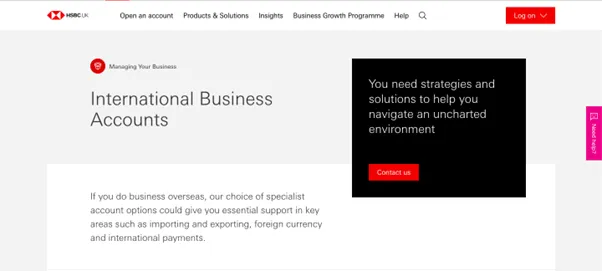
HSBC UK’s International Business Account1 is aimed at larger companies that operate internationally and need access to traditional banking facilities. With an extensive network of branches that covers 66 countries and territories, HSBC is a great option if you deal in large amounts of cash or need to sign forms in person frequently.
The International Business Current Account is available in US dollar, euro and around 90 other world currencies. Once you sign up, you’ll be able to access HSBC’s overdraft facilities (subject to agreement) and sync your account with Xero, QuickBooks, and other ERP software.
However, HSBC’s FX rates are quite high, and they change depending on which currency you’re using. For example, HSBC will charge you 6.23% when withdrawing cash in a foreign currency with a Visa business card. This is obviously a costly way to operate, especially if you make large or frequent conversions.1b
Charges:
- This account has a £10 monthly charge1a
- You’re also subject to HSBC’s normal business banking fees
- HSBC charges 1.50% of the amount deposited in cash at a branch1a
- Standard debit and credit transactions have a charge per item of 45p (for the euro currency account) and 64p for all other currency accounts1b
2. Starling Bank’s Business Bank Account
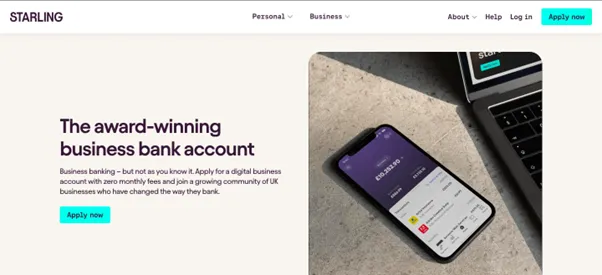
Starling’s Business Bank Account2 is aimed at UK SMEs and startups that prioritise paying low fees. It lets you make cross-border payments to bank accounts in 34 countries worldwide, with no hidden fees.
Starling doesn’t support holding multiple currencies in one account. However, they offer paid add-ons where you can hold specific currencies in a linked account. Starling’s euro accounts and USD accounts cost £2/month and £5/month respectively – though it’s worth noting they aren’t accepting applications at the moment.
Starling offers free, 24/7 support (from real people) via mobile app, phone or email. You can also integrate with accounting software like Xero and FreeAgent from the Starling Marketplace, however, Starling can’t provide access for third parties (such as accountants, finance teams or assistants).
Charges:
- This account costs £0 per month
- There’s no fees for making card payments abroad or for withdrawing from an ATM
- Starling Business accounts charge a 0.4% currency conversion fee on international transfers plus a delivery fee
- Delivery fees are either £5.50 for SWIFT (priority) transfers, or £0.30+ for slower local network payments, depending on the currency and country.2b
Read more: What’s the best bank account for a small business? 5 options
3. Barclays Foreign Currency Account
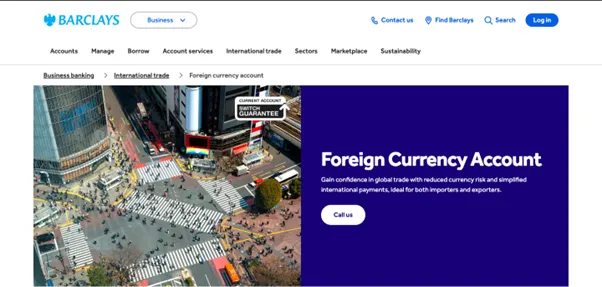
The Barclays’ Foreign Currency Account3 is aimed at UK importers and exporters. Foreign Currency Accounts are available in a wide range of currencies, including AUD, CAD, CNY, CZK, DKK, EUR, HKD, JPY, NZD, NOK, PLN, SGD, ZAR, SEK, CHF, AED and USD.
This account comes with no minimum balance requirements, and you can access your balances 24/7 via online banking, telephone or the Barclays app.
However, you’ll need to open a separate account for each currency you trade in, as this account doesn’t let you hold multiple currencies. And while euro, USD and Canadian dollar transactions settle on the same day, all other currencies take up to two working days.
If you’re a new Barclays customer, you’ll need to open a business account before you can apply for a Foreign Currency Account.
Charges:
- You won’t have to pay a monthly account fee for your Business Account for the first 12 months (if you don’t already have a Barclays Business Account)3a
- After 12 months, you’ll pay £8.50 per month
Read more: Business foreign currency accounts: 4 options compared
Choose WorldFirst as your overseas business account and start selling globally within minutes
In this article, we’ve shared four options for multi-currency accounts. For small and medium-sized businesses that prioritise flexibility, WorldFirst’s multi-currency World Account stands out. It allows you to:
- Make global payments in 150+ currencies, and receive them in 20+ major currencies, for free
- Access foreign account details for 20+ currencies, covering 40+ countries/territories
- Benefit from low transfer fees and transparent conversion rates
- Keep funds secure with strong anti-fraud protection
Ready to get started with WorldFirst? Sign up for a World Account today.
FAQs
What’s the difference between an overseas business account and an overseas business bank account?
A business bank account is a corporate account that you hold with a traditional bank, and it typically gives you access to features like physical cards, lending options and interest on your balances. Plus, bank accounts are usually protected by deposit insurance schemes (such as FSCS in the UK).
In contrast, a business account is a corporate account that you hold with a fintech alternative such as WorldFirst. Compared to traditional banks, World Accounts provide significantly lower transfer costs, more transparent exchange rates, and a quicker sign-up process. You can also make reliable same-day and next-day payments, which makes it easier to manage your cash flow.
Which business account is best for small and medium-sized businesses?
WorldFirst’s multi-currency World Account is the best choice for small and medium-sized businesses looking for a flexible overseas business account. It allows you to make global payments in 150+ currencies and receive funds in 20+ major currencies – all without having to switch between accounts.
You can create foreign account details in 20+ currencies without having to have an overseas business presence.
How do I open a World Account with WorldFirst?
It’s free to open and maintain a World Account with WorldFirst, and the application process is entirely online.
Here’s how to sign up:
- Head to our World Account signup portal and enter your personal details
- Fill in your account information and verify your identity with a passport or driver’s licence
- Upload business documents, including your shareholder IDs, company ownership documents and proof of address
- Once you click ‘Submit’, you’ll receive an acceptance email (usually within 48 hours)
Sources:
- https://www.business.hsbc.uk/en-gb/products/foreign-currency-account
- https://www.business.hsbc.uk/-/media/media/uk/pdfs/regulations/business-price-list.pdf – This link downloads the price list to your computer.
- https://www.expat.hsbc.com/cbpr/#business-card
- https://www.starlingbank.com/business-account/
- https://www.barclays.co.uk/business-banking/business-abroad/foreign-currency-accounts/
https://www.barclays.co.uk/content/dam/documents/business/Accounts/BAR_9912445_UK-0821_Online.pdf
Abdul Muhit has 17 years' experience in banking and payments, spanning across regulation, payment networks, acquiring, issuing and treasury.

Abdul Muhit
Author
Continue reading


Subscribe
The Weekly Dispatch
Get the latest news and event invites. Signup for our weekly update from the worlds of fashion, design, and tech.
You might also like
Choose a product or service to find out more

E-commerce guides


Doing business with China

Exploring new markets

Business Tips

International transactions
E-commerce expansion guides
Doing business with China