






























Home > blog > Global Business Tips > How to pay suppliers with Xero: Guide to invoice payments
How to pay suppliers with Xero: Guide to invoice payments
Last update:


When it comes to accounting, clarity does not stop at invoices. Supplier bills can be approved, tracked and scheduled, yet the actual payment process still determines how reliable and efficient accounts payable feels day to day.
Across the UK, late supplier payments remain common, with inefficient or manual accounts payable workflows contributing to delays for around 60% of businesses.
Xero gives businesses clear visibility into outstanding bills and upcoming payment dates. The pressure comes later, during payment execution. Cut-off times, payment methods, currency conversion and reconciliation all shape outcomes that invoices alone do not reveal.
This guide explains how to pay suppliers using Xero from approval through settlement. It focuses on building a payment workflow that remains predictable and easy to reconcile as supplier numbers, payment methods and currencies increase.
Key takeaways:
- Xero works best as the system of record for supplier payments: Recording and approving bills before payment keeps liabilities visible, supports cash-flow planning and prevents gaps between accounting and settlement
- Payment problems usually come from weak processes: Paying outside Xero, delaying reconciliation or using poor references leads to late payments and inaccurate reporting, even when the tools are in place
- Reconciliation connects invoices to cash: Matching payments back to approved bills keeps balances accurate, supports audits and simplifies supplier queries
- Cross-border payments add hidden complexity: Currency conversion, settlement timing and intermediary fees can hide the real cost of paying overseas suppliers without a proper structure
- WorldFirst improves how businesses pay suppliers internationally: Integrating WorldFirst with Xero gives businesses better FX control, clearer cost visibility and cleaner reconciliation for international supplier payments
Open a WorldFirst account to improve settlement timing, FX visibility and reconciliation accuracy.
What is Xero?
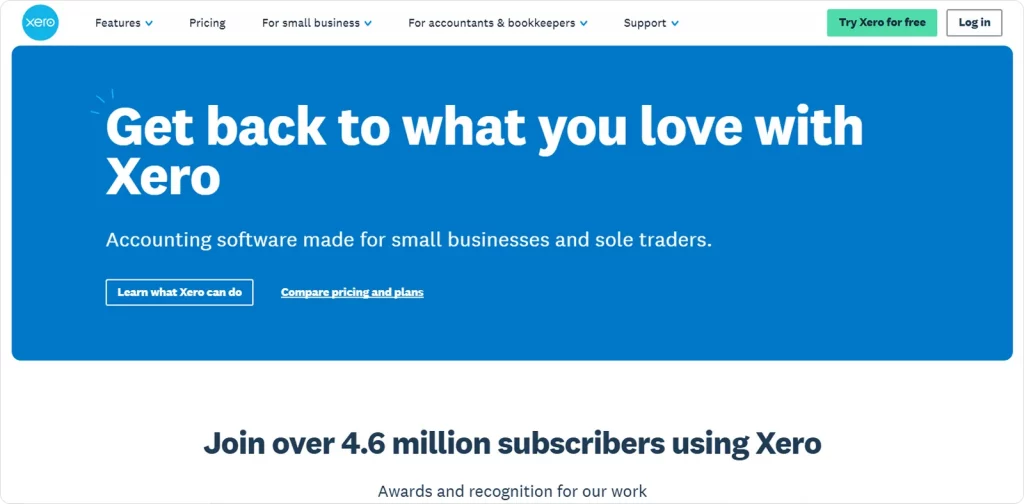
Xero is cloud-based accounting software that gives businesses a single, online platform for core financial tasks.
Instead of relying on desktop-installed programmes or disconnected spreadsheets, Xero centralises invoices, bank transactions, bills, reports and basic compliance records.
The company behind it, Xero Limited, was founded in 2006 in Wellington, New Zealand. It began as a challenge to traditional accounting software by offering real-time access to financial data via the internet rather than through locally installed systems.
Over the years, Xero expanded beyond its home market into Australia, the UK, North America and other regions, growing its subscriber base as cloud adoption rose. By 2025, more than 4.6 million businesses worldwide were using Xero on paid subscriptions, reflecting its broad adoption among small and medium-sized enterprises.
In practice, Xero supports business accounting by bringing key workflows together in one place and automating routine tasks. It helps reduce manual work and gives timely insight into cash positions and obligations.
Common ways businesses use Xero include:
- Bank connection and reconciliation: Transactions flow automatically from business bank accounts into Xero, enabling faster, more accurate reconciliation
- Invoice and bill tracking: Businesses can create, send and manage supplier bills and customer invoices without separate tools
- Expense and cash-flow visibility: Dashboards and reports provide a clear view of payables, receivables and current cash positions
- Reporting and compliance: Pre-built financial reports help with management oversight and statutory requirements
- Collaboration with advisors: Accountants and bookkeepers can access records in real time, improving accuracy and support
These features help businesses stay on top of their finances without the manual intervention that often leads to delays, errors or overlooked payments.
How to pay suppliers using Xero
Paying suppliers using Xero is structured around controlling liabilities and maintaining accurate records, rather than executing payments directly from the accounting system.
Xero functions as the system of record for accounts payable. It tracks outstanding amounts, due dates and how payments link back to approved invoices, while banks or payment providers move the funds.
1. Managing supplier bills and payment readiness
Supplier payments in Xero begin with bills. Each bill records:
- The supplier name and reference details
- The invoice value and tax amounts
- The transaction currency
- The invoice date and due date
Approval workflows ensure teams review invoices before they become payable, helping separate purchasing decisions from payment execution. Approved bills stay visible as outstanding liabilities until the system records payment.
Businesses can plan payment runs based on cash availability, cut-off times and settlement constraints while maintaining complete visibility into amounts still owed. The payable balance in Xero reflects committed obligations rather than only payments that have already cleared the bank.
2. Payment execution options
Xero supports several ways to record supplier payments, depending on how banks or payment providers move the funds:
- Bank-initiated payments: In the UK, businesses can initiate payments from within Xero using open banking connections. Businesses select approved bills, send payment instructions to the bank and, once authorised, Xero automatically links the payments back to the bills
- Batch payment files: Where traditional online banking handles payments, Xero generates batch payment files covering multiple suppliers. The business uploads these files to the bank and once the bank processes them, Xero matches the settled transactions to the corresponding bills
- Externally executed payments: If payments take place outside Xero, such as through international payment platforms or specialist FX providers, finance teams mark the bills as paid with the relevant reference details. When the transaction appears in the connected account feed, Xero reconciles it against the recorded payment
Each approach allows businesses to maintain control over payment timing while keeping accounting records complete and consistent.
3. Reconciliation and audit trail
Reconciliation links supplier payments back to the accounting record.
When transactions flow into Xero from bank feeds or integrations, Xero matches them to bills already marked as paid. The process updates both cash balances and accounts payable, ensuring the ledger reflects actual settlement.
Accurate reconciliation supports cash flow reporting, supplier queries and audit reviews. Payment references, dates and amounts remain traceable from invoice approval through to settlement, reducing ambiguity when multiple invoices or currencies are involved.
Common mistakes when paying suppliers with Xero
Most supplier payment issues in Xero arise from process gaps rather than system limitations, including:
- Paying suppliers directly from the bank without first recording or approving the bill in Xero, which breaks the connection between payment activity and accounts payable
- Delaying reconciliation, causing outstanding balances and cash-flow reports to drift out of line with actual settlement
- Using inconsistent or incomplete payment references, which makes matching bank transactions to supplier bills more difficult
- Allowing supplier bank details or payment terms to become outdated, resulting in failed payments or avoidable manual corrections
Combining multiple invoices or currencies into a single payment without explicit references, increasing reconciliation complexity
Best practices for paying suppliers with Xero
The following practices focus on strengthening day-to-day execution while keeping payment activity aligned with approved accounting records:
1. Automating recurring payments
Many supplier invoices follow fixed schedules, yet manual handling often treats them as exceptions.
Repeating bills surface these obligations automatically, ensuring they appear in payables without repeated data entry. This approach improves forward visibility and reduces dependence on individual memory or informal tracking.
Key considerations:
- Create repeating bills for suppliers with predictable fees or retainers
- Add review dates that allow teams to adjust amounts before posting
- Periodically confirm recurring entries still match contract terms
2. Keeping supplier details up to date
Supplier data directly affects payment execution.
Incorrect bank details or inconsistent payment terms often cause delays that only become apparent after settlement fails or reconciliation breaks down. Treating supplier records as controlled financial data reduces disruption during payment runs.
Areas to manage:
- Validate bank details whenever suppliers request changes
- Define consistent rules for recording payment references and terms
- Limit editing rights to prevent unintended updates
3. Making timely payments to support supplier relationships
Payment timing influences operational trust. Suppliers rely on predictable settlement to manage their own cash flow, staffing and inventory.
Structured payment cycles in Xero reduce the risk of late payments caused by ad hoc decision-making or overlooked due dates.
Operational habits:
- Group approved bills into scheduled payment windows
- Review ageing reports regularly to spot upcoming pressure points
- Align payment timing with known banking cut-offs
4. Ensuring compliance and security
As payment activity scales, informal controls introduce unnecessary risk.
Clear separation between invoice approval, supplier data maintenance and payment execution strengthens accountability. Strong access discipline also supports internal governance and audit requirements.
Control measures:
- Assign distinct roles for approval and payment authority
- Review user permissions after role or staffing changes
- Apply additional checks to the supplier bank detail changes
5. Using Xero's mobile app for oversight
Mobile access supports visibility rather than execution.
Reviewing invoice status and cash positions outside the office helps maintain continuity without weakening approval discipline. Used properly, the app reinforces oversight rather than bypassing established processes.
Appropriate uses:
- Check invoice approval queues while travelling
- Monitor upcoming payment commitments
- Respond to supplier queries using live invoice data
6. Integrating Xero with other business tools
Accounts payable rarely operate in isolation. Procurement, inventory and contract systems often generate the data that later drives payments.
Well-managed integrations reduce duplication and keep financial records aligned across systems.
Integration focus points:
- Connect systems that generate supplier invoices or purchase data
- Review integration behaviour after software updates
- Monitor data flows to confirm invoices and payments stay aligned
Paying suppliers across borders with WorldFirst integration
Paying international suppliers introduces layers of complexity not present in domestic accounts payable. Currency exposure, settlement timing, intermediary banks and reconciliation gaps all affect the actual cost and reliability of a payment.
When these elements sit outside the accounting system, businesses lose visibility over what they paid, when the settlement occurred and the true cost of each transaction.
WorldFirst is not a bank account. It provides a specialist multi-currency payment platform designed to support international collections, currency conversion and cross-border payouts.
When integrated with Xero, WorldFirst brings international payment activity closer to the accounting record without replacing the business’s existing bank relationships.
Payments continue to move through regulated payment rails, while transaction data flows back into Xero. This approach keeps overseas supplier payments traceable, auditable and easier to reconcile, even when multiple currencies and settlement paths are involved.
Why global businesses use Xero with WorldFirst
Xero and WorldFirst serve different roles in the payment process.
Xero controls accounting, approvals and reporting. WorldFirst handles the movement of money across currencies and borders. Together, they address a common gap faced by businesses that pay suppliers overseas.
Key reasons businesses adopt this setup include:
- Multi-currency account structure: World Account from WorldFirst allows businesses to hold, receive and pay funds in multiple currencies using local account details. This reduces the need to convert funds repeatedly or route payments through traditional international bank transfers
- Clear separation between accounting and execution: Xero continues to act as the system of record for supplier bills, approvals and payables. WorldFirst executes international payments while feeding transaction data back for reconciliation, preserving accounting accuracy
- Improved visibility over international payments: Transaction references, amounts and settlement details flow into Xero, helping teams track when supplier payments leave the account and when they settle
This separation allows finance teams to manage international supplier payments without forcing accounting systems to act as payment rails.
Paying suppliers in different currencies
International supplier payments often fail when currency handling becomes manual. Conversions happen at inconsistent times, balances sit in the wrong currency or payments require repeated intervention.
With a connected WorldFirst account:
- Businesses can hold balances in multiple currencies rather than converting funds for every payment
- Supplier payments can be made in the supplier’s local currency, reducing friction and settlement delays
- Transaction data flows into Xero, so payments appear against the correct supplier bills and currency accounts
From an accounting perspective, this structure simplifies reconciliation. Payments appear as settled transactions against approved bills, rather than as unmatched foreign currency movements that require manual correction.
Managing exchange rates and payment timing
Exchange rate timing has a direct impact on supplier costs and margins. When conversions happen implicitly inside a bank transfer, finance teams often see the final cost only after settlement.
WorldFirst separates currency conversion from payment execution.
Businesses can convert funds when rates are favourable and hold them in the required currency until payment is due. This approach gives businesses more control over when conversions occur, rather than tying them to a payment deadline.
For accounts payable teams, this improves predictability. Payment timing aligns with supplier terms, while currency exposure remains easier to manage.
Reducing hidden costs in cross-border payments
Traditional international bank payments often involve layered costs, including exchange rate margins, transfer fees and intermediary bank charges. These costs may not appear clearly in accounting records, making it harder to assess the actual cost of paying overseas suppliers.
WorldFirst provides clearer fee visibility around currency conversion and international payments. When transaction data flows back into Xero, businesses can reconcile payments with greater confidence and assess supplier-level costs more accurately.
Clearer cost visibility supports better pricing decisions, margin analysis and supplier negotiations over time.
Open a WorldFirst account to manage FX, payments and reconciliation in a more predictable and controlled way.
Shawn Ma leads business development at WorldFirst UK, with a deep expertise in fintech, risk management and cross-border commerce.

Shawn Ma
Author
Continue reading


Subscribe
The Weekly Dispatch
Get the latest news and event invites. Signup for our weekly update from the worlds of fashion, design, and tech.
You might also like
Choose a product or service to find out more

E-commerce guides


Doing business with China

Exploring new markets

Business Tips

International transactions
E-commerce expansion guides
Doing business with China