




























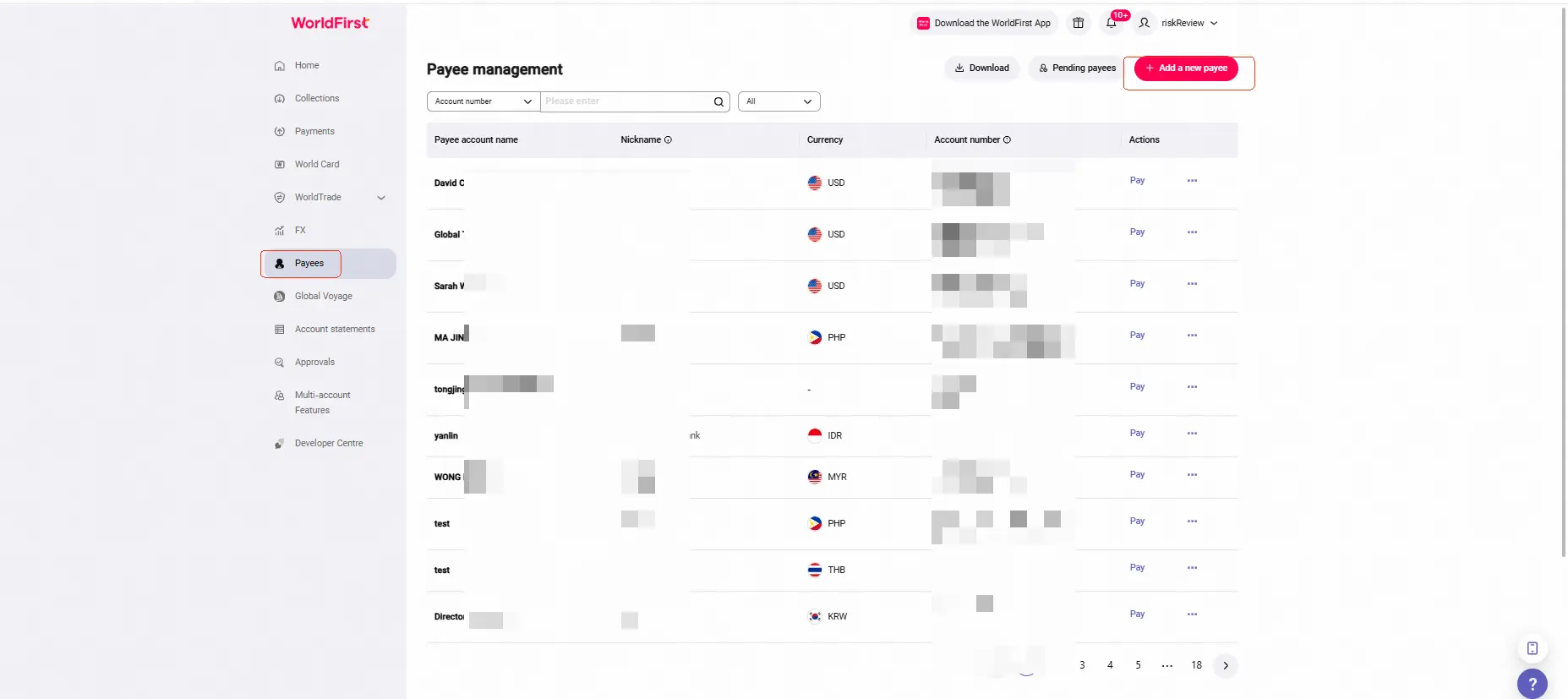
Step 1:
In the WorldFirst dashboard, go to Payees > Add a new payee.
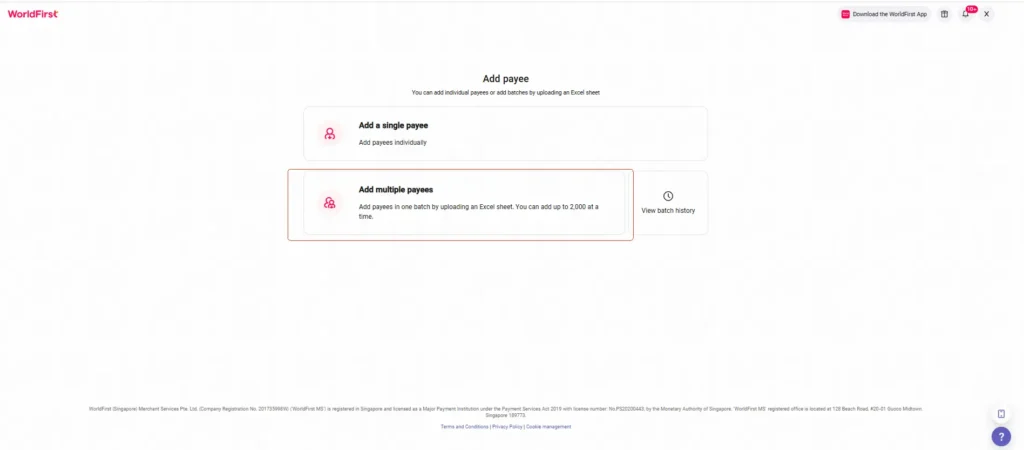
Step 2:
Click Add multiple payees
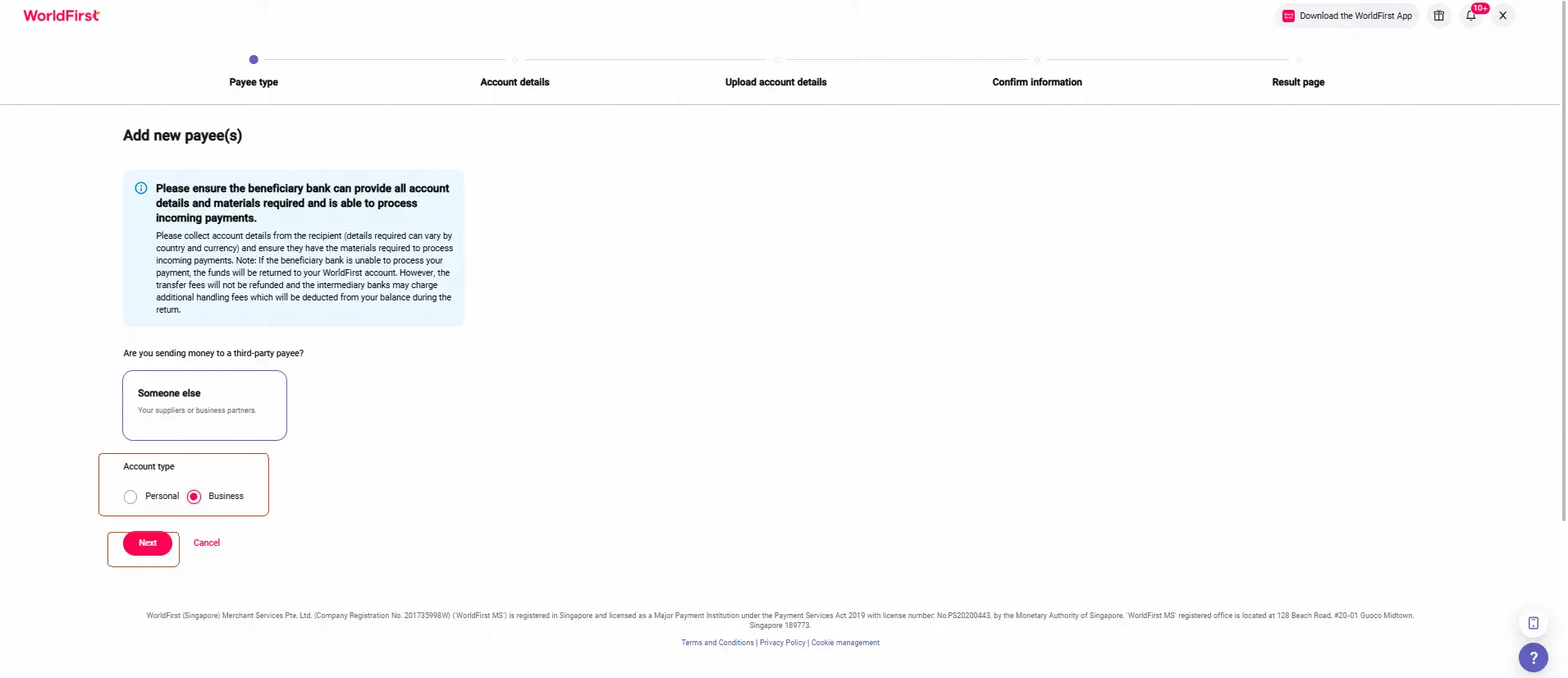
Step 3:
Select Account type
Step 4:
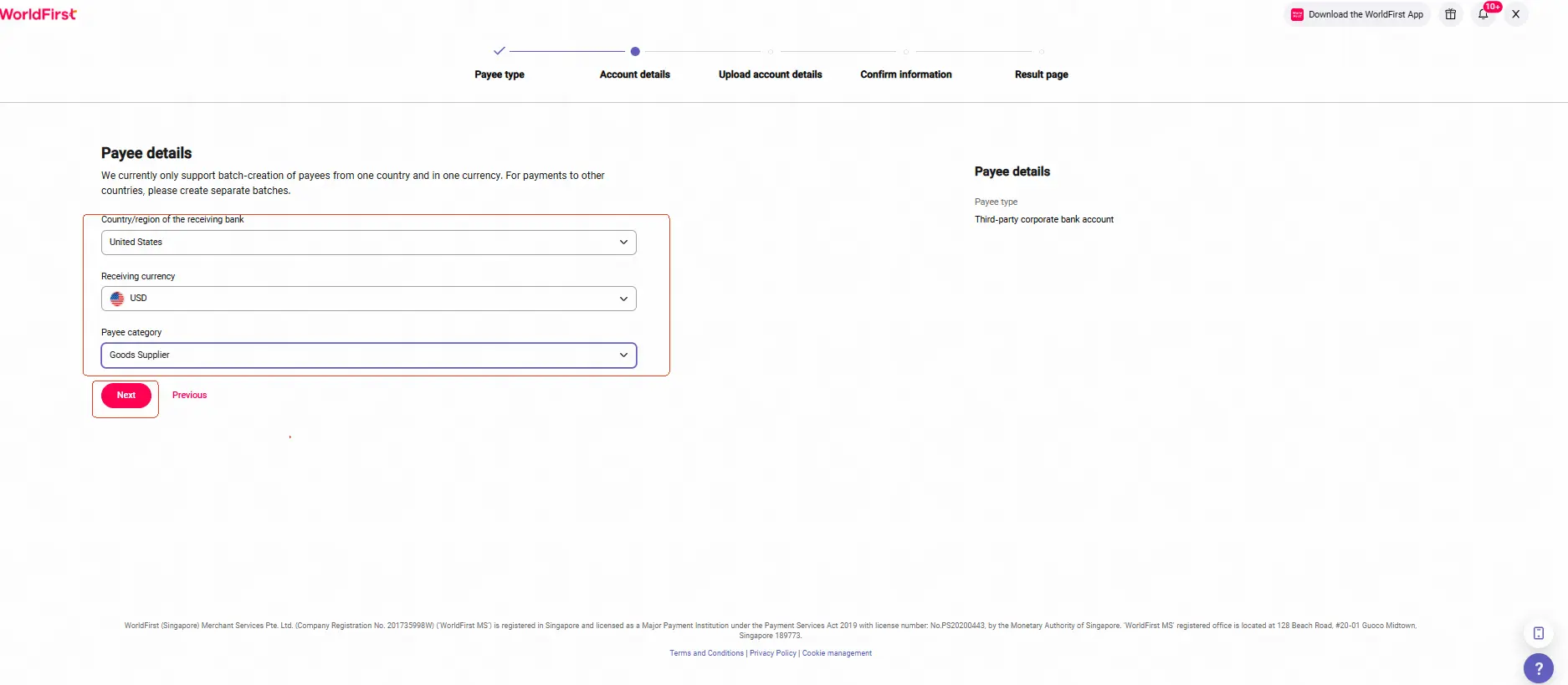
Select Country/region of the receiving bank, Receiving currency, Payee category
Step 5:
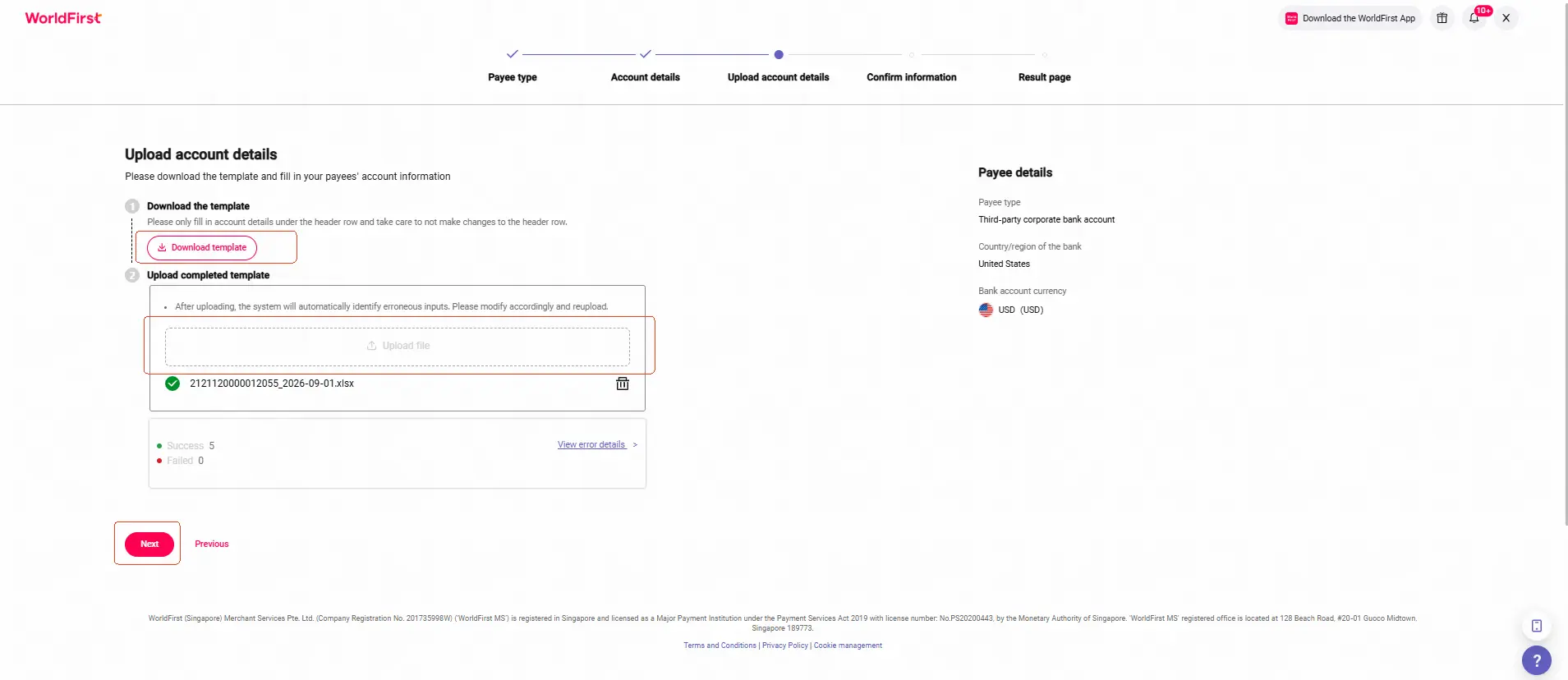
Download the template, fill in the required information, and upload it.
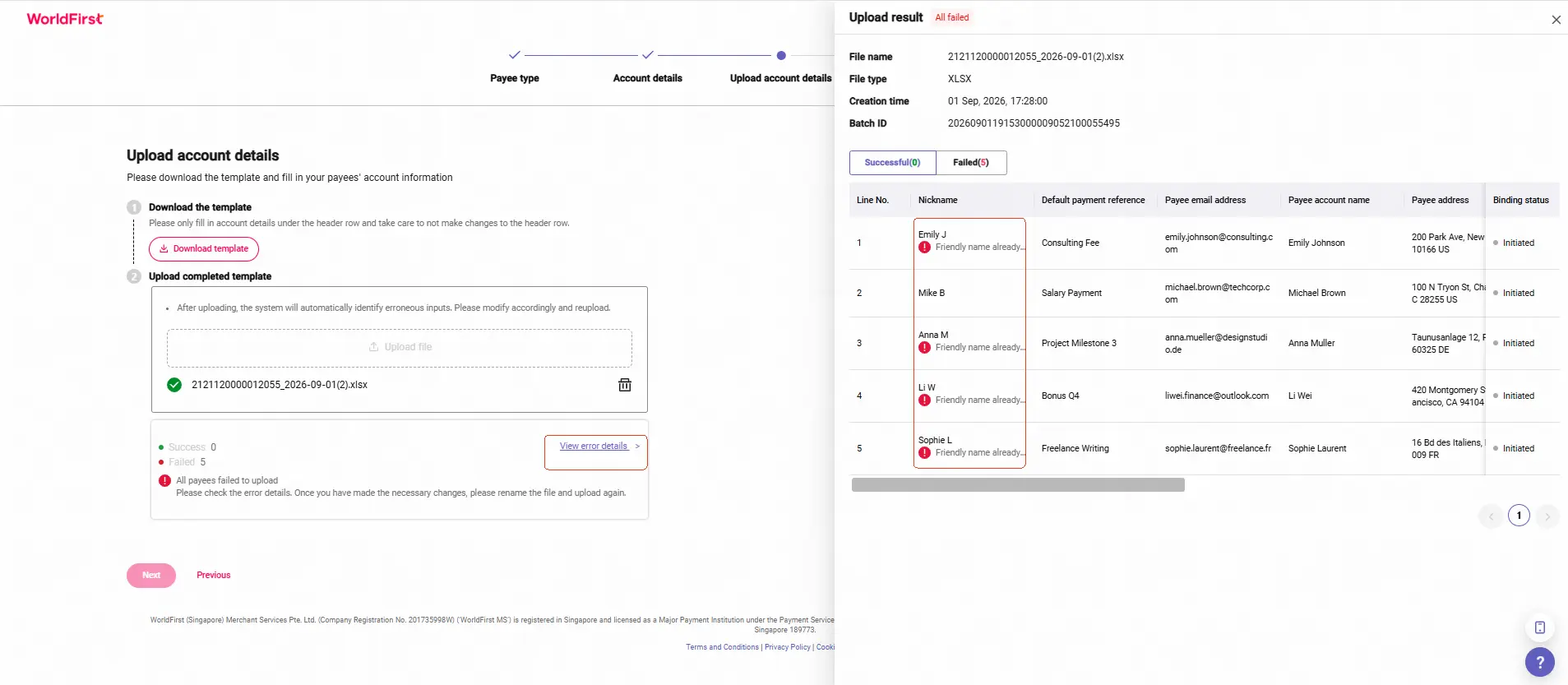
*Note: If the upload fails, please modify the file based on the error message and re-upload.
Step 6:
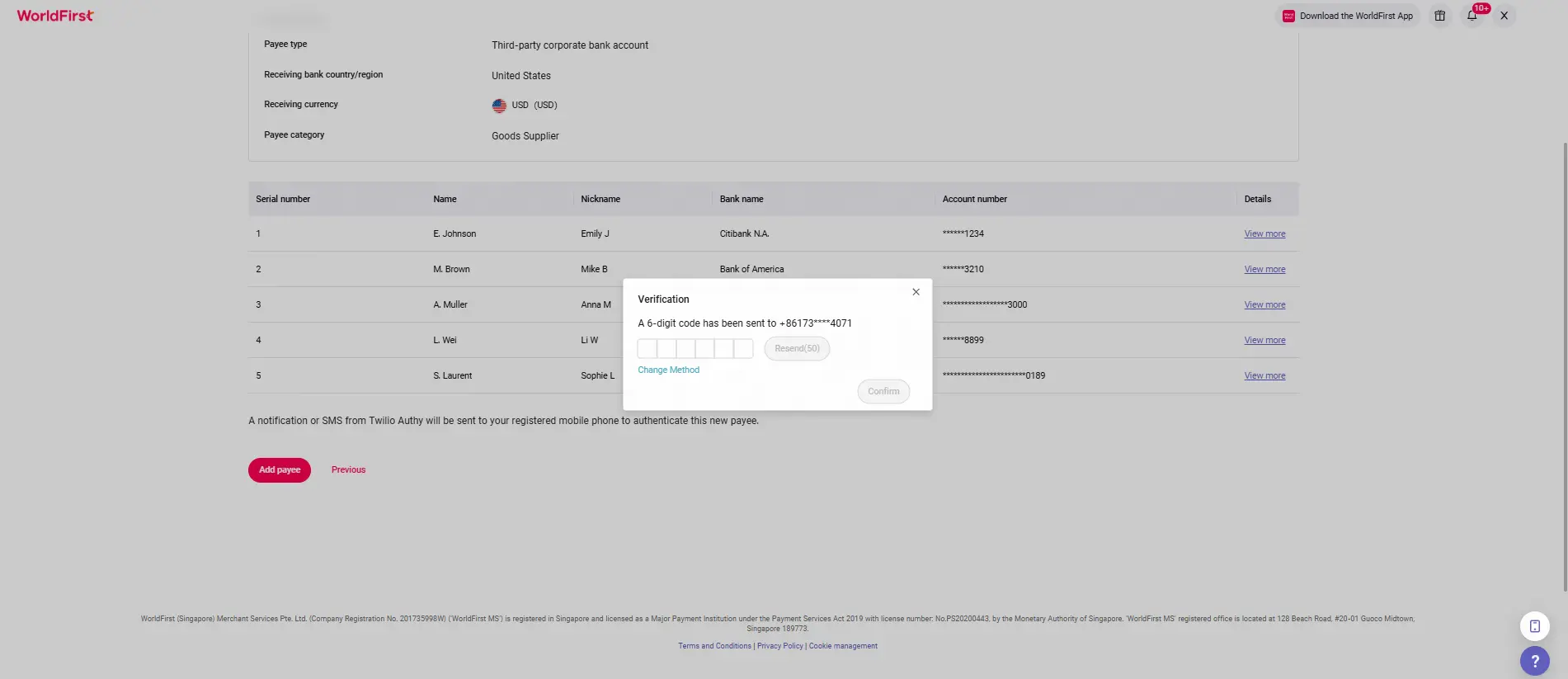
Review the information. If everything is correct, click Add payee to verify.
Step 7:
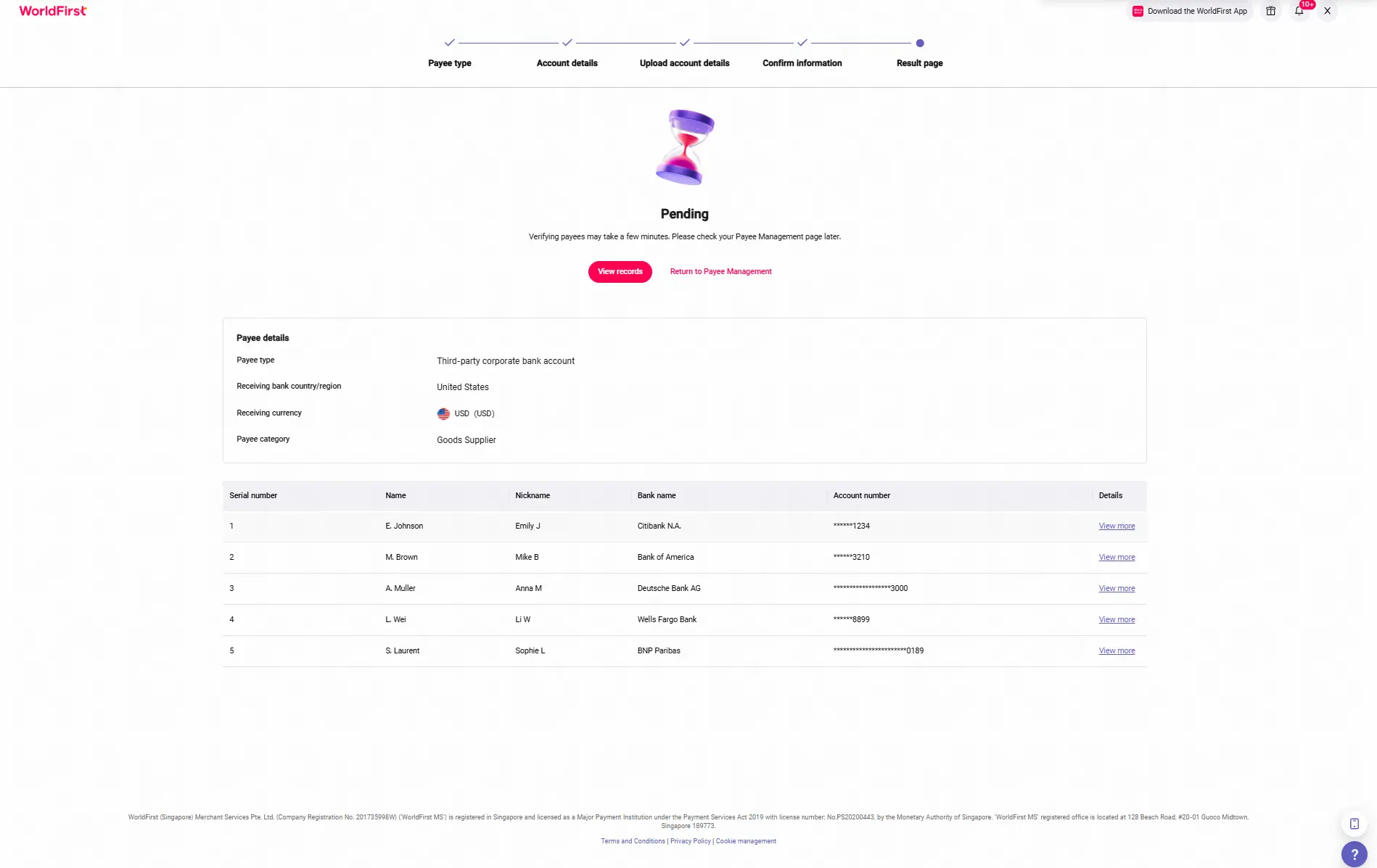
All done! Please wait a few minutes for the results to appear.
Step 8:
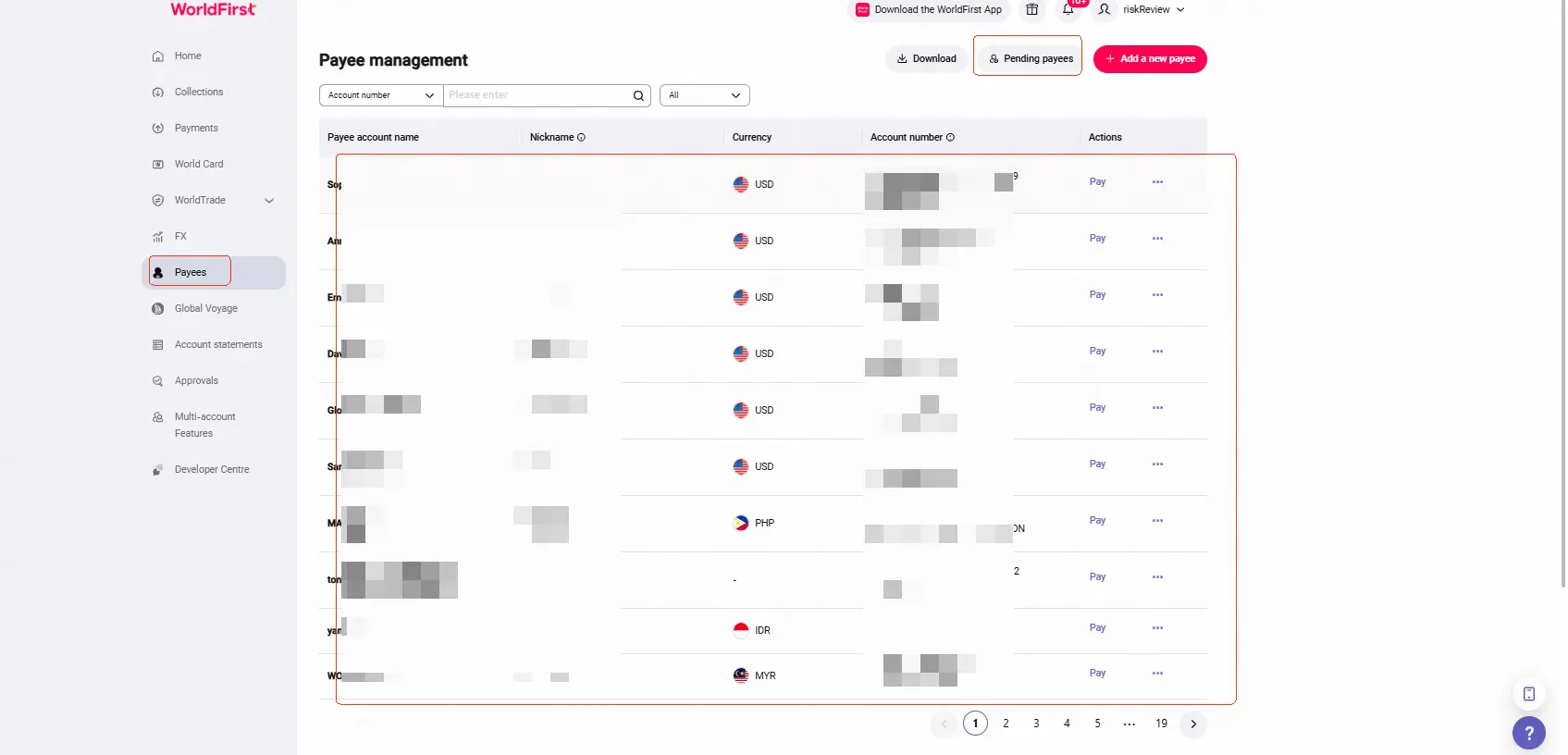
After the addition is complete, go back to the Payees section on the WorldFirst homepage to check your records.
- Successfully added payees will appear directly on the Payee management page.
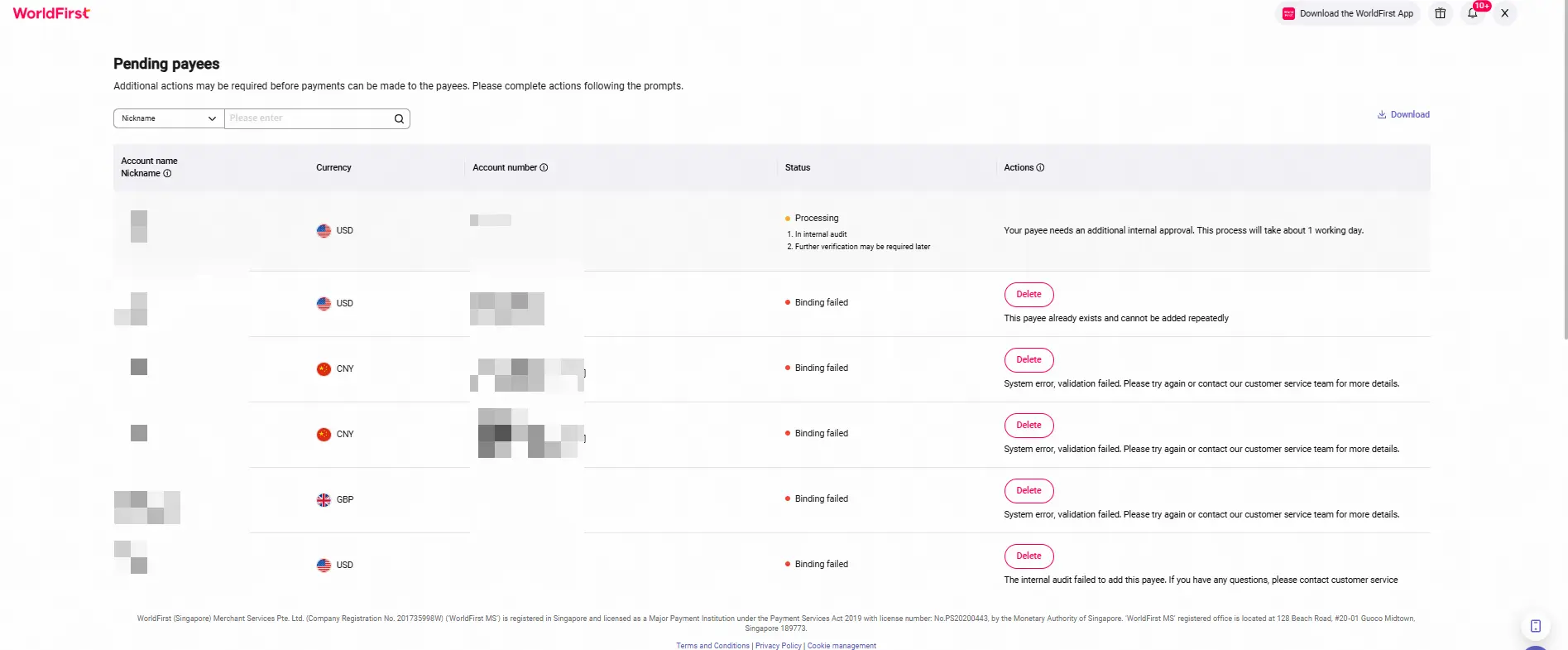
- For failed or still-processing requests, click Pending payees to view the status or the reason for failure.
Troubleshooting Excel Upload Failures
If the file upload fails, click View error details to check the reason for failure, correct the issues based on the error description, and re-upload the file.