

























Learn how to start selling on Amazon from Singapore with a clear guide to seller registration, product sourcing, fulfilment and international payments
Key takeaways
- Singapore businesses can sell on Amazon.sg and expand into marketplaces in the US, UK, Europe, Japan and Australia
- Amazon offers Individual and Professional seller plans, with different fee structures
- Sellers can choose to enroll on Amazon FBA or handle shipping on their own
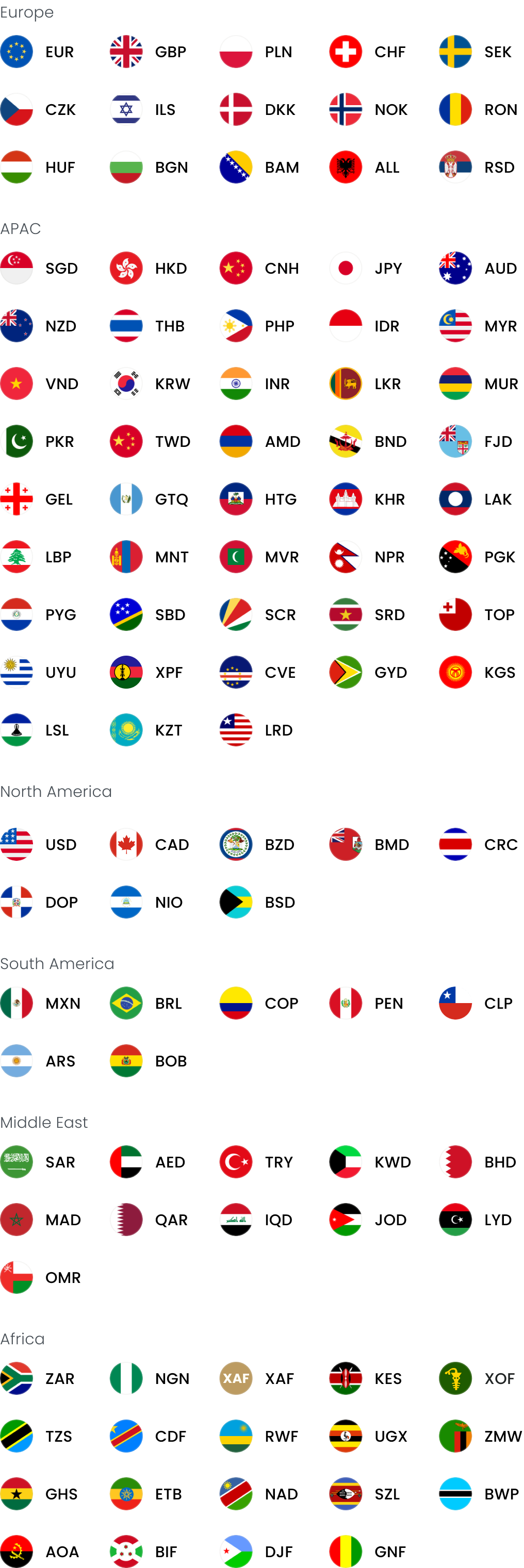
- The World Account helps sellers collect Amazon payouts in 20+ currencies, hold foreign currency balances and pay international suppliers

Amazon operates marketplaces across North America, Europe, Asia and Oceania, giving Singapore businesses access to customers beyond their domestic market. Sellers can list products on Amazon Singapore and expand into international stores such as Amazon US, UK, Japan, Australia and European marketplaces.
But selling internationally also involves listing products, researching demand, sourcing reliable suppliers, arranging shipping and more.
This guide explains how to sell on Amazon from Singapore, covering the registration process, product sourcing, fulfilment options, marketing and financial management.
Why sell on Amazon from Singapore?
Amazon provides Singapore businesses with access to a large international customer base without requiring them to establish physical stores in every target market. Its e-commerce marketplace network allows sellers to test demand in different countries and expand their product reach.
By selling on Amazon, you get:
- Access to international customers: Reach shoppers across multiple countries through established Amazon marketplaces
- Fulfilment support: Amazon FBA Singapore allows sellers to outsource storage, packing, shipping and customer service
- Built-in marketing tools: Amazon Ads and promotional features help businesses reach shoppers searching for relevant products
- Business scalability: Sellers can start with one marketplace and expand into additional stores as their operations grow
- Customer trust: Amazon’s established shopping and fulfilment infrastructure gives customers familiar purchasing options
Steps to sell on Amazon from Singapore
Step 1: Research products
Product research helps identify items with sufficient customer demand and potential profit margins. Before choosing a product, examine:
- Search volume: Use tools such as Helium 10, Jungle Scout and Amazon’s seller data to estimate product demand
- Competition: Check the number of competing sellers, their prices and listing quality
- Customer reviews: Examine recurring complaints and product gaps. Categories dominated by established listings with thousands of reviews may be harder to enter
- Sourcing costs: Check wholesale prices on platforms such as 1688.com, Alibaba and Made-in-China
- Intellectual property: Check applicable trademarks and patents to avoid infringing existing rights
- Shipping and fulfilment: Account for product dimensions, weight, international freight and Amazon fulfilment charges
- Product restrictions: Check Amazon’s category approval requirements and restricted product policies
Step 2: Find the right suppliers
Supplier selection affects product quality, purchase costs, delivery schedules and inventory availability, this is how:
| Supplier type | How it works | Pros and Cons |
| Manufacturers | Produce goods directly for sellers | Lower per-unit costs, but often require larger orders and quality checks |
| Wholesalers | Purchase products from manufacturers and resell them | Smaller order quantities may be available, but with less customisation |
| Dropshipping agents | Coordinate product sourcing, quality checks and shipping | Reduced operational involvement but commissions are charged |
| Retail arbitrage | Purchase discounted retail products for resale | No manufacturing MOQ, but margins and inventory availability can vary |
Step 3: Finalise shipment and logistics
Shipping involves two stages: transporting products from suppliers to storage facilities and delivering customer orders. For international freight, sellers can request shipping quotes from manufacturers or work with freight forwarders. These providers can coordinate cargo transportation, customs documentation and shipping insurance.
Once products are ready for sale, sellers can choose between three fulfilment arrangements:
- Fulfilment by Amazon (FBA): Sellers send inventory to Amazon fulfilment centres. Amazon stores the products and handles picking, packing, delivery, customer service and returns. FBA products can qualify for Prime benefits, subject to marketplace eligibility and programme requirements. Storage and fulfilment fees apply
- Fulfilment by Merchant (FBM): Sellers store inventory and handle order processing, packing, shipping, customer service and returns themselves or through third-party providers. This avoids FBA-specific fees but requires independent fulfilment arrangements
- Seller Fulfilled Prime: Eligible sellers can fulfill Prime orders themselves while meeting Amazon’s delivery and customer experience requirements. Participation involves pre-qualification and performance standards, which vary by marketplace
Step 4: Create an Amazon seller account
To become an Amazon seller, register through Amazon Seller Central Singapore. The process involves submitting business and personal information, verifying your identity and setting up payment details. Before starting, prepare:
- A valid email address and mobile number
- Singapore identity documents, such as a passport, National ID or driving licence
- Business registration details, including the UEN and relevant ACRA documentation
- Business verification documents confirming the company’s registration and current status
- Documents establishing the account holder’s relationship with the business, where applicable
- A bank or credit card statement and a valid payment card
Follow these steps to register:
- Start registration: Visit Amazon’s Singapore seller registration page and select the option to create a seller account.
- Enter business information: Select the country of business registration and legal structure. Individual sellers must provide their country of residence and personal details.
- Verify business association: Confirm your authority to represent the registered business. A letter of authorisation may be required if you are not named on the business registration documents.
- Complete identity verification: Enter your personal particulars and residential address, then submit the required identity proof.
- Add billing information: Enter an accepted credit or debit card for applicable subscription charges and other amounts due.
- Set up your store: Choose a seller display name and provide information about the products you intend to sell.
- Submit your application: Review the information, upload the required documents and complete the available online or video-based identity verification.
Choose a selling plan
Amazon offers two main selling plans:
- Individual plan: No monthly subscription fee, but a per-item selling fee applies. This plan is generally suited to sellers with lower sales volumes
- Professional plan: Charges a monthly subscription fee but does not include the Individual plan’s per-item fee. It provides access to additional selling tools and is generally suited to businesses selling at higher volumes
Referral fees apply to sales under both plans. Subscription and selling fees vary by marketplace, so check the relevant Amazon fee schedule before registering.
Receiving international marketplace payouts
Singapore sellers expanding into Amazon US, UK, Europe or Japan may receive marketplace settlements in USD, GBP, EUR, JPY and other local currencies.
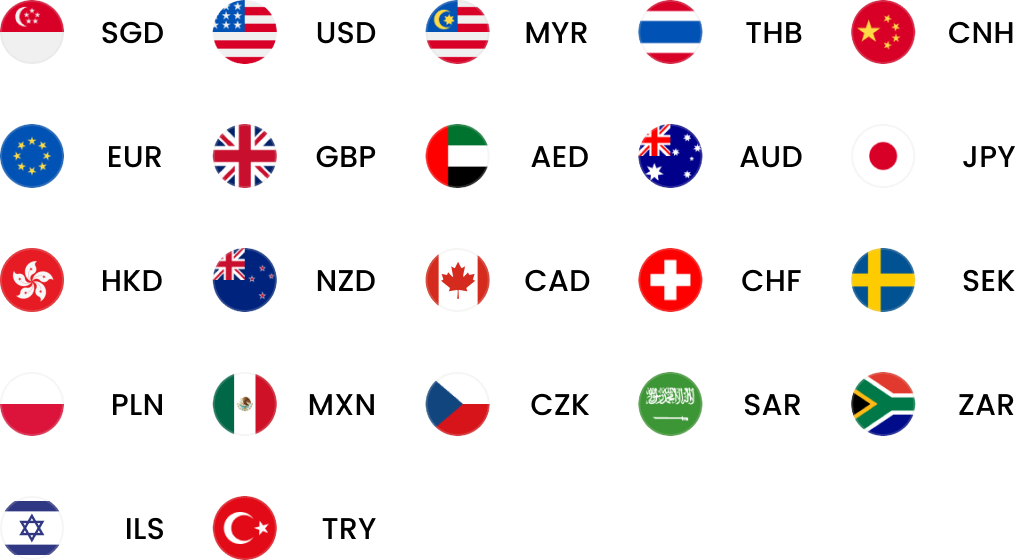
WorldFirst is a participating Amazon Payment Service Provider (PSP). Through the World Account, sellers can open local receiving accounts in 20+ currencies and collect Amazon marketplace payouts in their corresponding currencies rather than automatically converting every settlement into SGD.
Step 5: Determine product prices
Product pricing determines how competitive an offer is and how much revenue remains after selling expenses. Calculate the complete cost of each product, including:
- Product purchase or manufacturing costs
- International shipping and customs-related expenses
- Supplier or sourcing agent commissions
- Amazon referral fees and subscription charges
- FBA fulfilment and storage fees, where applicable
- Advertising and promotional expenditure
Compare competitor prices and customer expectations within the category. Use Amazon’s Revenue Calculator to estimate selling fees and fulfilment costs before setting a profitable price.
Step 6: Create product listings
Product listings provide customers with the information needed to understand and purchase an item. Focus on three main elements:
- Titles: Include relevant keywords and key product details, such as brand, model, size and colour, within marketplace character limits
- Descriptions: Summarise product features, specifications and benefits. Use tools such as Ahrefs, Helium 10 and Jungle Scout for keyword research
- Images: Use high-resolution product photos from multiple angles, following Amazon’s image and main-image requirements
Step 7: Market your products
Amazon provides several tools and programmes to improve product visibility and attract customers.
- Amazon Ads: Sponsored Products use pay-per-click advertising in search results and product pages. Sponsored Brands and Sponsored Display offer additional advertising options, subject to eligibility
- Customer reviews: Use Amazon-approved review requests and programmes to gather feedback. You must note that buying reviews or offering incentives for positive reviews violates Amazon policies
- Amazon Prime: FBA products may qualify for Prime benefits. Seller Fulfilled Prime is also available to sellers who meet its requirements
- Featured Offer (Buy Box): Amazon considers pricing, delivery speed, stock availability and seller performance when selecting eligible offers. Reliable fulfilment and customer service can improve a seller’s chances
Step 8: Manage your finances
Selling across multiple Amazon marketplaces involves expenses and revenue in different currencies. Financial records help businesses track profitability and plan inventory purchases. Key areas to monitor include:
- Cash flow: Track incoming marketplace settlements against supplier payments, advertising costs and operating expenses
- Cost of goods sold (COGS): Record product acquisition and production costs to calculate gross profit
- Profit and loss statements: Track sales revenue, fees and operating expenses over time
- Profit margins: Measure the revenue retained after product, fulfilment, marketing and other selling costs
- Currency balances: Track funds held in different currencies and account for exchange rate movements when preparing financial reports
Where to find suppliers for Amazon from Singapore
- China: Guangzhou, Yiwu, Shenzhen and Ningbo have extensive manufacturing and wholesale networks covering electronics, homeware, accessories and other product categories
- Southeast Asia: Vietnam, Thailand and Indonesia offer sourcing options for textiles, furniture, homeware and other manufactured goods
- India: Suppliers specialise in textiles, leather products, jewellery and home décor
- Singapore: Local manufacturers and businesses supply speciality food, beauty, wellness and craft products
Channels for finding suppliers
| Channel | Suited for | What to know |
| Alibaba, 1688.com and Made-in-China | Bulk sourcing and supplier comparisons | Offer access to manufacturers and wholesalers. 1688.com primarily serves China’s domestic market. |
| Trade shows | Established sellers and bulk orders | Events such as the Canton Fair and Yiwu International Commodities Fair allow direct supplier discussions and product inspections. |
| Google and online groups | Niche products and specialised suppliers | Help identify potential suppliers, but independent verification is important. |
| Sourcing agents | Complex orders and buyers unfamiliar with Chinese markets | Coordinate supplier identification, negotiations, inspections and shipping for a commission. |
Verifying suppliers before you commit
Check the supplier’s registered business details, request relevant product certifications and confirm that the payment beneficiary matches the registered company. Order samples before committing to large quantities. For substantial orders, independent factory inspections through providers such as SGS or Bureau Veritas can provide additional quality checks.
How WorldFirst helps Singapore Amazon sellers
The World Account by WorldFirst is a multi-currency account for Singaporean sellers receiving international marketplace payments and paying overseas suppliers. WorldFirst is a participating Amazon PSP. Key features of the World Account are:
Collect marketplace payouts in multiple currencies
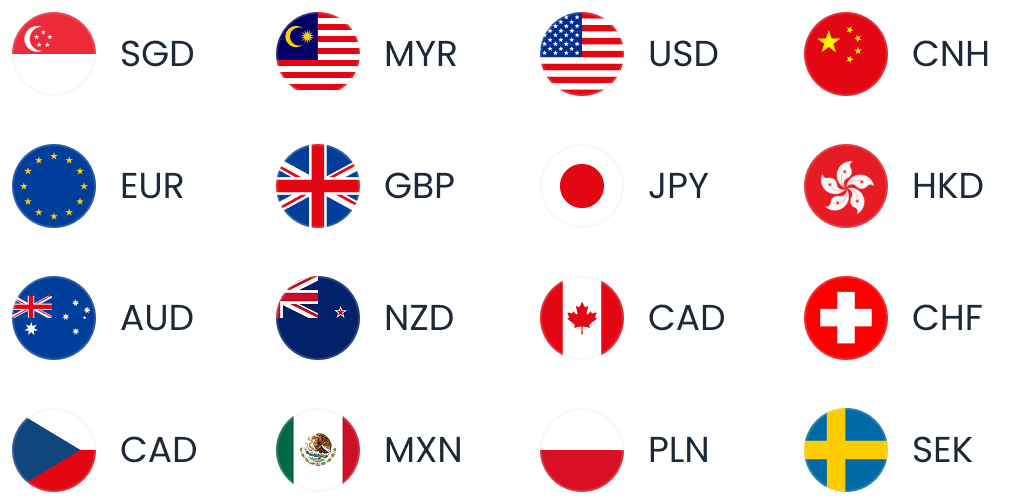
Sellers can open local receiving accounts in 20+ currencies, including SGD, USD, GBP, EUR, CNH, AUD, JPY and HKD. These accounts provide local payment details, such as US ACH routing information, UK sort codes and SEPA details.
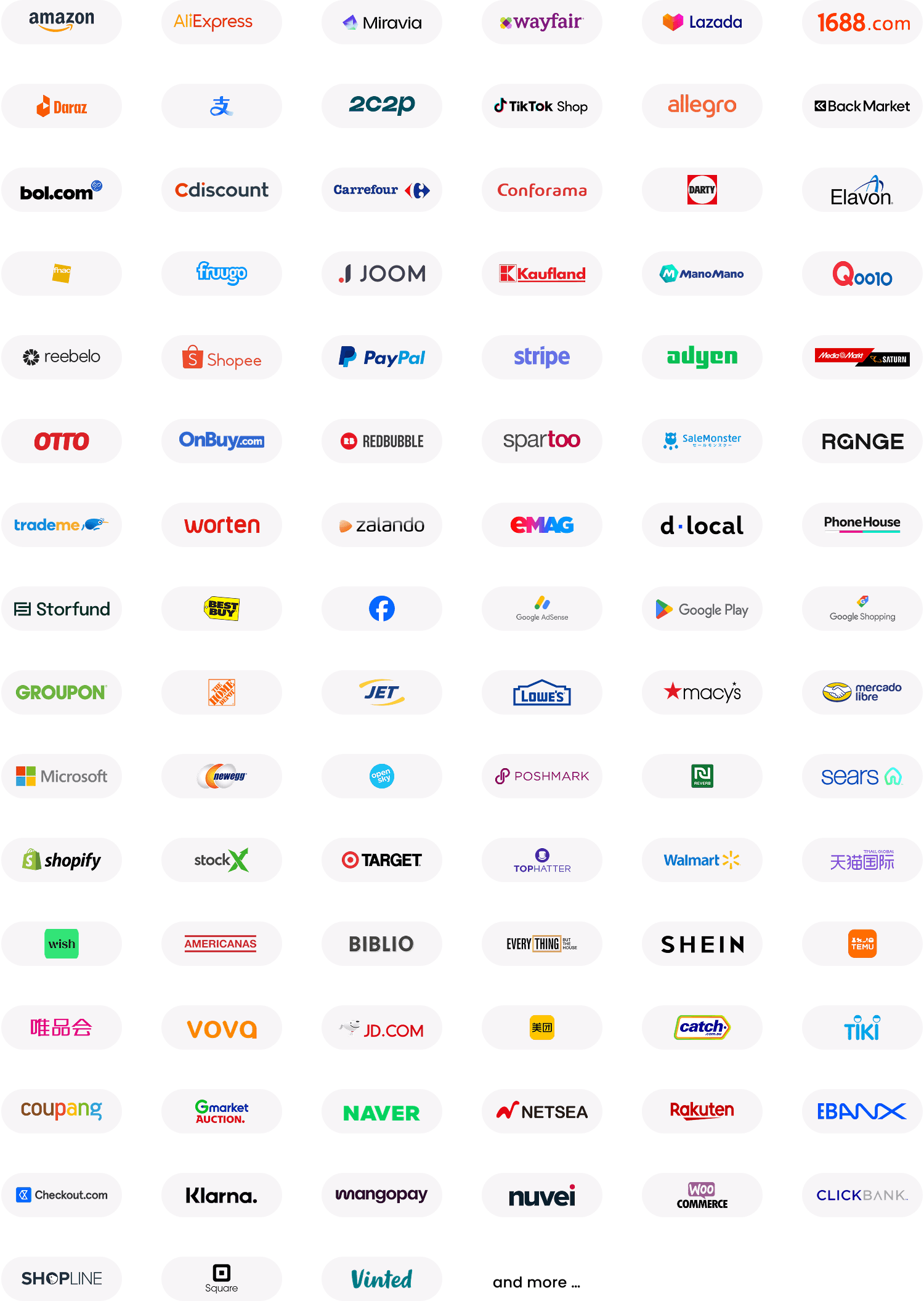
Eligible payouts from Amazon and other supported platforms can be collected in multiple currencies. Sellers can hold balances and convert funds into SGD when required. The World Account also supports collections from 130+ marketplaces and payment gateways, including Amazon, Shopify, Stripe, Etsy, Lazada and more.
Learn how to do dropshipping in Singapore in this guide
Pay international suppliers
Businesses can send payments in 100+ currencies across 200+ countries and regions. For sourcing from China, World Pay is the authorised international payment provider for 1688.com. Sellers can pay suppliers directly from their CNH balance without requiring a Chinese bank account.
Here’s how you can send money to China
Pay selling expenses with the World Card
The World Card is a multi-currency card linked to the World Account. Singapore businesses can issue up to 20 cards at zero issuance cost. It supports spending in 150+ currencies, with zero FX fees on foreign transactions when sufficient matching currency balances are held. Sellers can use the virtual cards for business expenses such as:
- Amazon seller plan subscriptions and FBA fees
- Amazon Ads and external advertising on Meta, Google and TikTok
- SaaS subscriptions for tools such as Helium 10, Jungle Scout and Ahrefs
Additional account features
- The World Account also supports forward contracts, subject to eligibility, for locking in exchange rates on future payments
- Transfers between WorldFirst account holders cost zero and are instant
- Xero and NetSuite integrations support accounting and reconciliation
FAQs
1. Is it free to sell on Amazon?
No. Amazon’s Individual plan has no monthly subscription fee but charges a per-item selling fee. The Professional plan has a monthly subscription fee. Both plans are subject to referral fees on sales. Sellers using FBA also pay applicable fulfillment and storage fees.
2. Can Singapore sellers sell on Amazon US?
Yes. Singapore businesses can register to sell on Amazon US and other international marketplaces. They must meet the relevant marketplace registration, identity verification, tax and product requirements. A multi-currency account with local USD receiving details can help collect eligible US marketplace payouts without automatic conversion into SGD.
3. How much does it cost to sell on Amazon from Singapore?
Costs depend on the selling plan, product category and fulfilment method. Individual sellers pay per-item fees, while Professional sellers pay a monthly subscription. Product sourcing, shipping, advertising and other operating expenses can add to the overall cost.
This article is intended for informational purposes only and does not constitute legal advice or professional advice. This article should not be regarded as constituting an offer or a solicitation to buy or sell any regulated or financial products or services. WorldFirst makes no representations or warranties regarding the accuracy, completeness, or applicability of the content, and readers are encouraged to consult with legal professionals or other professionals for advice tailored to their specific situation. WorldFirst does not guarantee the accuracy and completeness of this article and expressly disclaims any and all liability to any person in respect of the consequences of anything done or omitted to be done wholly or partly in reliance on this article.