---
title: Wayfair Advertising Fee Card Binding Guide
url: "https://www.worldfirst.com/my/help-center/world-card/wayfair-advertising-fee-card-binding-guide/"
updated: "2026-08-24"
category: World Card
---

# Wayfair Advertising Fee Card Binding Guide

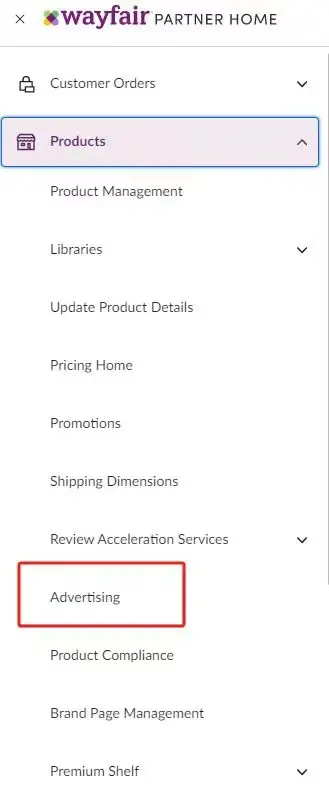
1. Log in to your **Wayfair PARTNER HOME**, click **Advertising** on the left sidebar

 [![](https://mdn.marmot-cloud.com/worldfirst/sites/15/2026/05/20260526171424222.webp)](https://mdn.marmot-cloud.com/worldfirst/sites/15/2026/05/20260526171424222.webp)

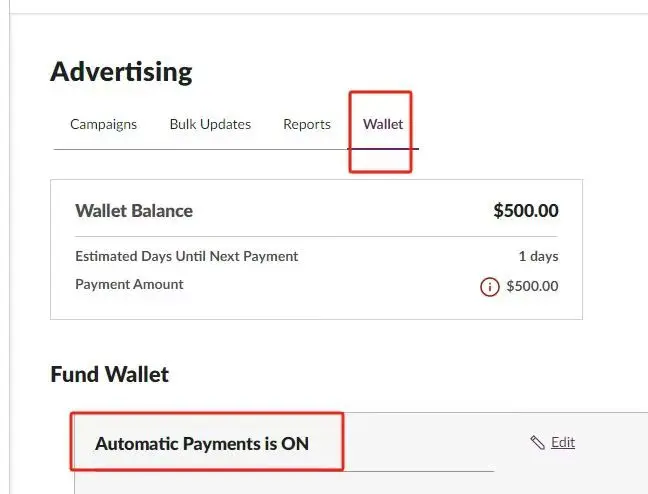
2. Select **Wallet**

 [![](https://mdn.marmot-cloud.com/worldfirst/sites/15/2026/05/20260526171445584.webp)](https://mdn.marmot-cloud.com/worldfirst/sites/15/2026/05/20260526171445584.webp)

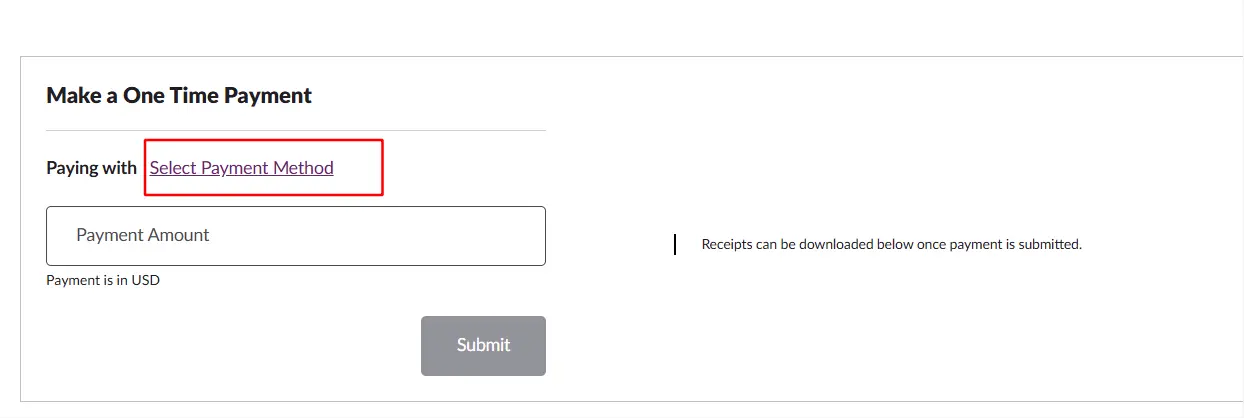
3. Click **Select Payment Method**

 [![](https://mdn.marmot-cloud.com/worldfirst/sites/15/2026/05/20260526171517227-1024x344.webp)](https://mdn.marmot-cloud.com/worldfirst/sites/15/2026/05/20260526171517227.webp)

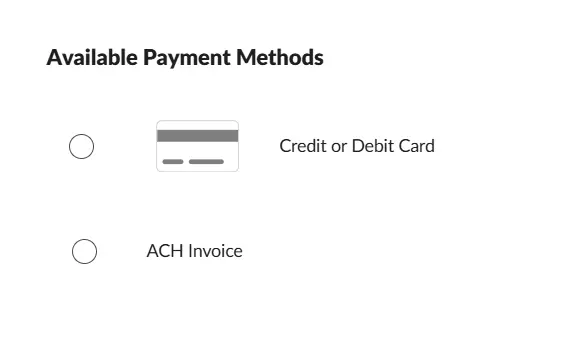
4. Choose **Credit or Debit Card**, enter your **World Card** details, save the information and then submit
 [![](https://mdn.marmot-cloud.com/worldfirst/sites/15/2026/05/20260527142629968.webp)](https://mdn.marmot-cloud.com/worldfirst/sites/15/2026/05/20260527142629968.webp)