


























Home > blog > International Transactions > UK online business bank accounts for non-residents: 4 top options
UK online business bank accounts for non-residents: 4 top options
Last update:


It can be complex to set up a UK business bank account if you’re not a resident in the UK. That’s because:
- You’ll need a business director with a proof of address or presence in the UK. In some cases, a director needs to be a UK resident
- You’ll often need to submit information in person or over the telephone
- You may need to register with Companies House. To do this, you’ll need to pay a fee and submit basic business docs
This is true of most traditional high-street banks. But the truth is you don’t need to be a UK resident to open a business account in the UK.
Instead, it’s much easier to open an account online with a payment solutions provider such as WorldFirst. Rather than having to open a bank account in person, you can create a World Account online within minutes – and manage your international business payments all in one place.
In this guide, we’ll share what to look for in a UK online bank account for non-residents and help you compare different products. We’ll also share the details of the World Account – the multi-currency business account designed for global businesses.
We cover:
- What to look for in a UK online bank account as a non-resident
- The a World Account: The business account designed to simplify global payments
- How to open a World Account
- Three alternative online UK business accounts to consider
Sign up to a World Account for free today to manage your multi-currency business transactions across borders.
What to look for in a UK online bank account for non-residents
Using a local bank account allows you to access local banking networks, which speeds up transactions and saves you the costs of international transfers. So, you don’t always need a local account to do business in the UK, but it can be useful to get one.
That said, many traditional bank accounts have their limitations.
For example, you often need a local business address to set up a GBP bank account, as we mentioned above. Plus, many traditional banks only have basic online payment management features. You may be able to view your account balance, for instance, but you may not be able to view your spending across separate campaigns, currencies or marketplaces.
That’s why it makes sense to open an account with a global payments solution like WorldFirst. While not technically banks, companies that are registered as electronic money institutions (EMIs):
- Provide many of the same services as traditional banks
- Are regulated by the Financial Conduct Authority (FCA)
- Offer digital features for budgeting and handling payments in multiple currencies
- Are often much more affordable than traditional accounts
Whether you choose an EMI or a traditional bank, though, here’s what to look for in a UK online account for non-residents if you want to save time, improve your payment processes and trade globally as a non-resident business owner.
- A fully online setup (without the need for a UK address). While most traditional banks don’t let you get set up online or without a UK address, many digital banks offer simple online set up processes that often don’t require any paperwork. This means you can register for a UK account and get started within hours or days instead of weeks.
- The ability to receive GBP payments like a local, while avoiding expensive FX fees. Many conventional UK business bank accounts charge commission on currency exchange. Choose an alternative where you can use local account details, including GBP, to receive payments and hold funds in most major currencies. That way, you won’t have to keep converting currencies to pay overseas suppliers, thereby avoiding costly FX fees.
- A central dashboard where you can manage all your UK payment activities online. Rather than flicking between separate banking apps to track your revenue and payments for different currencies – including GBP – the best accounts allow you to manage all your activities from one dashboard.
- Extra tools to help you run your business. Look for an online account that helps you better manage your payments and offers tools that improve essential business processes like tracking expenses. For example, some EMIs and digital payment solutions offer multi-currency virtual cards so you can pay for business expenses in GBP or another currency while saving on monthly fees.
In the rest of this guide, we share some options that match these needs – starting with the World Account.
The World Account: The business account designed to simplify your global payments
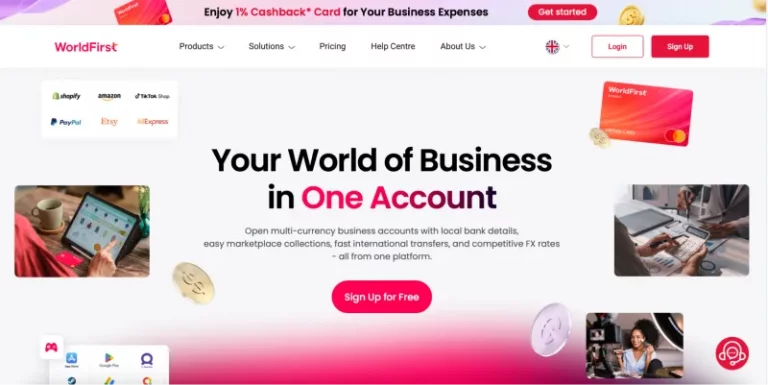
At WorldFirst, we’ve been supporting businesses to move money across the world since 2004. Over the last two decades we’ve enabled over 1.5 million companies to send over $500 billion in cross-border payments.
With a World Account, you can easily set up a GBP business account, even if you’re not a resident in the UK. You don’t need a local business presence or address and you can create an account completely online from wherever you currently reside.
This way, you can accept payments and pay suppliers in the UK, efficiently and affordably, with faster payment processing times and lower FX fees.
Here are four key reasons businesses pick WorldFirst as their main GBP – and global – business account.
1. Set up your business account online without a local address
Many traditional UK banking providers require you to set up your account in person or by telephone if you’re a non-resident – if they let you set up an account at all. This takes up valuable business time and resources.
With WorldFirst, you don’t need a UK address to hold an account with GBP account details.
You can register for your multi-currency business account online simply by submitting personal ID documents and basic business information, including your trading name, address, industry and registration number. Approval usually takes less than 48 hours – and then, you can start using your World Account immediately.
Once set up, you can create a currency account in GBP with local account details, including a UK IBAN. That way, you can receive funds, sell goods and pay suppliers in the UK and internationally– as if you were a UK business.
What’s more, with a World Account, you can hold over 20 different currencies in a single account – and you’ll get local account details for each currency. So, alongside GBP, you can hold EUR, USD, AUD, SGD, CNH and more, all in one place.
One of the key benefits of these local details is that it’s faster and much more affordable to make payments to the UK – or to wherever else you hold currency. For instance, you can pay a supplier in the UK directly from your GBP currency rather than using the SWIFT network for international transfers, which can take up to six business days.
Instead, with WorldFirst, 90% of payments settle within one business day.
Read more: How to open a GBP account online: Your options as a cross-border business
2. Save on fees when making payment in 100+ currencies
Many traditional business account providers aren’t very transparent about their fees for FX, account maintenance and payments. This makes it difficult to know the actual costs of making an international transfer.
If you’re a business trading in the UK and other territories, you’ll need to convert lots of currency to receive payments and pay suppliers in different territories. These costs can stack up and eat into your profits over time.
With WorldFirst, you can:
- Set up an account for free and pay nothing in maintenance costs, so you know what you’re getting from the start
- Send business payments in 100+ currencies, with minimal, transparent transfer fees
- Enjoy zero FX fees in 15 currencies when paying with a virtual debit card, including GBP, USD, EUR, CNH, AUD, NZD, SGD and HKD.
You can also lock in foreign exchange rates for up to 24 months using a forward contract to protect yourself against constant fee fluctuations. It’s also possible to hold and exchange funds when they’re more favourable to boost your budgets.
WorldFirst’s firm orders feature lets you set a target FX rate and ask us to transact for you when the time is right. That means you can focus on running your business, and we’ll handle the transaction based on your instructions.
Read more: Paying invoices in foreign currency: A guide for UK businesses
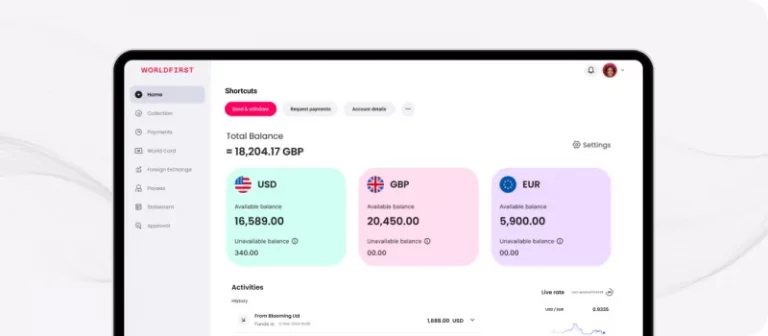
3. Manage all your financial activities within one dashboard
With WorldFirst, you can also set up separate accounts for your various business functions.
For instance, if you sell on multiple marketplaces, such as Amazon UK and Etsy, it can make sense to have a separate account for your income from each platform to make accounting easier. Similarly, you can set up different accounts for payroll or for paying suppliers.
However you want to arrange your accounts, you can manage them all within a single dashboard, so that you get clear visibility of your spending all in the same place. This way, you’ll save time on accounting, attribution and budgeting as you won’t have to log in to separate banking platforms or apps to view or compare your payment activities.
You can also add users to your World Account with customised levels of administrative access, and integrate with Xero or NetSuite for accurate accounting and attribution.
Read more: Best business bank accounts for foreign transactions: 9 top options
4. Use virtual cards to pay for ads and business expenses in multiple currencies
As a non-resident business that wants to trade in the United Kingdom and other territories, you may need to pay for shipping costs, travel and marketing expenses in several currencies. The problem is that many traditional business credit cards charge steep transaction or FX fees.
As a World Account holder, you can apply for a virtual World Card, a multi-currency card that you can use to pay for business expenses anywhere Mastercard is accepted. You’ll benefit from zero fees on 15 global currencies, including GBP, USD, EUR, CNH, AUD, NZD, SGD and HKD.
With the World Card, you can add up to 50 virtual cards to your account for free and allocate each to a particular currency or expense category (travel or procurement, for instance). Doing so means you can reconcile your business expenses across channels or currencies more accurately.
Having a central view of all your virtual card payments lets you track your spending quickly and easily. For example, if you’re paying for digital ads for your Google Ads and UK Amazon accounts, you can set spending limits and check how much you’ve spent on each at a quick glance.
Read more: Best foreign currency card: 6 options for businesses and travellers
How to open a World Account
Ready to set up a World Account and manage your UK payments more efficiently as a non-resident? Simply follow these steps:
- Visit our Sign up page to get started
- Fill out some basic details about you and your business, including your company name, director names and registered offices
- Submit all of the necessary verification documents
- Choose your World Account requirements
- Start managing payments across accounts online.
Note: you can use our official Help Centre guide if you need additional information.
3 alternative online UK business accounts to consider
If WorldFirst isn’t the right fit, here are three additional options that you can set up as a non-resident business owner.
1. 3S Money
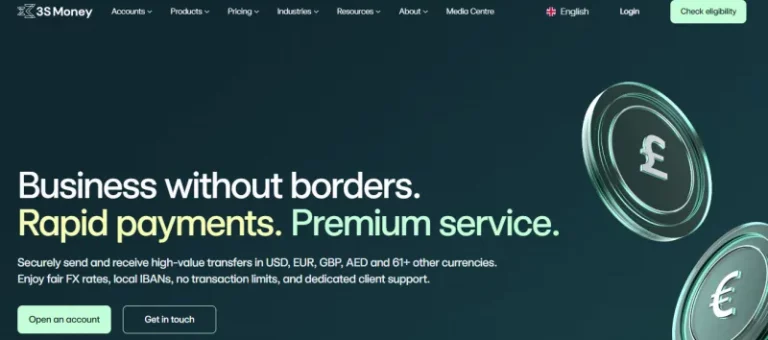
3S Money is an EMI that specialises in international payments and multi-currency business accounts. Its Money Account allows you to hold funds in 65 currencies while enjoying favourable FX rates.
As a 3S Money account holder, you’ll get a relationship manager to provide user support and help you get the most from your online account features.
There are three price plans to choose from (Standard, Enterprise and Plus) with monthly maintenance fees ranging from €100 to €300+ per month. It’s also worth noting that you have to keep your account topped up with a minimum of three times your monthly subscription charge to avoid penalty fees.
2. Wise Business
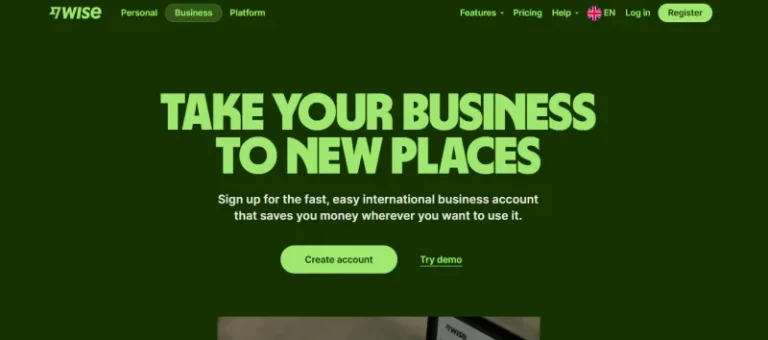
Wise is a modern online banking platform that’s popular among international business owners. The Wise Business account is designed to make trading overseas cheaper and easier.
There are no monthly maintenance or subscription fees to run your account, but there’s a one-time setup charge of £45. You can hold funds in 40 currencies with Wise Business.
You should also know that a Wise account offers accounting and invoicing software integrations including Xero, Quickbooks and FreeAgent.
3. Revolut Business
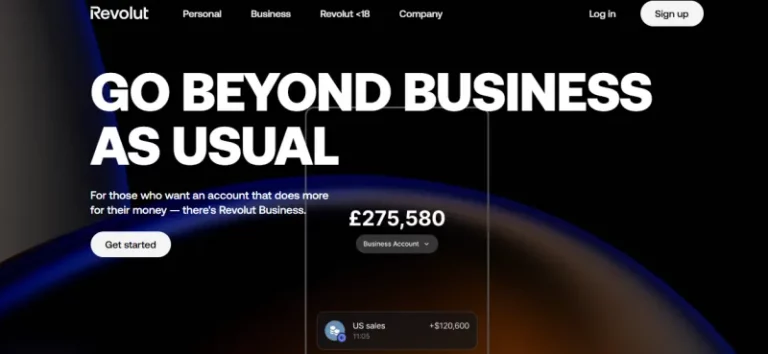
Revolut is an established fintech and online banking provider that was founded in 2015. You can set up a Revolut Business account online and the process is fairly simple.
There are four plans to choose from (Basic, Grow, Scale and Enterprise) and maintenance fees range from £10 to £90 a month. Maintenance charges for the bank’s Enterprise plan are bespoke, based on your specific business needs.
You can hold funds in 25+ currencies, including GBP, but charges apply. There’s little transparency about the particular costs or percentages of this rate. Revolut also offers a virtual card option for business-related spending in different currencies.
UK online business bank accounts for non-residents: a summary
| Bank | WorldFirst | 3S Business | Wise | Revolut Business |
|---|---|---|---|---|
| Maintenance fee | Zero | Yes. Standard plan: €100 per month Enterprise plan: €300 per month Plus: Bespoke pricing based on your specific business needs |
None, but there’s a one-time set up fee of £45. | Yes. Basic plan: £10 per month Grow plan: £30 per month Scale plan: £90 per month Enterprise plan: Charges are customised to your specific business size and needs |
| Minimum deposit fee | Zero | Yes. You have to keep your account topped up with a threshold of three times your monthly maintenance fee to avoid charges. | Zero | Zero |
| Number of currencies or local account details | 22+ | 5, transaction rates apply. | 40 (only some with local account details) | 25+ |
Improve your UK business activities and grow beyond borders with a World Account
If you need a UK online bank account that gives you full visibility on your UK-based payment activities while accessing local account details in 20+ extra currencies, try WorldFirst.
With a World Account, you can set up a GBP account with local details even if you’re not a UK resident. Plus, you won’t pay setup or maintenance fees, and you can manage all your payment activities online with one easy-to-use dashboard.
You can also handle payments of 100+ currencies to 200+ countries while saving on FX costs, and scale your business globally.
Shawn Ma leads business development at WorldFirst UK, with a deep expertise in fintech, risk management and cross-border commerce.

Shawn Ma
Author
Continue reading


Subscribe
The Weekly Dispatch
Get the latest news and event invites. Signup for our weekly update from the worlds of fashion, design, and tech.
You might also like
Choose a product or service to find out more

E-commerce guides


Doing business with China

Exploring new markets

Business Tips

International transactions
E-commerce expansion guides
Doing business with China