





























Home > blog > Global Business Tips > Best euro business account UK: 4 options compared
Best euro business account UK: 4 options compared
Last update:


If you’re a UK business preparing to expand into European markets, pay EU suppliers easily or look for ways to save on foreign exchange (FX) fees, chances are, you’re also searching for the best euro business account.
However, with so many options out there, finding the right account for your business can be time-consuming and research-intensive.
To help make the best choice for your business, we’ll analyse four of the best euro business accounts in the UK by comparing the fees, features and benefits of each option. We’ll also highlight which account is best for SMEs that want to scale past Europe and into worldwide markets.
But first, we’ll introduce you to WorldFirst’s World Account, our multi-currency business account that lets you hold EUR, GBP and 20+ other currencies (and make payments in 150+).
What we’ll cover:
- The 4 best euro business accounts for UK companies
- WorldFirst’s World Account
- Wise Business Account
- Starling Business Account
- HSBC International Business Account
Ready to start holding funds in euros (and 20+ other currencies)? Open a World Account for free.
The 4 best euro business accounts for UK companies
| WorldFirst’s World Account | Wise Business Account1 | Starling Euro Business Account2 | HSBC Business Banking Account3 + HSBC Global Wallet | |
|---|---|---|---|---|
| Best for | SMEs and enterprises with frequent EU and international payments | SMEs and startups needing transparent fees for global spending | UK startups, freelancers and small-to-medium SMEs who prefer low fees | Established businesses with high borrowing needs & cash handling requirements |
| Multi-currency | Make payments in 150+ currencies and hold funds in 20+, including EUR | Hold funds in 40 currencies including EUR | EUR and GBP with optional USD add-on | Hold funds in nine currencies (and receive payments in 6) when you add HSBC Global Wallet to your account3d |
| Account fees | Free to open and maintain | £45 one-time set-up fee for business accounts | £2 per month | £10p/m after 12 months3a |
| FX fees | Zero FX fees when you spend in 15 major currencies | No markup on exchange rates, but each conversion incurs a small variable fee1e | 0.4%2b | FX fee not explicitly stated3a |
| Virtual cards | 20 active cards per account | Up to three cards per team member1f | Unavailable for business accounts | HSBC Business does support virtual cards, though it’s unclear how many you can have per user or per account3b |
| Cashback | 1.2% on eligible spending with the virtual card. Unlimited, paid monthly. | You can earn up to 0.5% of your card’s spending limit on eligible transactions1b | ❌ No mention | ❌ No mention for this account |
| Support | Receive support via phone, live chat, or dedicated account manager**, in 11+ languages across 20+ regions. | 24/7 customer support available online or by phone | 24/7 customer support | Support by phone from Monday to Saturday, closed on Sundays. |
| Integrations with accounting software | ✅ Xero, Netsuite, and offers API for integrations with other systems. | ✅ Xero, QuickBooks, FreeAgent and 9+ others.1c | ✅ Xero, QuickBooks, and FreeAgent | ✅ Xero, QuickBooks, and other ERP software |
| Opening requirements and eligibility | Supports businesses from most countries worldwide. You must be a registered business or sole trader and provide the necessary ID and business information during the application process. You must open a World Account in order to receive a World Card. |
You must open a Wise Business Account in order to receive this card. You must be a registered business or sole trader and provide the necessary ID and business information during the application process. |
You must have a Starling Business Bank Account in order to open the Euro account.2a All directors with access to the account must be UK residents, and you must submit ID and business documentation. After obtaining your business bank account, you can apply for a Euro account. |
You must be a registered business or sole trader and provide the necessary ID and business information during the application process. |
*Disclaimer: All information presented in this blog has been sourced from provider websites and is accurate to the best of our knowledge at the time of writing (November 2025). However, providers may update their offerings, and details are subject to change over time.
**Not all customers are eligible for a dedicated account manager. Please contact WorldFirst customer support for more information: [email protected].
1. WorldFirst’s World Account
WorldFirst is an international payments platform that helps UK businesses send, hold and receive funds in euros – and 150+ other currencies. We support payments to 200+ destinations and give you full coverage for both Eurozone and non-Euro markets.
Our World Account functions like a European bank account. You get EU account details, set up virtual cards and securely transact across multiple currencies. While WorldFirst isn’t a bank, we’re FCA-regulated, and your funds are safeguarded under UK e-money regulations.
With WorldFirst, you can open a euro account for free (from anywhere in the world) without needing a foreign business entity or a local address. There are no costs associated with holding funds, and you can continue holding your balances for as long as you’d like. We also have no monthly fees, charges for receiving payments, or minimum balance requirements.
How to open a euro account with WorldFirst
To open an account with WorldFirst, you’ll need to sign up for a World Account. It’s simple, straightforward, and completely free to open an account.
Here’s how to sign up:
- Head to our World Account signup portal and enter your personal details
- Fill in your account information and verify your identity with a passport or driver’s licence
- Upload your business documents, including your certificate of incorporation, proof of address and director/shareholder ID for KYC verification
- Once you click ‘Submit’, you’ll receive an acceptance email (usually within 48 hours)
Then, to open a local EUR currency account:
- From your World Account dashboard, click on ‘Shortcuts’, and then click ‘Manage accounts’
- Click on the ‘Add a new currency account’ button on the top right of your screen
- Select the currency of the account you would like to open (in this case, click ‘EUR’) and give your account a nickname. Then click ‘Confirm’
- Your euro business account will be created instantly
Read more: How to open a GBP account online: Your options as a cross-border business
What you can do with a World Account
Besides storing balances in EUR, your World Account offers plenty of other benefits. For example, with a World Account you can:
Get local account details for 20+ currencies and make faster payments through local payment rails
WorldFirst allows you to create unique euro account details (including IBANs and BICs) within minutes. This helps you pay and get paid like a local, allowing you to benefit from faster and cheaper transactions.
Your payments are processed through local SEPA payment rails rather than the international SWIFT network, meaning they’re treated as domestic transfers. This results in faster processing times since your payments don’t have to go through intermediary banks, and it also cuts out intermediary bank fees from your transfer.
We’ll always send your funds through the fastest route possible, which is why 90% of payments made with WorldFirst settle on the same day.
Read more: How to receive international payments: 3 top methods for businesses
Create rate alerts, firm orders, or forward contracts, and benefit from predictable FX rates
WorldFirst’s exchange rate markup is capped at 0.5% for sterling to euro transactions (and vice versa), and 0.75% for all other currencies. We apply this markup to the mid-market exchange rate, which keeps our pricing simple and transparent.
If you’re worried about fluctuations in the mid-market rate, you can control the exact rates you pay by taking out a forward contract. This way, you can lock in an exchange rate for up to 24 months, giving you price certainty and allowing you to properly plan ahead for future payments.
Or, if you want to convert funds without a contract, you can set up rate alerts from your World Account dashboard to notify you once the spot rate hits your target. This saves you from having to constantly watch the market, which can get difficult, especially if you want to keep track of multiple exchange rates.
We also allow you to set up firm orders, which is where WorldFirst will watch the market and then execute a conversion on your behalf once your target rate has been reached.
Read more: What is a forward contract and why should you use one?
Create up to 20 virtual cards to easily separate your EUR and GBP balances
With a World Account, you can create up to 20 virtual World Cards to help separate your funds. You can assign cards to subscriptions, vendors, budgets, teams or even individual currencies.
For example, you could have a virtual card linked to your euro account, and another linked to your GBP account. This allows you to pay EU suppliers directly in euros while also managing your day-to-day business expenses in the UK, without having to switch accounts.
You can set unique parameters for each card, and if you suspect your virtual card has been compromised, simply freeze or delete it from your World Account. This is a particularly useful feature if you’re buying from (or integrating with) new marketplace platforms that you aren’t familiar with.
Additionally, you can spend in EUR and 14 other major currencies with your World Card without paying any FX fees. You’ll also benefit from 1.2% unlimited cashback when spending on a wide range of eligible business expenses, and you can use your World Card anywhere that Mastercard is accepted.
Read more: Multi-currency virtual cards: 5 top options for global businesses
Integrate with 130+ marketplaces to simplify payouts and reconciliation
You can integrate your World Account with 130+ major online marketplaces simply by entering your local account details into your marketplace seller portal. This allows you to receive payouts in EUR directly into your World Account without having to manually transfer funds.
It’s useful for keeping your cash flow up to date, especially if you sell on multiple marketplaces or have to manage multiple accounts.
Alongside marketplace integrations, you can sync your World Account with accounting software such as Xero and QuickBooks to automate your reconciliation process. You can also take advantage of WorldFirst’s batch payment feature to automatically pay up to 200 suppliers at once (in different currencies and across different marketplaces).
You can even make VAT payments to UK/EU tax authorities via your World Account, all you have to do is provide your VAT registration number.
Read more: E-commerce payments: What you really need to accept payment online
2. Wise Business Account
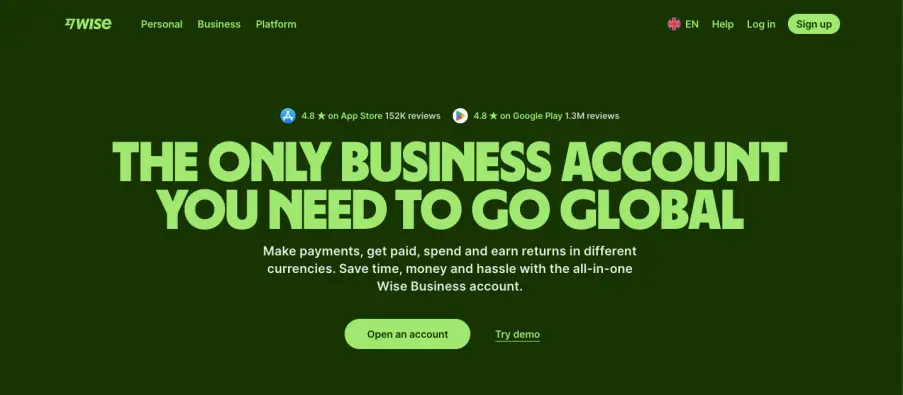
Wise Business1 is a popular choice for UK SMEs and startups that want a straightforward euro account with clear, transparent pricing. With a Wise Business account, you can create local account details in 22 currencies, including EUR, GBP, USD and more.
If you’re planning on holding euros long-term, Wise offers around 1.72% in annual interest for EUR balances (though the rate shown is just an average). For funds held in GBP, the average interest rate is 3.5% (after deducting the 0.56% annual fee).
You can create up to three multi-currency virtual debit cards per account, and one physical card per account holder. This helps you keep your currency balances separate. And you can also get 0.5% cashback when you spend with a Wise Business virtual card.
Wise doesn’t mark up exchange rates, though they do charge a small fee for the act of converting currency. The exact amount of this fee isn’t clearly stated on their website.
Fees for the Wise Business Account
- Pay a one-time £45 fee for access to all Wise Business features.
- Uses the mid-market exchange rate and doesn’t add any fees to it.
- Fees for sending money start from 0.33% (varies by currency)
- Receiving EUR SWIFT payments costs £2.39 per transaction.
- Get volume discounts when you send, spend or convert over 20,000 GBP (or equivalent) in a month.
3. Starling Euro Business Account
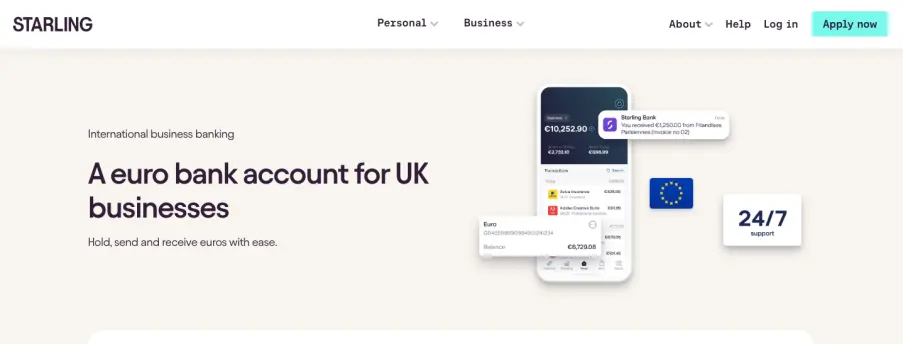
Starling Bank isn’t accepting applications for euro accounts at the moment, but they’ll be available again soon.
The Starling Euro Business Account2 is aimed at sole traders, limited companies and LLPs (including startups), especially those that already use Starling for their online banking. This euro account is a £2p/m paid add-on to the Starling Business Bank Account, which is free to open and maintain.
With this setup, it’s possible to use a single debit card to manage your EUR and GBP business current accounts. To switch between them, go to the ‘Card and Currency Controls’ section in the app and tap which account you’d like your transaction to be made from.2a
Unlike international SEPA payments (which can only be made on weekdays), you can send money between your business account and your euro account 24/7.2b It’s important to note that Starling’s euro account can only complete SEPA payments, so it’s best suited to businesses dealing primarily with suppliers or customers inside the EAA.
Every euro account comes with its own unique IBAN, and because Starling is a fully licensed UK bank, eligible deposits are Financial Services Compensation Scheme (FSCS) protected for up to £85,000. Multiple directors can access your euro account, although Starling doesn’t currently provide access for third parties or other team members (such as accountants, assistants or finance teams).
Fees for Starling’s Euro Business Account
- For business customers, the euro account costs £2 per month.
- Starling’s exchange rate markup is 0.4% for the Euro account.
- Each euro-to-euro transaction is free. For example, if you’re paid €100 into your euro account, you won’t be charged a transaction fee.
- No fees for card payments or ATM withdrawals abroad.
4. HSBC Business Banking Account + Global Wallet
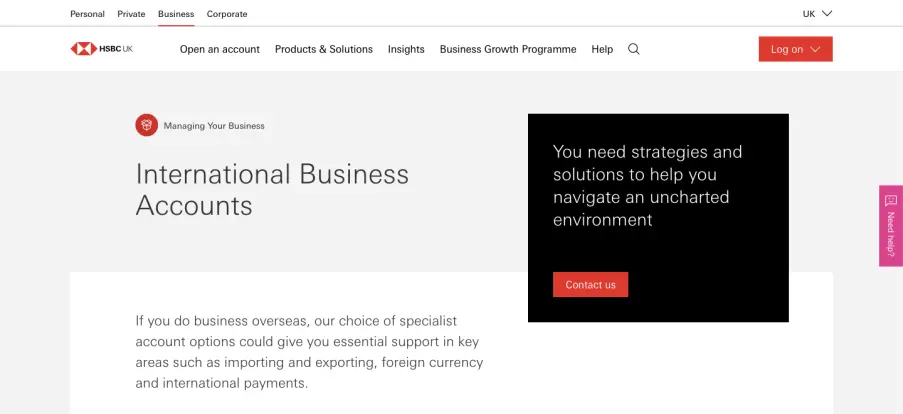
HSBC’s Business Banking Account3a is aimed at SMEs that need traditional banking features like relationship managers, loans, overdrafts and ATM withdrawals. It’s best for businesses that either trade in person or deal largely with cash, since you can benefit from HSBC’s extensive branch network across the UK.
You’re able to easily hold euro balances by adding the HSBC Global Wallet to your account.3d The Global Wallet allows you to hold up to nine currencies, including EUR, AUD, CAD, CNY, HKD, JPY, SGD, CHF and USD, and receive payments in six currencies locally.
Alternatively, if you want to hold euros and no other currencies, then you can open a euro Foreign Currency Account3 alongside your Business Banking Account. This option might be better if you plan to hold a large amount of euros, since HSBC pays interest starting at 0.95% and rising to 1.15% for balances exceeding three million euros.
With an HSBC Business Banking account, you’ll receive free banking for the first 12 months, and after that you’ll pay £10 per month to maintain the account.3a There’s a switching service where HSBC assists with transferring your balances and payment setups from your previous accounts, making your account transition smooth and hassle-free.
Fees for HSBC’s International Business Account
- £10 per month to maintain the account.
- There’s a set fee of £5 per transaction when making payments with HSBC Global Wallet, regardless of the size of your transaction
- FX fee not explicitly stated.
- Sending euros between HSBC accounts is free (within the EEA)
- All payments received via a SEPA transfer cost 20p
- For depositing cash into a branch, it costs 1.50% of the value deposited. This fee only applies after 12 months.
- It costs £17 per transaction to send international transfers via Business Internet Banking.
Open a Euro business account with WorldFirst for free today
In this article, we’ve compared the features, fees and benefits for four of the best euro business accounts in the UK.
With a World Account, you can hold euros and 20+ other currencies entirely for free. You can get local account details without needing a local European business presence, which allows you to set up and sell on popular EU marketplace platforms. Plus, you can integrate with 130+ marketplaces, which makes doing business in the EU and collecting payouts even easier.
Ready to start earning and spending in euros? Sign up for a World Account for free.
FAQs:
What’s the best euro account for businesses in the UK?
The best euro account for UK businesses depends on your priorities, but one of the best ‘all-round’ options is WorldFirst’s World Account.
With a World Account, you can open a free EUR account without having an EU business presence. WorldFirst offers favourable exchange rates, though you don’t have to convert immediately – instead you can hold euros indefinitely (and entirely for free).
You’re also able to integrate directly with 130+ marketplace platforms, which makes expanding into EU markets simpler.
How much does WorldFirst charge to convert pounds to euros?
WorldFirst’s exchange rate markup is capped at 0.5% for major currencies like pound sterling and euros. For other currencies, this markup may be higher, but it will never exceed 0.75% above the mid-market exchange rate.
Additionally, you can lower the cost of currency conversion by locking in a favourable exchange rate for up to 24 months. We offer forward contracts, rate alerts and firm orders to help you do this.
Unlike many traditional UK banks, incoming euros aren’t automatically converted to GBP, so you can wait and convert your funds only when the exchange rate has hit your target.
Can I start selling on EU marketplaces with a World Account?
Yes, with a World Account, you can obtain EU account details in an instant. This allows you to set up and sell on EU marketplaces (like Amazon EU, Etsy, eBay, etc.) that require a local account in order to receive payments.
You can also integrate your World Account with 130+ marketplace platforms in order to streamline all your EUR earnings into the same account. This simplifies reconciliation, since you don’t have to juggle multiple accounts across all the platforms you sell on.
How do I sign up for a World Account?
It’s simple, quick and free to sign up for a World Account. Here’s how to do it:
- Head to our World Account signup portal and enter your personal details
- Fill in your account information and verify your identity with a passport or driver’s licence
- Upload your business documents, including your certificate of incorporation, proof of address and director/shareholder ID for KYC verification
- Once you click ‘Submit’, you’ll receive an acceptance email (usually within 48 hours)
Sources:
- https://wise.com/gb/business/
- https://wise.com/gb/business/interest
- https://wise.com/help/articles/7aOdAQe49CaY7Wz9XOk8DJ/how-does-card-cashback-for-businesses-work
- https://wise.com/gb/business/card
- https://wise.com/gb/business/accounting-software
- https://wise.com/gb/pricing/business
- https://wise.com/gb/pricing/business/hold-fees?
- https://wise.com/help/articles/1AqrRndtxosydM2GLR3U6T/getting-started-with-your-wise-digital-card
- https://www.starlingbank.com/business-account/multi-currency/euro-business-account/
- https://www.business.hsbc.uk/en-gb/products/foreign-currency-account
- https://www.business.hsbc.uk/en-gb/products/business-banking-account
- https://www.business.hsbc.uk/en-gb/products/virtual-card
- https://www.business.hsbc.uk/-/media/media/uk/pdfs/regulations/business-price-list.pdf (this will download the document to your computer)
- https://www.business.hsbc.uk/en-gb/corporate/solutions/global-wallet

Abdul Muhit has 17 years' experience in banking and payments, spanning across regulation, payment networks, acquiring, issuing and treasury. He has served across strategic and delivery roles in product, technology and operations functions at global companies including JP Morgan, KPMG and Visa."

Abdul Muhit
Author
Continue reading


Subscribe
The Weekly Dispatch
Get the latest news and event invites. Signup for our weekly update from the worlds of fashion, design, and tech.
You might also like
Choose a product or service to find out more

E-commerce guides


Doing business with China

Exploring new markets

Business Tips

International transactions
E-commerce expansion guides
Doing business with China