




























Most major banks across Africa now let you start your business account application online. Here’s how the process works, what you’ll need to submit, and what to expect from beginning to end
Key takeaways
- Most major banks across Africa now offer an online business account application, though some steps (identity verification, signing documents, initial deposit) may still require a branch visit
- Standard requirements include business registration documents, tax identification, identification for directors and beneficial owners, proof of business address, a board resolution, and source of funds documentation
- Onboarding times typically range from a few days to a few weeks depending on the bank, the completeness of documents and how much of the verification can be done remotely
- For businesses that also trade internationally, a multi-currency account like the World Account from WorldFirst complements a local business bank account by handling international payments in 100+ currencies to 200+ countries
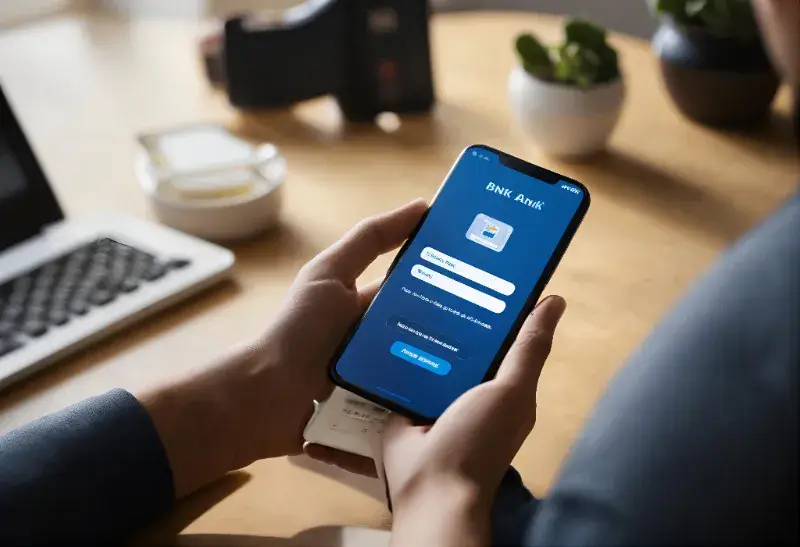
For business owners across Nigeria, Kenya, Ghana, Morocco and other African markets, opening a bank account no longer means starting the day at a branch. Most major banks now offer online business account applications, letting you submit your details, upload documents and begin the KYC process from your phone or computer.
Some banks handle the full process online, from application through verification and activation. Others accept the application online but require a branch visit for identity verification, document signing or the initial deposit. The exact experience depends on the bank, your country and the type of business you’re opening the account for.
This guide walks through how to open a business bank account online in Africa, what documents you’ll need, and what to expect at each stage of the process.
What “opening a bank account online” means in practice
When most banks say you can open an account online, they mean the application starts online. What follows varies:
- Fully online. The application, document upload, identity verification and account activation all happen through the bank’s website or app
- Online application, branch verification. You fill in the application and upload documents online, then visit a branch to verify your identity, sign the account opening forms and make the initial deposit
- Online start, mixed follow-up. You start online but complete the process through a combination of a branch visit, a courier document exchange, or a video verification call with a bank officer
What documents do I need to open a business bank account online in Africa?
Documentation requirements are broadly similar across African banks, though each bank may add its own requirements. Standard documents include:
- Business registration documents
- Tax identification
- Identification for all directors and beneficial owners
- Proof of business address
- Proof of personal address
The online account opening process
Regardless of which bank you choose, the process typically follows the same steps.
Step 1: Choose a bank and account type
Compare business account options across a few banks based on fees, minimum balance requirements, digital banking features, foreign currency support (if you need it) and any relationship benefits with banks you already use.
Step 2: Complete the online application
Fill in details about your business, its owners and its operations through the bank’s website or mobile app. Upload scanned copies of the required documents.
Step 3: Submit for review
The bank’s business banking team reviews the application. You may be contacted for additional information or clarification during this stage.
Step 4: Complete KYC and AML verification
The bank runs know-your-customer and anti-money laundering checks on the business, its directors and its beneficial owners. This is where most banks require the in-person step: an appointment at a branch for identity verification, biometric capture and signing of the account opening documents. Some banks now offer video verification as an alternative for eligible applicants.
Step 5: Fund the account
Once verification is complete, you’ll need to make an initial deposit to activate the account. Minimum deposits vary by bank and account tier, from very small amounts for standard business accounts to much larger amounts for premium or corporate accounts.
Step 6: Set up online banking access
Configure your login credentials, download the mobile app, set up transaction limits, and add any authorised users or signatories. If your bank supports it, connect the account to your accounting software.
How WorldFirst supports African businesses going global
For African businesses that trade internationally, a local business bank account handles domestic operations but often falls short on the international side. Sending and receiving foreign currencies through a local bank typically involves higher fees, longer processing times and less favourable exchange rates than a dedicated multi-currency account offers.
The World Account is a multi-currency account from WorldFirst designed for cross-border businesses. It complements a local business bank account by handling the international side of the business’s payment flows.
Key features of the World Account for African businesses:
- Local receiving accounts in 15+ currencies including USD, GBP, EUR, CNH, AUD and CAD, so international customers, marketplaces and payment platforms can pay you as if the account were domestic to that currency
- Send payments in 100+ currencies to 200+ countries and regions for paying overseas suppliers, contractors, freight forwarders and vendors
- Collect from 130+ marketplaces and payment gateways including Amazon, Etsy, Shopify, Stripe and PayPal
- World Pay for 1688.com, the authorised international payment provider for 1688.com, letting African businesses pay Chinese wholesale suppliers in CNH directly
- The World Card, a Mastercard-powered business payment card supporting payments in 150+ currencies with no fees when paying in any of the 15 supported currencies (with sufficient balance held in that currency). Up to 20 cards per account at no additional cost. Cashback on eligible spending (Terms and Conditions Apply).
- Fully online onboarding with no branch visits required
- Zero fees on account opening, holding balances and receiving funds
FAQs
1. Can I open a business bank account completely online in Africa?
It depends on the bank. Most major banks across Nigeria, Kenya, Ghana, Morocco and South Africa let you start the application online, but many still require an in-person branch visit for identity verification, document signing or the initial deposit. Fully online business account opening (without any branch visit) is less common for corporate accounts than for personal accounts.
2. How long does it take to open a business bank account online?
Timelines depend on the bank, country and completeness of documents. Applications where all documents are submitted correctly and the applicant is available for verification quickly can be activated in a few business days. Applications with missing documents, additional compliance queries or longer verification appointments can take several weeks.
3. Do I need to visit a bank branch to open a business bank account online?
In many cases, yes. Even when the application starts online, most major African banks require at least one in-person visit for identity verification and account activation, especially for corporate accounts. Some banks now offer video verification as an alternative for eligible applicants.
This article is intended for informational purposes only and does not constitute legal advice or professional advice. This article should not be regarded as constituting an offer or a solicitation to buy or sell any regulated or financial products or services. WorldFirst makes no representations or warranties regarding the accuracy, completeness, or applicability of the content, and readers are encouraged to consult with legal professionals or other professionals for advice tailored to their specific situation. WorldFirst does not guarantee the accuracy and completeness of this article and expressly disclaims any and all liability to any person in respect of the consequences of anything done or omitted to be done wholly or partly in reliance on this article.