Spot transaction
Lock the rates and funds later
Fix live FX rates with spot transactions for flexible payment and better control over margins.
Lock in current rate with a spot transaction
Spot transactions let you fix a live FX rate and settle your payment within two business days – giving you more flexibility when cash hasn’t landed yet, or when you want to move fast on market opportunities.
Whether you’re paying an invoice or converting funds between your accounts, spot transactions give you better control over your margins.
Lock in current rate with a spot transaction
spot transactions let you fix a live FX rate and settle your payment within two business days – giving you more flexibility when cash hasn’t landed yet, or when you want to move fast on market opportunities.
Whether you’re paying an invoice or converting funds between your accounts, spot transactions give you better control over your margins.
Why choose spot contract
No pre-funding
Book your transactions first without needing funds upfront.
Lock in rates
Instant bookings mean you never miss an opportunity.
Cash flow control
Manage your payments when it suits your business.
Simple process
Make your transactions in a few clicks, with a clear idea of rates.
3 steps to book your spot transaction
Lock in your rate
Enter the payment details, currencies and amount to exchange. Once you're ready, confirm the transaction to secure the current FX rate.
Decide when to pay
You can choose to send the funds out directly, or settle into your WorldFirst account first.
Settle the funds
Once the funds are in your account, We'll complete the settlement and payment on the settlement date.
Lock in your rate
Enter the payment details, currencies and amount to exchange. Once you're ready, confirm the transaction to secure the current FX rate.
Decide when to pay
You can choose to send the funds out directly, or settle into your WorldFirst account first.
Settle the funds
Once the funds are in your account, We'll complete the settlement and payment on the settlement date.
FAQs
If you would like to make a payment immediately using the current FX rate, you can
ꔷ Go to “Payments” > “Send & withdraw”
ꔷ Select your payee and choose your buy and sell currencies
ꔷ By selecting “pay as soon as possible” and clicking confirm, you would have made a conversion and payout in one step
If you would like to lock in the current rate for a period of time and make payments with your locked rate, you can first book a currency forward. After the forward is booked, you can
ꔷ go to “Payments” > “Transaction management” > “FX forward”
ꔷ Locate your booked forward trade
ꔷ Click on “Add payment” under “Actions” on your trade, you can then make a payment with the forward rate
For detailed steps, please refer to the “How do I book a currency forward contract and fund later?” guide.

A spot contract is the simplest form of international payment. We’ll offer you a rate based on a live market rate (known as a spot rate) and you can choose whether or not to transact then and there.
With a spot contract you can make a payment very quickly. As soon as you’ve agreed to a rate and your funds have cleared, we take care of the rest.
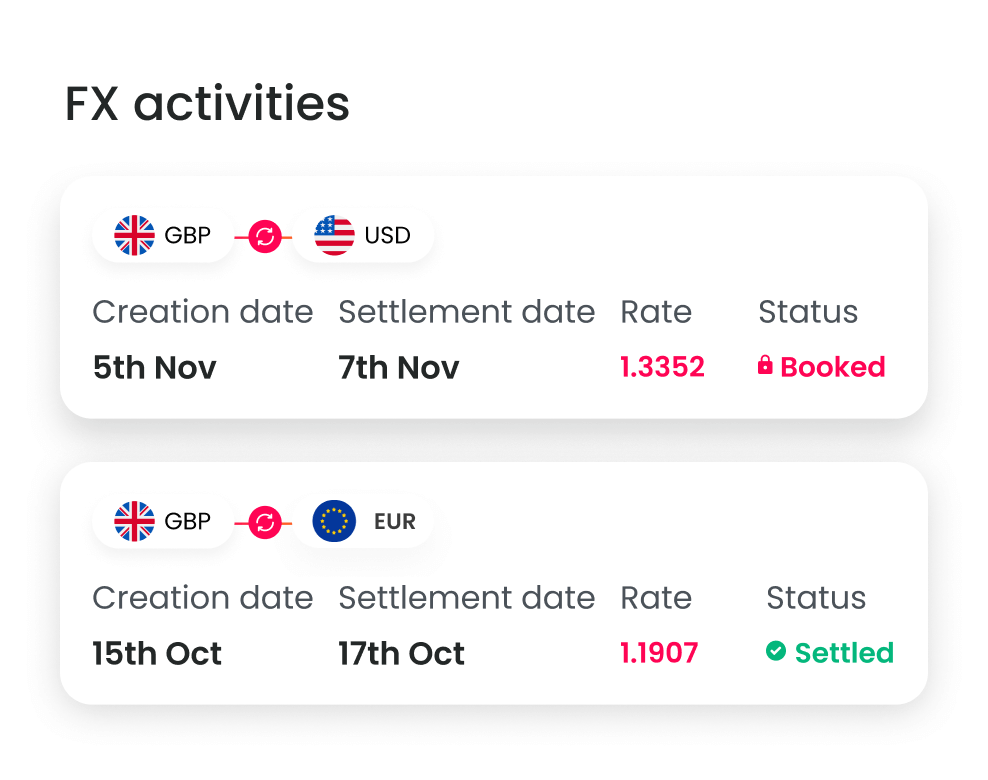
To see the status of your FX trades, please follow the steps below:
ꔷ Go to “Payments” in the top navigation
ꔷ Select “Transaction management”
ꔷ Select “FX trades”
ꔷ View trades that have been paid/Settled, process/open, cancelled or processing