Start saving
Industry Solutions
Resources
Türkiye
Poland
This country is supported by WorldFirst affiliates, Zyla
WorldFirst Home > How to make a payment from a trade
From your World Account dashboard, select ‘Payments’ from the Top Navigation.
Select ‘Transaction Management’.
Find the trade you wish to make a payment from and click ‘Add Payment’.
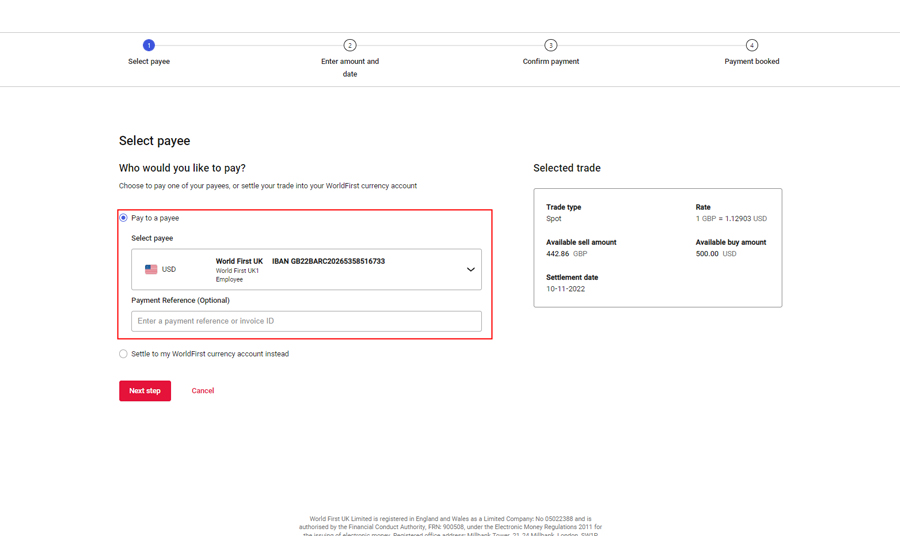
Select the payee you would like to pay, and add in any references you need to go on the payment.
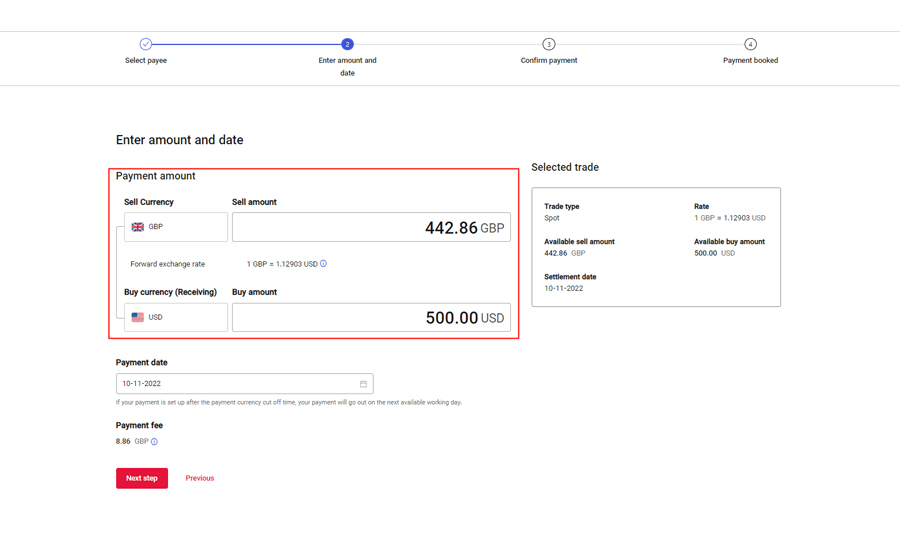
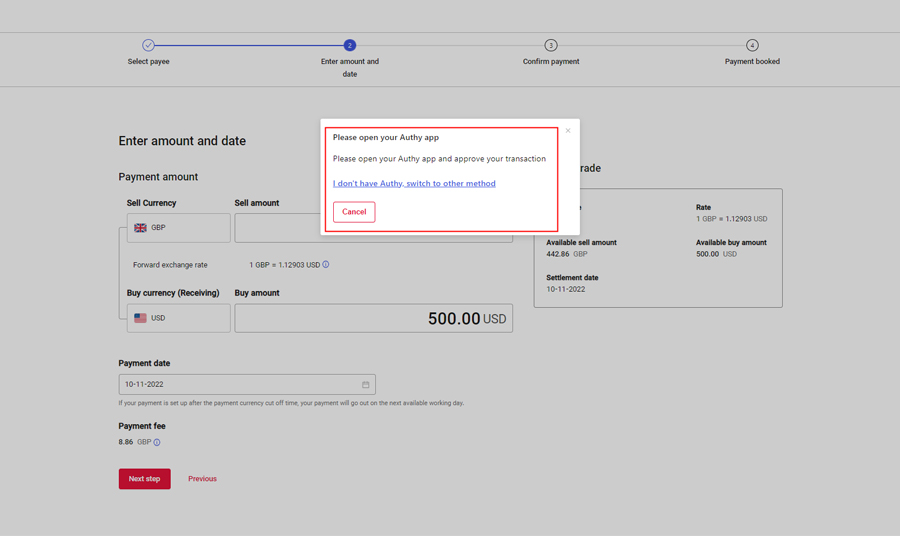
Input the amount you would like your payee to receive, or the amount you would like to debit your account with for this payment.
Approve the payment via your Authy app or via an SMS code.
Confirm your payment if you’re happy to proceed.
Top up your WorldFirst currency account with the amount stated into the account details on screen. This amount is inclusive of any payment fees.