Start saving
Products
Send Payments
Receive Payments
Pay with a Virtual Card
Fix a Future FX Rate
Manage Team & Accounts
Integrate Accounting Software
Industries
Importer & Exporter
E-commerce Seller
Pay to China
Pricing
Why Choose WorldFirst?
Help Centre
World Card with Cashback
Currency Converter
About WorldFirst
Why WorldFirst
Partner with Us
Contact Us
Resources
Blogs
Partner Resources
Rewards
Refer and Earn
More brands of Ant International
Ant International
Alipay+
Antom
Bettr
Türkiye
This country is supported by WorldFirst affiliates, Zyla
Home > How to book an FX forward trade
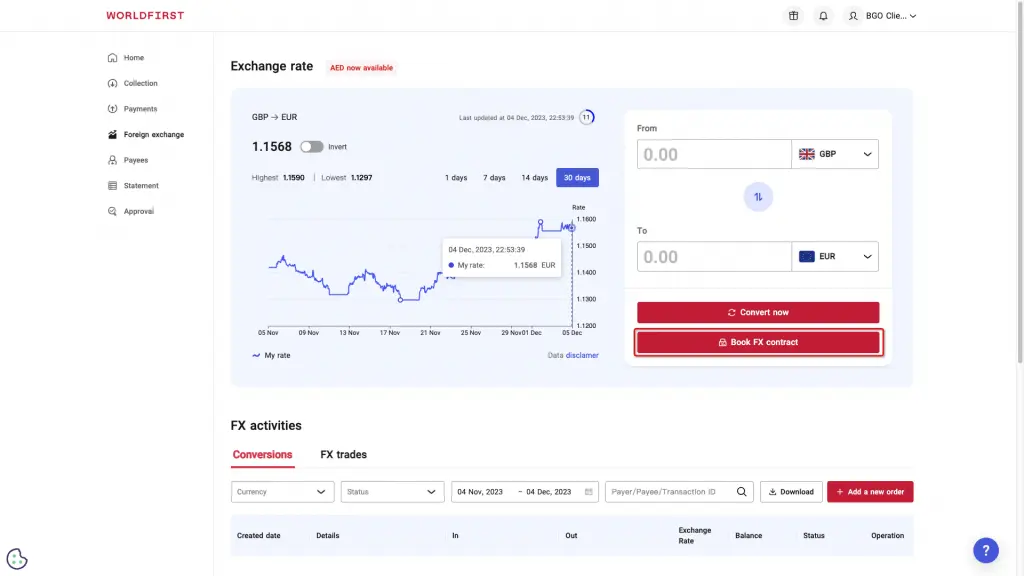
Navigate to ‘Foreign exchange’ on the side navigation bar on the left.
Click on ‘Book FX contract’ on the right hand side of the screen.
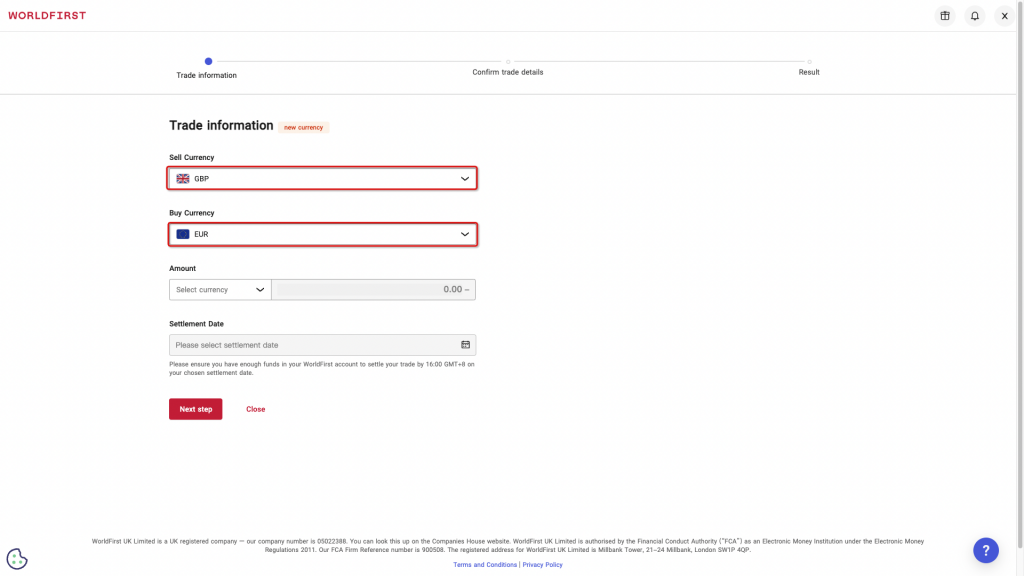
Choose the currencies you wish to buy and sell.
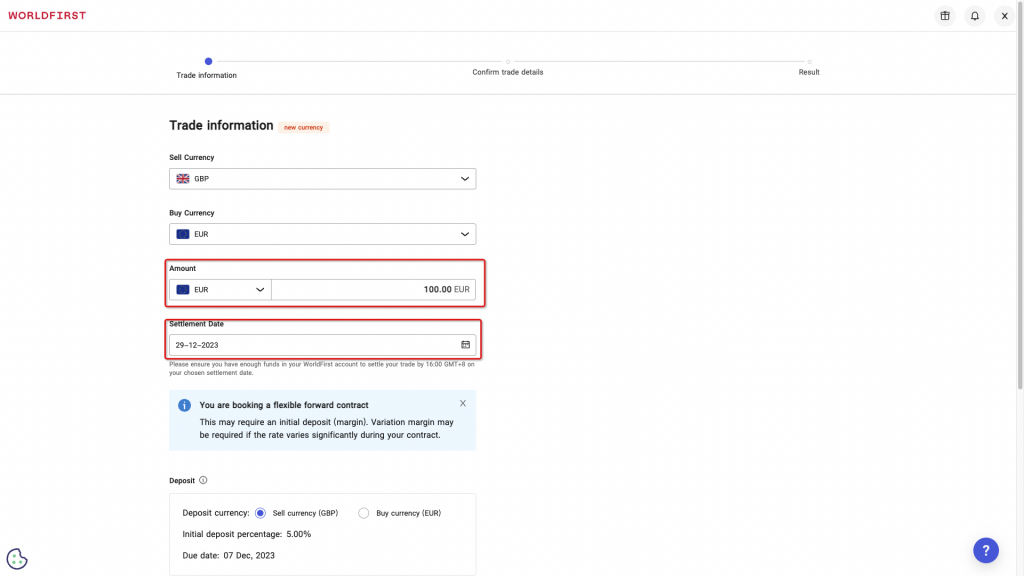
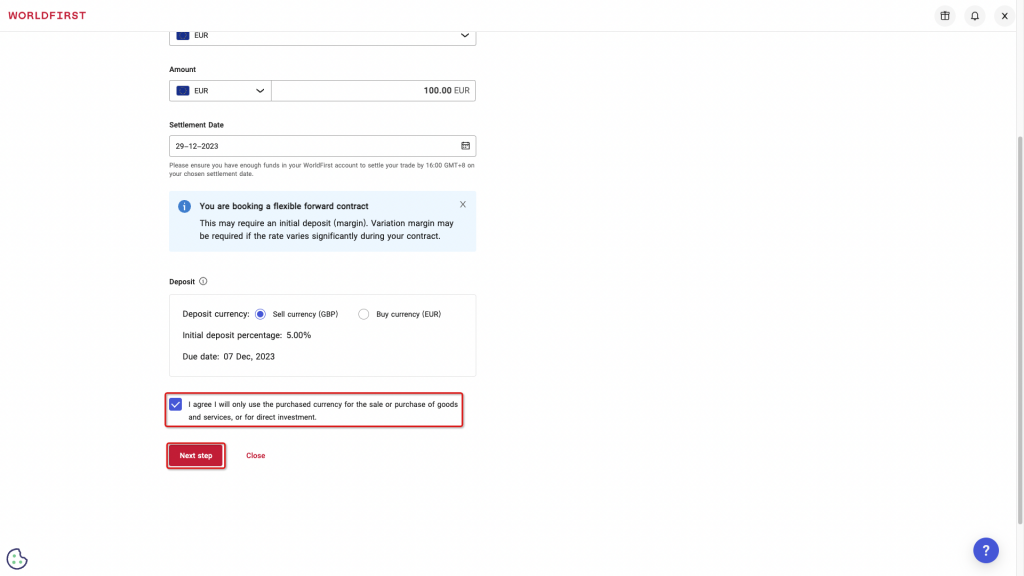
Enter the amount you wish to buy or the amount you wish to sell and choose the date you would like to settle your trade.
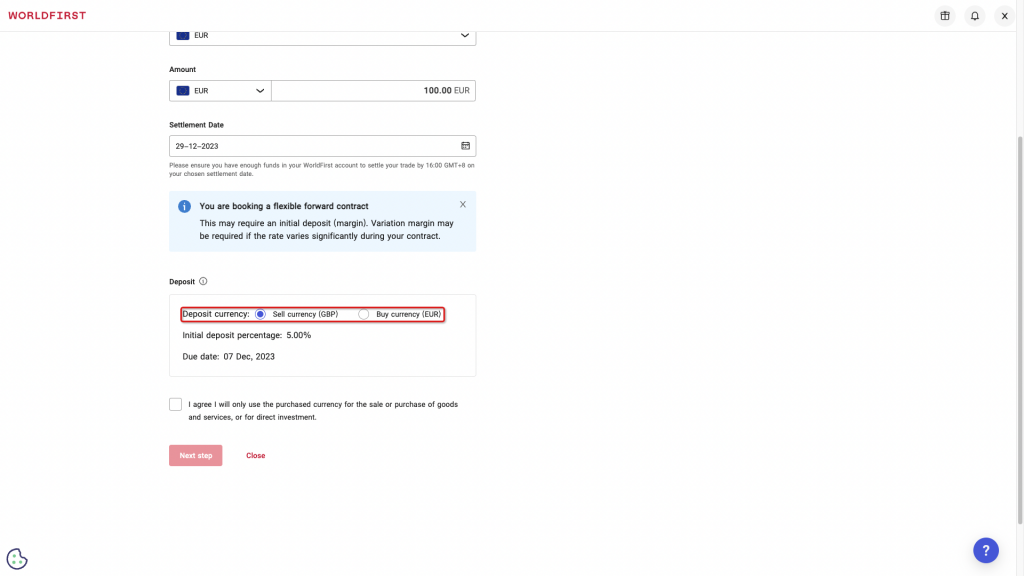
Select the currency you wish to settle your deposit in.
Please note: we require a 5% deposit to keep your forward contract open.
Agree to the terms of use and click ‘Next step’
Review the details of your trade, and if you are happy to proceed, click ‘Confirm trade’.
All done! You have now booked your forward contract!
Please ensure that you top up your account balance on the correct days in order to settle your deposit, and your contract.