
















MoneyGram allows international transfers through online and in-person channels. Take a look at this review to learn more about its services and features
Key takeaways
- MoneyGram enables individuals and businesses to send and receive international payments through digital channels and retail locations worldwide
- MoneyGram supports different payout methods across Nigeria, Morocco, Kenya and Ghana, including bank deposits, cash pickup and mobile wallets
- The World Account by WorldFirst gives African businesses a multi-currency account to receive, hold, convert and send international payments, with local account details in 15+ currencies

MoneyGram helps users move money internationally.1 It connects 60 million consumers through digital channels and 20,000+ international transfer routes across 200+ countries.1 But it does not publicly specify any fees, and holding funds in an account is not supported.
This guide covers MoneyGram and its availability in Nigeria, Morocco, Kenya and Ghana. It also explores a multi-currency account by WorldFirst that supports sending, receiving, holding and converting multiple currencies.
What is MoneyGram?
MoneyGram is a global digital and retail money transfer provider that enables individuals to send and receive funds internationally.1 Its services include online transfers through its website and MoneyGram app, alongside cash based transactions at agent locations.1
The provider operates across more than 200 countries and territories, with a network of 4,80,000+ retail locations.1 Depending on the transfer route, recipients can receive funds through bank accounts, cash pickup or mobile wallets.2
Is MoneyGram available in Africa?
Yes. MoneyGram supports transfers to and from Nigeria, Morocco, Kenya and Ghana.2,3,4,5 But sending availability, receiving methods and eligibility depend on the country and transaction:
| Country | Receiving options | Sending options |
| Nigeria | Bank account, cash pickup, mobile wallet2 | Cash at location2 |
| Morocco | Cash pickup, bank account3 | Cash at location3 |
| Kenya | Bank account, mobile wallet, cash pickup, debit card4 | Cash at location4 |
| Ghana | Cash pickup, bank account, mobile wallet5 | Cash at location5 |
Quick look: Pros and cons
| Pros | Cons |
|
|
MoneyGram fees
MoneyGram’s transfer fees vary depending on the sending and receiving countries, transfer amount, and payment and payout methods.6 Exact fees are not publicly specified across any transfer route, so users should check for applicable charges before confirming a transfer.6
How to create a MoneyGram account
- Visit MoneyGram: Open the website or MoneyGram app and select the registration option.
- Enter your details: Provide the required personal information, contact details and identification documents.
- Verify your account: Complete any identity verification and follow the instructions to access available transfer services.
How to send money with MoneyGram
You can visit a MoneyGram agent location with valid identification and the amount you want to send, including applicable fees.7 Provide the recipient’s name and destination details, complete the transaction and retain your MoneyGram receipt.7
How to track a MoneyGram transfer
MoneyGram tracking lets users check transfer progress using the transaction reference number8:
- Visit MoneyGram’s tracking page or open the app.
- Enter the reference number from your MoneyGram receipt or confirmation email.
- Provide the sender’s last name if requested.
- Submit the details to view the transfer status.
MoneyGram payout methods for African recipients
Nigeria
Bank payout partners include Wema Bank, United Bank of Africa, Union Bank, Sterling Bank, Stanbic IBTC Bank, Polaris Bank, GTBank, First Bank, Fidelity Bank and FCMB.2
Morocco
Supported payout partners include Al Barid Bank, CIH Bank, Banque Populaire, Attijariwafa Bank, Bank of Africa and Wafacash, among others.3
Kenya
Supported bank partners include United Bank of Africa, Standard Bank Bureau Malawi, Sidian Bank, SBM Bank, Post Bank, Paramount Bank, National Bank, KWFT and Kingdom Bank, and more.4 M-Pesa is a supported partner for mobile wallets among others.4
Ghana
Bank payout partners include Zenith Bank Ghana, United Bank of Africa, UMB Ghana, Standard Bank, Prudential Bank, NIB, GTBank, GCB Bank, First National Bank Ghana, Fidelity Bank and Consolidated Bank.5 Nsano is also listed as a mobile wallet payout partner.5
The World Account: A multi-currency account for African businesses
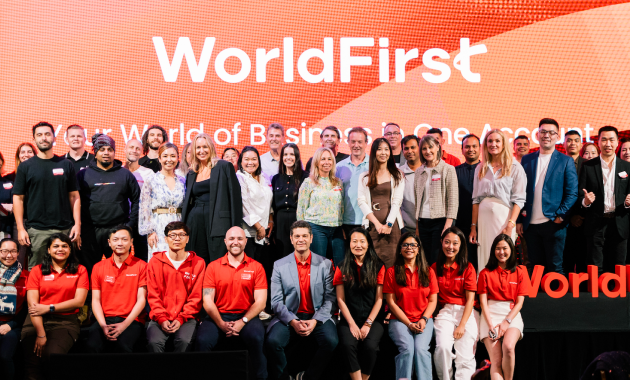
WorldFirst is an international payments provider offering international payment services to businesses through the World Account, a multi-currency account. Businesses can use the account to receive overseas payments, hold balances in different currencies, exchange funds and pay invoices to international suppliers from a single platform. You can send money internationally in 100+ currencies to 200+ countries.
The account also comes with the World Card, a virtual card powered by Mastercard. It enables businesses to pay in multiple currencies and transactions in 15 supported currencies incur zero fees when the corresponding currency balance is sufficient. You can issue up to 20 cards at no additional cost.
Key features of the World Account
- Get local receiving account details in 15+ currencies, including USD, GBP, EUR and CNH, to collect payments from overseas customers and platforms
- Collect marketplace and payment gateway proceeds from 130+ platforms, including Amazon and Stripe. Look through the Amazon dropshipping guide for more
- Create up to 20 World Cards at zero issuance cost and use them for payments in 150+ currencies
- Settle invoices with suppliers in China through World Pay, the authorised international payment provider for 1688.com
- Earn cashback on eligible World Card transactions, terms and conditions apply
| Fee type | World Account fees |
| Account setup | Zero |
| Monthly account fee | Zero |
| Receiving payments | Zero |
| Holding funds | Zero |
| Sending payments | Refer to in-portal pricing |
| Currency conversion | Refer to in-portal pricing |
| World Card | Zero up to 20 cards |
*Fees checked in November 2026
Learn how to open a foreign currency account
FAQs
1. How do I transfer money from MoneyGram to a bank account?
Select bank deposit as the payout method where available, enter the recipient’s bank details and confirm the transfer.2 If you are receiving money, the sender must select your bank account for direct deposit.
2. How long does a MoneyGram transfer take?
Cash pickup transfers are usually available within minutes, subject to agent operating hours and verification checks.9 Bank deposits can take up to three business days, while mobile wallet transfers may arrive within minutes, depending on the destination and service provider.9
Sources
- https://corporate.moneygram.com/about?_ga=2.58839149.1317635366.1793595164-1890247445.1788805996
- https://www.moneygram.com/r/ng/en
- https://www.moneygram.com/r/ma/en
- https://www.moneygram.com/r/ke/en
- https://www.moneygram.com/r/gh/en
- https://www.moneygram.com/us/en/help-center/faq/send-receive/general-questions/what-are-the-fees-to-send-money-from-the-united-states
- https://www.moneygram.com/r/ng/en/how-to-send-money
- https://www.moneygram.com/r/gh/en/track-a-transfer
- https://www.moneygram.com/us/en/how-long-do-international-money-transfers-take
This article is intended for informational purposes only and does not constitute legal advice or professional advice. This article should not be regarded as constituting an offer or a solicitation to buy or sell any regulated or financial products or services. WorldFirst makes no representations or warranties regarding the accuracy, completeness, or applicability of the content, and readers are encouraged to consult with legal professionals or other professionals for advice tailored to their specific situation. WorldFirst does not guarantee the accuracy and completeness of this article and expressly disclaims any and all liability to any person in respect of the consequences of anything done or omitted to be done wholly or partly in reliance on this article.