
































Here’s how South Asian businesses can transfer money to a foreign bank account while optimizing costs
Key takeaways
- The cost of a foreign transfer is more than the transfer fee. FX markup on the exchange rate and correspondent bank deductions usually add more than the fee itself
- Bank wires, online transfer services and multi-currency accounts each handle foreign transfers differently, with different trade-offs on cost, speed and predictability
- Sending payments in the recipient’s local currency, rather than routing through USD, avoids the double conversion that adds cost to most South Asia-outbound transfers
- A multi-currency account like the World Account by WorldFirst lets businesses hold funds in multiple currencies and send payments directly, without a separate conversion at every transaction
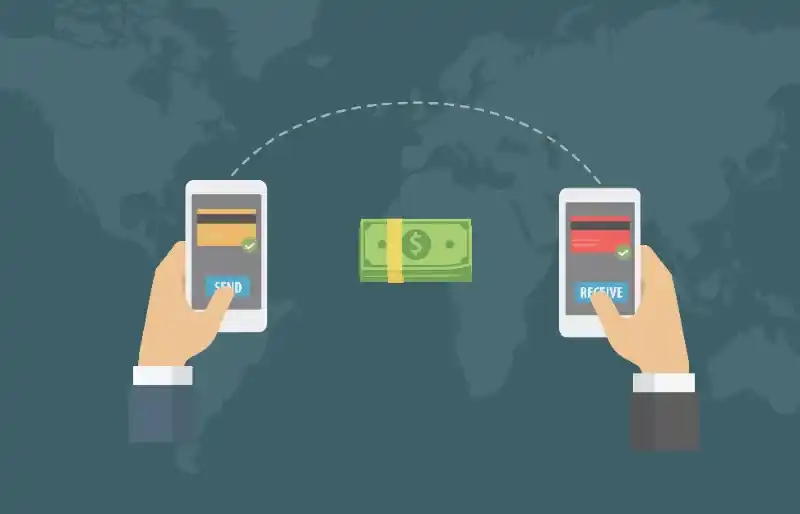
For businesses in Pakistan and Bangladesh trading internationally, sending money to a foreign bank account is a regular part of the payment cycle. Whether it’s paying an overseas supplier, settling an invoice for imported goods, sending funds to a subsidiary abroad, or paying an international contractor, the mechanics of moving money across borders matter.
But not every transfer method costs the same, moves at the same speed, or delivers the same amount to the recipient. This guide covers what to plan for before sending, the main methods available, and how to structure a foreign transfer so more of the payment reaches its destination.
The main methods for transferring money to a foreign bank account
Businesses in Pakistan and Bangladesh have three main routes for sending money overseas. Each has different trade-offs on cost, speed and complexity.
Bank wire transfers
Most local banks in Pakistan and Bangladesh support SWIFT-based international transfers, routing funds through correspondent banks to the recipient’s foreign bank account.
The upside is universal acceptance: virtually every foreign bank can receive a SWIFT wire. SWIFT transfers usually pass through one or more correspondent banks between the sending and receiving banks, with each intermediary potentially deducting a fee from the transferred amount. The sending bank’s own exchange rate applies to any currency conversion, usually with a spread above the mid-market rate that isn’t clearly disclosed on the transaction confirmation. Processing typically takes 3 to 7 business days.
Online transfer services
Digital-first cross-border payment providers route transfers through their own networks, often settling faster than SWIFT with more transparent pricing. Fees and FX markups vary by provider, currency pair and destination country. Coverage also varies: some providers support most major currencies, while others focus on specific corridors.
Online transfer services often work well for one-off transfers or smaller amounts. For regular business payments, they can also be cost-effective, though it’s worth comparing the total cost (fee plus FX markup) across providers before committing.
Multi-currency accounts
Multi-currency accounts hold balances in multiple currencies within a single account structure. For businesses in Pakistan and Bangladesh sending money to foreign bank accounts, the main advantage is that the account can hold the foreign currency directly. That removes the double conversion of routing local currency through USD before it reaches the destination account.
If a business already holds USD in a multi-currency account and needs to send USD to a US bank account, no conversion happens at all. The USD balance simply moves from the multi-currency account to the recipient’s account, without triggering an FX cost. The same logic applies to EUR, GBP, CNH and other supported currencies.
For businesses making regular international payments, multi-currency accounts typically work out cheapest over time.
Understanding the true cost of a foreign transfer
- The visible fee: The upfront amount the provider charges to process the transaction.
- The FX markup: The difference between the exchange rate offered and the mid-market rate. On a large payment, the markup usually costs more than the transfer fee itself. A 2% markup on a USD 50,000 transfer costs USD 1,000, which dwarfs a typical transfer fee.
- Intermediary bank deductions: For SWIFT-based routes, correspondent banks along the way may deduct fees from the transferred amount before it reaches the recipient. These can arrive as an unexpected shortfall, and they’re often not disclosed upfront.
How the World Account supports foreign transfers
The World Account is a multi-currency account from WorldFirst, an international payments provider for cross-border businesses. For businesses in Pakistan and Bangladesh sending money to foreign bank accounts, the account provides:
- Local receiving accounts in 20+ currencies, including USD, GBP, EUR, CNH, AUD, SGD and others, so international income can be collected as if the account were domestic to the recipient’s country
- Send payments in 100+ currencies to 200+ countries and regions, from a single online dashboard
- Hold balances in multiple currencies and use those balances to send payments in the same currency without triggering an FX conversion
- The World Card, a Mastercard-powered business debit card supporting payments in 150+ currencies, with zero foreign transaction fees in 15 supported currencies when sufficient balance is held (with cashback available on eligible spending, Terms and Conditions Apply). Up to 20 virtual cards can be issued per account at no additional cost
- World Pay for 1688.com, the authorised international payment provider for 1688.com, for businesses sourcing from Chinese wholesalers
- Xero and NetSuite integrations for multi-currency reconciliation
- Zero fees on account opening, holding balances and receiving funds
How to send money to a foreign bank account with a World Account
Sending money to a foreign bank account through the World Account follows a two-stage process: first add the recipient as a verified payee, then initiate the transfer.
Step 1: Add the recipient as a payee
Every new recipient needs to be added and verified inside the World Account dashboard before funds can be sent.
- Log in to the WorldFirst dashboard and open the Payees section.
- Click Add a new payee in the top-right corner.
- Choose Single payee.
- Select Third-party account and pick the account type that matches the recipient’s setup.
- Enter the recipient’s country and the currency you’re sending in.
- Fill in the recipient’s bank details as requested, including the account number or IBAN, SWIFT/BIC code, and bank branch information.
- Complete verification through the Authy app or by SMS message.
After verification, the payee is either approved right away or flagged for a review that WorldFirst completes within 24 hours. If additional documents are needed, the request appears under Payees > Third-party account > Actions.
Step 2: Initiate the transfer
Once the payee is approved, the transfer itself takes a few steps to complete.
- Go to Payments in the dashboard and click Send & withdraw.
- Choose Single payee and pick the recipient from your payee list.
- Enter the amount you want to send. This can be entered in the sending currency (your funding currency) or the receiving currency, depending on how you want to structure the transfer.
- Choose whether to send the payment now or schedule it for a later date. Scheduled payments settle at the spot conversion rate applicable at the time of the transfer.
- Confirm with the Authy app or an SMS verification code.
- Review the transaction summary, then click Confirm payment to complete the transfer.
Once confirmed, the payment is processed and typically arrives in the recipient’s bank account within 1 to 2 business days on supported corridors.
For a business in Pakistan or Bangladesh handling regular international payments alongside a domestic best business bank account, the World Account handles the cross-border side of the operation.
This article is intended for informational purposes only and does not constitute legal advice or professional advice. This article should not be regarded as constituting an offer or a solicitation to buy or sell any regulated or financial products or services. WorldFirst makes no representations or warranties regarding the accuracy, completeness, or applicability of the content, and readers are encouraged to consult with legal professionals or other professionals for advice tailored to their specific situation. WorldFirst does not guarantee the accuracy and completeness of this article and expressly disclaims any and all liability to any person in respect of the consequences of anything done or omitted to be done wholly or partly in reliance on this article.






![WorldRemit review for South Asia [2027]: Features, fees and more](https://mdn.marmot-cloud.com/worldfirst/sites/50/2026/10/20261014141018304-300x228.webp)