






Industry Solutions
Resources

About WorldFirst
Resources
More brands of Ant International
























We provide coverage in South Asia and Middle East: servicing 210+ countries and territories.
WorldFrist Home > How to make a scheduled payment from a balance
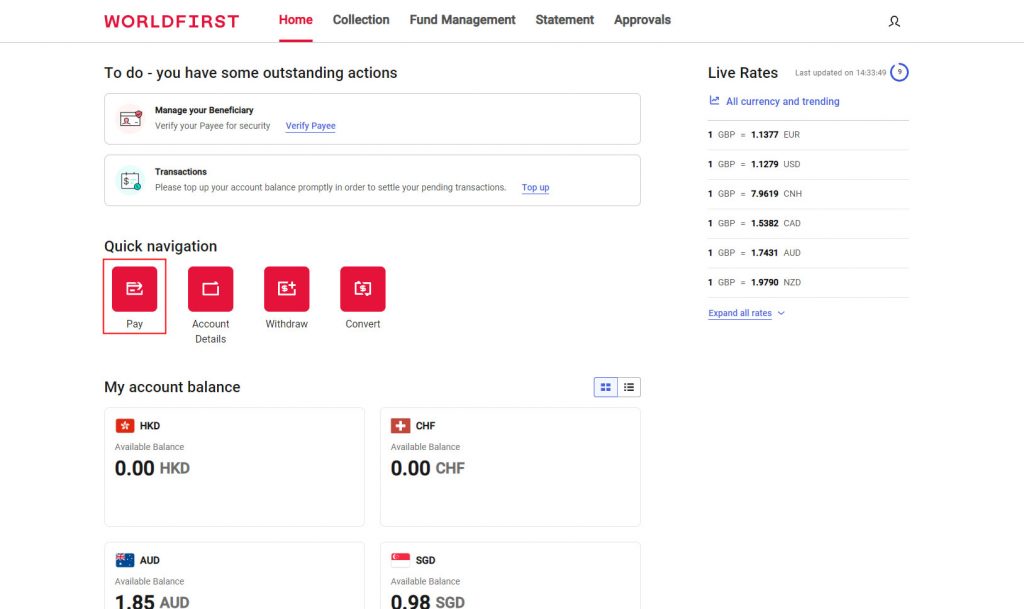
On your dashboard select ‘Pay’ from the ‘Quick nav’.
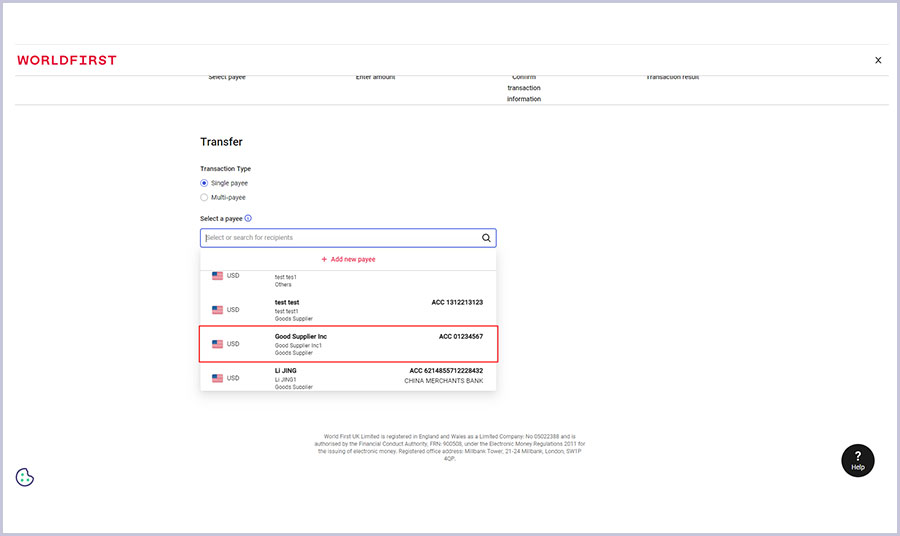
Select your intended payee.
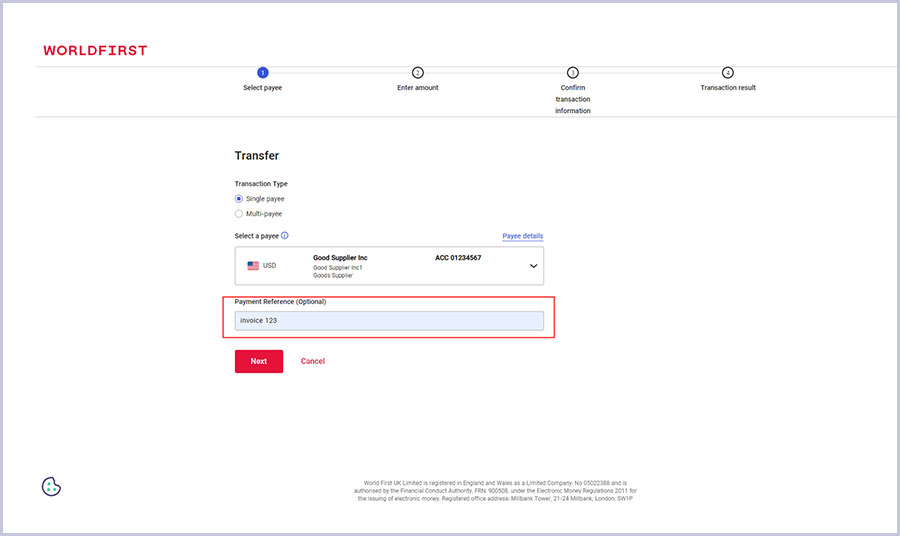
Add a reference (such as an invoice number).
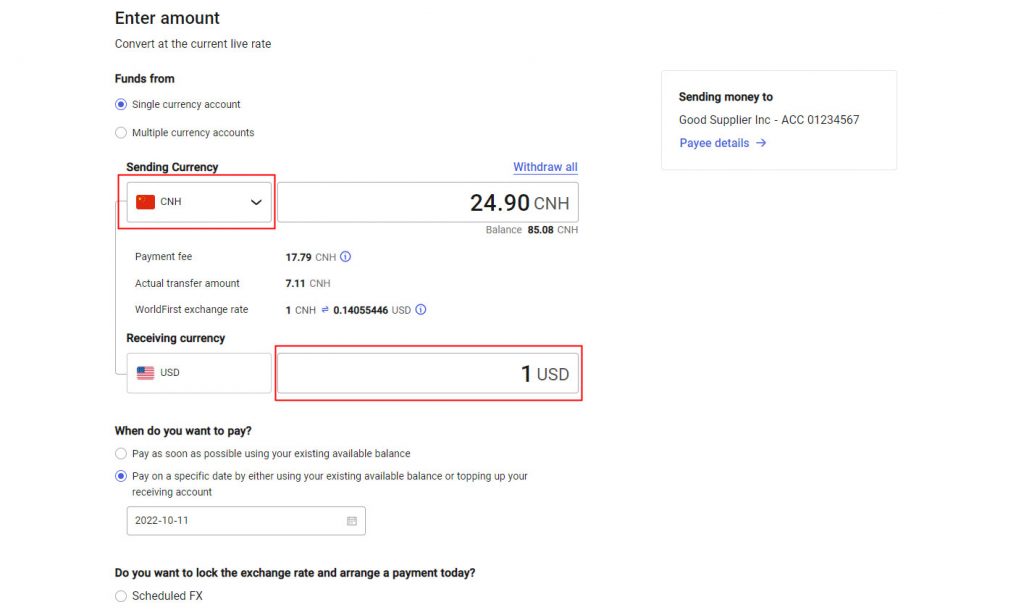
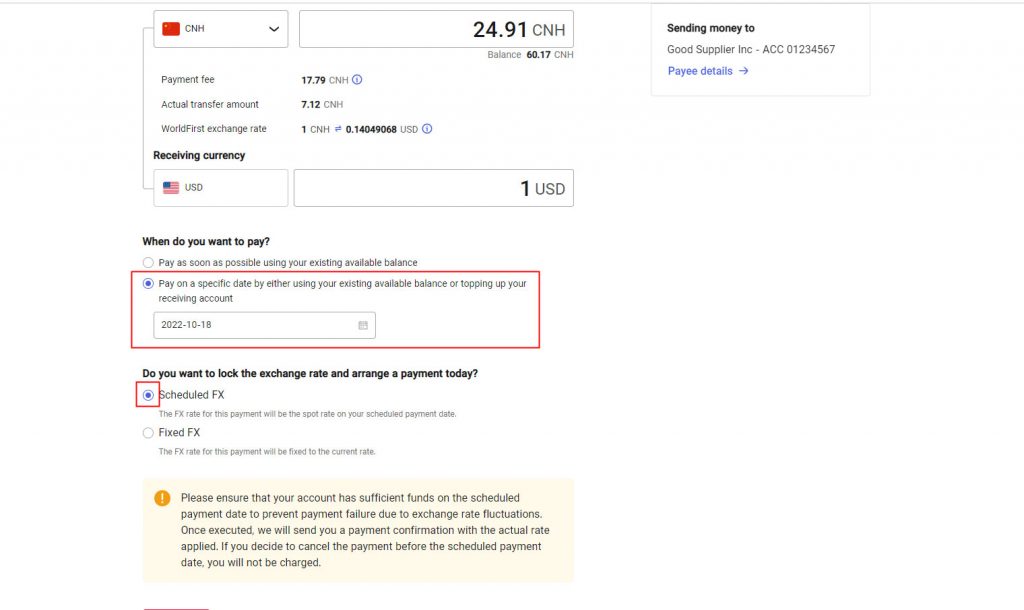
Choose the currency account you wish to debit, and either populate the sending amount or the receiving amount depending on your needs.
Select ‘Pay on a specific date…’ and select the desired date from the box.
Select ‘Scheduled FX’ from the exchange rate selection (where applicable).
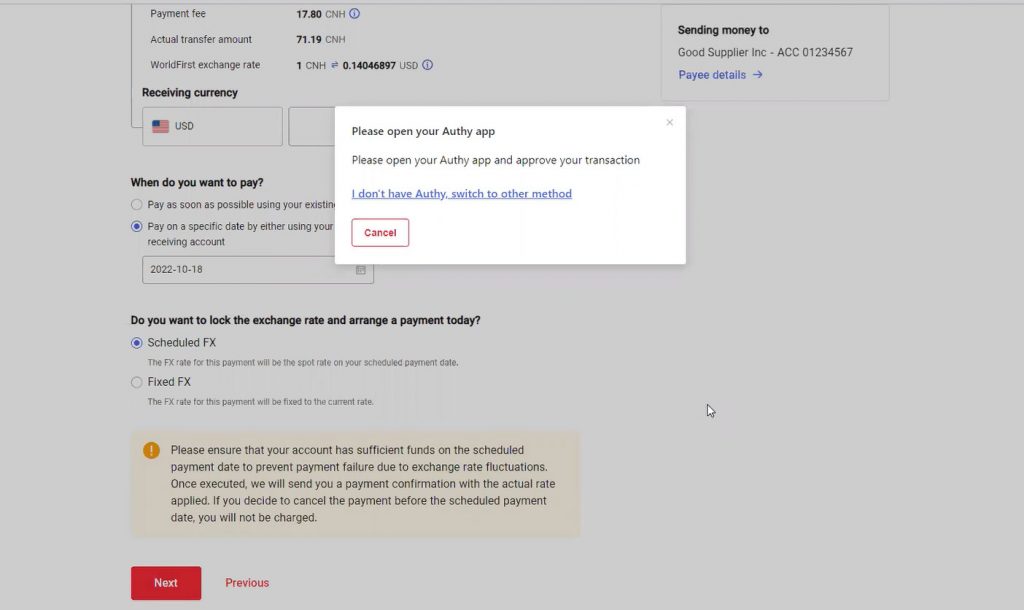
Authenticate your payment via the Authy app.
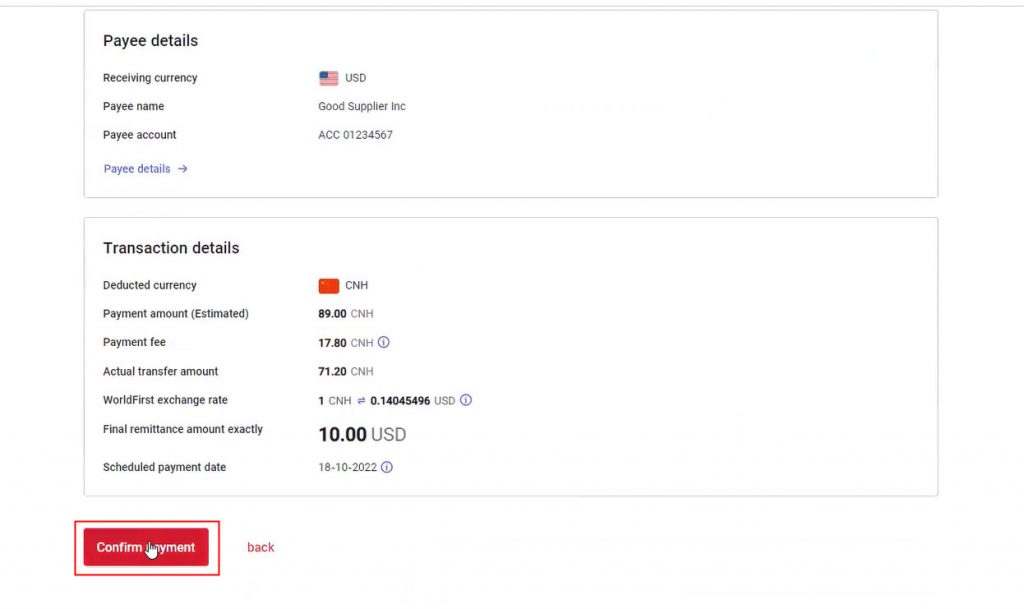
Please review all your payment details and select ‘Confirm payment’.
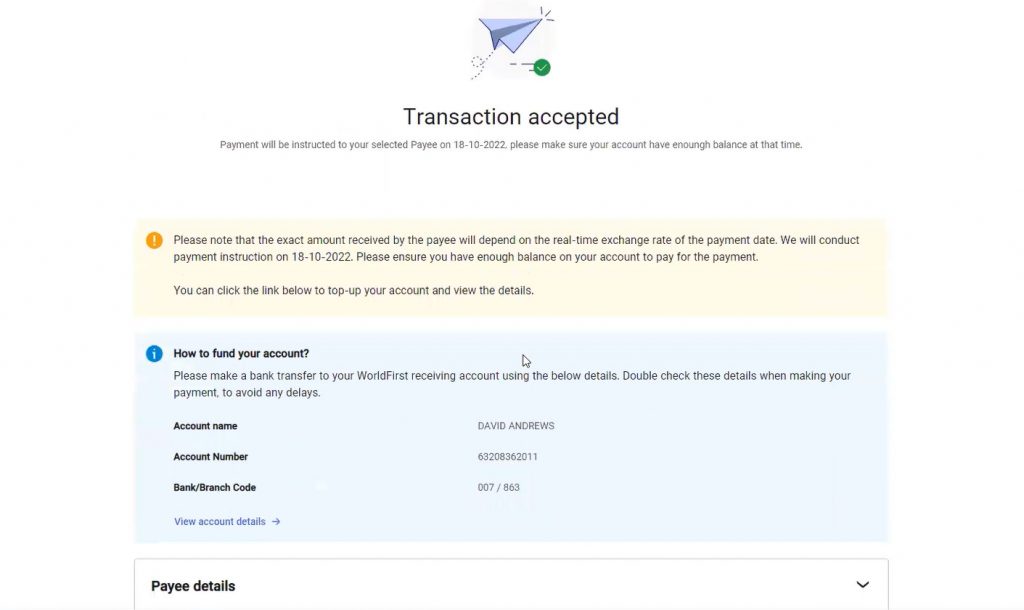
Once complete, you’ll see a screen confirming that your scheduled transaction has been booked.