Take a look at this Payoneer Malaysia review to understand if its the right fit for your globally expanding business
Key takeaways
- Payoneer allows businesses to transact in 70+ currencies across 190+ countries and territories
- Malaysian businesses can use local currency accounts to collect payments, send funds globally and spend with the Payoneer card
- The World Account is a multi-currency account by WorldFirst that lets businesses receive, hold and convert MYR and USD
Payoneer is an international payments provider for businesses, freelancers and online sellers. It offers multi-currency receiving accounts and corporate cards.1,2 There’s an annual US$29.95 account fee along with separate charges for receiving, sending and withdrawing funds.3
In this guide, we discuss everything Payoneer offers in Malaysia and also explore the multi-currency account offered by WorldFirst.
What is Payoneer?
Payoneer is a global digital payment provider founded in 2005.1,4 Payoneer serves millions of customers and supports payments across 190+ countries and territories and 70+ currencies.1
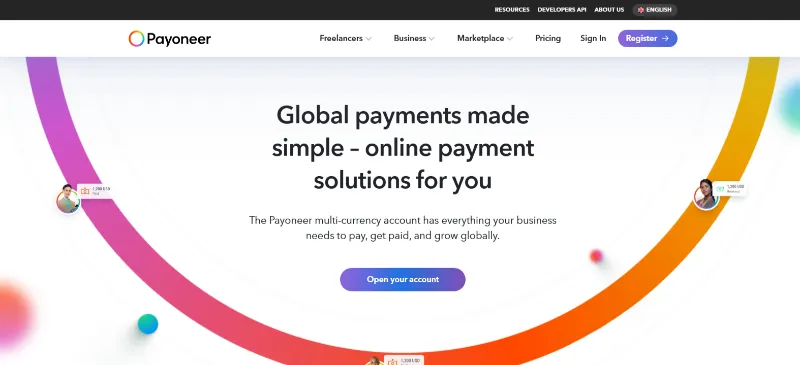
It provides local receiving accounts in multiple currencies, enables users to make global payments, receive marketplace payouts, and withdraw funds to local business bank accounts.1 Businesses can also use Payoneer corporate cards for team spending, with spending controls and expense tracking.2
Quick look: Pros and cons of Payoneer Malaysia
| Pros | Cons |
|
|
Payoneer Malaysia fees
| Fee type | Payoneer3 |
| Account opening | Not specified |
| Annual account fee | US$29.95 if less than US$6,000 is received in 12 consecutive months |
| Receiving from marketplaces | Varies by marketplace |
| Sending payments | 1% + US$4 |
| Receiving from other Payoneer users | Zero |
| Receiving via bank transfer | 1% |
| Withdrawal to Malaysian bank account | Starts from US$1.50 |
| Currency conversion | 0.50% for moving funds between Payoneer balances |
| Payoneer Card issuance | US$29.95 |
| Payoneer Card ATM withdrawal | From US$3.15 plus up to 3.5%, depending on currency and conversion |
| Payoneer Card transaction fee | Up to 1.8% without currency conversion or up to 3.5% with conversion |
*Fees checked in September 2026
Features of Payoneer Malaysia
Multi-currency receiving accounts
Payoneer lets businesses and freelancers hold balances in 10 major currencies, including USD, EUR, GBP, AUD, SGD and JPY.1,5 These balances can be converted or withdrawn to a local bank account when needed.7
International transfers and withdrawals
Businesses can pay across 190+ countries and territories in 70+ currencies.8 It supports single payments, batch payments and mass payouts, while batch payments can cover up to 1,000 recipients in one go.8
Payment time varies by the payment method, destination and receiving bank.8 Payoneer-to-Payoneer transfers can arrive within seconds, while bank transfers may take longer.8
→ Know exactly how long does an international wire transfer take
Marketplace and platform integrations
Payoneer’s integrations include more than 2,000 marketplaces and platforms including Amazon, Etsy, Shopify, Fiverr and Upwork, allowing eligible sellers and freelancers to receive payouts into their Payoneer Account.6,11 Accounting integrations include QuickBooks, Xero, NetSuite and Zoho Books.6
Payoneer card
The Payoneer Card is available to Malaysian users and is powered by Mastercard, with physical and virtual card options in supported markets.2 Each card is linked to a single currency balance only, so a separate card is needed for each currency.12
Businesses can issue corporate cards with individual card numbers, set employee spending limits, and track expenses in real time.2 Cards can be funded from eligible USD, EUR, GBP, CAD or JPY balances and used for business expenses such as advertising, supplier payments and travel.2
Business tools and API
Payoneer provides payment requests, invoicing capabilities, mass payouts and APIs for businesses that need payment automation.9 Its developer platform includes accounts payable, accounts receivable, withdrawal, mass payout, card, checkout and tax solutions.9
Is Payoneer regulated in Malaysia?
Payoneer is a regulated financial technology company that operates through different licensed entities in various jurisdictions.13 Its published regulatory disclosures list licences and authorisations in markets including the US, UK, EU, Hong Kong, Japan, Singapore, China and Australia, but do not currently state a specific Malaysian licence.10
How to open a Payoneer account in Malaysia
- Create an account: Choose an individual, freelancer or business account and enter the required personal and business details.
- Submit verification documents: Malaysian users may need a MyKad or passport for identity verification. Sdn Bhd businesses may be asked for SSM registration and company details, while sole proprietors and freelancers may need proof of business activity or income.
- Complete verification: Payoneer may request additional information, such as an online store, marketplace profile or client details. Once the submitted information is reviewed, the account can be used for eligible Payoneer services.
The World Account: Built for global businesses
The World Account is a multi-currency account by WorldFirst, designed for Malaysian businesses handling cross-border payments. It provides local receiving account details for USD and MYR, allowing businesses to receive payments directly into their World Account and hold balances in both currencies.
Businesses can send USD, MYR and CNH, as well as convert between these currencies. The account also supports payouts from 130+ marketplaces and payment gateways, including Amazon, Etsy, Stripe and Shopify.
For Malaysian businesses sourcing products from 1688, World Pay, the authorised international payment provider for 1688.com, enables direct payments to Chinese suppliers.
→ Learn how to open a Chinese bank account in Malaysia
Key features of the World Account
- Receive USD and MYR through local receiving account details
- Hold USD and MYR balances
- Send funds internationally in USD, MYR and CNH
- Convert between USD, MYR and CNH
- Receive payouts from 130+ marketplaces and payment gateways
- Use Firm Orders for eligible USD, MYR and CNH transactions to lock in an exchange rate for a future payment
FAQs
1. Is Payoneer available in Malaysia?
Yes. Payoneer provides cross-border payment services to eligible users in Malaysia, subject to its account terms, and verification requirements.1
2. Does Payoneer offer a card in Malaysia?
Yes, users can access a commercial card offered by Payoneer.2 Cards carry a US$29.95 fee and can be funded from already held balances and used to manage employee spending.2,3
3. Can Malaysian freelancers use Payoneer to receive international payments?
Yes. Freelancers can receive payments from eligible overseas clients and supported freelance platforms.11 Payoneer may ask for a profile, work history or other evidence of business activity during verification.11
Sources
- https://www.payoneer.com
- https://www.payoneer.com/commercial-card/
- https://www.payoneer.com/pricing/
- https://investor.payoneer.com/static-files/fa031c04-20a6-4128-8fce-4e7daade4c93
- https://www.payoneer.com/receiving-accounts/
- https://www.payoneer.com/integrations
- https://www.payoneer.com/checkout/
- https://www.payoneer.com/send-payments/
- https://www.payoneer.com/developers-docs/
- https://www.payoneer.com/state-licenses-and-disclosures/
- https://www.payoneer.com/freelancer/
- https://payoneer.custhelp.com/app/answers/detail/a_id/18226/~/account-with-card—faq%20
- https://www.sec.gov/Archives/edgar/data/1845815/000110465926020487/payo-20251231x10k.htm
This article is intended for informational purposes only and does not constitute legal advice or professional advice. This article should not be regarded as constituting an offer or a solicitation to buy or sell any regulated or financial products or services. WorldFirst makes no representations or warranties regarding the accuracy, completeness, or applicability of the content, and readers are encouraged to consult with legal professionals or other professionals for advice tailored to their specific situation. WorldFirst does not guarantee the accuracy and completeness of this article and expressly disclaims any and all liability to any person in respect of the consequences of anything done or omitted to be done wholly or partly in reliance on this article.