








Industry Solutions
Resources

About WorldFirst
Resources
Rewards
More brands of Ant International






















We provide coverage in South Asia and Middle East: servicing 210+ countries and territories.
WorldFirst Home > How to top-up into world account
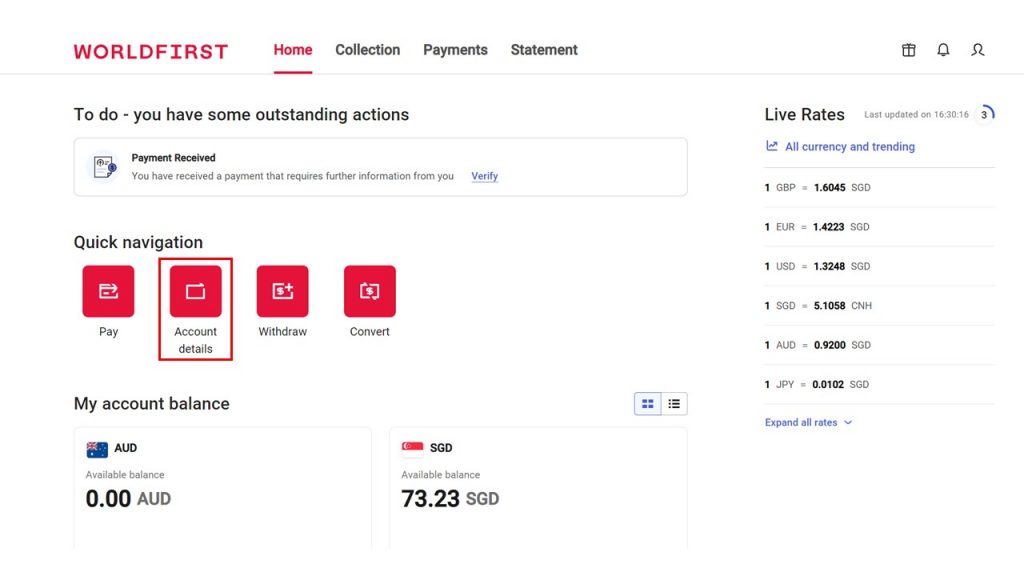
Here are the steps you need to follow to create and add funds into your currency account.
Login and select Account details on your WorldFirst dashboard.
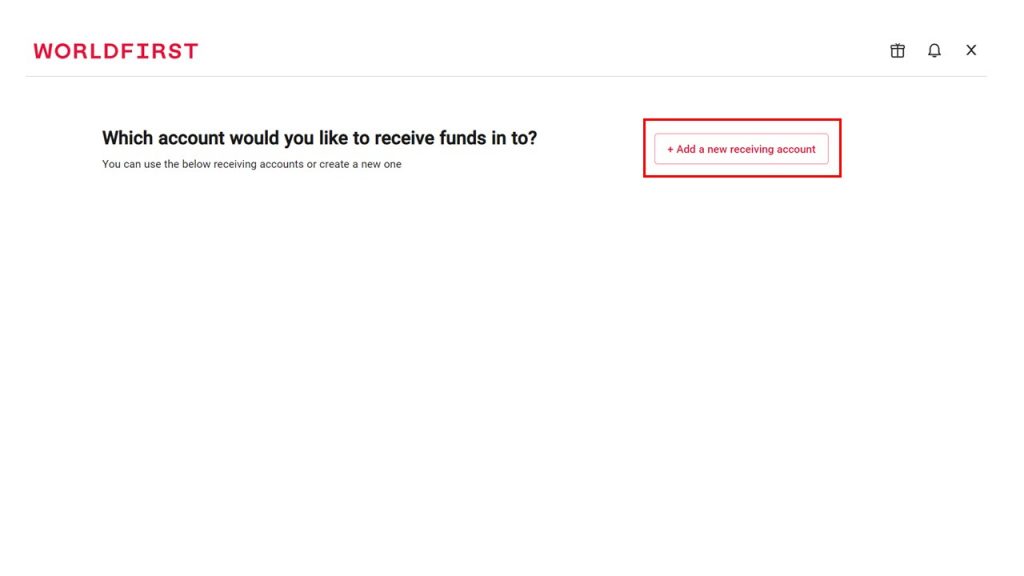
Select Add a new receiving account.
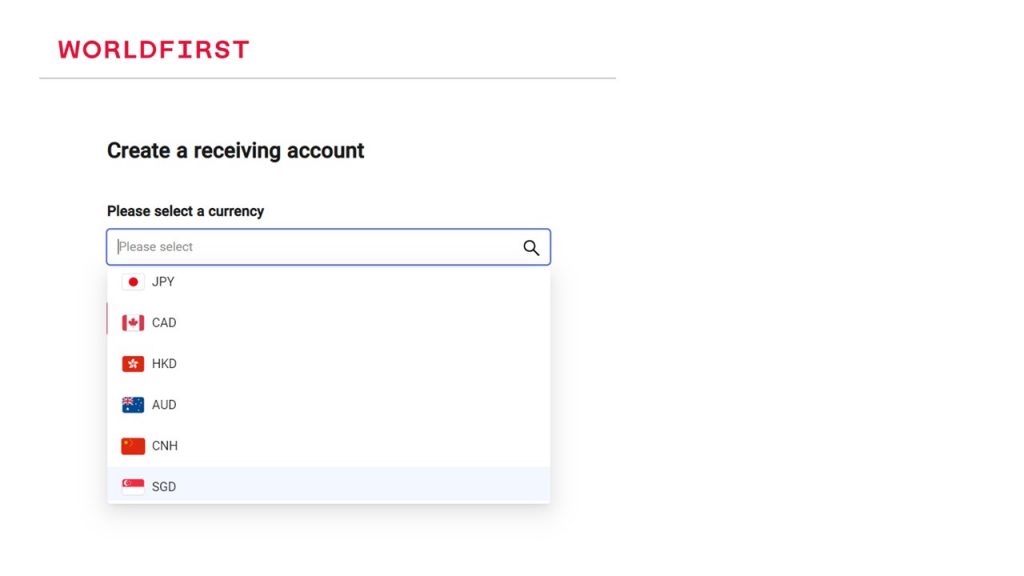
Select a preferred currency.
Give your receiving account a name.
Your receiving account is instantly created. Select View details to see full account details.
If you are topping up your receiving account, you can send funds from your bank to the account.
If you are receiving funds from your customers, share your account details to receive payments.