





























We provide coverage in South Asia and Middle East: servicing 210+ countries and territories.

WorldFirst Home > How to make a payment from a balance
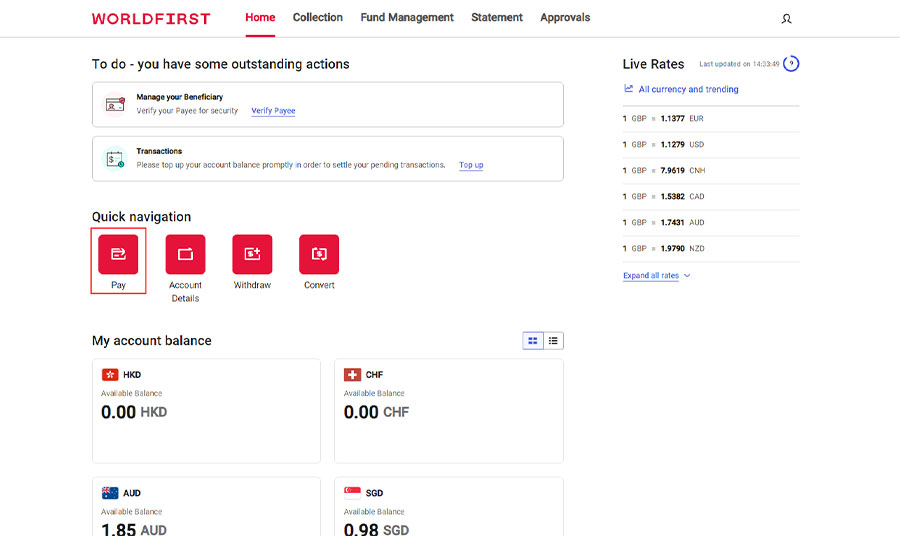
On your dashboard select ‘Pay’ from the ‘Quick Nav’.
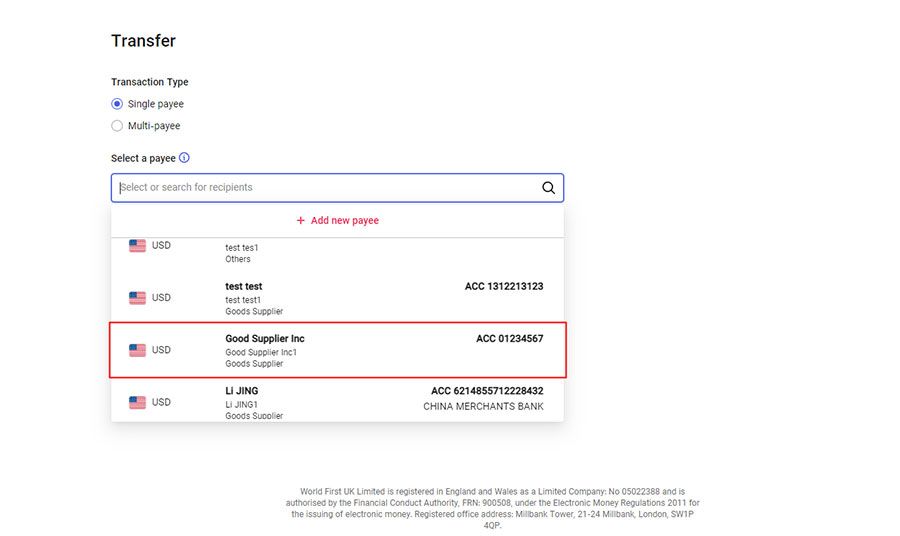
Select the intended payee.
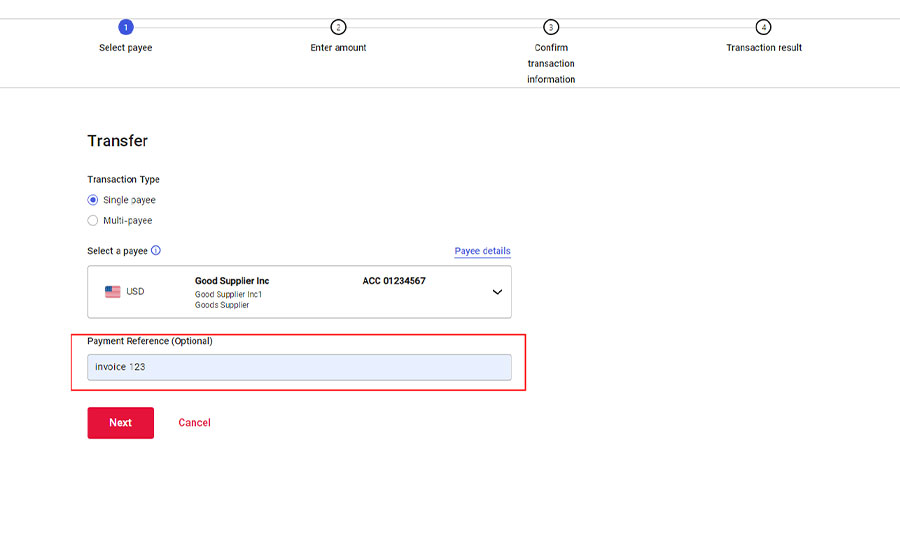
Add in any reference, such as invoice number.
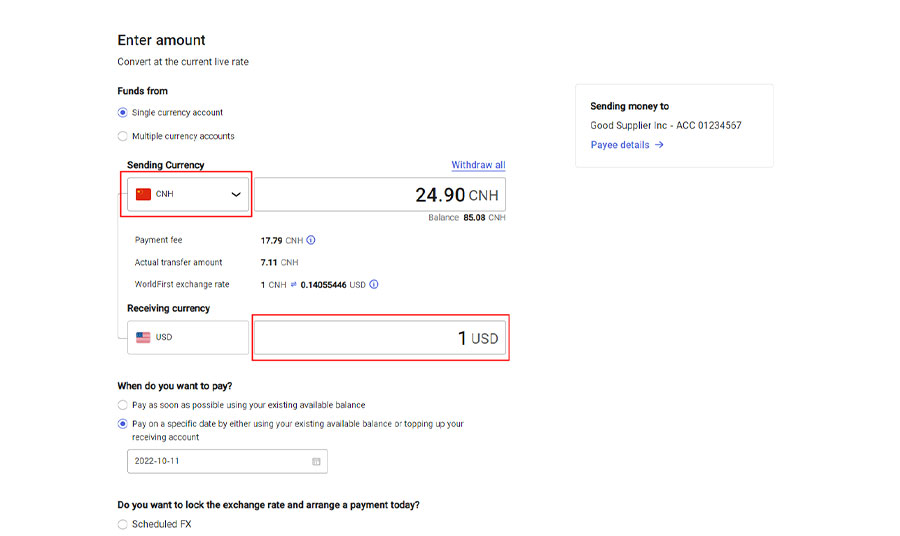
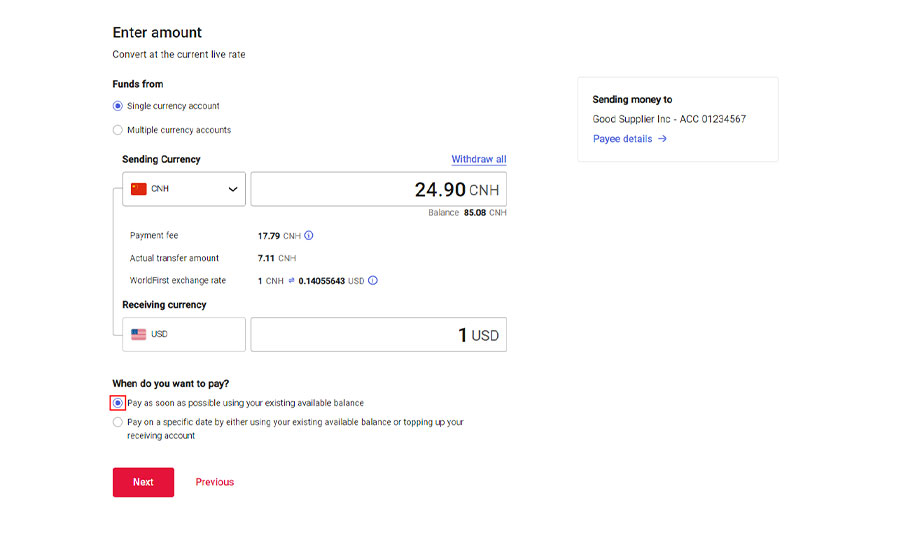
Choose the currency account you wish to debit, and either populate the sending amount or the receiving amount depending on your needs.
Select ‘Pay as soon as possible using your existing available balance’.
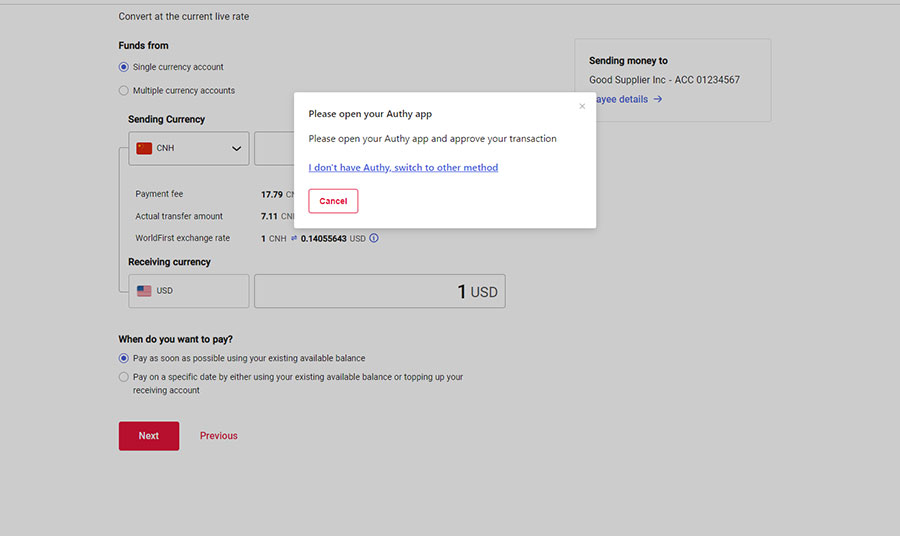
Authenticate your payment via SMS.
Note: If your account is registered outside of Southeast Asia, you may be required to authenticate using Authy App instead of SMS.
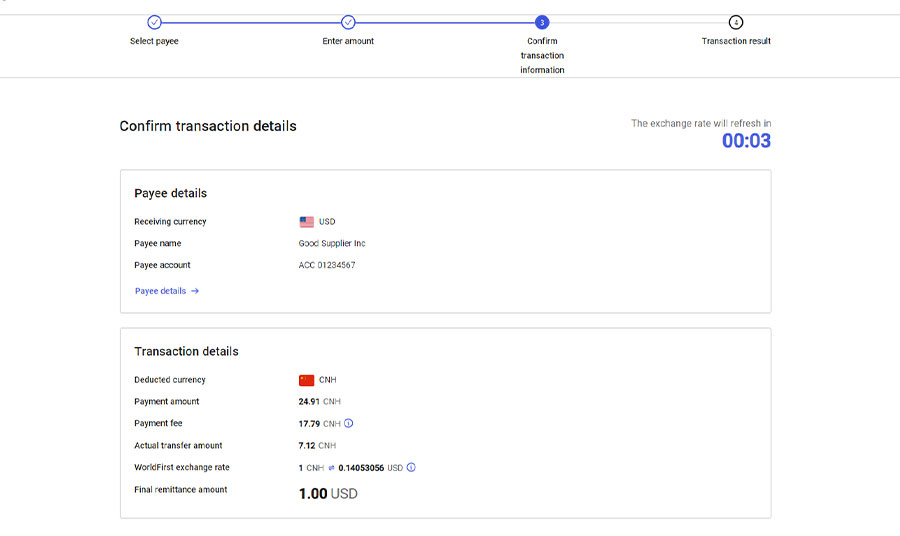
Please review all your payment details and select ‘confirm payment’.
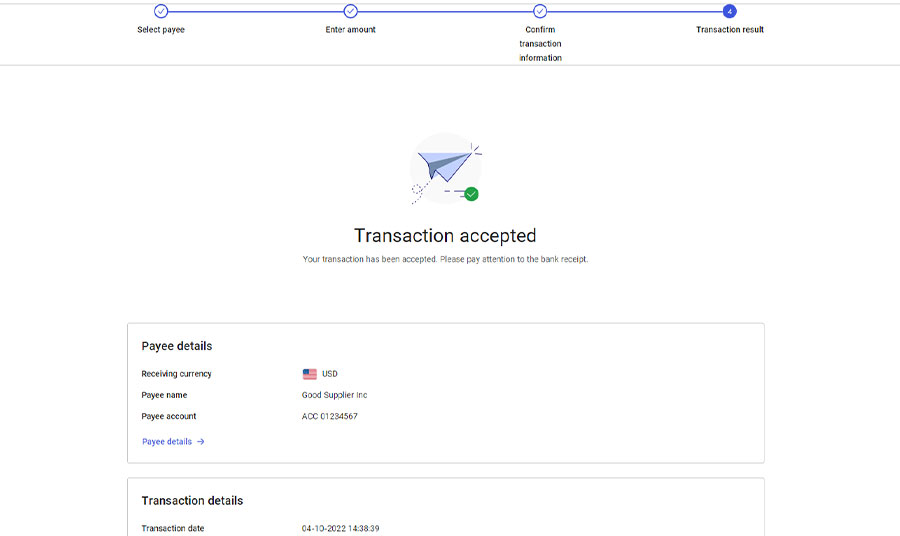
Once your transaction has been accepted, a confirmation screen will appear.