支付寶國際版提現到WorldFirst帳號
支付寶國際版提現到WorldFirst帳號
1.进入提現頁面
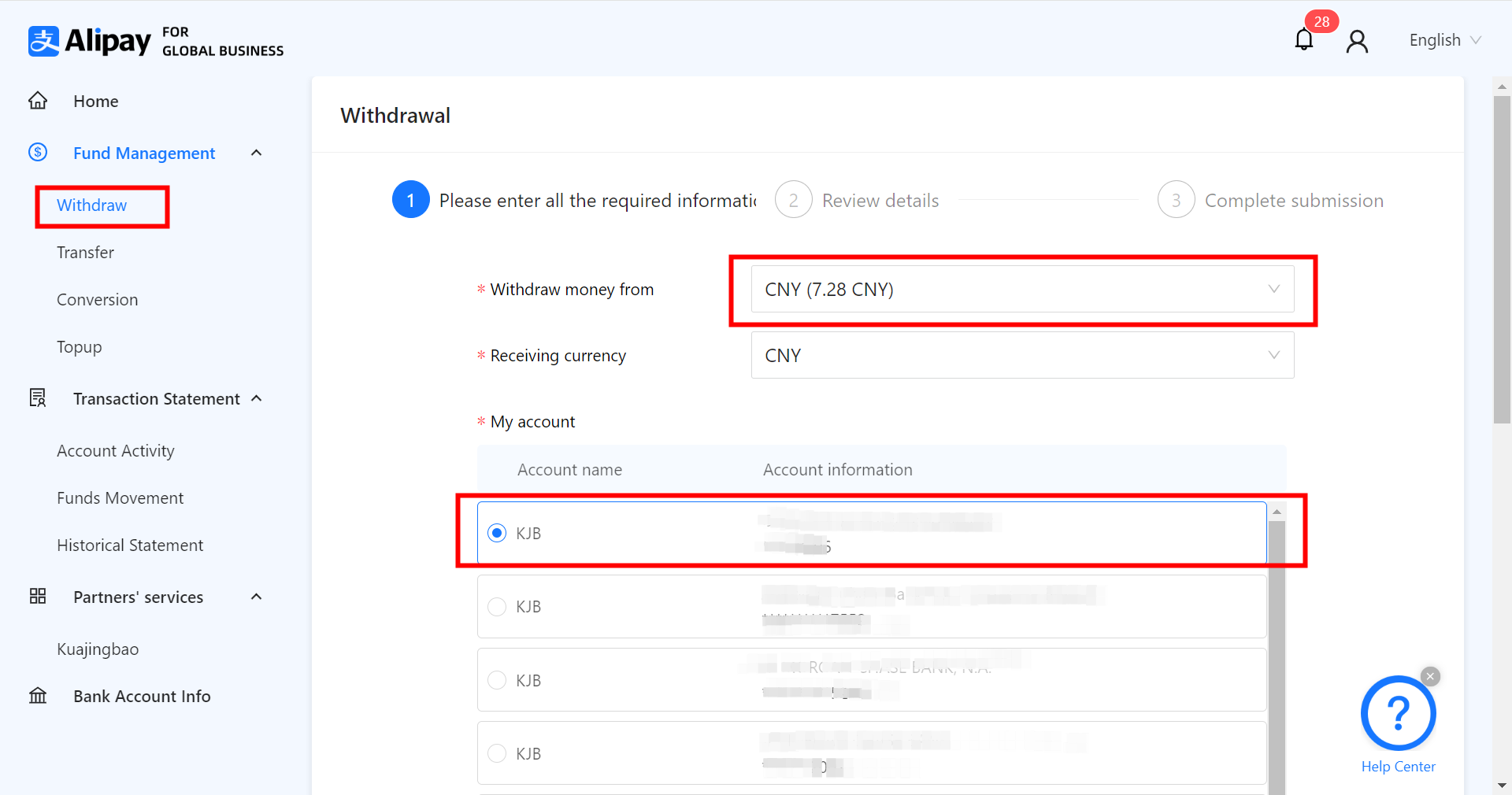
請您先點選登入支付寶國際帳號,在登入後的後臺首頁左側選擇【Fund Management】-【Withdraw】
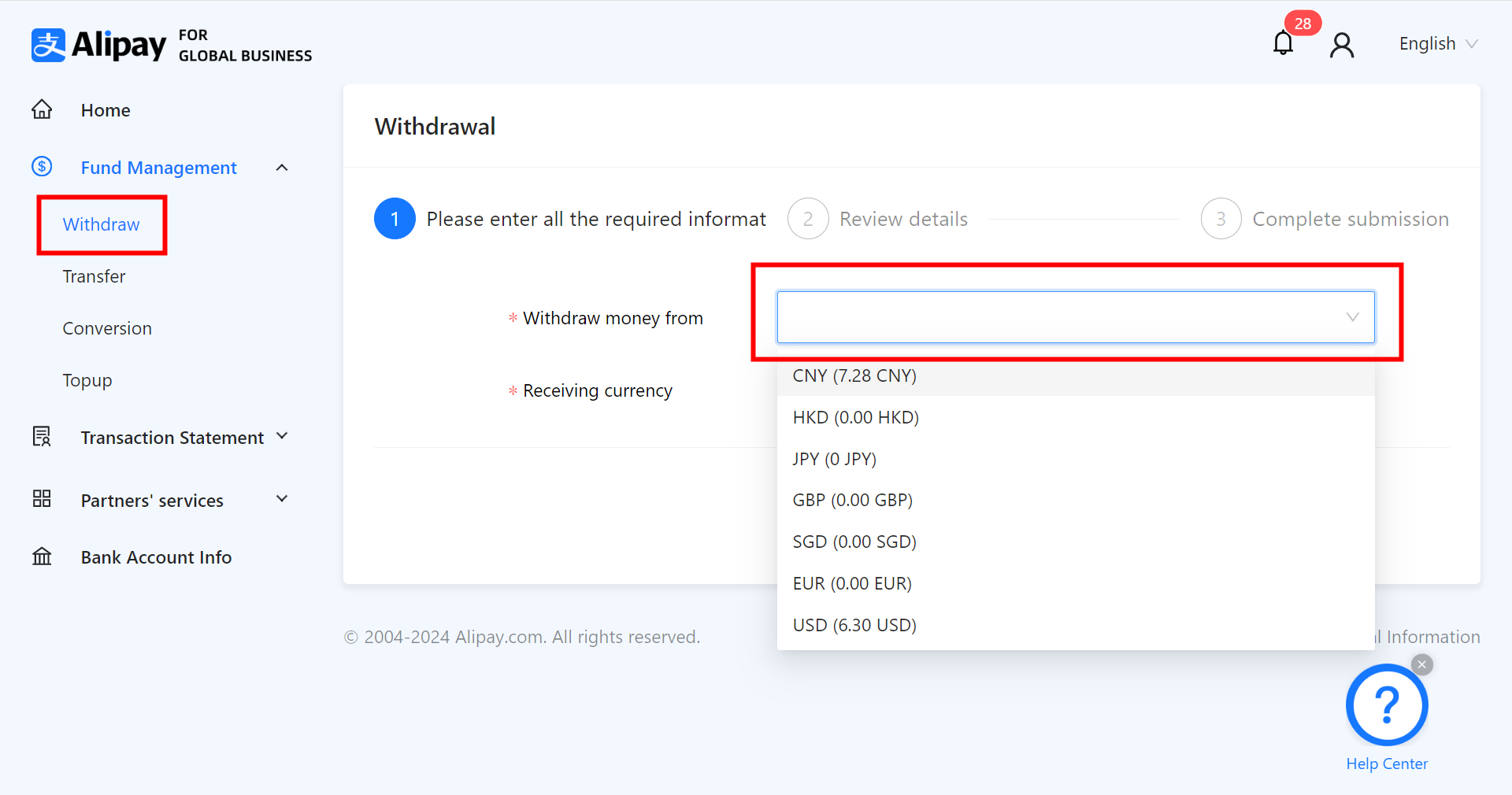
選擇需要提現的貨幣後,點選【Withdraw】頁面下方的【Add a new payment account】

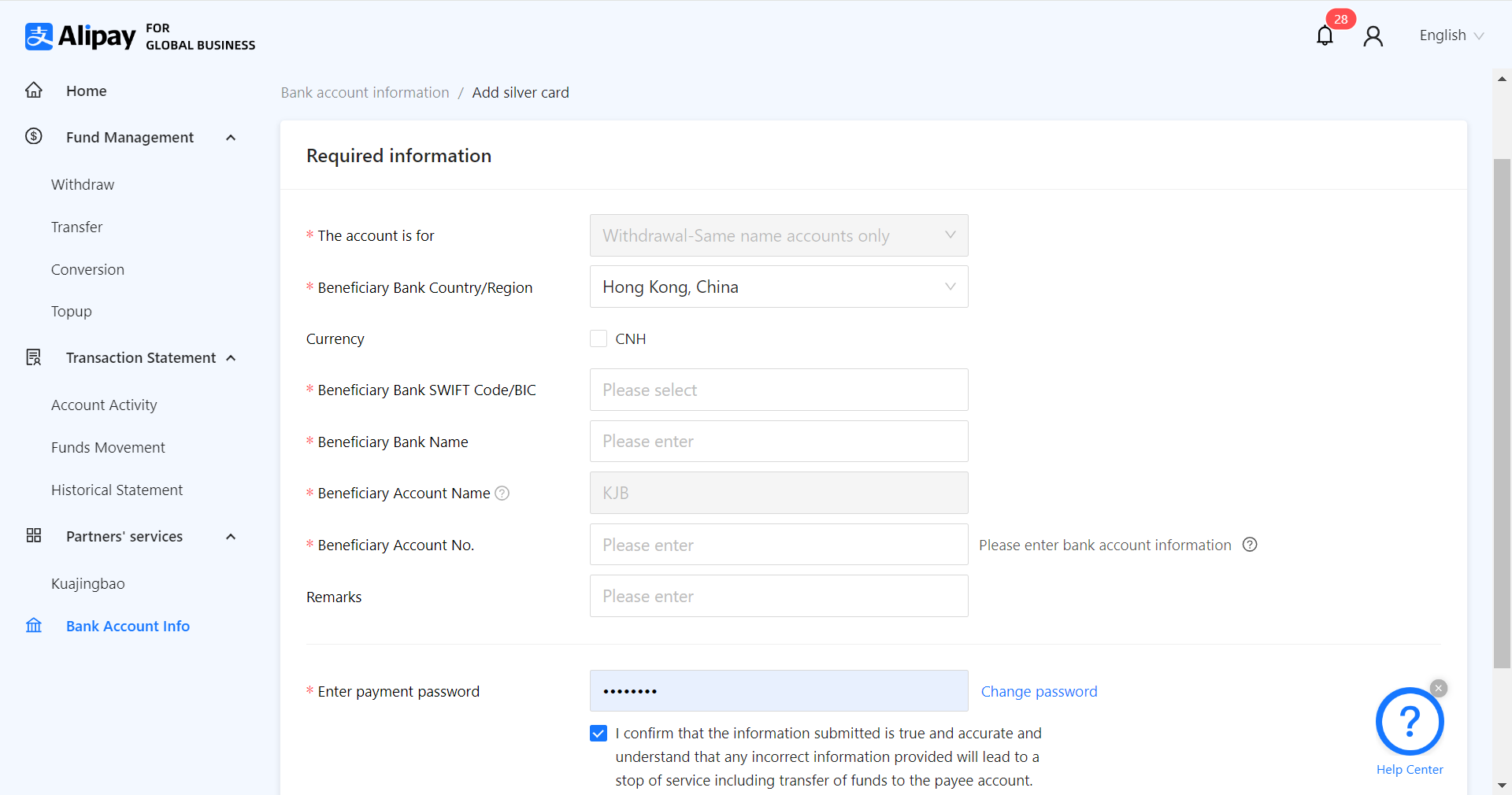
2.填寫WorldFirst收款帳號資訊
注意:此處不要點選CNH!
如您還未申請收款帳號或不瞭解如何檢視您的收款帳號資訊,請查閱以下詳細指南。

3.如何申請WorldFirst收款帳號
選擇【收款管理】,點選【管理收款賬戶】
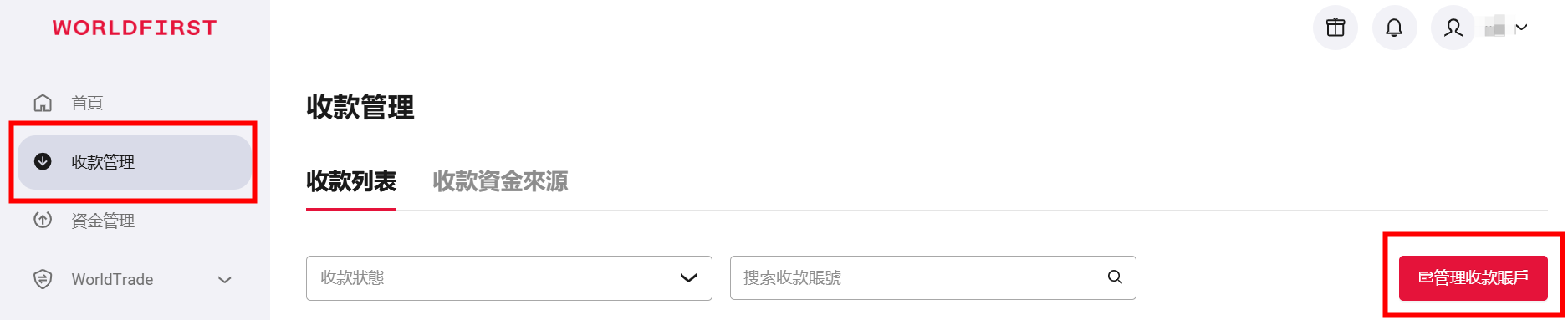
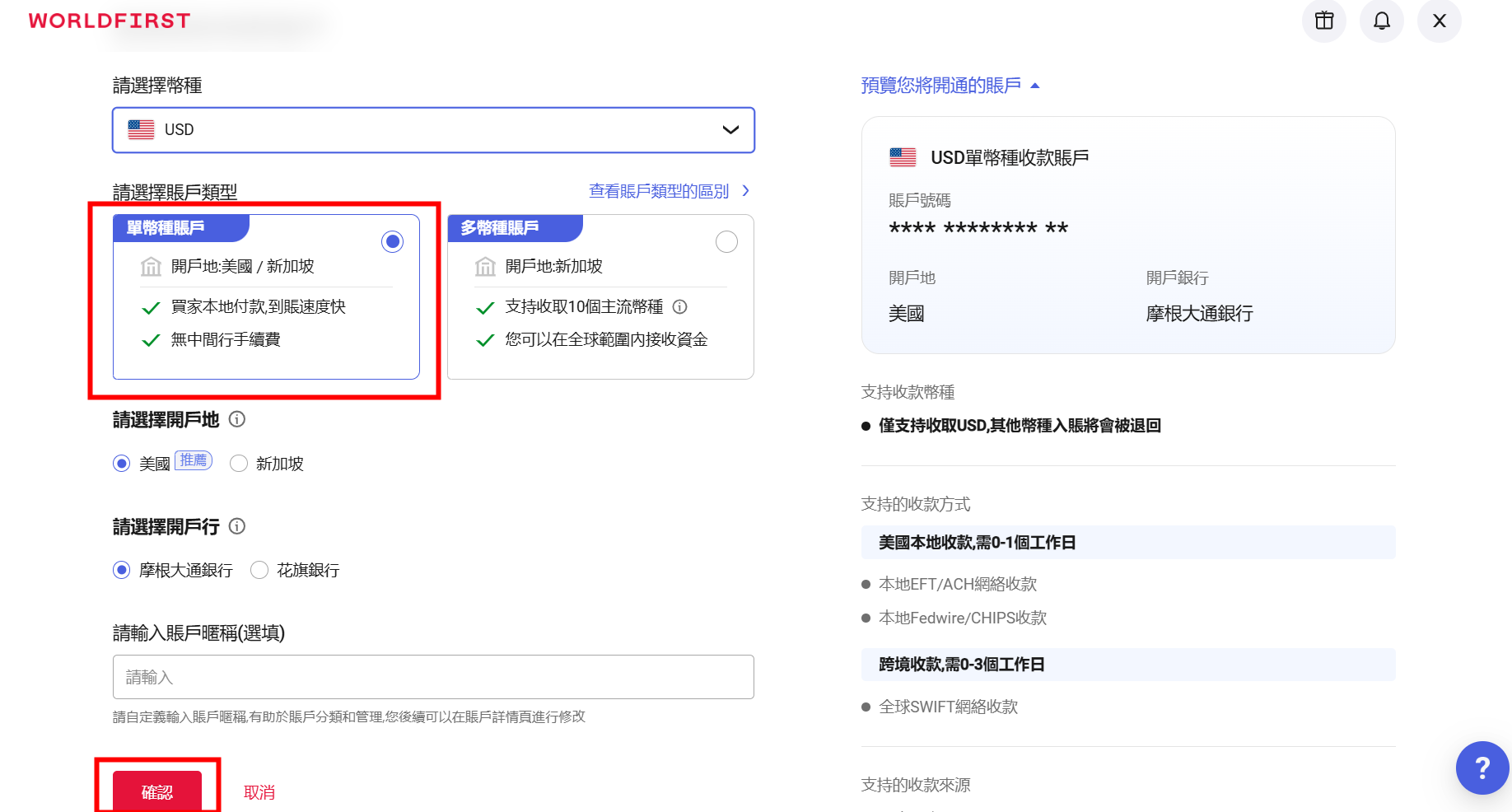
點選【創建收款賬戶】

選擇貨幣(以美元為例)
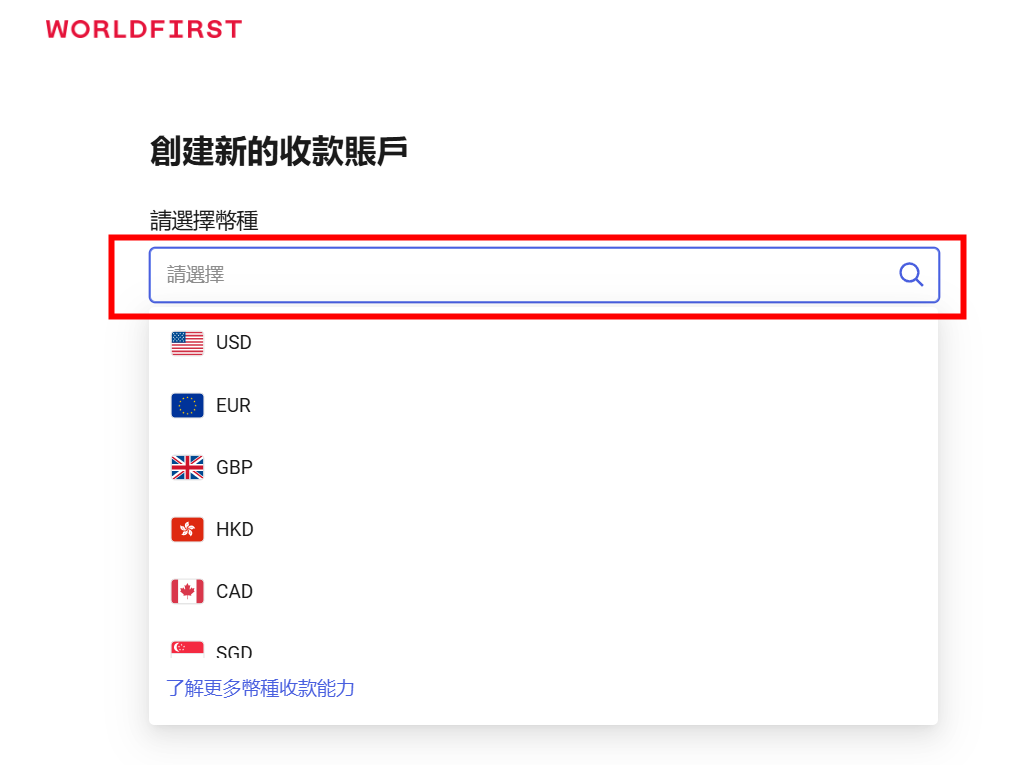
選擇開戶地,開戶行,點擊【確認】即可。
檢視收款帳號資訊
選擇【收款管理】,點選【管理收款賬戶】
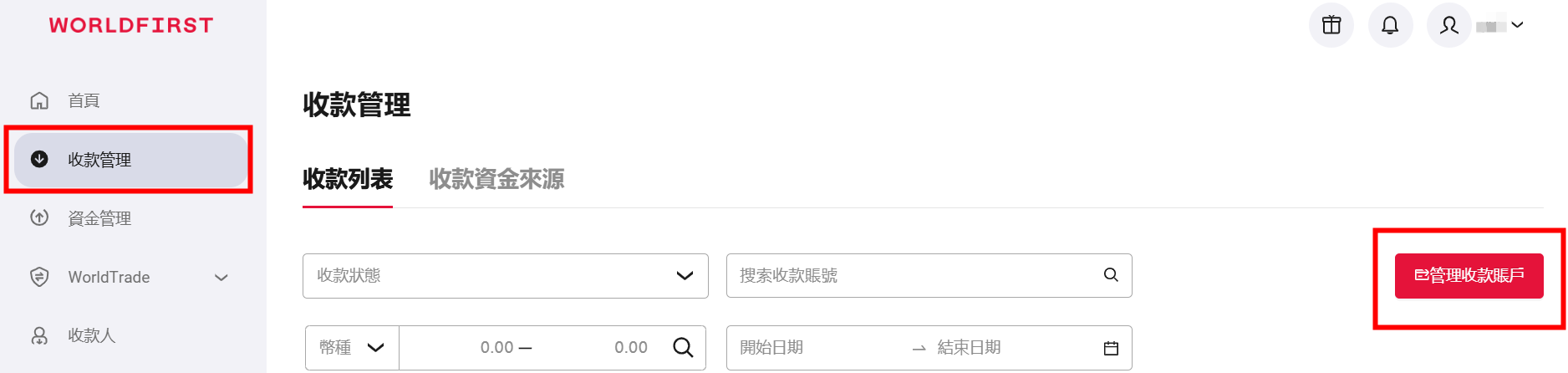
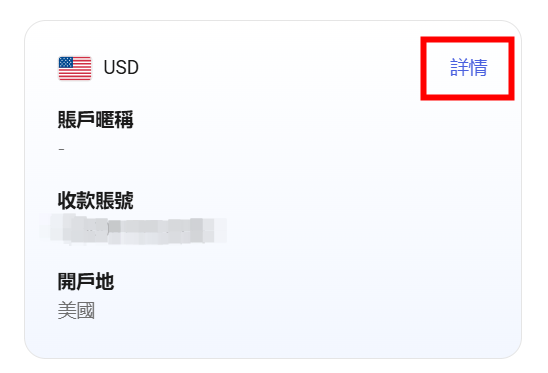
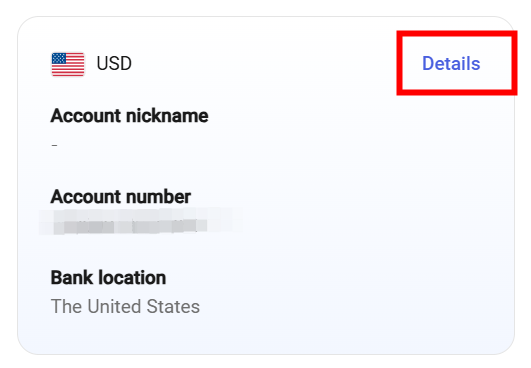
在此頁面可以看到您所有的收款帳號,找到所需帳號,點選【詳情】。
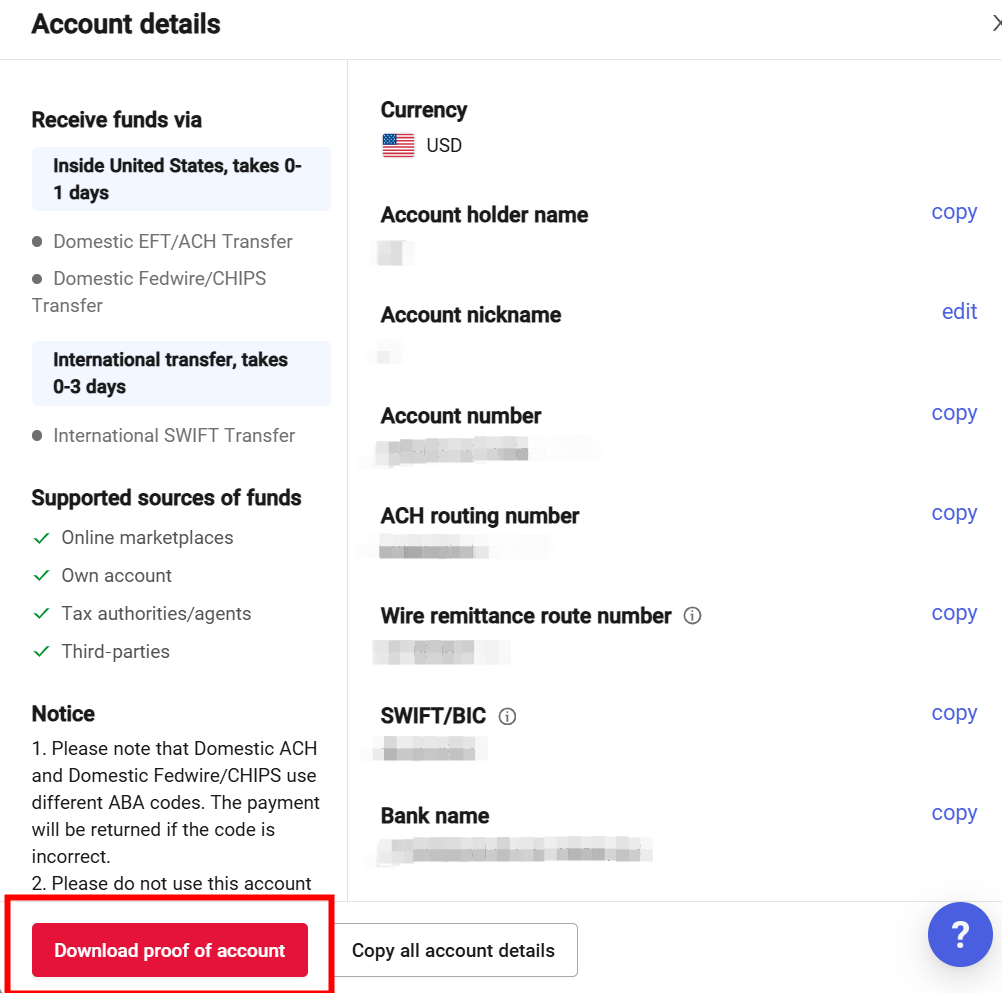
填入WorldFirst收款帳號資訊即可。
4.下載帳戶證明信
選擇【收款管理】,點選【管理收款賬戶】

找到所需帳戶,點選【詳情】。
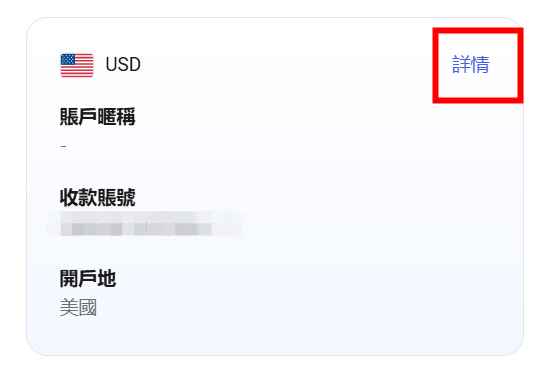
點選下方【下載賬戶證明信】。
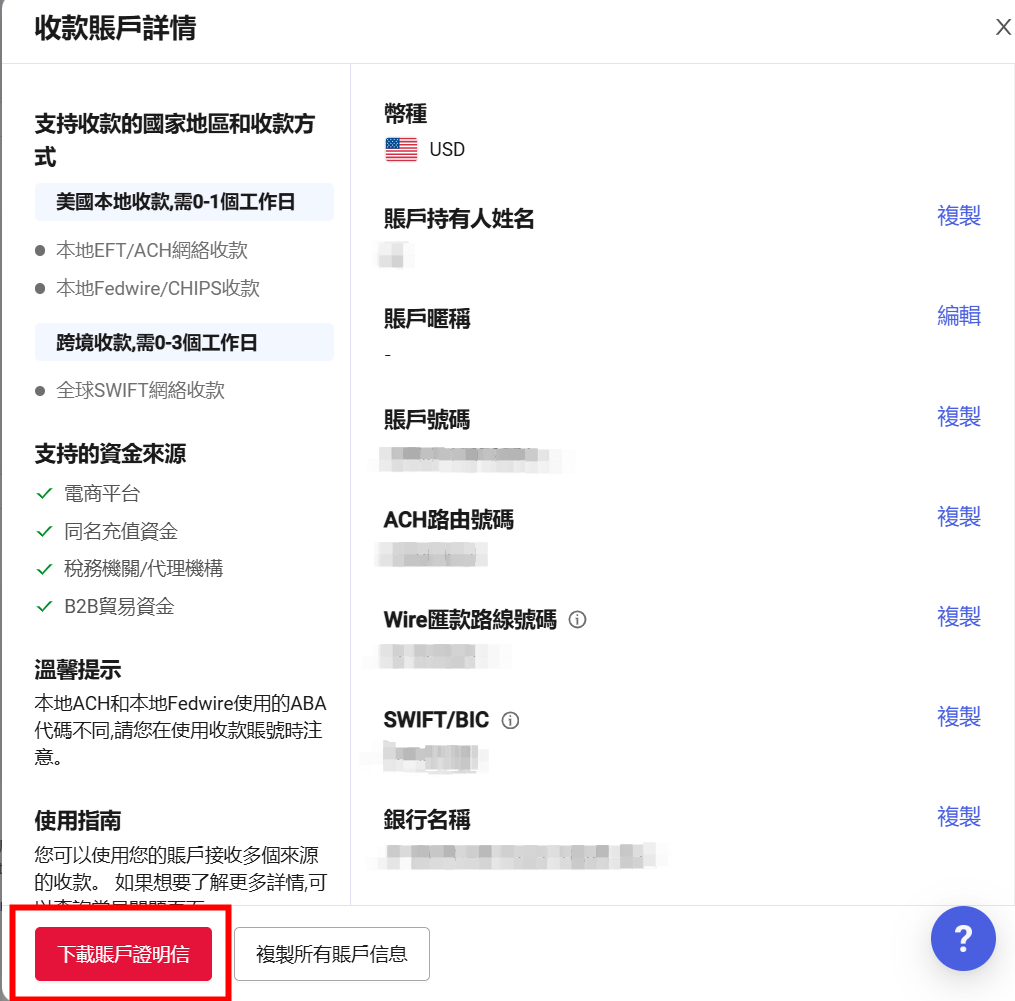
5.上傳帳戶證明信
您需要在國際支付寶頁面上傳收款帳戶證明信。

6.提現到WorldFirst帳號
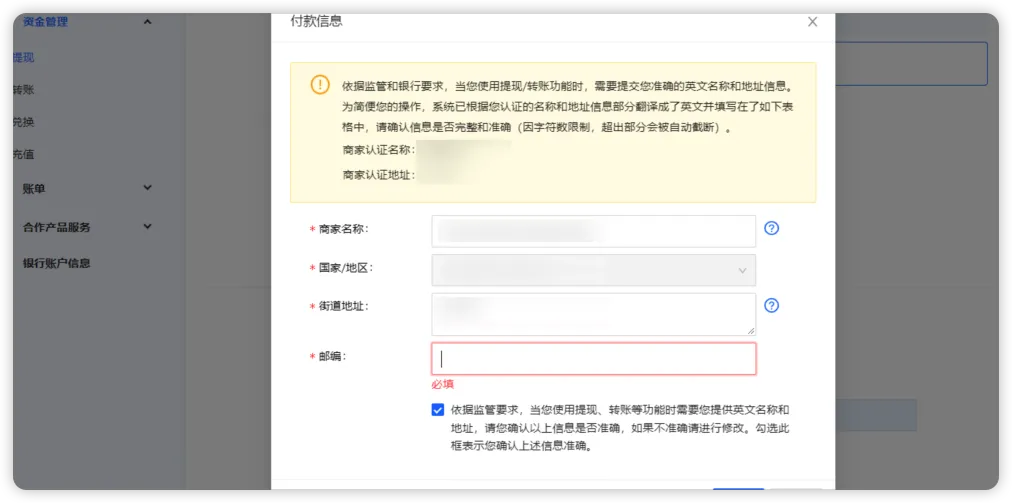
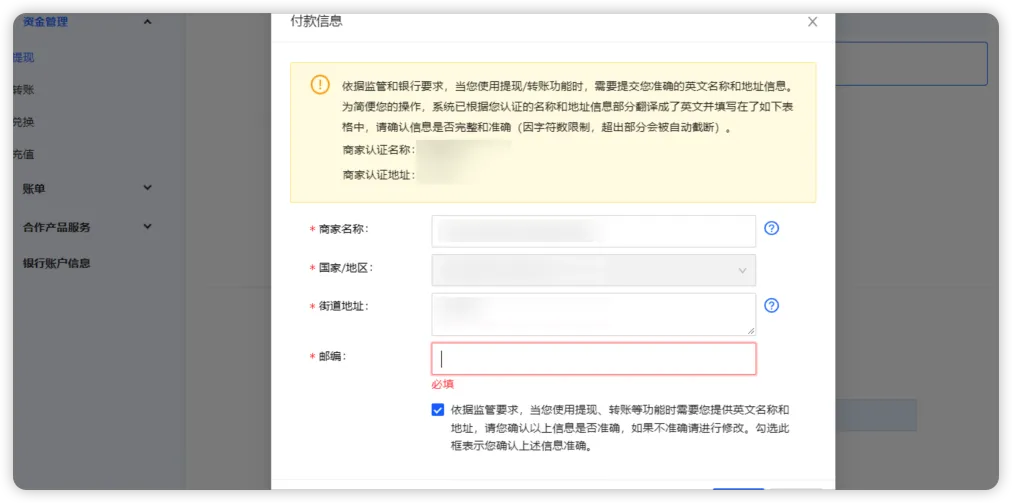
務必完整填寫支付寶國際版賬戶的基本資料!
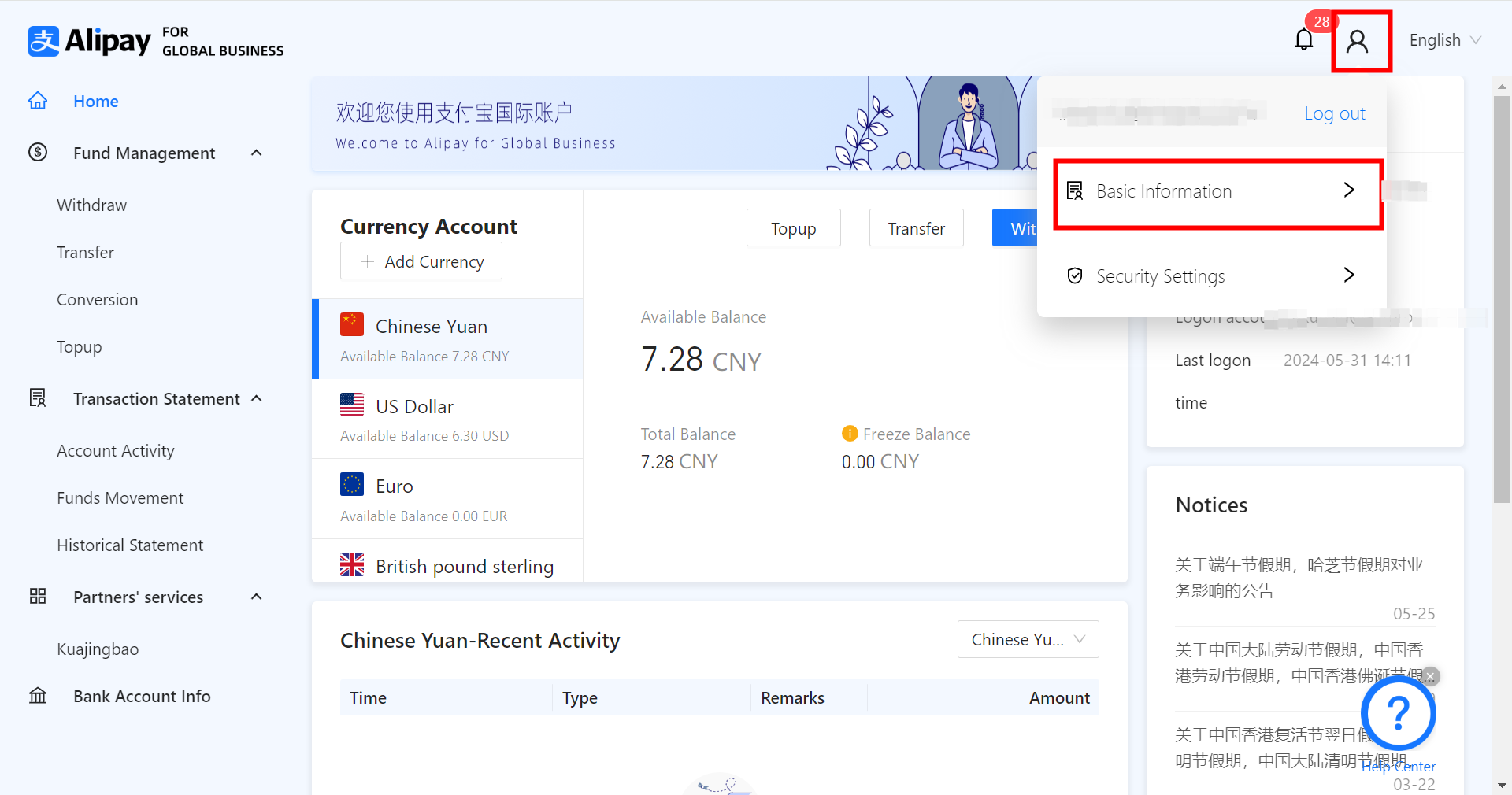
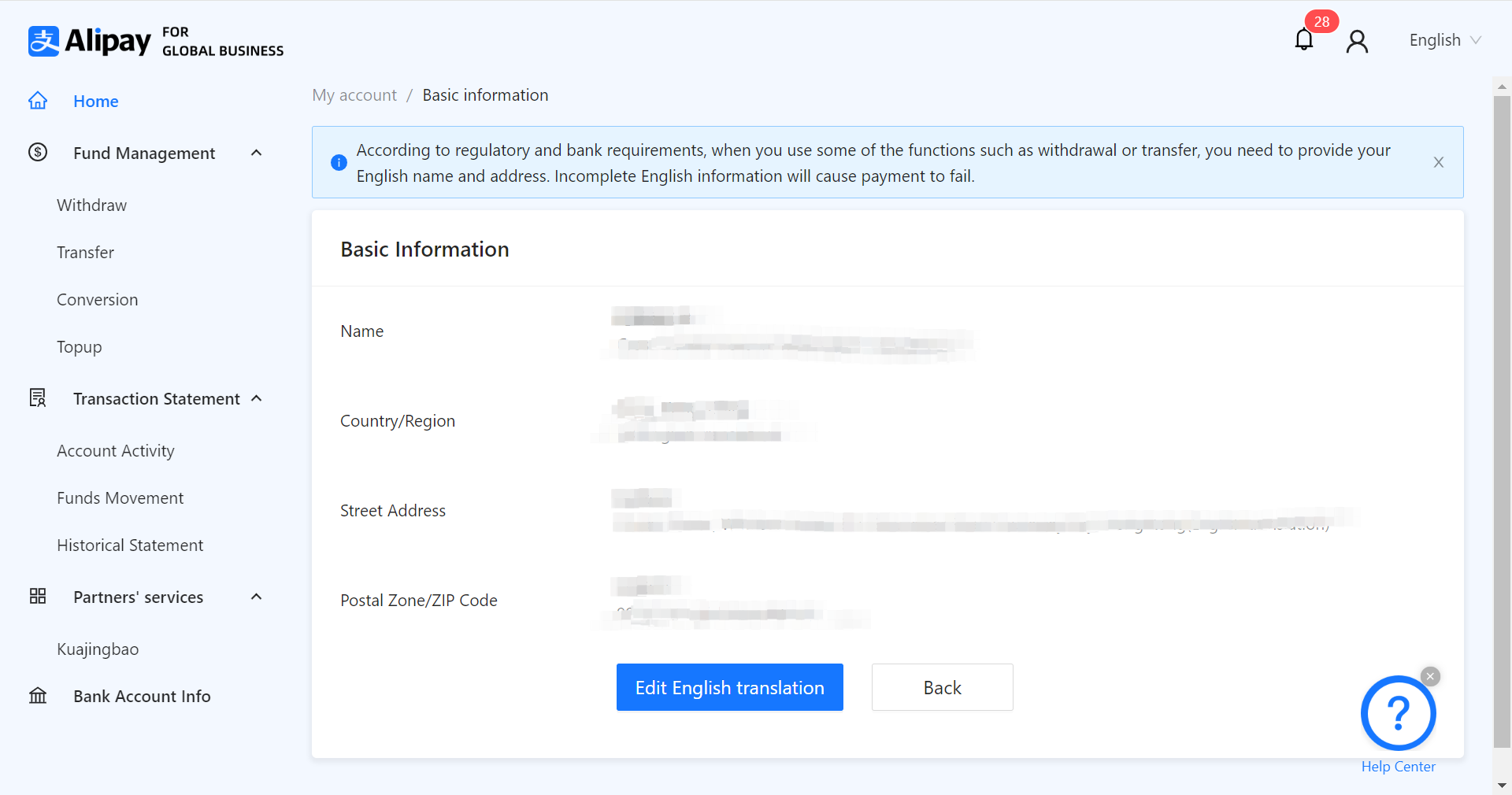
點擊【Withdraw】,選擇添加成功的WorldFirst收款帳號。
確認提現手續費
提現USD手續費:12 USD
提現GBP手續費:9.5 GBP
提現HKD手續費:5 HKD
提現EUR手續費:10 EUR
填寫收款帳號的詳細資訊。
Withdraw from Alipay Business Account to a World Account
1.Click withdraw
Login to your Alipay Business Account , and select withdraw on the left menu.
After selecting the currency you wish to withdraw , click Add a new payment account.
2.Fill in the World Account information
Note:Please do not click on CNH here!
If you have not yet applied for a receiving account or are unsure how to view your receiving account information , please refer to the detailed guide below.
3.Add a WorldFirst receiving account
Select Collection , click Manage accounts.
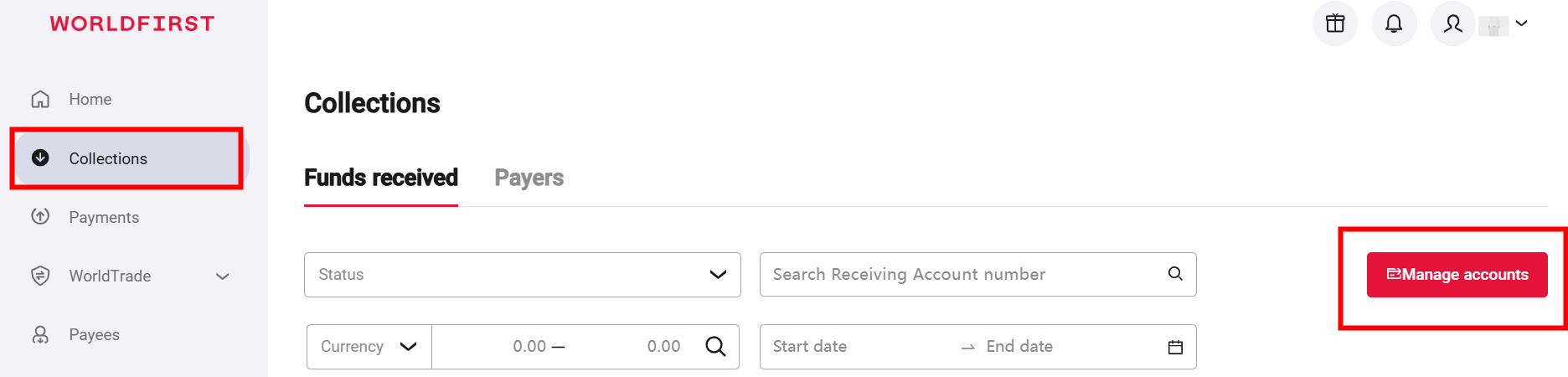
Click Add a new receiving account.

Select the currency (using USD as an example).
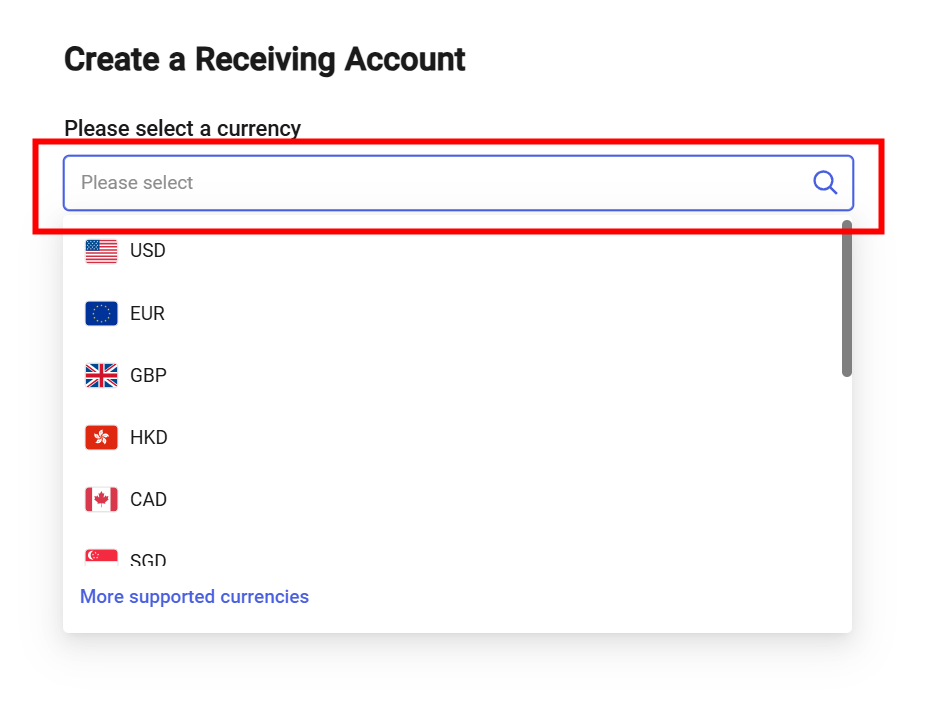
Click Confirm.
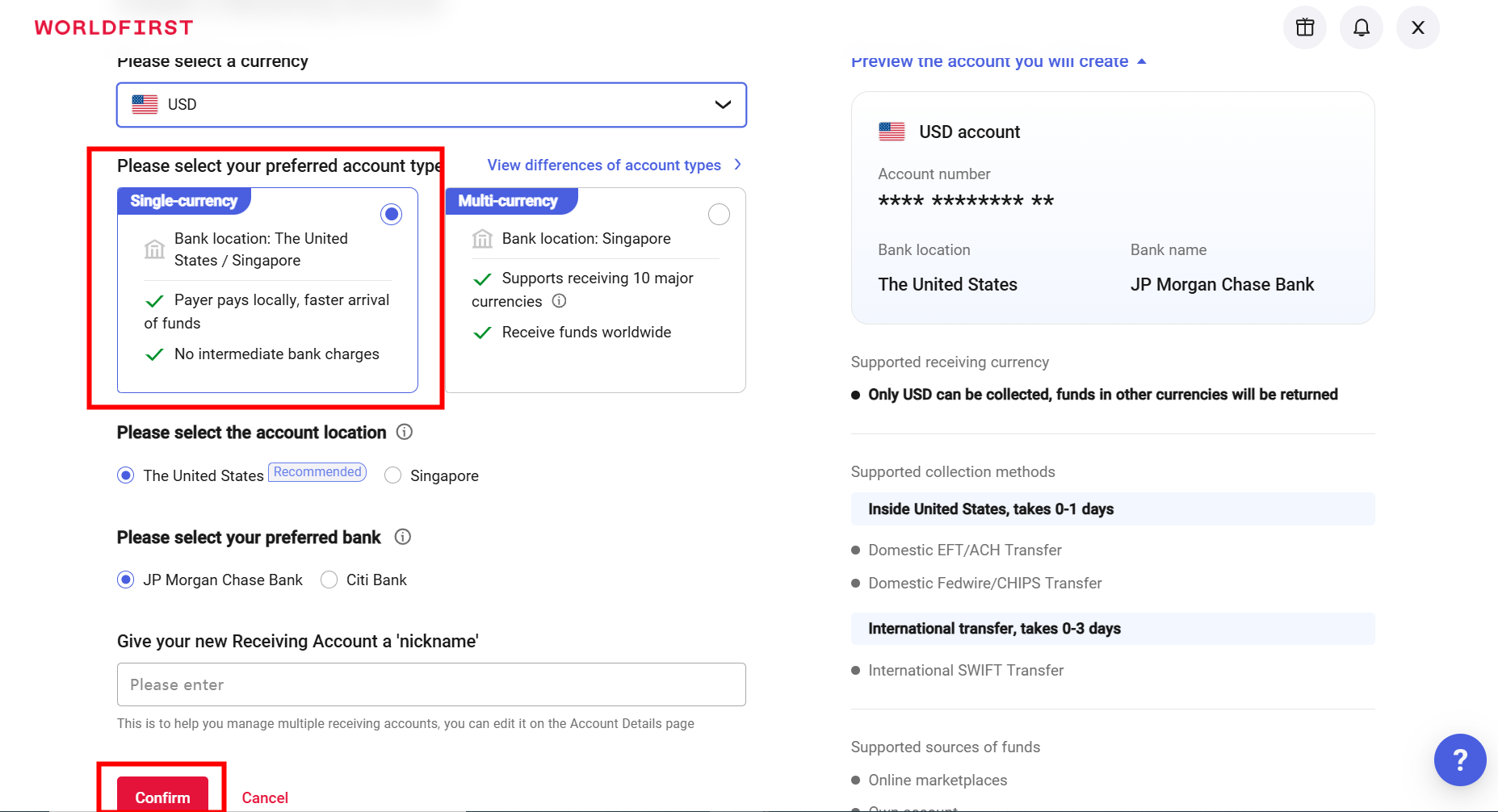
View receiving account information.
Select Collection , click Manage accounts.
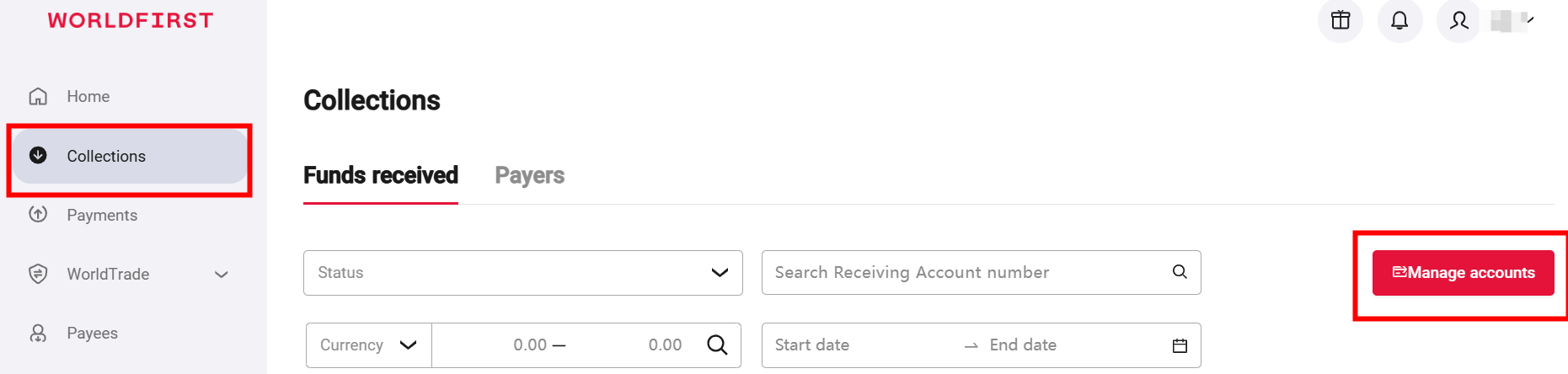
On this page , guests can see all of your receiving accounts , locate the required account , and click to confirm the Details.
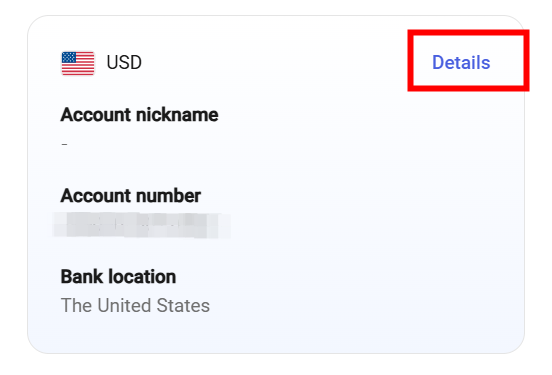
Fill in the WorldFirst receiving account information.
4.Upload proof of account
You need to upload the proof of account letter on the Alipay.
Note: If you are unsure how to download your proof of account , please refer to the detailed guide below.
5.Download proof of account
Select Collection,click Manage accounts.
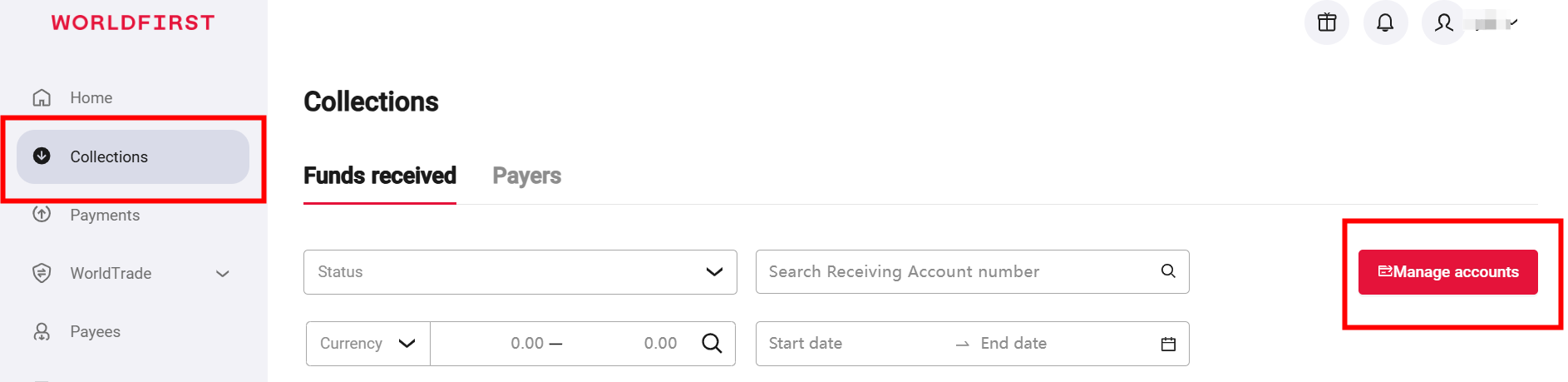
Locate the required account , and click to confirm the Details.
Click Download proof of account.
6.Withdraw to a World Account
Be sure to completely fill out the basic information for your Alipay Business Account!
Click Withdraw , and select the successfully added WorldFirst receiving account.
Confirm withdrawal fees:
Withdrawal fee for USD: 12 USD
Withdrawal fee for GBP: 9.5 GBP
Withdrawal fee for HKD: 5 HKD
Withdrawal fee for EUR: 10 EUR
Fill in the detailed information of the receiving account.